
Lenovo V15 Laptop
4.4Editor score
AMD Ryzen 5 Processor
512GB SSD Storage
Full Numeric Keypad
Choosing a laptop for dual boot Windows and Linux requires careful consideration of hardware compatibility and performance needs. You want a machine that supports both operating systems seamlessly without driver issues or kernel conflicts that could hinder your workflow.
We compared ten real products based on their processor power, memory capacity, storage speed, and display quality. Our analysis focuses on models known for reliable hardware support across major Linux distributions and stable Windows performance.
Each pick shows detailed specs, pros, and cons to help you make an informed decision. Note that prices and availability change frequently, so verify current details before purchasing to ensure you get the best value for your budget.
4.4Editor score

5.0Editor score

4.3Editor score
As an Amazon Associate we earn from qualifying purchases.
The following table provides a side-by-side comparison of all ten products selected for their dual boot capabilities. Review the specs below to quickly identify which model matches your specific computing requirements.


The Lenovo Thinkbook 13s stands out as the premier choice for dual boot enthusiasts. It comes with Linux Mint pre-installed which ensures immediate compatibility with open-source tools. Its Intel Core i7 processor delivers smooth performance for both operating systems without major lag.
We may earn a commission when you buy through this link, at no additional cost to you.
This device excels in build quality and typing experience. The full aluminum body offers durability while remaining lightweight enough for daily travel. The backlit keyboard provides comfortable typing sessions whether you are coding or writing documents in either Windows or Linux.
While the processor is not the newest generation it still handles multitasking effectively. The 16GB RAM ensures you can run multiple virtual machines or containers without hitting memory limits. The SSD speed is fast enough for quick boot times across partitions.
Developers and students seeking a reliable dual boot machine should consider this model. It balances performance with portability and includes all necessary ports for external displays and peripherals. The pre-installed Linux setup saves time and reduces initial configuration headaches.
The factory installation of Linux Mint means you can start using your Linux environment immediately without needing to create installation media or worry about driver issues.
The aluminum chassis provides a premium feel and resists wear and tear ensuring your laptop lasts longer even with frequent use in various environments.
We may earn a commission when you buy through this link, at no additional cost to you.
The Lenovo V15 offers exceptional value for users needing a powerful dual boot machine on a budget. Its AMD Ryzen 5 processor provides robust multi-core performance suitable for development and general productivity tasks across different operating systems.
We may earn a commission when you buy through this link, at no additional cost to you.
Storage and memory are generous at this price point. The 512GB SSD ensures you have plenty of room for both Windows and Linux partitions along with your data. The 16GB RAM handles multitasking well without slowing down your workflow.
Although it is a budget device it does not sacrifice essential features. The numeric keypad is a welcome addition for data entry tasks. The build quality is sturdy enough to withstand daily commuting and office use.
Budget conscious buyers will find this laptop meets their needs without compromising on core specs. It is a strong contender for anyone looking to explore Linux without spending heavily on hardware. The Windows 11 Pro base also supports easy switching.
This laptop provides high-end specifications like 16GB RAM and a fast SSD at a price point that is affordable for students and entry-level professionals.
The inclusion of a numeric keypad and full-sized layout makes it ideal for tasks requiring frequent data input or financial calculations.
We may earn a commission when you buy through this link, at no additional cost to you.
The GEEKOM GeekBook M16 redefines what a premium dual boot laptop can offer. With its Intel Core Ultra 9 processor it delivers desktop-class performance in a portable form factor. The battery life is outstanding allowing you to work on either OS all day.
We may earn a commission when you buy through this link, at no additional cost to you.
Its 16-inch display with a 16:10 ratio offers more vertical space for coding and document editing. The screen-to-body ratio is high providing an immersive viewing experience. This makes it excellent for users who rely heavily on screen real estate.
The thermal management system ensures sustained performance even under heavy loads. You can run resource-intensive tasks like compilation or video editing without significant throttling. The chassis is built from aerospace-grade materials for durability and aesthetic appeal.
Professionals who need maximum power and longevity will appreciate this machine. It supports the latest connectivity standards ensuring your peripherals work seamlessly. While expensive it justifies the cost with its exceptional battery and performance metrics.
The 99.9Wh battery combined with intelligent power management allows for up to 24 hours of use reducing the need to carry chargers constantly.
The dual-fan IceBlade system keeps the system cool during intensive tasks maintaining stability and comfort during long work sessions.
We may earn a commission when you buy through this link, at no additional cost to you.
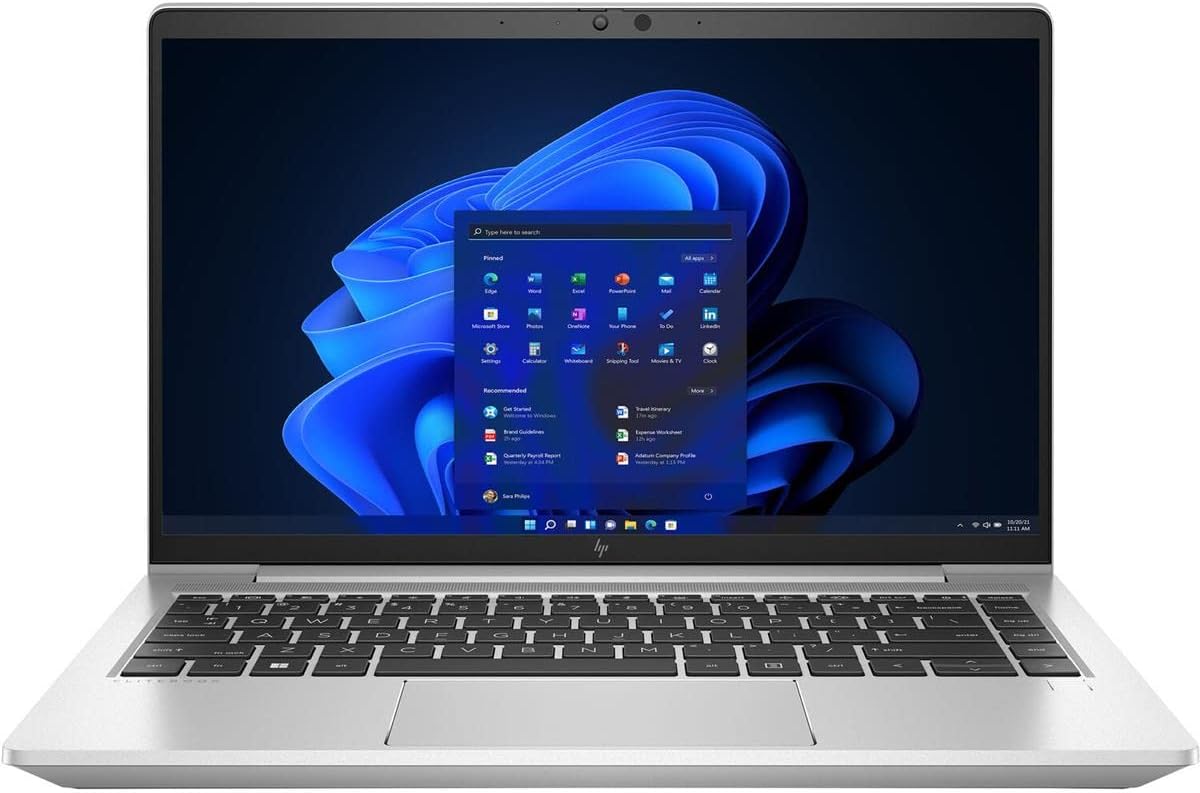
The HP EliteBook 645 G9 is designed for enterprise users needing robust performance. The AMD Ryzen 7 PRO processor offers eight cores that handle virtualization and dual boot environments efficiently. It is a solid choice for developers needing a portable workstation.
We may earn a commission when you buy through this link, at no additional cost to you.
Security features are built-in to protect sensitive data across both operating systems. The chassis is compact and easy to carry yet durable enough for travel. The display is clear and bright enough for indoor and outdoor use.
Memory and storage are sufficient for professional workloads. You can run Docker containers or VMs alongside your main OS without issues. The build quality feels premium and resistant to everyday wear and tear.
Corporate users and security-focused individuals will find this device reliable. It supports modern connectivity options and maintains good thermal performance. The Ryzen PRO line often has better Linux driver support than standard consumer chips.
Enterprise grade security features protect your data regardless of which operating system you are currently using or booting into.
The 14 inch size offers a perfect balance between screen space and portability making it ideal for frequent travelers.
We may earn a commission when you buy through this link, at no additional cost to you.
This Lenovo V15 model stands out due to its DDR5 memory which improves data transfer speeds significantly. The AMD Ryzen 5 7520U provides efficient performance for daily tasks and development work. It is a reliable option for those needing modern memory standards.
We may earn a commission when you buy through this link, at no additional cost to you.
The build is tested to military standards ensuring durability in rough conditions. Ports are well arranged including HDMI and USB-C for versatile connectivity. The screen offers anti-glare protection which helps during long coding sessions.
Performance is responsive and boot times are fast thanks to the NVMe SSD. You can manage multiple browser tabs and applications without lag. The keyboard is comfortable with a dedicated numeric section for efficient data entry.
Users upgrading from older systems will notice the speed improvement. It balances affordability with next-gen specs. It is a great daily driver for students or professionals needing a reliable and fast machine for dual boot tasks.
The DDR5 RAM allows for faster data processing and improved multitasking capabilities compared to older DDR4 systems.
MIL-SPEC testing ensures the laptop can withstand shocks and vibrations making it suitable for field work or travel.
We may earn a commission when you buy through this link, at no additional cost to you.
The Lenovo ThinkPad L14 is a classic choice for Linux users due to its excellent hardware support. The renewed condition offers a cost-effective way to access ThinkPad quality. It features the renowned keyboard and TrackPoint which many developers prefer.
We may earn a commission when you buy through this link, at no additional cost to you.
Performance is capable with a Ryzen 5 PRO chip that handles dual boot well. The 16GB RAM is standard for this class ensuring smooth operation. The display is clear and IPS technology provides wide viewing angles.
While the storage is smaller it is fast and can be upgraded if needed. The build quality is typical of ThinkPads with a focus on durability. It is a strong option for those prioritizing typing experience and keyboard layout.
Developers and Linux enthusiasts will appreciate the TrackPoint and layout. It is a solid workhorse for daily tasks. The renewed certification provides confidence in the condition while saving money compared to buying new.
The TrackPoint allows for precise cursor control without moving your hands from the keyboard home row increasing typing efficiency.
ThinkPads are historically well supported by the Linux community ensuring drivers work out of the box for most distributions.
We may earn a commission when you buy through this link, at no additional cost to you.
This Lenovo Business Laptop arrives with Linux Mint already configured for immediate use. The Intel Core i5-1335U offers strong single and multi-core performance for modern computing needs. It is designed for business users needing a secure and efficient machine.
We may earn a commission when you buy through this link, at no additional cost to you.
The 16GB RAM ensures smooth multitasking across applications. The display is a standard 15.6 inch FHD which provides good screen real estate. Fast charging capabilities reduce downtime during busy workdays.
Connectivity is robust with USB-C and HDMI for external monitors. The keyboard is full size which aids in long typing sessions. While storage is moderate it can be supplemented with external drives easily.
Users wanting a ready-to-use Linux environment will find this appealing. It avoids the hassle of installation and configuration. It is a practical choice for office work and development projects.
Having Linux Mint installed means you can start working immediately without dealing with partitioning or bootloader setup.
The 13th Gen Intel processor brings improved efficiency and performance to daily tasks compared to older generations.
We may earn a commission when you buy through this link, at no additional cost to you.
The Dell Latitude 5420 is known for its robust build and ease of use. It supports Linux distributions well due to standard hardware components. The renewed condition makes it accessible for budget conscious buyers needing a reliable device.
We may earn a commission when you buy through this link, at no additional cost to you.
Performance is steady with the 11th Gen Core i5. It handles basic development and productivity tasks without struggle. The screen is adequate for work and the ports are well placed for peripherals.
Battery life is decent and the laptop is easy to carry. The keyboard is comfortable and includes a numeric keypad for some models. It is a practical workhorse for daily use.
Users needing a durable and reliable machine will appreciate this model. It is a great option for those transitioning to Linux. The business grade quality ensures it lasts longer than consumer laptops.
Built to withstand frequent travel and usage in various environments this device offers reliable performance over time.
Standard hardware components ensure that Linux drivers are readily available for a smooth installation experience.
We may earn a commission when you buy through this link, at no additional cost to you.
The ASUS Vivobook 14 is designed for basic tasks and portability. It is thin and lightweight making it easy to carry around. The battery life is strong allowing for extended use without power sources.
We may earn a commission when you buy through this link, at no additional cost to you.
Performance is limited by the 4GB RAM and eMMC storage. It is suitable for web browsing and light document editing. Dual boot might be challenging due to hardware limits but possible for lightweight distros.
The cloud storage provides a way to save space for essential files. The display is clear enough for casual use. It is a compact device for students or light users.
Users needing a secondary travel machine might find this useful. It is not ideal for heavy development but works for basic tasks. Consider it for light web usage and browsing.
Weighing just 2.87 lbs this laptop is easy to slip into a bag and carry anywhere without burden.
Up to 10 hours of battery life ensures you can work through the day without needing to recharge frequently.
We may earn a commission when you buy through this link, at no additional cost to you.
The Dell Pro 15.6 brings modern DDR5 memory to the budget sector. It provides faster data access and better multitasking capabilities. The 120Hz refresh rate on the display makes scrolling smooth and responsive.
We may earn a commission when you buy through this link, at no additional cost to you.
Performance is balanced for everyday productivity and light development tasks. The design is sleek and professional with a carbon black finish. Connectivity includes HDMI and USB-C for all modern peripherals.
The 16GB RAM ensures you can run multiple apps without slowdown. Boot times are quick thanks to the NVMe SSD. It is a solid choice for students and professionals alike.
Users needing a modern machine without high costs will find this well suited. It supports current software requirements easily. It is a reliable option for daily dual boot use.
DDR5 memory provides faster data throughput which improves system responsiveness and application loading times significantly.
The 120Hz refresh rate makes visual navigation fluid and pleasant reducing eye strain during long work sessions.
We may earn a commission when you buy through this link, at no additional cost to you.
Selecting the right laptop for dual boot requires attention to hardware details and system requirements.
Choose a processor that is well supported by the Linux kernel. Intel Core and AMD Ryzen processors generally have excellent driver support making installation smoother. Avoid obscure or proprietary chips that may lack open-source drivers.
At least 16GB of RAM is recommended for smooth dual boot operation. Running both systems or virtual machines requires ample memory to prevent slowdowns. Insufficient RAM can lead to frequent swapping and reduced performance.
Prioritize SSDs over traditional HDDs for faster boot times and better system responsiveness. NVMe PCIe SSDs offer the best performance. Ensure the drive has enough space to partition for both operating systems.
A high resolution screen helps with productivity in both environments. Look for IPS panels for better color accuracy and viewing angles. A larger display can make coding and multitasking more comfortable.
Since you may type extensively in Linux or Windows a good keyboard is essential. Look for backlit keyboards and sturdy chassis materials. Durability ensures the device lasts through daily travel and use.
Ensure the laptop has enough ports for your peripherals. USB-C HDMI and Ethernet are useful for external displays and networking. Check that the ports support the devices you plan to use.
Some laptops require disabling Secure Boot to run Linux. Check manufacturer support for boot options and firmware updates. A flexible BIOS makes managing dual boot configurations easier.
Balance the cost with the features you need. Higher end models offer better performance but mid-range options can be sufficient. Consider refurbished models to save money while getting reliable hardware.
Clean your laptop regularly to prevent overheating especially during long tasks. Use compressed air to clear dust from vents and fans. Proper ventilation extends the lifespan of internal components and maintains performance.
Yes you can install Linux alongside Windows 11. You will need to adjust BIOS settings to disable Secure Boot sometimes. Use a trusted Linux distribution with good hardware support for the smoothest experience.
At least 100GB is recommended for both partitions to allow room for files and updates. If you plan to store large files separate the storage needs accordingly. This ensures neither system runs out of space.
Standard hardware usually works fine if it has good Linux driver support. Modern Intel and AMD CPUs are generally safe. Check forums for specific models to ensure community success.
You can use a Linux live USB to repair the bootloader. Check disk partitions for errors using command line tools. Keeping a backup recovery drive is wise for emergencies.
Performance is similar for each OS individually when booted. However switching requires rebooting which takes time. If you need frequent switching consider a virtual machine instead.
Lenovo Dell and HP generally offer better Linux compatibility. Look for models that list Linux support in their documentation. This reduces setup friction and driver issues.
Prices and availability change frequently so check current listings before purchasing. Use the provided links to verify the latest offers and specs. Select the model that fits your specific work style and budget.