
VPFET HDMI Audio Extractor 4K
4.1Editor score
Affordable entry-level option
Outputs optical and 3.5mm
Supports 4K at 30Hz
This guide compares the top HDMI Audio Extractor models for 2026, evaluating audio formats, video resolution support, and connectivity options for home theater
Modern televisions often lack the audio outputs needed for high-quality sound systems. An HDMI Audio Extractor solves this by separating audio from video signals to send to external speakers or receivers.
We evaluated ten leading models based on video resolution support, audio format compatibility, and ease of use. Each product was analyzed for its ability to handle modern standards like 4K and HDR effectively.
Each pick highlights specific strengths and limitations to help you find the right match. Note that availability and pricing can change frequently, so always verify details before purchasing.
4.1Editor score

4.2Editor score
4.5Editor score
This table provides a side-by-side overview of the key specifications and capabilities for each of the ten selected HDMI Audio Extractor models reviewed in this guide.




This model offers an affordable entry into audio extraction with solid 4K support. It allows users to pull audio from HDMI sources into optical or analog outputs for external speakers.
We may earn a commission when you buy through this link, at no additional cost to you.
It supports three distinct modes to handle different signal types effectively. This flexibility helps resolve issues where audio might not pass through correctly on certain devices.
The device requires USB power for operation which is standard for extractors in this class. While it lacks advanced features like ARC it covers the basics well.
It is a strong choice for budget-conscious buyers needing basic audio separation. Check your source device requirements to ensure compatibility before purchase.
Users can choose between optical digital output or 3.5mm analog connections depending on their speaker system needs.
Switching between 2.0CH, 5.1CH, and pass mode is straightforward to match your setup configuration.
We may earn a commission when you buy through this link, at no additional cost to you.
This extractor handles 4K at 60Hz efficiently while offering ARC capabilities for TV setups. It converts HDMI audio into optical and analog outputs simultaneously for flexible routing.
We may earn a commission when you buy through this link, at no additional cost to you.
The downmix feature ensures stereo compatibility when multi-channel audio is detected. This prevents audio dropouts when connecting to devices that do not support surround formats.
HDR and wide color support maintain visual integrity during pass-through. The included power adapter ensures stable operation without relying on USB ports.
It is suitable for users needing reliable 4K extraction with ARC. Verify that your specific ARC implementation matches the device capabilities.
Extracts audio from ARC-enabled TVs and downmixes multichannel content to PCM stereo for analog outputs.
Supports HDR, HDR10, and Dolby Vision up to 10-bit color depth for accurate picture quality.
We may earn a commission when you buy through this link, at no additional cost to you.
This unit provides 4K video pass-through with robust audio decoding options. The metal housing adds durability compared to plastic alternatives found in other models.
We may earn a commission when you buy through this link, at no additional cost to you.
It supports a wide range of audio formats including Dolby TrueHD and DTS-HD Master Audio via optical output. This ensures high fidelity when connected to compatible receivers.
CEC bypass functionality simplifies control setups by isolating signals between devices. The international adapter makes it versatile for different regions.
It is a good choice for users needing durable construction and wide format support. Check specific resolution limitations before buying.
The durable metal housing helps with heat dissipation and protects internal components from physical damage.
Supports LPCM, Dolby Digital, DTS, and Atmos ensuring broad compatibility with modern audio systems.
We may earn a commission when you buy through this link, at no additional cost to you.
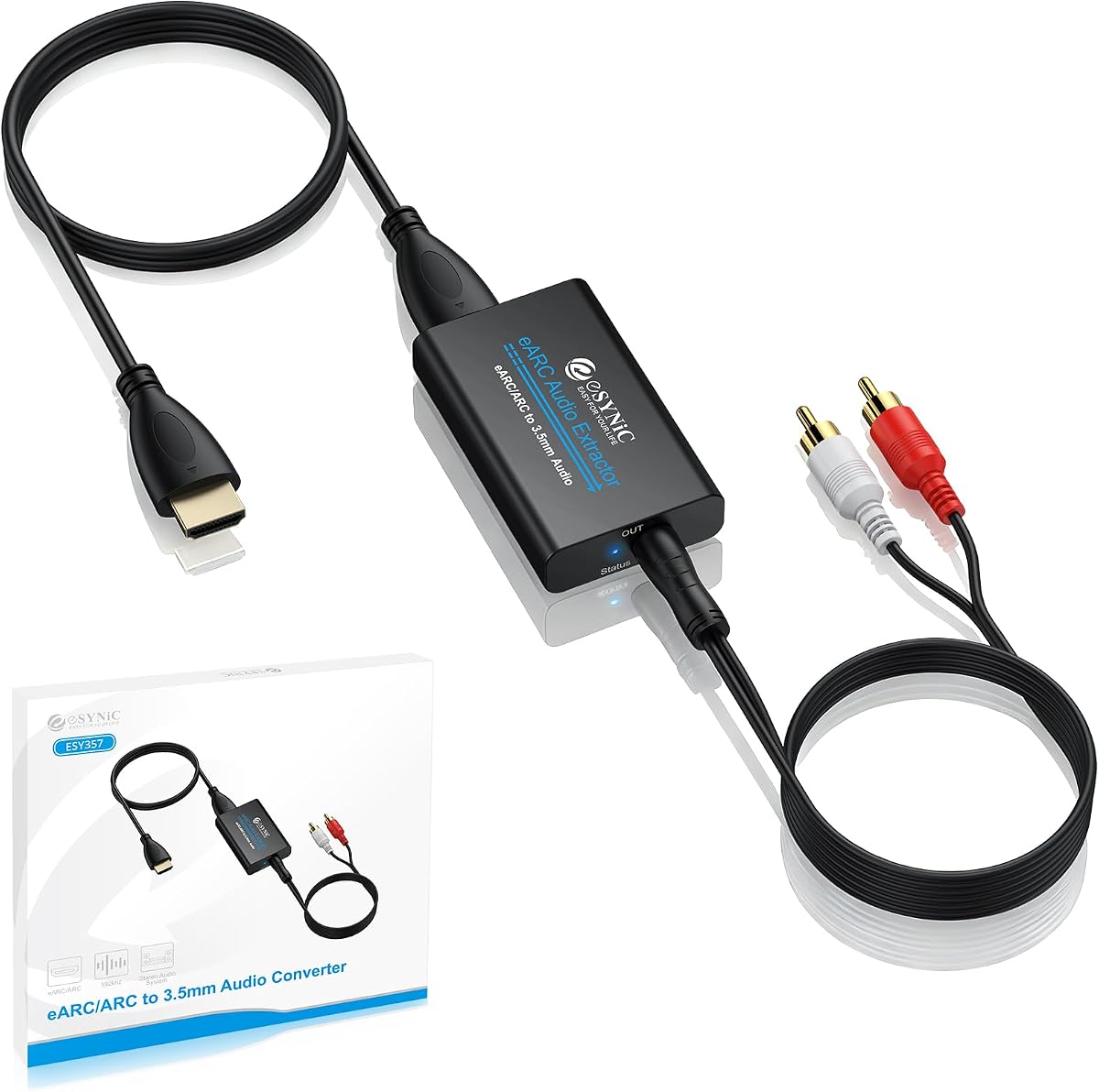
This specialized extractor focuses on high-resolution audio from ARC and eARC ports. It supports sampling rates up to 192kHz for detailed sound quality.
We may earn a commission when you buy through this link, at no additional cost to you.
Visual indicators help users confirm the connection status and audio format. The device requires proper setup on the TV side to function correctly.
It does not support HDMI source inputs so it is limited to TV outputs. This targeted approach ensures performance where standard extractors might fail.
Ideal for audiophiles using soundbars or amplifiers with analog inputs. Ensure your TV supports ARC to use this device.
Delivers 24bit/192kHz audio for precise sound reproduction when connected to compatible devices.
Audio signal indicators allow you to see exactly when the device is active and functioning.
We may earn a commission when you buy through this link, at no additional cost to you.
This model supports 1080p at high refresh rates alongside 4K resolution. It passes digital audio formats effectively to optical outputs.
We may earn a commission when you buy through this link, at no additional cost to you.
Users must set source devices to PCM when using analog outputs. This ensures proper signal decoding without noise or distortion.
HDR10 and CEC support make it suitable for modern setups. The compact design fits easily behind TVs or monitors.
It works well for PC or console setups needing high refresh rates. Check source compatibility before connecting.
Handles 1080p at 120Hz and 144Hz for smooth gaming without compromising audio output.
Preserves Dolby Digital and DTS formats via optical for true surround sound experiences.
We may earn a commission when you buy through this link, at no additional cost to you.
This extractor targets TV ARC ports specifically for coaxial and optical output. It supports 192kHz sampling rates for lossless audio quality.
We may earn a commission when you buy through this link, at no additional cost to you.
The included HDMI cable ensures users can start quickly. Coaxial output offers an additional option for receivers without optical inputs.
Status indicators help verify active modes during setup. However it lacks CEC which limits remote control sharing.
Good for users needing coaxial and optical digital outputs from their TV. Confirm TV ARC compatibility before purchasing.
Provides both Toslink and Coaxial connections for maximum compatibility with older audio systems.
The chip supports 24bit/192kHz ensuring high fidelity audio extraction from supported sources.
We may earn a commission when you buy through this link, at no additional cost to you.
This model leads the pack with 8K video pass-through and modern audio format support. It handles Dolby Atmos and DTS:X via optical output effectively.
We may earn a commission when you buy through this link, at no additional cost to you.
ARC and CEC support allow integration with TV systems for streamlined control. The metal enclosure aids durability and heat management.
Users can benefit from lifetime tech support and a solid warranty. It bridges current standards with future proofing for new TVs.
Recommended for users needing high resolution and broad audio support. It offers the most comprehensive feature set available.
Designed to pass through 8K@60Hz and 4K@120Hz video while extracting audio.
Supports LPCM, Dolby TrueHD, Atmos, and DTS:X for high fidelity multichannel sound.
We may earn a commission when you buy through this link, at no additional cost to you.
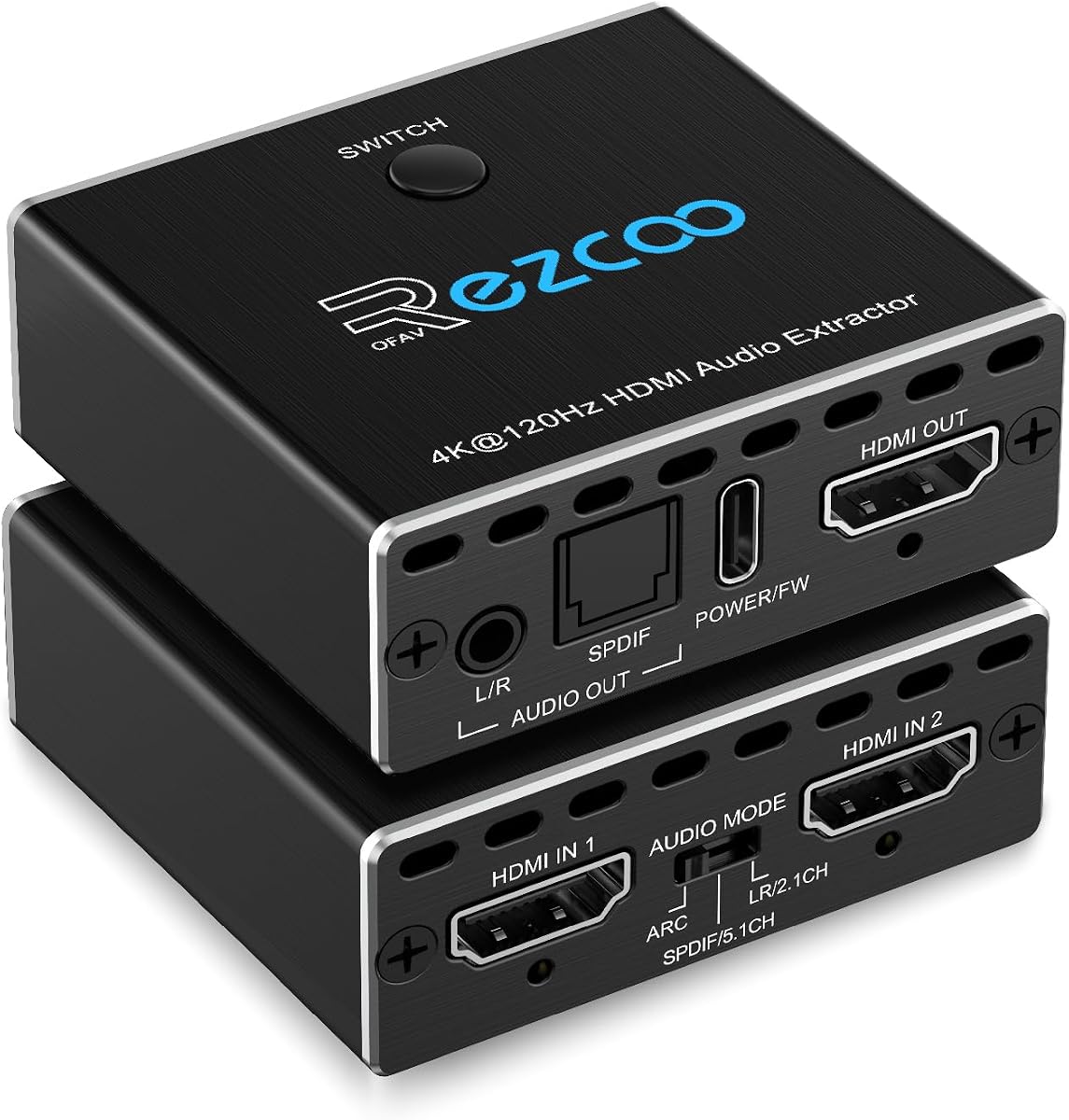
This device functions as both a switch and an audio extractor for two sources. It supports 4K at 120Hz and other HDMI 2.1 features like HDR.
We may earn a commission when you buy through this link, at no additional cost to you.
Audio formats include DTS:X and True HD which are supported via optical output. This makes it suitable for advanced sound systems.
Type-C power ensures flexible connection options. The compact design saves space on entertainment centers.
Ideal for users consolidating multiple devices and audio extraction. Check cable compatibility for stable signal transmission.
Switch between two HDMI inputs while extracting audio to external speakers simultaneously.
Supports high resolutions and refresh rates ensuring compatibility with next-gen gaming consoles.
We may earn a commission when you buy through this link, at no additional cost to you.
This model offers triple operating modes to adapt to different signal types. It supports 8K video and modern audio formats like Atmos and DTS:X.
We may earn a commission when you buy through this link, at no additional cost to you.
Pass mode mirrors native audio while R/L and SPDIF modes manage downmixing. This ensures correct output regardless of source configuration.
Users can operate it without a display using only audio outputs. Type-C power simplifies connection to modern adapters.
Good for users needing flexible audio extraction modes. Verify your TV audio settings match the selected mode.
Choose between pass, stereo, or dedicated digital mode based on your receiver capabilities.
Handles 8K@60Hz and 4K@120Hz ensuring no degradation in video quality during pass-through.
We may earn a commission when you buy through this link, at no additional cost to you.
This lightweight adapter is great for basic setups needing 3.5mm audio output. It supports 4K at 30Hz and 3D video technologies.
We may earn a commission when you buy through this link, at no additional cost to you.
Includes HDMI and audio cables to get started immediately. It works with various consoles and media players without complex setup.
Users may need USB power for some devices due to HDMI limitations. The compact size is easy to hide in tight spaces.
Perfect for simple analog audio extraction needs. Check your device compatibility before purchase.
Package includes HDMI and audio cables so you can start using it right away.
Lightweight design makes it easy to install and transport without adding bulk to your setup.
We may earn a commission when you buy through this link, at no additional cost to you.
Selecting the right extractor depends on your specific audio and video needs. Understanding key factors ensures you find a device that matches your setup.
Ensure the device supports the maximum resolution your source outputs. Many models handle 4K but only at 30Hz or 60Hz. If you have a high refresh rate monitor check if the extractor supports 120Hz or higher to avoid frame rate drops.
Look for 4K@60Hz or 8K support depending on your display. Match the bandwidth requirements of your HDMI source to prevent signal loss.
Check if the extractor supports the audio formats you use. Some only pass Dolby Digital while others support DTS or Dolby Atmos. Optical outputs typically handle bitstream formats but analog outputs require PCM signals.
Confirm support for 5.1 or 7.1 channels if you use surround sound. If connecting to stereo speakers ensure downmixing is available to combine channels correctly.
ARC allows audio to be sent from your TV to external speakers via HDMI. Not all extractors support ARC so look for this feature if you rely on TV streaming apps. eARC is required for uncompressed high quality audio.
If using eARC verify the device explicitly states compatibility. Some models only work with specific TV ports so check the requirements before buying.
Decide between optical and analog outputs based on your speakers. Optical connects to receivers while 3.5mm or RCA connects to amplifiers or speakers. Some models offer both for greater flexibility.
Coaxial outputs provide another digital option for older equipment. Ensure the extractor has the exact ports you need to avoid buying extra adapters.
Most extractors require external power. USB power is common but some need a dedicated AC adapter. Check if the included power cable fits your outlets and devices.
A solid power supply ensures stable audio without dropouts. If using USB ensure the source provides enough current to drive the device reliably.
Metal enclosures dissipate heat better than plastic. This prolongs the device lifespan during extended use. Check reviews for any reports of overheating or connectivity issues.
Consider the warranty and support offered by the manufacturer. Lifetime support or a multi year warranty adds peace of mind for electronics.
Modern sources require HDCP 2.2 or higher for protected content. If your source is HDMI 2.1 ensure the extractor matches that version to prevent errors.
Bypass features can help with CEC control. This ensures your TV remote controls audio output settings smoothly without conflicts.
Extractors often have pass or stereo modes. These determine how audio is handled when passing through. Selecting the right mode prevents audio buzzing or silence.
Refer to the manual to switch modes. Some models allow this via hardware switches while others use dip switches or automatic detection.
Connect the HDMI source to the extractor input and the display to the output port. Ensure all connections are secure before powering the device to avoid signal issues.
Use the correct audio output based on your speakers. Set the source device to PCM if using analog outputs to ensure proper sound decoding.
Keep the extractor in a well ventilated area to prevent overheating. Avoid covering vents and ensure the power supply remains clean and functional for consistent performance.
This issue often arises when the source device is set to a format not supported by the extractor. Try changing your device settings to PCM or Dolby Digital. Check that the mode switch on the extractor is set to match your audio format requirements.
Yes if your soundbar supports optical or analog input. Connect the optical output to the soundbar. Ensure the soundbar is set to the correct input source to receive the signal.
No only specific models support ARC or eARC. Many budget models only extract from HDMI sources like consoles or PCs. Check the product specs for ARC compatibility if you need to extract from a TV.
Only extractors designed with HDMI 2.1 support 8K pass-through. Most models support 4K so verify the maximum resolution in the specs before using with 8K displays.
Most units include power and HDMI cables but optical cables are often sold separately. Check the package contents to see what is included before purchasing additional accessories.
This depends on CEC support and the specific extractor model. Some extractors pass volume control while others require you to adjust volume on the audio receiver. Check the CEC bypass feature in the manual.
The OREI 8K@60Hz offers the best overall feature set with 8K support and modern audio formats. For those on a tight budget the VPFET 4K model covers basic needs well.
Prioritize ARC support if you rely on TV streaming apps. Ensure your chosen device matches the HDMI version of your source to prevent compatibility issues.
Always check current stock and compatibility notes before purchasing. Prices and availability can shift so confirm details directly on the product page.