
MOVE SPEED HB7450 2TB
4.6Editor score
Includes heatsink and screws
Up to 7450MB/s speeds
Affordable 2TB capacity
Compare the top 2TB SSDs for PS5 consoles featuring speed heatsinks, and compatibility to expand your storage and improve gaming performance.
Expanding your PlayStation 5 storage requires careful selection of high-speed M.2 drives. A good SSD must meet Sony's strict speed requirements to ensure seamless gameplay without loading delays.
We compared ten leading 2TB models based on read speeds, thermal management, and official licensing. Our analysis covers PCIe Gen 4 options designed specifically for console expansion needs.
Each pick highlights key features and real-world performance metrics. Prices fluctuate frequently so verify current offers before purchase to secure the best value for your upgrade.
4.6Editor score

4.8Editor score

4.7Editor score
This side-by-side comparison evaluates all ten drives across speed, cooling, and compatibility metrics to help you choose the right storage solution.




The WD_BLACK SN850P stands out as the top choice for PlayStation 5 owners seeking guaranteed performance. It holds an official license from Sony ensuring seamless integration with the console system software without any compatibility concerns.
We may earn a commission when you buy through this link, at no additional cost to you.
This drive delivers read speeds up to 7300MB/s which matches the console peak requirements for smooth gameplay. The included optimized heatsink dissipates heat effectively during long sessions preventing thermal throttling that could slow down load times.
While it is one of the more expensive options on the market the peace of mind regarding compatibility justifies the cost. Users do not need to worry about firmware updates or unsupported drives causing errors during installation or game execution.
This drive is ideal for gamers who want the safest bet for storage expansion without trial and error. We highly recommend it for those prioritizing reliability and official endorsement over saving a few dollars on third-party alternatives.
Sony certification ensures the drive works flawlessly with system updates and game launches without errors.
The heatsink is tuned specifically for the PS5 internal environment to maintain peak speeds under load.
We may earn a commission when you buy through this link, at no additional cost to you.
The MOVE SPEED HB7450 offers exceptional value for users needing massive storage without breaking the bank. With a rating of 4.6 it has gained traction as a reliable budget alternative to premium branded drives.
We may earn a commission when you buy through this link, at no additional cost to you.
It features read speeds up to 7450MB/s exceeding the baseline requirements for PS5 games comfortably. The package includes a graphene composite heatsink screws and a screwdriver making installation straightforward even for first-time users.
The main trade-off is brand recognition compared to giants like Samsung or Western Digital. However rigorous testing cycles mentioned in the specs suggest stability is maintained despite the lower price point.
Buyers looking to maximize storage capacity per dollar will find this drive hard to beat. It is a smart choice for those who prioritize raw specs and price over brand prestige.
Everything needed for physical install is included so you do not need to source separate tools.
Uses Triple Level Cell flash for a balance of speed endurance and cost effectiveness.
We may earn a commission when you buy through this link, at no additional cost to you.
Samsung continues to dominate the high-end SSD market with the 990 PRO. It is rated 4.7 and delivers near-max PCIe Gen 4 performance making it a top contender for serious gaming setups.
We may earn a commission when you buy through this link, at no additional cost to you.
The integrated heatsink is ultra-slim designed to fit tight spaces within the PS5 chassis while keeping temperatures low. This design prevents performance drops due to overheating during extended play sessions.
Random performance sees a significant improvement over previous generations allowing for smoother multitasking and faster application loading. This makes it suitable not just for games but for creative workflows if you use the drive elsewhere.
Enthusiasts who demand the absolute fastest speeds available will appreciate this drive. It is perfect for power users willing to pay a premium for top-tier engineering and brand trust.
The slim design ensures it fits easily into the PS5 M.2 slot without obstructing other components.
Access software tools to monitor drive health and optimize performance via a user-friendly interface.
We may earn a commission when you buy through this link, at no additional cost to you.
The Lexar NM790 provides a strong balance of speed and efficiency with a 4.8 rating. It delivers read speeds up to 7400MB/s while using significantly less power than many DRAM cache-equipped competitors.
We may earn a commission when you buy through this link, at no additional cost to you.
Designed with a heatsink it maintains consistent performance during heavy workloads. Host Memory Buffer technology helps utilize system memory for caching enhancing transfer speeds without needing dedicated DRAM chips.
Power consumption is up to 40% less than standard Gen 4 options which can contribute to lower heat output overall. This makes it a very viable option for users concerned about thermal management inside the console.
We recommend this for users wanting high performance without the highest power draw. It is a smart middle-ground choice for those seeking efficiency alongside raw speed capabilities.
Utilizes host device memory to cache data improving speed without adding hardware costs.
Lower power draw means less heat generation keeping your console cooler under load.
We may earn a commission when you buy through this link, at no additional cost to you.
WD_BLACK SN850X is a powerhouse gaming expansion drive rated 4.8. It delivers insane speeds up to 7300MB/s read and 6300MB/s write which ensures quick load times for large modern game files.
We may earn a commission when you buy through this link, at no additional cost to you.
It is engineered specifically for gaming workstations and consoles needing top-tier performance. The built-in heatsink helps dissipate heat efficiently maintaining these high speeds over extended periods without throttling.
While this specific listing notes it may be replaced by newer generations the performance remains top class for PS5 requirements. It offers the elite experience many gamers seek for competitive play and fast boot sequences.
Gamers prioritizing load times and raw throughput will find this drive excellent. It remains a strong choice even with newer models available due to its proven performance track record.
Optimized for fast loading of massive game files to reduce wait times significantly.
Robust heatsink design keeps the drive cool during intense gaming sessions.
We may earn a commission when you buy through this link, at no additional cost to you.
The Crucial P310 offers solid performance with a 4.7 rating. It delivers read speeds up to 7100MB/s which is sufficient for most PS5 titles and daily tasks alike.
We may earn a commission when you buy through this link, at no additional cost to you.
Its broad compatibility allows it to work seamlessly with desktops laptops and the console. Backward compatibility with Gen 3 systems makes it a versatile upgrade path for those with older hardware too.
Built with advanced G8 NAND and thermal control it maintains reliable performance for gamers and home users. Micron quality ensures the drive stands up to rigorous daily usage patterns over time.
This is an ideal pick for users who plan to use the drive across multiple systems. It balances performance and versatility well for general storage expansion needs.
Works across PS5 PC and laptops offering flexibility for your entire setup.
Backed by Micron engineering ensuring consistent quality and durability.
We may earn a commission when you buy through this link, at no additional cost to you.
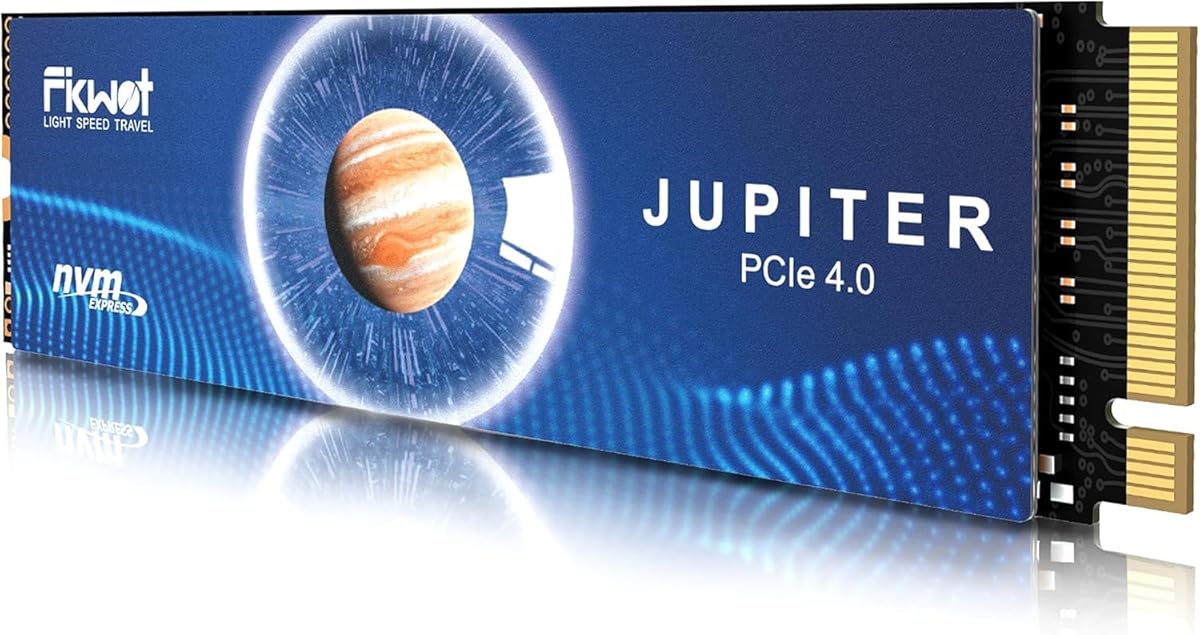
Fikwot FX991 is a budget-friendly option with a 4.6 rating delivering read speeds up to 7100MB/s. It uses QLC NAND which lowers costs while still meeting console performance requirements effectively.
We may earn a commission when you buy through this link, at no additional cost to you.
It features auto-adaptive temperature adjustment and power efficiency management to extend battery life on laptops. A high-conductivity graphite heatsink is included to handle high load conditions effectively.
Host Memory Buffer and smart SLC cache improve startup and multitasking speeds. Encryption standards like AES-256 ensure data remains secure across all your devices.
Choose this if you need large capacity on a tight budget. It works well for storage expansion though QLC may have lower write endurance than TLC variants.
Intelligently adjusts temperature and power settings to optimize efficiency.
Uses a fast cache zone to boost performance during intensive write operations.
We may earn a commission when you buy through this link, at no additional cost to you.
The fanxiang S660 offers an entry-level path into Gen 4 storage with a 4.6 rating. Read speeds reach up to 5000MB/s which while lower than others still meets minimum PS5 requirements.
We may earn a commission when you buy through this link, at no additional cost to you.
Its unique heatsink design ensures low temperatures during intensive usage. SLC Cache helps maintain consistent performance during file transfers preventing slowdowns in everyday tasks.
Ideal for those needing basic expansion without high-end specs. It supports various platforms including PS5 and PCs offering versatile storage for IT professionals and enthusiasts.
Pick this if your primary need is bulk storage at a low price. It is not the fastest but provides reliable function for standard gaming needs.
Designed for reliable operation during prolonged intensive usage without heat spikes.
Seamlessly connects to various platforms including PC and gaming consoles.
We may earn a commission when you buy through this link, at no additional cost to you.
The Acer Predator GM7 boasts high-performance speeds up to 7400MB/s read with a 4.7 rating. It uses NVMe 2.0 and the latest controller technology to deliver uncompromising performance.
We may earn a commission when you buy through this link, at no additional cost to you.
HMB and SLC Cache support enable faster game loads and file transmission. Advanced power management and thermal throttling ensure the drive stays efficient under heavy workloads.
Biwin Intelligence software helps manage drives cloning and migration tasks. While primarily marketed for PCs it fits the PS5 expansion slot and requirements well.
Great for users needing fast transfer speeds and good thermal control. It balances performance and efficiency for a wide range of tasks from gaming to editing.
Automatic temperature control prevents overheating even under heavy loads.
Provides tools for drive management data migration and performance monitoring.
We may earn a commission when you buy through this link, at no additional cost to you.
Samsung 980 PRO remains a solid option with a 4.8 rating. It features an integrated heatsink that maintains speed and thermal control on PS5 and PCs reliably.
We may earn a commission when you buy through this link, at no additional cost to you.
Powered by an in-house controller it delivers top speed with PCIe Gen 4. Samsung Magician software helps monitor health optimize performance and protect data effectively.
Thin housing at 8.6mm ensures a perfect fit for the console. World's #1 flash memory brand status gives confidence in reliability and firmware support.
This drive is perfect for those seeking a premium brand without the absolute highest price tag. It is reliable and fully compatible with modern console storage needs.
8.6mm thin housing fits perfectly in the PS5 without issues.
AES 256-bit encryption protects data from unauthorized access.
We may earn a commission when you buy through this link, at no additional cost to you.
Selecting the right SSD involves evaluating speed compatibility and thermal design carefully.
Sony recommends read speeds of at least 5500MB/s for PS5 expansion. Ensure the drive matches or exceeds this to avoid performance issues during gameplay.
Look for drives claiming 7000MB/s or higher for future-proofing and smoother load times.
PS5 has limited airflow so an integrated heatsink is vital to prevent overheating. Drives without one may cause system throttling or errors.
Choose models with included aluminum or graphite heatsinks that fit within the M.2 slot dimensions.
Officially licensed drives ensure seamless compatibility with system software and firmware updates. Unlicensed drives may work but risk compatibility problems later.
Prioritize models with Sony approval if you want a hassle-free setup experience.
The console accepts M.2 2280 drives specifically. Drives larger than this will not fit the internal expansion slot.
Verify dimensions are standard 2280 before purchasing to avoid returns and fit issues.
Modern games often exceed 100GB so 2TB is a sweet spot for storing multiple titles. Consider how many titles you keep installed simultaneously.
Select 2TB models to balance cost and storage flexibility for your library.
Established brands like Samsung WD and Crucial offer better firmware support and reliability. Lesser brands might save money but carry higher risk.
Stick with reputable manufacturers for better warranty claims and technical support.
Drives generate heat during prolonged usage. Good thermal design prevents throttling which keeps load times consistent.
Check reviews or specs regarding thermal throttling behavior under load before buying.
Prices vary widely for 2TB models. Consider warranty length which often ranges from 3 to 5 years.
Balance cost with warranty terms to protect your investment from unexpected failure.
Install the SSD only when the console is powered off and unplugged to avoid hardware damage. Follow manufacturer guides to open the PS5 cover and insert the drive into the M.2 slot.
After installing secure the drive with the screw provided and replace the cover. On console restart navigate to settings to format the drive for storage expansion.
Keep the console in a well-ventilated area to maintain thermal performance. Avoid moving the console while games are running to prevent data corruption.
Sony requires a heatsink for M.2 SSDs installed in the console. The internal slot space is limited so choose drives with built-in heatsinks designed for PS5 fit.
Only NVMe M.2 2280 drives with PCIe Gen 4 support work properly. Ensure the drive meets minimum 5500MB/s read speeds to avoid compatibility issues.
Most PS5 games range 80-150GB. A 2TB drive can store roughly 15 to 20 large titles depending on file sizes and saved data.
Yes the console requires formatting before use which wipes existing data. Install the drive first then format it through system settings to expand storage.
While not strictly required licensed drives guarantee compatibility. Some unlicensed drives work but may fail system checks or firmware updates unexpectedly.
Yes most PCIe Gen 4 M.2 SSDs work with desktops and laptops. Check your motherboard slots and thermal requirements before swapping the drive.
The WD_BLACK SN850P offers guaranteed compatibility for hassle-free expansion. MOVE SPEED HB7450 stands out as the best budget option for high-speed storage.
Prioritize drives with built-in heatsinks and PCIe Gen 4 performance to ensure seamless gameplay. Compatibility and cooling are more important than marginal speed differences.
Always check current prices before purchasing since deals fluctuate frequently. Verify your console software is updated before installing any new drive.