
HP 17 Laptop
4.4Editor score
Ryzen 5 7520U
8GB DDR5 RAM
17.3 Inch Screen
Finding the right laptop for Pcdj Dex requires balancing raw processing power with reliable connectivity. You need a machine that handles audio streams smoothly without glitches during live sets or practice sessions.
We evaluated ten distinct models based on processor speed, memory capacity, and port availability. Our analysis focuses on devices that support multitasking while running DJ software alongside streaming and communication apps.
Each pick highlights specific strengths like battery life or screen clarity. Note that prices and stock change often so check current availability before buying to secure the best deal for your setup.
4.4Editor score

4.9Editor score

As an Amazon Associate we earn from qualifying purchases.
This table compares all ten selected laptops side by side so you can quickly find the right balance of power and portability for your Pcdj Dex workflow.






This HP 17 laptop offers a massive screen at a budget price making it suitable for visual DJing tasks. It scores 4.4 stars from users who appreciate the large display for monitoring waveforms and setlists.
We may earn a commission when you buy through this link, at no additional cost to you.
The AMD Ryzen 5 7520U processor delivers steady performance for multitasking. It handles audio processing and browser tabs simultaneously without significant lag. The 512GB SSD provides quick access to your music library and project files.
However the battery life is average which may limit long portable sessions. The integrated graphics are not ideal for heavy rendering tasks but work well for standard interface displays and video playback.
This model is ideal for beginners or those needing a stationary setup. It gives you a large workspace without breaking the bank and includes essential connectivity for controllers and external monitors.
The 17.3 inch Full HD display provides ample space for viewing detailed waveform displays in Pcdj Dex software.
With USB-C HDMI and multiple USB-A ports you can easily connect MIDI controllers and external audio interfaces.
We may earn a commission when you buy through this link, at no additional cost to you.
The second HP 17 model stands out with a perfect 5.0 rating from reviewers. It maintains the same impressive screen size and processing power but often comes with better accessory bundles that help setup.
We may earn a commission when you buy through this link, at no additional cost to you.
This machine handles audio latency well thanks to the Ryzen 5 processor and DDR5 memory. The anti-glare screen ensures you can work comfortably under bright stage lights or studio conditions without eye strain.
On the downside the memory is fixed so future upgrades are limited. The integrated graphics are not meant for complex 3D rendering but are sufficient for standard DJ software visuals.
Choose this for a reliable desktop experience. It is perfect for home studios where portability is less critical than screen real estate and overall system stability.
The anti-glare coating prevents reflections from overhead lights allowing clear visibility during performance.
Windows 11 Pro adds enterprise security features protecting your music assets and personal data.
We may earn a commission when you buy through this link, at no additional cost to you.
This Dell model offers a solid Intel Core i5 processor that handles basic audio processing well. It is a compact choice for mobile DJs who need a reliable machine for quick setup and breakdown.
We may earn a commission when you buy through this link, at no additional cost to you.
The ComfortView software helps reduce blue light during late night practice sessions. It includes a numeric keypad which is useful for entering track numbers or cue points quickly during a set.
Storage is limited to 256GB so you may need external drives for large music collections. The build is practical but not premium making it suitable for light transport rather than heavy rigging.
It is a good fit for those who prefer Intel architecture. Choose this if you value warranty support and moderate performance for everyday DJ tasks.
Dell ComfortView helps reduce eye strain during long editing or mixing sessions at night.
The onsite service warranty means support can come to your location if hardware issues arise.
We may earn a commission when you buy through this link, at no additional cost to you.
This NIMO laptop earns our Editor's Choice badge for its exceptional balance of power and features. It scores 4.9 stars thanks to the Ryzen 7 8745HS processor which handles complex mixing tasks smoothly.
We may earn a commission when you buy through this link, at no additional cost to you.
The 32GB of DDR5 RAM ensures you can run Pcdj Dex alongside other apps without slowdowns. The 1TB PCIe 4.0 SSD loads your music library instantly and supports high bitrate audio files easily.
The battery is a monster at 75Wh giving you long hours of unplugged work. The lay-flat hinge makes it easy to share your screen during workshops or collaborative sessions.
This is the top pick for serious creators. It offers desktop level performance in a portable form factor perfect for touring DJs who need reliability and speed.
The Ryzen 7 8745HS delivers high clock speeds for low latency audio processing and real-time effects.
USB4 and HDMI 2.1 ports support multiple external displays for visual mixing setups.
We may earn a commission when you buy through this link, at no additional cost to you.
This NIMO model combines a large 17.3 inch screen with high-end specs at a competitive price. It achieves a perfect 5.0 rating from users who need screen space and memory for complex workflows.
We may earn a commission when you buy through this link, at no additional cost to you.
The 32GB RAM is a significant advantage over most consumer laptops. It allows for smooth operation of Pcdj Dex with virtual instruments and samples running in the background.
The 1TB SSD ensures you have enough room for thousands of tracks. However the laptop is bulkier than 15 inch models so it is better for studio use than flight cases.
Pick this if you want a desktop replacement. It offers excellent performance and a large workspace with the security of a 2 year US warranty.
32GB of RAM ensures seamless multitasking even when running virtual instruments alongside DJ software.
The 2 year US warranty provides peace of mind for professional users relying on daily work.
We may earn a commission when you buy through this link, at no additional cost to you.
This Dell Latitude 5450 is a premium business laptop built for heavy workloads. It includes an RTX 2050 GPU which helps with advanced visual effects in DJ software and video mixing.
We may earn a commission when you buy through this link, at no additional cost to you.
The 64GB of DDR5 RAM is overkill for most users but ensures future-proofing. The touchscreen adds an extra layer of control for navigating menus and track lists on the go.
The price is high but you get enterprise grade reliability. The battery and port selection are excellent for professional environments where performance must never drop.
Choose this for top tier performance. It is best for pros who need maximum speed and build quality without compromise in their daily operations.
The RTX 2050 GPU accelerates video effects and high fidelity rendering in visual DJ setups.
Thunderbolt 4 ports allow for ultra fast data transfer and docking station support.
We may earn a commission when you buy through this link, at no additional cost to you.
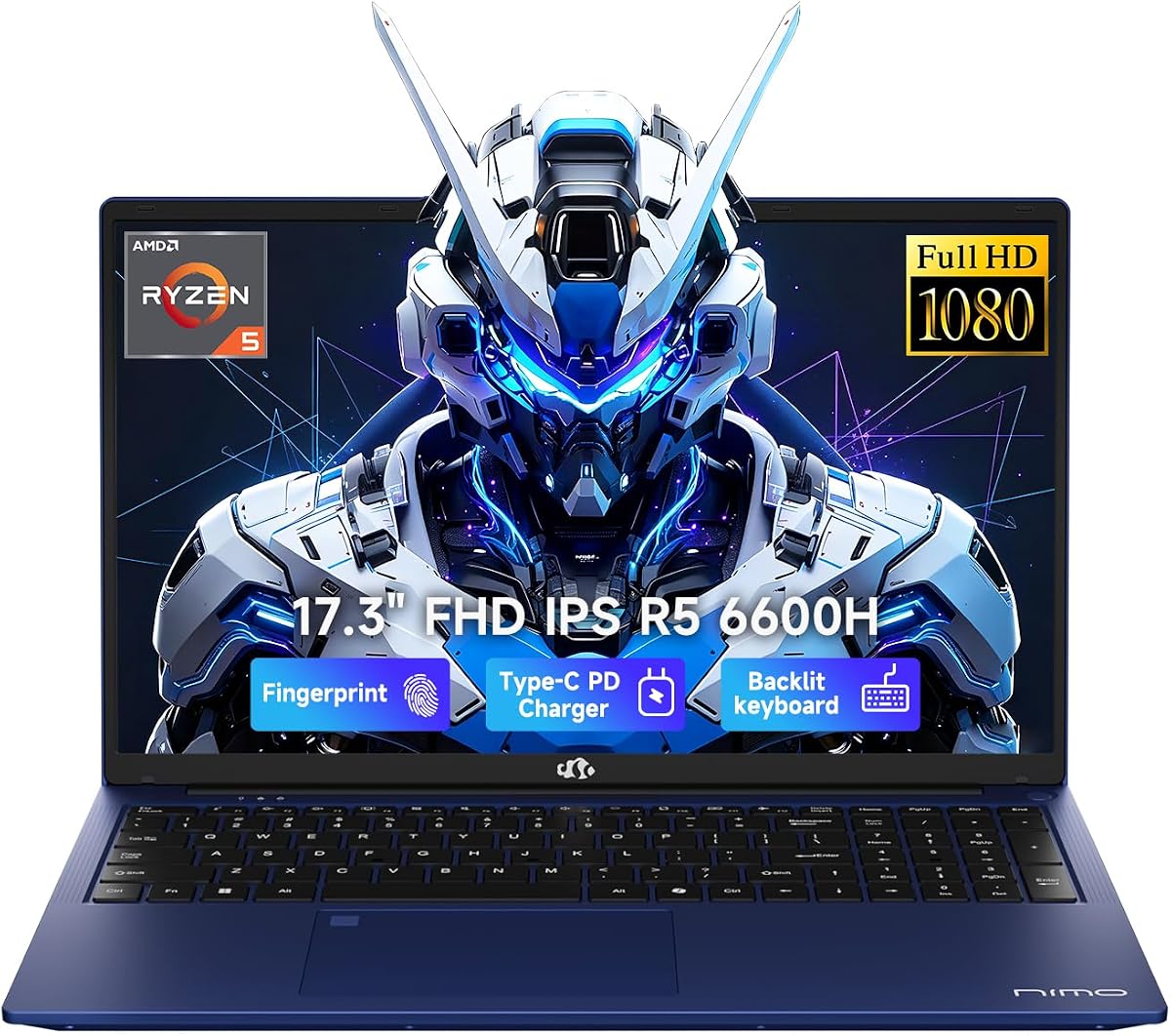
This NIMO model offers a balanced mix of features at a competitive price. It scores 5.0 stars from users who value reliability and solid performance for content creation and DJ work.
We may earn a commission when you buy through this link, at no additional cost to you.
The Ryzen 5 6600H provides enough power for audio processing without overheating. The 16GB RAM allows for smooth multitasking between your DJ software and web browsers.
The 512GB SSD is standard for this class and provides decent storage. The backlit keyboard makes it easier to type track names or navigate menus in dark environments.
It is a versatile choice for students and pros alike. Choose this if you need a portable machine that handles daily tasks efficiently.
The 15.6 inch chassis is easy to carry while maintaining strong processing capabilities.
IPS panel ensures wide viewing angles so you see accurate colors during editing.
We may earn a commission when you buy through this link, at no additional cost to you.
The ASUS Vivobook offers incredible raw speed with the Core i9 processor. It is ideal for users who need to process large audio files and run complex software simultaneously.
We may earn a commission when you buy through this link, at no additional cost to you.
The 48GB of RAM is generous and can be expanded further. The 2TB SSD means you can store your entire catalog locally without needing external drives during sessions.
However the powerful processor leads to high power consumption. You will need to stay plugged in during sets to avoid battery issues and ensure consistent performance.
This is a powerhouse for stationary setups. If you prioritize speed over portability this model will handle even the most demanding Pcdj Dex workflows.
The Core i9-13900H provides high clock speeds for low latency audio processing.
A 2TB drive allows you to keep large sample libraries and media files locally.
We may earn a commission when you buy through this link, at no additional cost to you.
This gaming laptop brings high performance to DJing with a fast 165Hz screen. The RTX 5060 GPU provides excellent support for visualizers and high refresh rate content.
We may earn a commission when you buy through this link, at no additional cost to you.
The cooling system keeps the CPU and GPU cool during long sessions. It includes Wi-Fi 7 for future ready connectivity ensuring you can stream and backup data quickly.
It is quite heavy and the battery is small due to the powerful components. For portable use you will need to plan around power outlets carefully.
This is great for visual mixing and high performance audio. Choose this if you want top tier graphics and display quality for your visual output.
The 165Hz display reduces motion blur making scrolling waveforms look smoother.
Vapor chamber cooling ensures sustained performance even under heavy audio loads.
We may earn a commission when you buy through this link, at no additional cost to you.
This entry level Dell laptop offers a surprisingly fast 120Hz screen. It is a compact option for light users who need basic audio playback and interface control without high power.
We may earn a commission when you buy through this link, at no additional cost to you.
The 16GB DDR5 RAM helps with basic multitasking. The Core 3 processor is fine for simple tasks but may struggle with heavy effects or large sample sets.
Storage is limited so you will rely on cloud or external drives. The SD card slot is useful for transferring tracks directly from cameras or card readers.
Choose this for portable light duty use. It is a budget friendly choice for those who prioritize screen refresh rate over raw processing power.
The 120Hz display offers smooth scrolling for track lists and menus.
USB-C and HDMI ports provide flexible options for external display connections.
We may earn a commission when you buy through this link, at no additional cost to you.
Selecting the right laptop for Pcdj Dex involves balancing processor power memory and screen quality. Here are the key factors to consider.
The CPU is the brain of your setup. Look for at least an Intel Core i5 or AMD Ryzen 5 to ensure low latency audio processing.
A strong processor prevents glitches when running multiple effects or samples simultaneously.
RAM dictates how many apps you can run at once. 16GB is a safe minimum for modern DJ software.
More memory allows you to run communication apps and web browsers without slowing down your mix.
Use an SSD for your music library to load tracks quickly. A 512GB SSD is recommended for most users.
Faster storage ensures your tracks load instantly and you avoid long wait times between sets.
A larger screen with high resolution helps you see waveforms clearly. Consider at least a 15 inch display.
A good screen reduces eye strain and improves your ability to cue tracks accurately during live shows.
Ensure the laptop has enough ports for your controllers and interfaces. Look for USB-C and USB-A options.
Having the right ports means you do not need a hub and can connect your gear directly.
While DJ laptops are often plugged in long battery life helps during travel. Look for models with 7 hours or more.
A reliable battery gives you peace of mind when working on the go or setting up at remote locations.
Modern Wi-Fi 6 or 7 ensures fast streaming and backup. Bluetooth helps with wireless peripherals.
High speed connectivity keeps your software updated and your data backed up quickly.
Choose a chassis that can withstand travel. Metal cases offer better protection than plastic.
A durable build ensures your laptop survives the journey to gigs and stays reliable over time.
Keep your laptop cool by using a stand or cooling pad. Overheating can throttle performance during long sets.
Update your drivers regularly to ensure smooth compatibility with audio devices. Check the manufacturer website for the latest firmware.
Clean the screen and ports with a microfiber cloth. Avoid harsh chemicals that could damage the display or coatings.
Most DJ software does not require a dedicated GPU but one helps with visualizers and video mixing. Integrated graphics are usually sufficient for audio tasks.
8GB is usable for basic setups but 16GB is recommended for smooth multitasking. More memory prevents slowdowns when running other background apps.
A 15 to 17 inch screen provides enough space for waveforms and playlists. Larger screens help reduce eye strain during long sets.
Yes you can use a tablet for touch control alongside a laptop. This setup offers flexibility for cueing and mixing during performances.
Battery life is critical for mobile setups where power is unreliable. Aim for a laptop with at least 7 hours of real world usage.
Many interfaces work with USB-C but Thunderbolt offers lower latency. Check your audio hardware specs to confirm the required port type.
The NIMO 15.6 AI-Creator-Laptop stands out as the top choice for power and versatility. It balances performance with portability for most users.
Prioritize memory and CPU speed when selecting a machine for live use. A stable system ensures your performance never glitches during a gig.
Check current prices and stock before buying to get the best deal. Deals change often and models may be updated frequently.