
Anker 2.4G Wireless Ergonomic Mouse
4.2Editor score
Affordable vertical design
USB receiver connectivity
Adjustable DPI levels
This guide compares the top ergonomic mice for wrist pain based on design comfort and connectivity to help you find the right vertical mouse for relief.
Finding the right ergonomic mouse for wrist pain can transform your daily work experience by reducing strain and promoting healthier posture throughout long computing sessions.
We evaluated ten top-rated vertical mice based on comfort design connectivity options and user feedback to identify the most effective tools for alleviating wrist discomfort.
Each pick highlights key features and potential trade-offs so you can choose confidently while noting that availability and terms may vary depending on your region and retailer.
4.2Editor score

4.4Editor score

4.4Editor score
This side-by-side comparison highlights key specifications and features across all ten selected mice to help you quickly identify the model that fits your workflow and comfort needs.




The Logitech Lift Vertical stands out as a top choice for users seeking reliable relief from wrist pain through thoughtful ergonomic engineering and premium build quality.
We may earn a commission when you buy through this link, at no additional cost to you.
Its 57 degree vertical angle promotes a natural handshake position that aligns the forearm and wrist comfortably while wireless connectivity ensures freedom of movement.
Though it carries a higher price than many competitors the Lift delivers exceptional durability and comfort making the investment worthwhile for daily users with chronic strain.
This mouse is ideal for professionals working long hours who need certified ergonomic support without sacrificing modern features like quiet clicks and customizable shortcuts.
The vertical orientation reduces muscle activity by keeping your forearm in a neutral position that minimizes twisting and pressure on sensitive wrist areas.
Smooth scrolling through long documents is effortless with the SmartWheel which provides precise control and reduces the need for repetitive finger movements.
We may earn a commission when you buy through this link, at no additional cost to you.
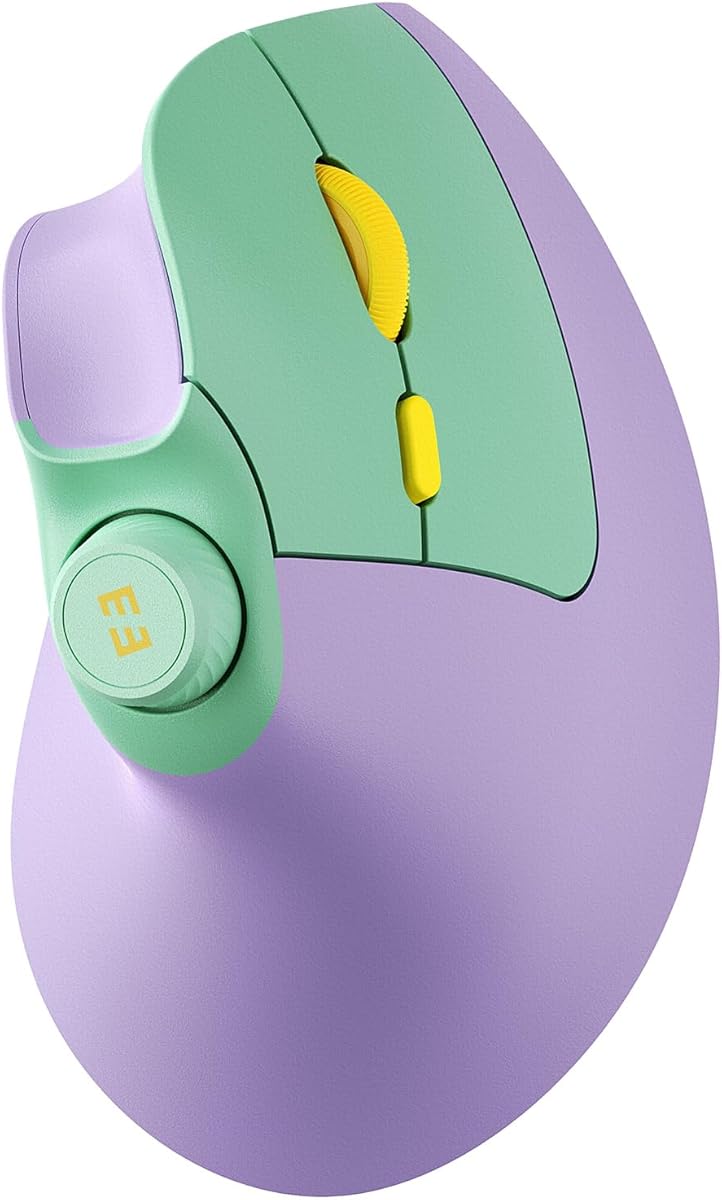
The Anker 2.4G Wireless offers an accessible entry point into ergonomic computing without compromising on core features needed to reduce wrist strain during daily tasks.
We may earn a commission when you buy through this link, at no additional cost to you.
Its vertical shape encourages a neutral handshake position while the adjustable DPI settings allow users to fine-tune sensitivity for both precision work and casual browsing.
Although it lacks Bluetooth connectivity and the clicks are noticeable the mouse delivers strong performance and reliability at a fraction of the cost of premium alternatives.
Budget conscious users or those new to vertical mice will appreciate this model ability to provide immediate comfort relief without requiring a large upfront investment.
The mouse automatically enters power saving mode after inactivity which helps extend battery life and reduces energy waste during typical workday interruptions.
Optical tracking technology ensures smooth cursor movement across various surfaces which is essential for maintaining productivity when switching between desks or mats.
We may earn a commission when you buy through this link, at no additional cost to you.
The TECKNET 4800 DPI model excels for users who need seamless switching between multiple devices while maintaining silent operation in shared or quiet work environments.
We may earn a commission when you buy through this link, at no additional cost to you.
Its combination of Bluetooth and USB connectivity offers flexibility for laptops and desktops while the high DPI range supports tasks from detailed design work to general browsing.
The silent click feature is a major advantage for office settings though users should note that not all buttons share this quiet profile and batteries are sold separately.
If you juggle several devices throughout your day this mouse provides the versatility and comfort needed to stay efficient without disturbing colleagues or breaking your focus.
The near silent clicks reduce distraction in libraries and open offices allowing you to work through the night or during meetings without drawing attention.
Six DPI levels let you switch between high sensitivity for large screens and low sensitivity for precise editing tasks with a simple button press.
We may earn a commission when you buy through this link, at no additional cost to you.
The UGREEN Ergonomic Wireless delivers a solid balance of comfort and convenience at a price point that makes ergonomic computing accessible to a broader audience.
We may earn a commission when you buy through this link, at no additional cost to you.
Its vertical design reduces wrist rotation while the silent clicks and PTFE glide feet ensure a smooth quiet experience that suits both work and leisure environments.
While it lacks advanced customization options the mouse offers reliable performance with dual wireless connectivity and broad system compatibility that covers most standard needs.
This model is well suited for home users or students who want effective wrist support without spending heavily on premium features they may not use regularly.
The durable Teflon glide pads reduce friction on your desk surface making cursor movement effortless and quieter during extended use sessions.
The five button layout provides quick access to common navigation tasks improving efficiency without cluttering the interface with unnecessary controls.
We may earn a commission when you buy through this link, at no additional cost to you.
The ProtoArc EM11 NL specifically targets users with smaller hands offering a fit that prevents the cramped posture often caused by oversized ergonomic mice.
We may earn a commission when you buy through this link, at no additional cost to you.
Its rechargeable battery eliminates the need for disposable replacements while multi device connectivity ensures seamless transitions between your laptop tablet and desktop without hassle.
Some users report a learning period before the vertical grip feels natural but the long term benefits to wrist health usually outweigh the short term adjustment period.
If standard mice feel too bulky for your hand size this model provides a tailored ergonomic solution that promotes comfort and reduces strain without sacrificing functionality.
Measuring under seven and a half inches the mouse is sized to fit smaller hands comfortably ensuring full palm support without overreaching for buttons.
The built in battery charges via USB-C which reduces waste and cost compared to models that rely on disposable AA or AAA cells.
We may earn a commission when you buy through this link, at no additional cost to you.
The Lekvey Rechargeable emphasizes battery longevity and ease of use providing a hassle free experience for users who prioritize uninterrupted workflow over advanced connectivity.
We may earn a commission when you buy through this link, at no additional cost to you.
Its high capacity battery offers over one hundred and fifty hours of use per charge while the plug and play USB receiver simplifies setup for immediate comfort.
Though it lacks Bluetooth connectivity the reliable wireless connection and durable build quality make it a dependable choice for daily work tasks in any environment.
Users who dislike pairing steps and prefer straightforward hardware will find this model delivers consistent performance with minimal maintenance requirements over time.
The rechargeable battery reduces the need for frequent replacements supporting sustainable use and lowering long term operational costs for the device.
No drivers or pairing are required as the USB receiver connects instantly which is ideal for users who switch computers often or lack admin rights.
We may earn a commission when you buy through this link, at no additional cost to you.
The TECKNET Bluetooth 5.0 model offers versatile connectivity options that accommodate both modern Bluetooth devices and traditional USB systems for maximum user flexibility.
We may earn a commission when you buy through this link, at no additional cost to you.
Its robust build withstands millions of clicks while the silent click technology ensures a distraction free experience even in quiet or shared spaces.
The rechargeable battery supports long usage between charges and the high DPI settings enable precise tracking across various surfaces without compromising speed or accuracy.
This mouse suits power users who need reliable performance across multiple platforms and environments without sacrificing comfort or wireless functionality.
Supporting Bluetooth versions 5.0 and 3.0 ensures compatibility with a wide range of devices from older laptops to newer tablets and desktops.
Built to endure six million clicks the mouse maintains consistent performance over time reducing the need for replacements due to wear and tear.
We may earn a commission when you buy through this link, at no additional cost to you.
The seenda MOU-302 distinguishes itself with a built-in volume knob that adds practical value for media consumers and remote workers who frequently adjust audio levels.
We may earn a commission when you buy through this link, at no additional cost to you.
Silent clicks and smooth tracking support a focused workflow while multi device connectivity lets you manage tasks across several computers without switching peripherals manually.
While not every user needs the volume control this feature enhances efficiency for those who rely heavily on video calls or music during work sessions.
If convenience and multimedia integration are priorities this model delivers ergonomic comfort alongside useful extras that streamline daily computing activities effectively.
Adjusting volume directly from the mouse saves time and keeps your hands on the input device while managing media playback or conference settings.
Noiseless clicks and precise tracking work together to create a quiet workspace ideal for shared offices or late night work sessions.
We may earn a commission when you buy through this link, at no additional cost to you.
The Logitech MX Vertical represents the premium tier of ergonomic mice offering advanced optical tracking and expert validated design for users who demand top performance.
We may earn a commission when you buy through this link, at no additional cost to you.
Its 57 degree angle significantly reduces muscle activity while the cursor speed switch allows instant DPI adjustments without interrupting your workflow or focus.
Although the price is higher than most alternatives the durability and ergonomic benefits justify the cost for professionals seeking long term comfort and precision.
This model is ideal for power users and designers who need reliable high performance input devices that support extensive workloads without causing fatigue.
The 4000 DPI sensor reduces hand movement by four times compared to standard mice lowering fatigue during precise tasks like photo editing or data entry.
The rubberized textured surface provides a secure natural grip that adapts to various hand sizes and shapes for consistent control.
We may earn a commission when you buy through this link, at no additional cost to you.
The TECKNET 2.4G Wireless stands out with six programmable buttons that streamline workflows by assigning shortcuts to frequently used functions without complex setup.
We may earn a commission when you buy through this link, at no additional cost to you.
Its 60 degree vertical grip promotes a natural handshake position while silent operation ensures a distraction free environment for home offices or libraries.
The rechargeable battery adds convenience over disposable models and the reliable wireless connection offers stable performance across varied desktop setups.
Users seeking efficient workflow automation at an affordable price will find this model delivers strong ergonomic support and customization options to boost productivity.
Six programmable buttons let you assign shortcuts for copying pasting or browsing reducing repetitive clicks and speeding up common tasks.
The 2.4GHz technology ensures interference free tracking up to ten meters which supports reliable use across large desks or multi monitor setups.
We may earn a commission when you buy through this link, at no additional cost to you.
Selecting the right ergonomic mouse involves balancing comfort features connectivity and personal preferences to find a tool that supports your wrist health long term.
Hand dimensions determine which vertical angle and grip shape feel natural since a mouse that is too large or small can cause strain rather than relieve it.
Measure your hand from wrist to fingertip and compare it with manufacturer size recommendations to ensure proper fit before purchasing.
Vertical angles range from 50 to 60 degrees and each affects forearm alignment differently so choose a model that keeps your wrist neutral without tilting too steeply.
A moderate angle around 57 degrees often offers the best compromise between comfort and ease of use for most people.
Decide whether you prefer Bluetooth for device flexibility or a USB receiver for plug and play simplicity since some models lack one option entirely.
Multi device support can streamline switching between computers but ensure compatibility with your operating system before committing.
Rechargeable batteries reduce waste and ongoing costs but consider how long a charge lasts relative to your daily usage to avoid frequent interruptions.
Disposal batteries offer convenience but require periodic replacements which may add to long term ownership costs.
Silent clicks are valuable in shared or quiet spaces but note that not all buttons on a mouse may share this feature.
If you rely on constant clicking for work prioritize models with comprehensive silent button coverage to maintain focus throughout the day.
Programmable buttons can boost productivity by automating tasks but verify software support especially for cross platform compatibility if you use multiple OS systems.
A clean intuitive layout reduces accidental clicks and keeps essential functions within easy reach.
Optical sensors perform differently on various surfaces so test the mouse on your typical desk to ensure smooth tracking without jitter.
High DPI options help adapt to high resolution screens but too much sensitivity may reduce precision for detailed tasks.
Look for manufacturers offering at least a one year warranty to protect against defects and ensure access to customer service if issues arise.
Extended warranties can add peace of mind for daily users who depend on their mouse for critical tasks.
Adjust your chair and monitor height so your elbow stays near a 90 degree angle while your wrist rests lightly on the mouse surface to maximize ergonomic benefits.
Take frequent breaks to stretch your forearm and wrist muscles since even the best vertical mouse cannot eliminate strain if used continuously without rest.
Keep the mouse surface clean and avoid spills to maintain sensor accuracy and prolong the device lifespan through regular gentle maintenance.
Vertical mice promote a neutral handshake position that reduces twisting and pressure on the wrist which can alleviate symptoms for some users with mild carpal tunnel. However results vary by individual and severe cases should consult a medical professional for tailored advice.
Most users adapt within one to two weeks as their hand muscles and brain learn the new grip. Start by using the vertical mouse for short intervals and gradually increase usage to build comfort without frustration.
Most vertical mice are designed for right handed use due to button placement but some brands offer ambidextrous models. Check product specifications carefully before purchasing if you are left handed.
Wireless vertical mice work well for casual gaming but may lack the ultra low latency required for competitive titles. Look for models with high polling rates and minimal input lag if gaming is a priority.
Lower DPI settings reduce the need for large hand movements which can help minimize strain. Aim for a setting that allows precise control without forcing your arm to travel across the desk constantly.
Many vertical mice work plug and play with basic functions but advanced features like button mapping may need manufacturer software. Ensure compatibility with your operating system before installing any drivers.
Our top selections highlight the Logitech Lift for overall comfort the Anker model for budget accessibility and the MX Vertical for premium performance across different user needs.
Prioritize fit and comfort over extra features since a mouse that feels right in your hand will deliver better long term results than one with advanced specs but poor ergonomics.
Always verify current availability and terms with the retailer before purchasing since details may change and finding the right model may require testing a few options personally.