
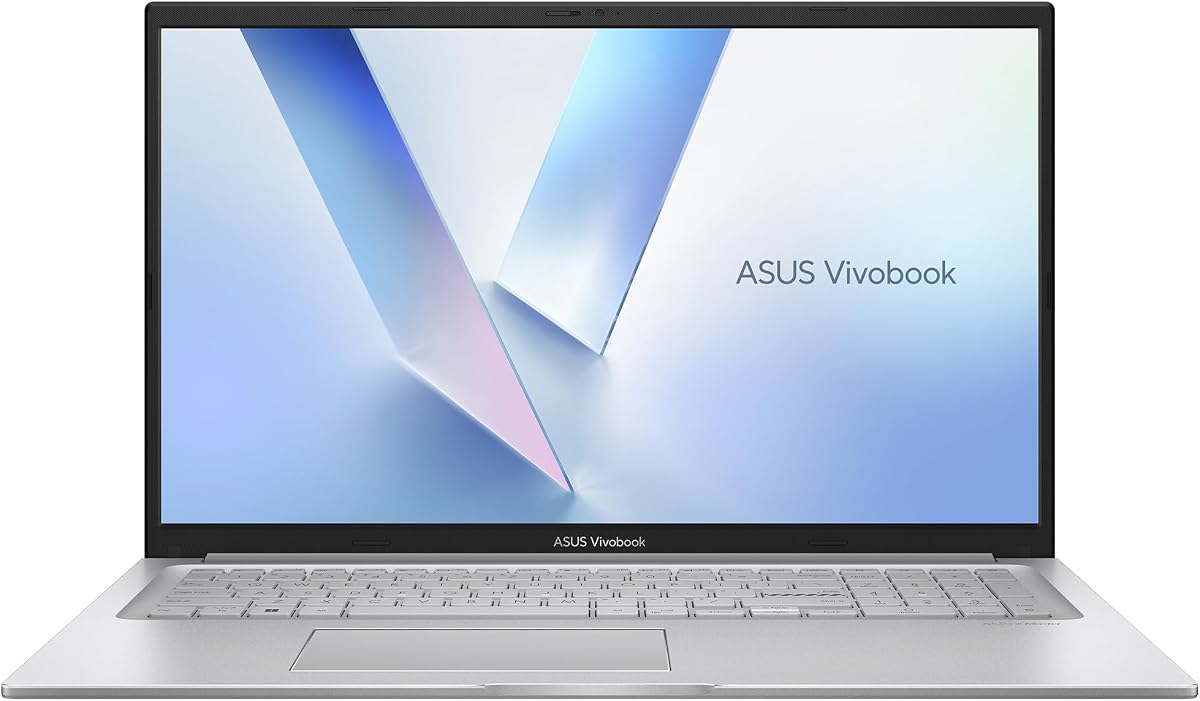
ASUS Vivobook Go 15.6
4.3Editor score
AMD Ryzen 3 7320U Processor
8GB DDR5 RAM
128GB SSD Storage
Finding the right laptop can be challenging with so many options available today. The ASUS Vivobook series offers a diverse range of devices tailored for various users from students to professionals.
We evaluated ten distinct models based on performance, display quality, portability, and overall value. Our analysis focuses on real-world usability and how each model handles daily tasks efficiently.
Each pick highlights unique strengths such as processing power or battery life. Note that availability and pricing may vary over time so check current listings before purchasing.
4.3Editor score

4.5Editor score

4.2Editor score
As an Amazon Associate we earn from qualifying purchases.
This table provides a side-by-side look at key specifications across all ten selected models to help you compare features quickly.






This model stands out as a powerhouse for demanding tasks with its top-tier processor and generous memory. It offers professional-grade features suitable for complex workflows and creative projects.
We may earn a commission when you buy through this link, at no additional cost to you.
The inclusion of 32GB RAM ensures smooth multitasking even with heavy applications running simultaneously. The physical webcam shield provides an extra layer of privacy for sensitive conversations and meetings.
While it carries a higher price tag the performance benefits justify the investment for power users. Thermal management is handled well ensuring sustained performance during long work sessions without throttling.
Ideal for professionals and content creators needing reliable speed and storage. It delivers a balanced experience combining power with security features in a stylish blue chassis.
The Intel Core i9 processor handles intensive tasks like video rendering and data analysis with ease.
Integrated fingerprint reader and physical webcam shield protect your data and privacy effectively.
We may earn a commission when you buy through this link, at no additional cost to you.
Designed for efficiency this laptop leverages the Qualcomm Snapdragon X to deliver long battery life and smooth performance. It is perfect for users who need mobility without sacrificing screen real estate.
We may earn a commission when you buy through this link, at no additional cost to you.
The 16 inch WUXGA display offers vibrant visuals and sharp text making it great for media consumption and productivity. The integrated GPU handles everyday graphics tasks well without draining power quickly.
Software compatibility might be a consideration since it runs on a different architecture than typical Windows laptops. However for standard office tasks and web browsing it performs exceptionally well.
Best suited for students and travelers prioritizing battery longevity and portability. The balance of screen size and weight makes it a versatile companion for daily use.
The Snapdragon X architecture is optimized for power efficiency allowing all-day use without constant recharging.
A 16 inch screen with 1920×1200 resolution provides ample workspace for multitasking comfortably.
We may earn a commission when you buy through this link, at no additional cost to you.
This laptop combines portability with solid performance making it an excellent choice for students and professionals on the go. The Intel Core i7 processor ensures responsive performance for most tasks.
We may earn a commission when you buy through this link, at no additional cost to you.
The 16 inch WUXGA display delivers sharp visuals and vibrant colors suitable for work and entertainment. Its lightweight design makes it easy to carry in a backpack without adding significant weight.
While it lacks a dedicated graphics card the Intel Iris Xe graphics handle casual light and basic editing tasks. The build quality is robust providing durability for daily commuting.
Ideal for users who value a balance between screen size and portability. It offers a reliable computing experience without the bulk of larger performance machines.
Built to be lightweight and slim this notebook is easy to transport for daily commutes or travel.
16GB RAM and a fast SSD ensure quick boot times and smooth multitasking for productivity apps.
We may earn a commission when you buy through this link, at no additional cost to you.
With a massive 17.3 inch display this laptop is perfect for users who prioritize screen real estate for multitasking or media. It offers a desktop-like experience in a portable form factor.
We may earn a commission when you buy through this link, at no additional cost to you.
The inclusion of a numeric keypad makes it ideal for data entry and accounting tasks. Military-grade durability ensures it can withstand the rigors of daily use and travel.
Due to the larger screen and components it is heavier than standard 15 inch models. Battery life may be shorter compared to smaller counterparts so plan for power access during long outings.
Best for home office setups or users who need a large screen for productivity. It balances performance and storage well while offering essential features like fast charging.
The 17.3 inch display provides ample space for side-by-side windows and detailed work.
Mil-STD 810H certification ensures the chassis is tough and resistant to shocks and drops.
We may earn a commission when you buy through this link, at no additional cost to you.
This model delivers reliable performance for everyday tasks at a competitive price point. It is designed to handle web browsing word processing and streaming with ease.
We may earn a commission when you buy through this link, at no additional cost to you.
Fast charging technology ensures you can quickly top up the battery during short breaks. The AI noise canceling feature improves voice call quality making it suitable for remote work.
While 8GB RAM is sufficient for basic use it may limit heavy multitasking capabilities. The slim bezels provide a modern look and maximize screen visibility within a compact footprint.
Perfect for students and budget-conscious users needing a dependable machine for daily needs. It balances cost and functionality well without sacrificing essential features.
AI noise canceling technology isolates background noise for clearer communication during calls.
ASUS IceCool thermal technology keeps the laptop cool during extended usage sessions.
We may earn a commission when you buy through this link, at no additional cost to you.
Designed for essential computing this laptop offers a budget-friendly solution for students and basic users. It handles web browsing and document editing without performance issues.
We may earn a commission when you buy through this link, at no additional cost to you.
The DDR5 RAM provides a speed boost compared to older DDR4 models ensuring smoother performance. A physical webcam shield adds privacy without needing additional software controls.
Storage is limited to 128GB so you may need external drives for large media files. The screen is bright enough for indoor use but lacks the vibrancy of higher-end panels.
Ideal for buyers needing a secondary device or a budget option for light tasks. It provides essential features and durability without a high cost of ownership.
DDR5 RAM ensures faster data transfer rates improving overall system responsiveness.
The built-in webcam shield allows you to physically block the camera for added privacy.
We may earn a commission when you buy through this link, at no additional cost to you.
This model offers flexible configurations allowing users to choose higher RAM and SSD capacities. It targets power users who need significant resources for virtualization and heavy multitasking.
We may earn a commission when you buy through this link, at no additional cost to you.
The Intel Core i9 processor delivers top-tier performance ensuring smooth operation for demanding applications. Windows 11 Pro adds business features like BitLocker encryption and remote desktop capabilities.
Since it is a customized bundle ensure the warranty terms are clear before purchasing. The inclusion of a physical webcam shield and fingerprint reader enhances security significantly.
Best for professionals requiring specific hardware configurations for specialized software. It provides a powerful foundation with the security features needed for enterprise work.
Select from various RAM and SSD combinations to meet your specific storage and memory needs.
Windows 11 Pro includes advanced security and management tools suitable for corporate environments.
We may earn a commission when you buy through this link, at no additional cost to you.
This laptop offers a unique value proposition with high RAM and storage despite a lower-end processor. It is great for users needing multitasking ability without a high-performance CPU.
We may earn a commission when you buy through this link, at no additional cost to you.
The 24GB RAM allows for many browser tabs and applications to run simultaneously without slowdowns. A 1TB SSD ensures plenty of space for files and quick access times.
The processor may limit performance for heavy tasks like gaming or rendering. However for office work and content consumption it provides a smooth and responsive experience.
Best for users prioritizing memory and storage over raw processing power. It is a practical choice for multitasking professionals on a budget.
24GB RAM allows for extensive multitasking capabilities suitable for power users.
NVMe SSD ensures rapid boot times and quick file transfers for improved workflow.
We may earn a commission when you buy through this link, at no additional cost to you.
This model embraces the future with Copilot+ PC capabilities offering advanced AI features for productivity. It is designed for users who want to leverage machine learning in their workflows.
We may earn a commission when you buy through this link, at no additional cost to you.
The Qualcomm Snapdragon X processor provides efficient performance ensuring long battery life during travel. The display is sharp and vibrant making it ideal for visual content and media.
Software compatibility is improving but some legacy apps may not run natively on this architecture. Users should ensure their essential tools support the platform before purchasing.
Perfect for early adopters interested in AI-enhanced computing. It delivers a modern experience with strong battery life and a premium design.
Access advanced AI features like natural language search and automated tasks with Copilot+.
The ARM-based architecture optimizes power usage for extended battery life away from outlets.
We may earn a commission when you buy through this link, at no additional cost to you.
This model represents a premium experience with advanced AI hardware and high build quality. It combines performance with features like Copilot+ to enhance productivity tasks significantly.
We may earn a commission when you buy through this link, at no additional cost to you.
The WUXGA display offers sharp visuals ideal for detailed work and media consumption. The AMD Radeon graphics allow for light gaming and creative workloads with ease.
It comes with a premium price tag reflecting its advanced features and materials. Battery life may vary depending on usage but fast charging helps mitigate downtime.
Ideal for users wanting the latest tech and a premium feel. It balances performance and design effectively for professionals seeking a high-end portable machine.
Includes three months of Game Pass for access to a wide library of PC games.
XDNA NPU optimizes AI workloads for faster performance and lower power consumption.
We may earn a commission when you buy through this link, at no additional cost to you.
Selecting the right ASUS Vivobook requires evaluating several key factors to ensure it meets your specific needs.
The processor determines how fast your laptop handles tasks. For basic use an Intel Core i3 or AMD Ryzen 3 is sufficient. For multitasking and professional work look for an i5 or i7 or AMD Ryzen 5 or 7. The newest AI processors offer specialized performance for future-proofing your device.
8GB RAM is the minimum for smooth operation in 2026. If you run many applications simultaneously consider 16GB or higher. For storage aim for at least 512GB SSD to ensure quick boot times and ample space for files without needing external drives.
Resolution impacts clarity and screen real estate. Full HD (1920×1080) is standard but WUXGA (1920×1200) offers more vertical space. Consider brightness levels if you work in bright environments. Size preference varies between 14 inches for portability and 17 inches for desktop replacement.
Battery life varies significantly by model and usage. Models with lower power processors or specialized chips like Snapdragon often last longer. Check manufacturer claims for realistic expectations during travel or work sessions away from an outlet.
ASUS Vivobook models often include military-grade testing standards like MIL-STD-810H. This ensures resistance to shocks and environmental factors. Look for robust hinges and keyboard designs to maintain longevity through daily use and transportation.
Ensure the laptop has the ports you need such as USB-C HDMI or SD card readers. Wi-Fi 6 support is essential for fast internet connections. Bluetooth capabilities allow for easy connection to peripherals like headphones and mice.
Most models come with Windows 11 Home or Pro. Pro versions offer extra security features suitable for business use. Check for specific features like fingerprint readers or privacy shutters on webcams depending on your security needs.
ASUS Vivobooks cover a wide price range from entry-level to premium. Determine your budget and prioritize specs that matter most to your workflow. Consider future needs to ensure the device remains relevant for several years.
To maintain optimal performance keep your laptop clean and free of dust. Use compressed air to clean ports and keyboard regularly to prevent overheating.
Protect your device from physical damage by using a padded case during transport. Avoid placing heavy objects on the laptop when closed to prevent screen or hinge damage.
Update your drivers and operating system frequently to ensure security and performance. Manage storage space by deleting unused files and utilizing cloud services for backup.
While not primarily gaming laptops some Vivobook models with dedicated graphics can handle casual games. For heavy gaming a dedicated gaming laptop is recommended. Integrated graphics in Vivobooks work well for lighter titles and general media consumption.
Battery life varies by model but ranges from 6 to 10 hours on average. Usage factors like brightness and multitasking affect this. Look for fast charging capabilities to recharge quickly when needed.
Some models allow RAM upgrades but many have soldered memory. Check the specific model specs before purchase. If future upgrades are important look for models with accessible RAM slots.
Standard warranty is usually one year for parts and labor. Some customized bundles offer extended coverage on specific components. Always review warranty terms before buying to understand your protection.
Many new Vivobooks feature dedicated NPUs for AI tasks like noise canceling and image processing. Copilot+ PC models offer advanced AI integration for productivity and system optimization.
Most Vivobooks come with Windows 11 Home. Business-oriented models may include Windows 11 Pro. Some models support Linux but Windows is the primary supported OS.
We have reviewed ten diverse ASUS Vivobook laptops ranging from budget-friendly options to premium powerhouses. Each model offers unique strengths for different user needs and workflows.
Prioritize your essential features like processor speed or screen size when making your decision. Ensure the device balances performance with portability for your lifestyle.
Always check current prices and availability before purchasing to secure the best deal. Technology evolves quickly so consider future needs alongside current specs.