
Laptop Monitor Light Bar with Clip
4.6Editor score
Easy clip-on installation
USB powered memory function
Three color temperatures
Finding the right laptop monitor light bar can transform your workspace by reducing eye strain and eliminating screen glare. These compact devices clip directly onto your screen to provide focused task lighting without taking up valuable desk space.
We compared ten top-rated models based on optical design, brightness control, color temperature options, and build quality. Each product was evaluated for its ability to deliver comfortable illumination during long work or study sessions in various lighting conditions.
Each pick below highlights key strengths and ideal use cases to help you choose the best fit for your needs. Keep in mind that product availability and pricing may change, so verify details before making your final purchase decision.
4.6Editor score

4.6Editor score

4.7Editor score
As an Amazon Associate we earn from qualifying purchases.
This side-by-side comparison highlights the key specifications and features of each top-rated laptop monitor light bar to help you quickly identify the model that best fits your workspace requirements.

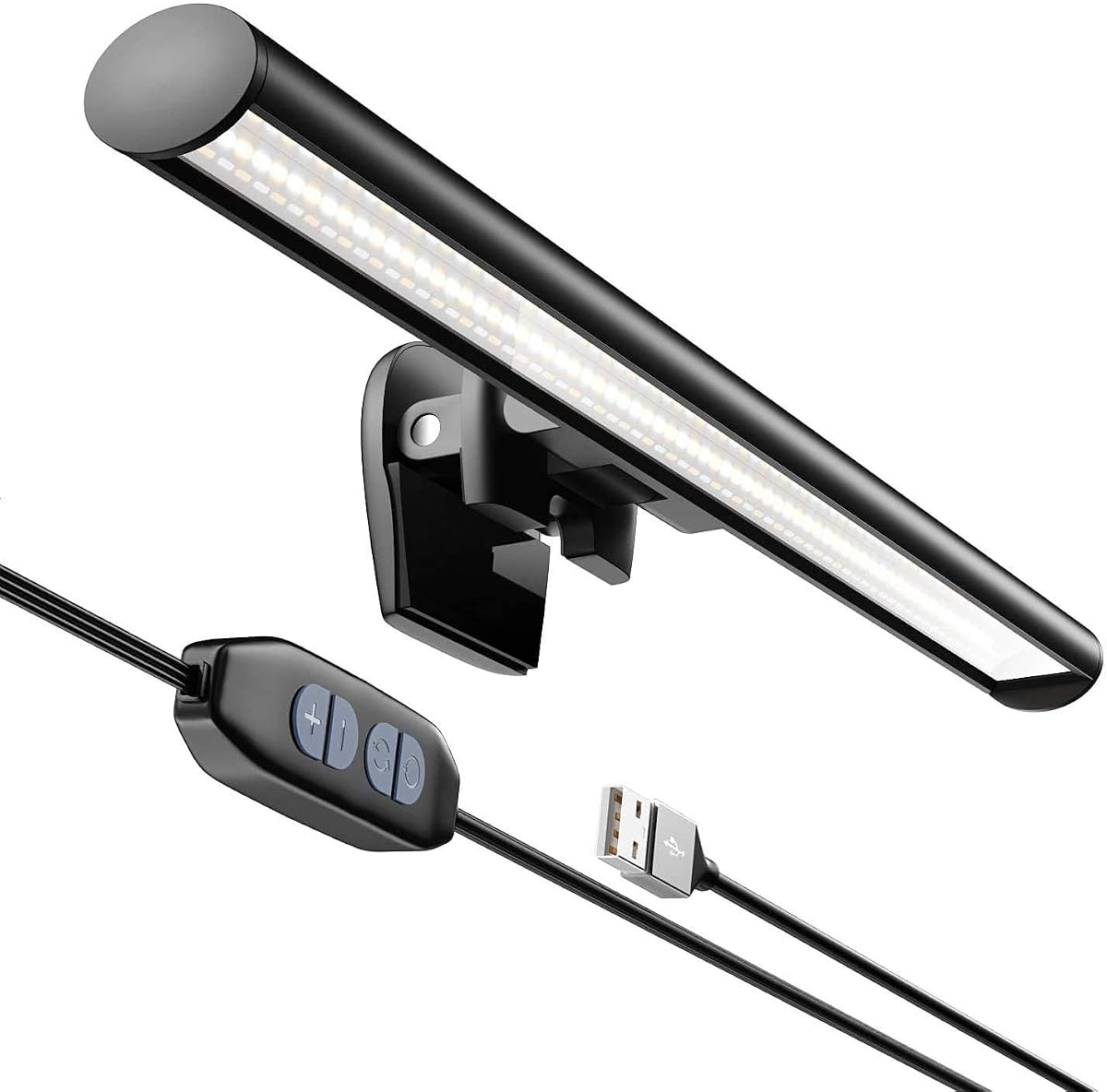


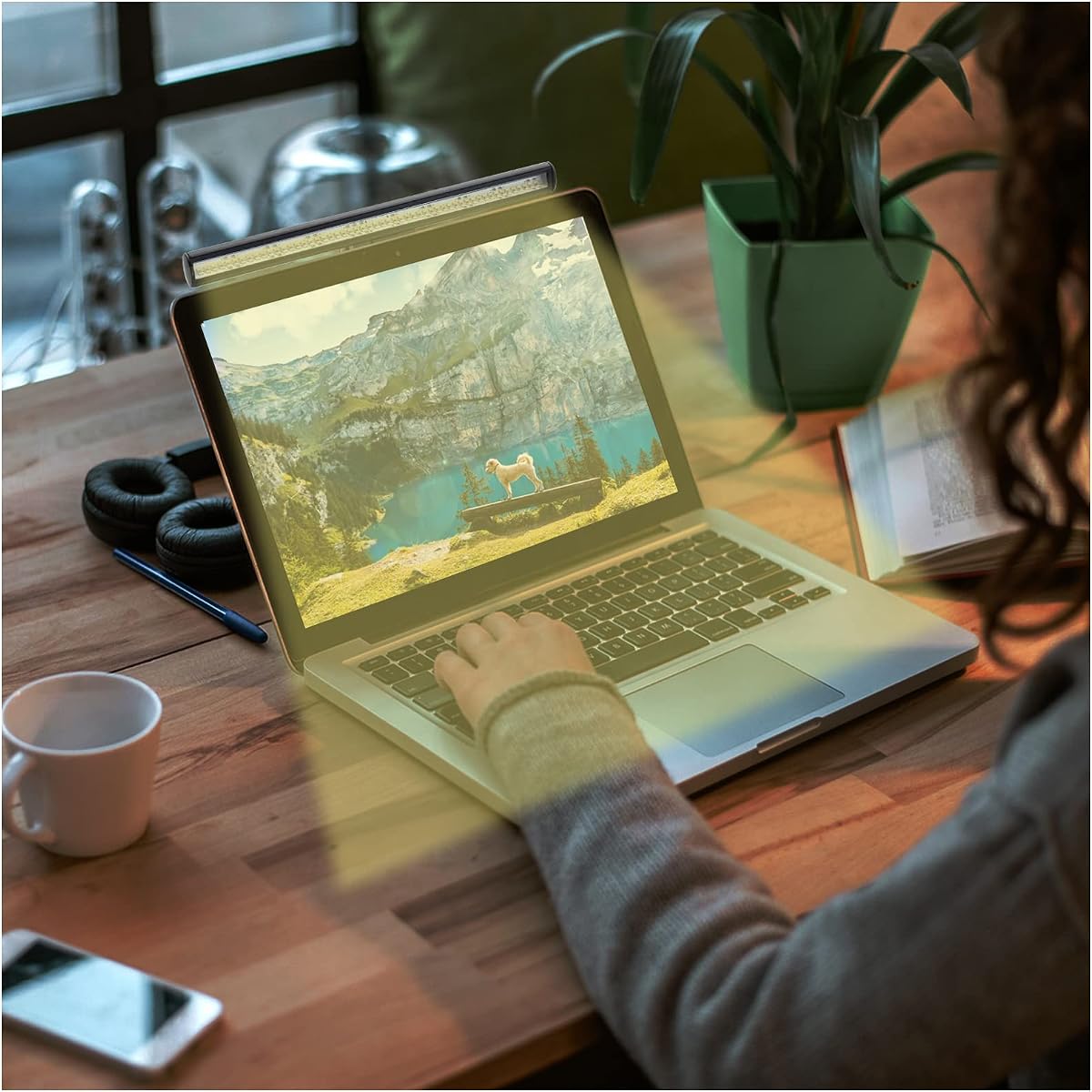


This monitor light bar stands out for its advanced eye care features and intelligent lighting control. With a high rating from users, it delivers professional-grade illumination suitable for long working hours.
We may earn a commission when you buy through this link, at no additional cost to you.
The built-in ambient light sensor continuously monitors surroundings and adjusts brightness to prevent visual fatigue. Its high Color Rendering Index ensures colors appear accurate and vibrant, which is ideal for design work.
While the price is higher than budget options, the investment pays off in comfort and functionality. The lack of blue light hazard certification provides peace of mind for extended screen time sessions.
Anyone seeking premium eye protection and reliable performance should consider this model. It balances advanced technology with a clean design that fits any modern office setup.
The sensor automatically adjusts output to maintain consistent illumination regardless of room lighting changes.
High CRI ensures true-to-life color representation which is critical for creative professionals and designers.
We may earn a commission when you buy through this link, at no additional cost to you.
This affordable option delivers essential features without a hefty price tag. Users appreciate its straightforward design and effective glare reduction capabilities for daily tasks.
We may earn a commission when you buy through this link, at no additional cost to you.
The asymmetrical optical design directs light onto the desk rather than the screen. This reduces reflections and protects eyes while maintaining a clear view of your display.
Some users may find the brightness levels lower than premium models. However, for general reading and typing tasks, the light output is sufficient and comfortable.
Students and remote workers on a budget will find this unit practical. It offers the core benefits of a monitor light bar at an accessible price point.
The clip-on design allows you to install the light in seconds without any tools or assembly.
The unit remembers your last brightness and color settings so you do not have to readjust every time.
We may earn a commission when you buy through this link, at no additional cost to you.
Tailored for large ultrawide screens, this light bar offers unmatched versatility and illumination power. Its dual-light design includes both front task lighting and rear RGB ambient effects.
We may earn a commission when you buy through this link, at no additional cost to you.
The RGB backlight modes add a creative touch to gaming or movie setups. This dual approach reduces contrast between the screen and dark surroundings which helps eye comfort.
The size and price make it less suitable for standard monitors. However, for users with 34-inch or larger displays, it provides the perfect coverage and feature set.
Gamers and professionals with wide setups will appreciate the detailed control and bright output. It combines functional task lighting with customizable ambiance in one sleek unit.
Choose from fifteen RGB modes to create a mood lighting effect that complements your viewing experience.
The patented clamp system supports monitors from ultra-thin to thick with curvature up to 3000R.
We may earn a commission when you buy through this link, at no additional cost to you.
This model combines style with practical functionality for everyday use. Its matte black finish and sleek design blend well with modern laptop aesthetics.
We may earn a commission when you buy through this link, at no additional cost to you.
The fifty four LED beads provide soft and even lighting across your keyboard and desk. This even distribution helps reduce hot spots that can cause eye strain.
Some users report that the clip can feel slightly basic compared to weighted designs. Yet it holds securely on most standard laptops without sliding during use.
Ideal for students and casual users needing reliable lighting. The warranty support adds extra confidence in the purchase decision.
The mounting structure ensures the light does not obstruct your webcam during video calls.
Its slim profile makes it easy to pack for travel between home office and study room.
We may earn a commission when you buy through this link, at no additional cost to you.
Designed for mobility, this light bar is ideal for users who move between locations. Its slim profile fits easily in backpacks without adding bulk.
We may earn a commission when you buy through this link, at no additional cost to you.
The flicker-free technology ensures steady light output which helps during late night study sessions. It uses USB power so you can connect it to various devices easily.
Durability is decent but not robust enough for heavy daily drops. For typical careful handling in office or home settings it works very well.
Travelers and students needing a portable lighting solution will find it useful. It offers essential functions in a compact package.
Connect to any USB port on laptop computer or power bank for instant illumination.
Adjust the lighting angle to suit your desk height and reading posture needs.
We may earn a commission when you buy through this link, at no additional cost to you.
This model offers a wide lighting span ideal for large desks or dual monitor setups. The eleven point eight inch bar ensures uniform light across your keyboard.
We may earn a commission when you buy through this link, at no additional cost to you.
Users report excellent brightness uniformity without dark spots. The stepless dimming allows precise control over light intensity to match ambient conditions.
The mechanical switch is durable but less convenient than touch panels. However, it provides tactile feedback that some users prefer for quick operation.
Gaming setups and large home offices benefit from the extended reach. It is a solid choice if wide coverage is a priority.
The extended bar covers a thirty by twenty inch area for complete workspace lighting.
Short press for power and color long press for brightness adjustment with clear feedback.
We may earn a commission when you buy through this link, at no additional cost to you.
This light bar provides a tidy solution for clutter-free desks with minimalist appeal. Its design focuses on delivering targeted light without visual distraction.
We may earn a commission when you buy through this link, at no additional cost to you.
The dual control modes let you adjust settings without reaching the bar directly. This convenience helps maintain workflow during intense work sessions.
Mounting works well on both flat and curved screens due to universal fit. Some users may need to adjust the tension for stability on thicker monitors.
Ideal for those valuing design and functionality equally. It supports a clean workspace while delivering reliable light output.
Adjust settings via touch or buttons without disturbing your monitor setup.
Works with most screens including irregular rear bezels and curved displays.
We may earn a commission when you buy through this link, at no additional cost to you.
Built with safety and task focus in mind this lamp uses low voltage power for safe operation. The ABS housing offers a comfortable tactile grip.
We may earn a commission when you buy through this link, at no additional cost to you.
The internal reflector design enhances light efficiency and reduces glare. This makes it effective for reading documents or working on detailed tasks.
The controller has four keys which allows precise adjustment. However the interface may take a moment to learn for new users.
Those needing a reliable travel light with a controller will appreciate it. It balances safety with functional lighting for daily use.
Uses standard DC5V supply to ensure safe operation without electrical risks.
The reflector directs light to the keyboard while avoiding direct eye exposure.
We may earn a commission when you buy through this link, at no additional cost to you.
YEELIGHT delivers a premium build with full metal casing for durability and style. The metallic finish helps dissipate heat effectively during long use.
We may earn a commission when you buy through this link, at no additional cost to you.
The RG0 rating ensures blue light safety which is crucial for night users. High CRI maintains accurate color reproduction beneficial for content creators.
The retractable clip works well on flat and curved screens within a range. Very thick or irregular bezels might be harder to mount securely.
Professionals seeking durable high quality lighting should consider this model. It combines safety features with a refined aesthetic.
Metal body conducts heat away from LEDs to maintain performance and safety.
Highest blue light safety rating protects eyes from harmful radiation over time.
We may earn a commission when you buy through this link, at no additional cost to you.
Unique for having both front task and rear ambient light this bar reduces eye strain. The backlight softens the contrast between screen and room darkness.
We may earn a commission when you buy through this link, at no additional cost to you.
High CRI ensures colors look natural while the blue light filter helps protect vision. These features combine to create a comfortable reading environment.
Managing two lighting zones requires initial setup. Once configured the memory function saves preferences for seamless daily use.
Users wanting ambient light effects alongside task lighting will find it valuable. It is a versatile choice for home or office desks.
Rear lights reduce dark surround pressure and improve viewing comfort in low light.
Uses modern Type C cable for easy connection to laptops and power adapters.
We may earn a commission when you buy through this link, at no additional cost to you.
Selecting the right monitor light bar involves evaluating optical design brightness control build quality and specific features that match your workspace needs.
Look for asymmetrical optical designs that direct light onto your desk rather than the screen. This prevents glare and reflections which can cause eye strain over time.
Choose a model with a non-reflective finish to minimize hot spots on your display.
Stepless dimming offers more granular control than preset levels allowing you to find the exact intensity you need.
Ensure the unit has a memory function to recall your preferred settings after power cycles.
Models with multiple color temperatures let you adjust light from warm to cool to suit different tasks.
Warm light reduces eye fatigue during evening use while cool light aids focus during work hours.
Check for certifications like RG0 or IEC standards that verify blue light hazard reduction.
Flicker-free technology is essential to prevent headaches and eye discomfort during prolonged use.
A stable clip with adjustable tension ensures the bar stays secure on various monitor thicknesses.
Counterweight designs prevent the light from slipping off thicker or curved displays.
Full metal bodies dissipate heat better and last longer than plastic alternatives.
Look for durable LED beads with a high lifespan rating to ensure long-term reliability.
High CRI values near 95 or higher ensure colors appear natural and accurate on your screen.
This factor is vital for designers or anyone needing precise color reproduction in their workspace.
USB powered bars offer flexibility to connect to computers power banks or wall adapters.
Long cables provide better routing options to avoid clutter around your desk.
Install the light bar on the top center of your monitor ensuring the clip is securely fastened. Adjust the angle so the light falls directly on your keyboard and desk area.
Turn on the device and adjust the brightness and color temperature to your comfort level. Use the memory function to save these settings for future automatic recall.
Clean the light bar regularly with a dry soft cloth to prevent dust accumulation that may reduce brightness. Avoid using liquids or harsh chemicals near the electronic components.
No when installed correctly the bar does not touch the screen surface. The clip mounts on the top frame which prevents pressure damage to your display panel.
Yes using proper task lighting reduces the contrast between your screen and dark surroundings. This balance helps decrease eye fatigue during long working hours.
Many models support curved screens but check the mounting specs. Look for adjustable clips designed specifically for curvature to ensure a secure fit.
Most LED bars last over thirty five thousand hours of use. This translates to several years of daily operation without needing replacement.
Currently most options require a USB connection for power. Wireless battery operated bars exist but are less common and often have shorter usage times.
Use a microfiber cloth to gently wipe the surface and remove dust. Avoid liquids or cleaners that could damage the LEDs or housing material.
The top picks like the Quntis models and Wodgreat provide excellent value across different needs and budgets. Each option brings unique strengths whether you prioritize eye care or versatility.
Focus on features that matter most to your daily routine such as color accuracy or ambient light effects. Proper lighting can significantly improve comfort and productivity during work.
Remember to verify current availability and pricing before purchasing. Small changes in stock may affect your final choice but these models remain strong contenders in the market.