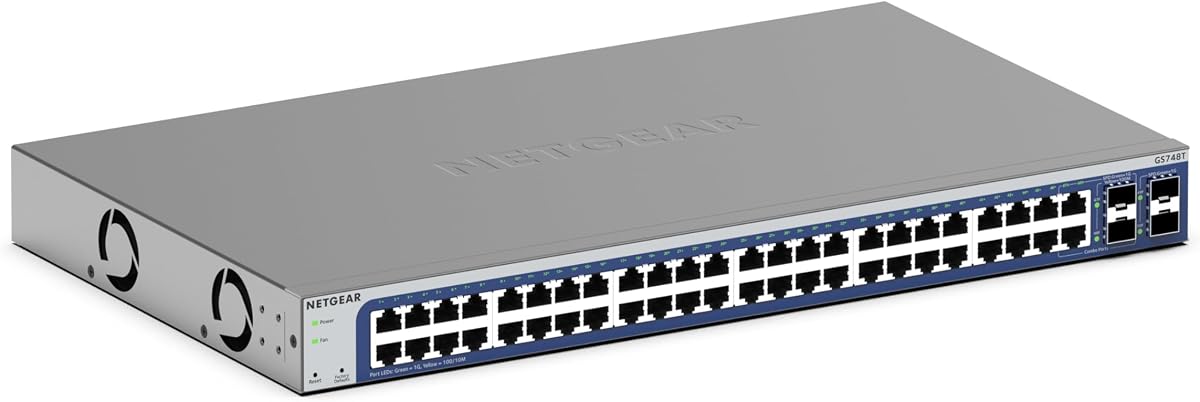
NETGEAR GS748T
4.4Editor score
48 Gigabit Ethernet ports
4 SFP ports included
Simple smart managed interface
This guide compares the top 48 port gigabit managed switches for enterprise and business needs, evaluating features, performance, security, and management
Selecting the right network infrastructure is critical for modern businesses relying on stable connectivity. A 48 port gigabit managed switch offers the density and control needed for growing teams. It ensures data flows smoothly between devices while allowing administrators to optimize traffic and security policies effectively.
We evaluated ten leading models based on port density, management features, and reliability. Our analysis covers smart managed, fully managed, and specialized PoE options. Each product was assessed for its ability to handle high traffic loads and integrate with existing network environments seamlessly.
This list highlights the top performers for various scenarios including small offices and data centers. Each pick details specific strengths and ideal use cases for your setup. Please note that availability and pricing may fluctuate based on market conditions and retailer inventory levels daily.
4.4Editor score

4.7Editor score

4.4Editor score
The following table provides a side-by-side comparison of all ten selected models. It highlights key specifications such as port types, management capabilities, and specific strengths to help you quickly identify the right fit for your network requirements.




The TP-Link SG2452LP stands out as a robust solution for organizations needing deep control. It earns a high rating for its integration with the Omada Cloud Management Platform. This allows administrators to monitor and configure networks remotely with ease.
We may earn a commission when you buy through this link, at no additional cost to you.
Key strengths include its fully managed capabilities which support VLANs and advanced security features. The fanless design ensures it operates quietly even under full load. This makes it suitable for office environments where noise is a concern.
While it offers excellent functionality, it does require familiarity with the Omada ecosystem. Users may need to invest time in learning the specific management interface. However, this trade-off is acceptable given the centralized control it provides.
IT professionals managing medium to large networks should consider this switch. It delivers the flexibility and security needed for modern infrastructure. We recommend it for those prioritizing centralized cloud management capabilities.
The Omada Cloud Management Platform allows for centralized control over distributed networks from a single interface.
Built-in security features like 802.1X and IP-MAC-Port binding help protect your network from unauthorized access.
We may earn a commission when you buy through this link, at no additional cost to you.
The NETGEAR GS748T is a cost-effective option for those seeking managed functionality without high costs. It provides essential smart managed features accessible through a user-friendly interface. This makes it ideal for businesses needing straightforward network control.
We may earn a commission when you buy through this link, at no additional cost to you.
Its 48 gigabit ports ensure high-speed connectivity for all connected devices. The inclusion of 4 SFP ports allows for fiber optic uplinks to expand reach. Additionally, its energy efficient design helps reduce overall power consumption.
Management features are somewhat basic compared to fully managed units. Users might find the interface less flexible for complex routing tasks. Despite this, it remains a strong choice for standard office networking needs.
Small to medium businesses looking for reliable connectivity should find this switch valuable. It balances performance and cost effectively. We suggest it for environments where advanced enterprise features are not strictly necessary.
The smart managed software offers an easy-to-use interface for secure setup and access control.
SFP connectivity ports allow you to extend your network using fiber optic cables for longer distances.
We may earn a commission when you buy through this link, at no additional cost to you.
The YuanLey 48 Port PoE switch delivers premium features like Layer 3 routing and significant power budgets. It offers a high performance capability for demanding network environments. This makes it suitable for growing businesses with complex traffic needs.
We may earn a commission when you buy through this link, at no additional cost to you.
Its 460W power budget supports a wide range of power-hungry devices like APs. The inclusion of six 10G SFP+ slots provides high bandwidth uplinks. These specs ensure the network can handle heavy data throughput efficiently.
Users may encounter a learning curve due to its advanced feature set. The brand is less recognized compared to major enterprise vendors. However, the hardware quality and specs compete well with top-tier alternatives.
Network administrators needing L3 features and high-speed uplinks will appreciate this device. It is a powerful tool for scaling your network. We recommend it for those prioritizing performance and port flexibility.
Static routing helps route internal traffic for more efficient use of network resources without a router.
Six 10Gbps SFP+ slots allow for high-speed connections to servers and core switches.
We may earn a commission when you buy through this link, at no additional cost to you.
The Omada SG3452 integrates seamlessly with the Omada SDN platform for unified control. It offers advanced L2+ features like static routing for efficient traffic flow. This model is versatile for both standalone and cloud-managed deployments.
We may earn a commission when you buy through this link, at no additional cost to you.
Key features include remote cloud access and a wide range of security options. The protection package provides free technical support for five years. This ensures long-term reliability and assistance for your network setup.
Users must ensure firmware compatibility for full SDN integration. Non-SDN controllers will not work with SDN devices. This dependency requires careful planning during purchase and setup.
Organizations using or planning to use the Omada ecosystem will find this switch ideal. It provides robust features for secure and efficient networking. We suggest it for those invested in TP-Link's management suite.
The SDN platform integrates network devices including switches APs and gateways for centralized management.
Security features like 802.1Q VLAN and DoS defense help protect your network from various threats.
We may earn a commission when you buy through this link, at no additional cost to you.
This NETGEAR model offers a lifetime warranty which is rare for networking hardware. It provides reliable Gigabit connectivity with flexible SFP options for expansion. The design supports both desktop and rack mounting for installation versatility.
We may earn a commission when you buy through this link, at no additional cost to you.
The included NMS 300 software allows for SNMP management and monitoring. Its energy-efficient design reduces power usage without sacrificing speed. The fanless operation ensures it remains quiet in office settings.
Some users may find the interface less modern compared to newer models. It is a legacy model that may lack some advanced cloud features. However, the lifetime warranty adds significant value and peace of mind.
Businesses prioritizing hardware longevity should consider this option. It is reliable for environments where uptime is critical. We recommend it for those seeking a straightforward and backed managed switch.
A limited hardware warranty ensures you are covered for replacement in case of device failure.
Supports both desktop and rack-mount placement for versatile installation in various environments.
We may earn a commission when you buy through this link, at no additional cost to you.
The TL-SG3452P provides substantial PoE power for deploying multiple cameras or APs. Its L2+ features allow for internal routing which improves network efficiency. The auto-recovery function ensures devices regain power quickly after an outage.
We may earn a commission when you buy through this link, at no additional cost to you.
This model supports both standalone and Omada controller management. It handles 384 watts of power budget efficiently across its ports. This makes it a solid choice for powering edge devices in a single location.
It carries a higher price point due to its PoE capabilities. Users must account for power consumption and cooling requirements. Despite this it offers essential features for PoE heavy deployments.
Businesses needing to power many devices directly from the switch should consider this. It balances performance with cost effectively. We recommend it for environments with heavy IP camera or Wi-Fi needs.
48 PoE+ ports provide up to 30W per port supporting a total budget of 384W.
The auto recovery feature ensures devices restart automatically after a power loss for uninterrupted operation.
We may earn a commission when you buy through this link, at no additional cost to you.
This NETGEAR model is designed for users who need connectivity without configuration. It operates as a plug-and-play device allowing immediate network expansion. The lack of management features simplifies deployment significantly.
We may earn a commission when you buy through this link, at no additional cost to you.
Its high rating reflects its reliability and ease of use. The fanless design ensures it runs quietly even under load. This makes it suitable for spaces where noise is an issue.
Without managed features you cannot prioritize traffic or segment networks. It is strictly for basic connectivity needs. This limitation makes it less ideal for complex enterprise environments.
Small businesses needing simple expansion will find this switch perfect. It offers a straightforward solution for connecting multiple devices. We suggest it for home offices or basic workspaces.
Simple plug-and-play setup with no software to install or configuration required for immediate use.
Fanless design ensures silent performance ideal for quiet office or home environments.
We may earn a commission when you buy through this link, at no additional cost to you.
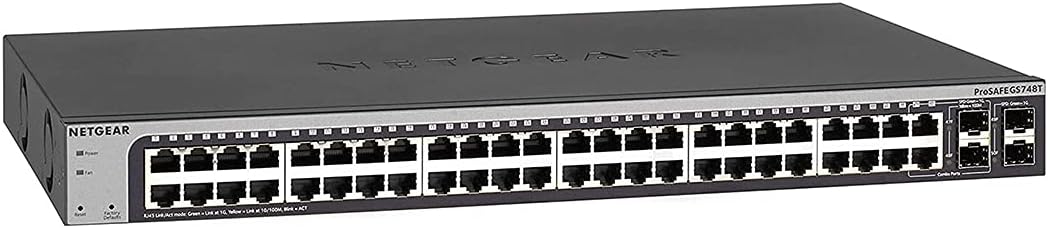
This renewed model offers a budget-friendly way to access managed features. It is tested to function similarly to new units but at a lower price. It provides a solid platform for businesses needing managed switching on a budget.
We may earn a commission when you buy through this link, at no additional cost to you.
Features include 48 gigabit ports and four SFP ports for fiber uplinks. The ProSAFE protection offers peace of mind regarding hardware quality. This is a practical choice for cost-conscious buyers.
Buying renewed products carries some risk regarding wear and tear. You should inspect the item upon receipt carefully. However, the warranty mitigates many potential issues with the device.
Businesses looking to save on hardware costs should consider this option. It balances cost with performance well. We recommend it for non-critical environments or secondary networks.
Renewed products offer a cost-effective solution with tested performance and included warranty protection.
Lifetime protection ensures your hardware is covered against defects and failures indefinitely.
We may earn a commission when you buy through this link, at no additional cost to you.
The UBIQUITI EdgeSwitch provides high performance with 140 Gbps switching capacity. It is designed to handle heavy traffic loads without congestion. This makes it suitable for data centers or high-demand environments.
We may earn a commission when you buy through this link, at no additional cost to you.
It features multiple SFP and SFP+ ports for versatile uplinks. The DC input option allows for flexible power setups in server rooms. These capabilities ensure it fits into various infrastructure designs.
Its software ecosystem is proprietary and may require learning. The price is higher than some competitors. However, the build quality and performance justify the investment for many.
Network engineers needing high throughput and flexibility will appreciate this switch. It is a reliable tool for demanding network tasks. We recommend it for professional installations prioritizing performance.
70 Gbps non-blocking throughput ensures smooth performance even under heavy traffic loads.
DC input options provide flexibility for redundant or standalone power setups in your facility.
We may earn a commission when you buy through this link, at no additional cost to you.
This NETGEAR model provides a reliable mix of smart management and PoE power. It offers a substantial budget for connecting multiple powered devices. Its interface is straightforward making it accessible for various skill levels.
We may earn a commission when you buy through this link, at no additional cost to you.
The 48 gigabit ports ensure fast connectivity for all connected systems. The four SFP ports allow for expansion using fiber optics if needed. This makes it a versatile choice for growing businesses.
The price point is higher than standard unmanaged switches. Desktop mounting may limit use in some rack environments. Despite this it delivers solid performance for its class.
Businesses needing reliable PoE and managed features should consider this switch. It offers a balance of cost and capability. We recommend it for small offices expanding their network.
Smart software with easy-to-use interface offers managed control for secure setup and access.
Compact metal design supports desktop or rack-mount placement for versatile installation options.
We may earn a commission when you buy through this link, at no additional cost to you.
Choosing the right switch involves balancing port requirements, management needs, and power specifications. This guide outlines the critical factors to consider before making a purchase.
Ensure the switch offers 48 ports to meet your current device count. Gigabit speeds are standard for modern networks but verify if you need higher uplinks like 10Gbps SFP+ ports.
Look for 48 Gigabit ports plus extra SFP uplinks for scalability.
Managed switches allow you to configure VLANs and security policies while unmanaged switches offer plug-and-play simplicity. Consider if you need traffic prioritization or segmentation.
Managed switches provide control while unmanaged switches offer simplicity.
If you plan to connect IP cameras or wireless access points check the total PoE budget. Each device consumes power so ensure the switch can support your load.
Check the total PoE budget to ensure it supports all connected devices.
Look for interfaces that are intuitive whether web-based or CLI. Cloud management platforms allow remote access which is useful for distributed sites.
Choose an interface that fits your technical expertise and needs.
Advanced security like 802.1X and port security helps prevent unauthorized access. Ensure the switch supports the protocols required by your organization.
Prioritize features like 802.1X and ACLs for secure networks.
Decide between desktop and rack-mount options based on your server closet. Fanless designs reduce noise but may have thermal limits under full load.
Select a form factor that fits your physical space constraints.
Lifetime warranties are valuable for reducing long-term costs. Check if technical support is available 24/7 to resolve issues quickly.
Verify warranty terms to ensure long-term protection for your investment.
Set a budget that aligns with your business priorities. Higher costs often bring better features but ensure you are not paying for capabilities you do not need.
Balance cost against the specific features you require for your network.
Begin by connecting your uplink to a router or core switch using fiber or copper cabling. Connect your devices to the remaining ports and power on the switch to allow it to initialize properly.
Access the management interface via web browser or CLI using the default IP address. Configure VLANs to segment traffic and apply security policies to protect your data effectively.
Regularly check the LED indicators for any port errors or connectivity issues. Keep the ventilation clear to prevent overheating and monitor logs to ensure consistent network performance.
Managed switches allow you to configure settings like VLANs and security while unmanaged switches work out of the box without configuration. Managed switches offer better control but are more complex to set up.
Most home offices do not need a managed switch unless you are setting up VLANs for smart devices or security. An unmanaged switch is usually sufficient for typical home use.
Power over Ethernet allows devices to receive power through the data cable reducing the need for separate power supplies. It is important for powering devices like IP cameras and wireless access points.
Yes if the switch has SFP ports you can use fiber optic transceivers for long distance connections. Ensure the module matches the switch speed requirements for proper operation.
Most switches have a physical reset button or a software option in the management interface to restore factory defaults. Consult the user manual for the specific steps for your model.
A VLAN allows you to segment your network into virtual groups to improve security and performance. You should use them if you have different types of devices or departments needing isolation.
A 48 port switch supports up to 48 wired devices directly. You can connect more via wireless access points or other switches but the port limit is strict.
Yes they work with Cat5e or Cat6 cables for gigabit speeds. Ensure your cables are in good condition to maintain optimal performance across all ports.
We reviewed ten top models ranging from budget unmanaged options to premium managed units with PoE capabilities. Each provides unique strengths depending on your network size and complexity.
Prioritize your need for management features and power requirements before purchasing. Ensure the switch supports your current devices and allows room for future growth effectively.
Always verify current availability and retailer terms before finalizing your decision. Choosing the right switch ensures your network remains stable and secure for years.