
ASUS ProArt PA248QV
4.6Editor score
24-inch WUXGA resolution
100% sRGB and Rec.709
Factory calibrated Delta E less than 2
Finding the right display for creative work requires careful consideration of color accuracy, resolution, and connectivity. Professional monitors help ensure your output matches your intent across various devices and mediums effectively.
We evaluated ten top-rated ASUS Proart Monitor models based on factory calibration, panel technology, and user feedback. This list covers everything from budget-friendly options to high-end OLED displays for demanding workflows.
Each pick highlights key strengths and ideal use cases for photographers, designers, and video editors. Please note that pricing and availability can change frequently, so check the current listings before purchasing your next screen.
4.6Editor score

4.2Editor score

As an Amazon Associate we earn from qualifying purchases.
The following table provides a side-by-side comparison of all ten ASUS Proart Monitor models, highlighting their key specifications and features to assist in your decision-making process.




The ASUS ProArt PA279CRV is a top-rated 27-inch professional monitor designed for creative professionals. With a 4K UHD resolution and factory calibration, it delivers exceptional color accuracy right out of the box for demanding workflows.
We may earn a commission when you buy through this link, at no additional cost to you.
Its 99% DCI-P3 and Adobe RGB coverage ensures vibrant and precise colors for photography and design. The inclusion of USB-C with 96W Power Delivery allows for single-cable connectivity and charging, streamlining your workspace setup effectively.
While the price is higher than standard monitors, the investment pays off in color fidelity and reliability. The ergonomic stand and extensive connectivity options make it suitable for multi-monitor setups and Mac environments.
This monitor is ideal for photographers and designers who need reliable color reproduction. It offers a balanced mix of performance features and professional tools that justify its position as an top pick.
Calman Verified with Delta E less than 2 ensures your work looks exactly as intended across different devices and print outputs.
USB-C connectivity with Power Delivery reduces cable clutter while maintaining high-speed data transfer and video output quality.
We may earn a commission when you buy through this link, at no additional cost to you.
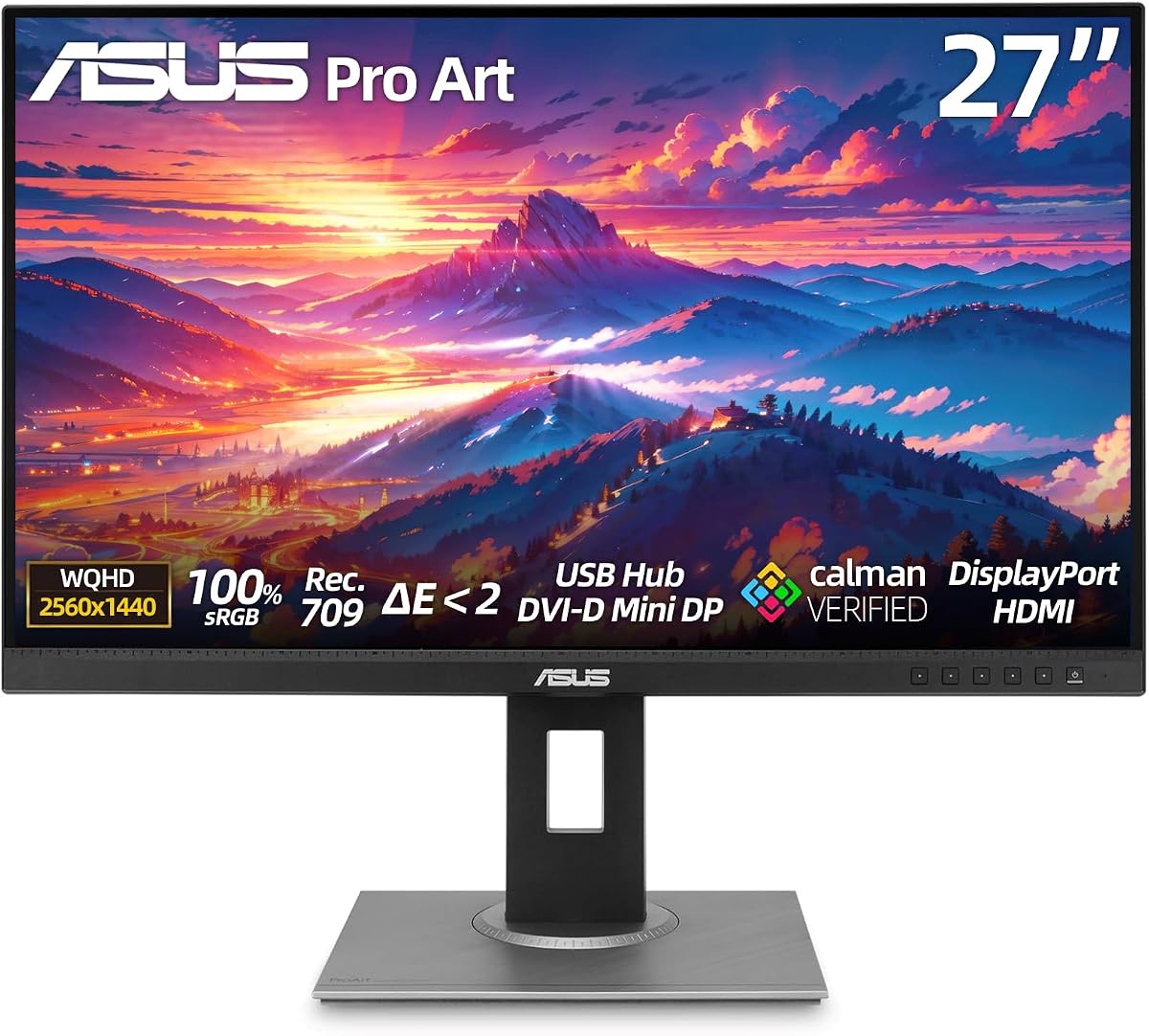
The ASUS ProArt PA248QV offers an accessible entry point for professional-grade monitoring without breaking the budget. It features a 24-inch WUXGA display that prioritizes color accuracy and clarity for everyday creative tasks.
We may earn a commission when you buy through this link, at no additional cost to you.
With 100% sRGB and Rec.709 coverage, it ensures vivid and accurate colors suitable for web design and general photography. The Calman Verified status provides peace of mind for users who need consistent color performance.
The anti-glare screen reduces reflections and eye strain during long working hours. Its fully adjustable stand allows for pivot, tilt, and height adjustments, making it comfortable for various desk configurations.
This model is perfect for students or freelancers starting in design or content creation. It delivers essential professional features at a competitive price, making it the best value option on this list.
Get factory-calibrated color accuracy and ergonomic adjustments typically found in more expensive monitors at a budget-friendly price.
Anti-glare technology and a flexible stand help reduce eye fatigue during extended editing sessions and daily work routines.
We may earn a commission when you buy through this link, at no additional cost to you.
The ASUS ProArt PA32USD represents the pinnacle of professional display technology with its QD-OLED panel. It combines stunning visual performance with industry-leading color accuracy for high-end video and photo production needs.
We may earn a commission when you buy through this link, at no additional cost to you.
With a peak brightness of 1000 nits and True Black contrast, it delivers lifelike visuals that surpass traditional LCDs. The world-leading Delta E less than 1 ensures unparalleled precision for color-critical work.
While the price is significant, the included calibration tools and comprehensive connectivity justify the investment for studios. The fast response time and high refresh rate also make it suitable for motion-heavy content.
This monitor is best suited for professional studios and editors requiring the absolute best in visual fidelity. It sets a new standard for creative displays with its advanced technology and unmatched performance features.
QD-OLED technology offers perfect blacks and vibrant colors, creating an immersive viewing experience for editing and reviewing content.
Factory calibration and hardware calibration support ensure consistent accuracy over time, critical for high-end production workflows.
We may earn a commission when you buy through this link, at no additional cost to you.
The ASUS ProArt PA32QCV is designed specifically for professionals using Mac systems, offering a 32-inch 6K display. It matches the color performance of MacBook screens for a seamless workflow across devices.
We may earn a commission when you buy through this link, at no additional cost to you.
Dual Thunderbolt 4 ports allow for high-speed data transfer and daisy-chaining multiple monitors with minimal cables. The Auto KVM switch lets you control multiple computers with one keyboard and mouse setup effectively.
Intelligent Light Sync technology adjusts the screen based on ambient lighting conditions. This helps maintain consistent color perception throughout the day without manual adjustments during critical editing sessions.
This monitor is an excellent choice for Mac users needing high resolution and connectivity. Its specialized features streamline complex workflows, making it a powerful tool for demanding professional environments.
Color matching and Thunderbolt connectivity ensure your Mac environment runs smoothly without compatibility issues or color shifts.
The built-in KVM switch simplifies working across multiple machines, saving time and reducing the need for extra peripherals.
We may earn a commission when you buy through this link, at no additional cost to you.
The ASUS ProArt PA278CV is a reliable choice for video editors needing accurate color and a spacious workspace. Its 1440p resolution provides enough detail for timeline work without overwhelming system resources.
We may earn a commission when you buy through this link, at no additional cost to you.
Factory-calibrated settings meet industry standards for video editing, ensuring your edits look correct on standard displays. The USB-C port with Power Delivery reduces cable clutter by charging your laptop while in.
DisplayPort daisy-chaining allows for building a dual-monitor setup with a single cable connection. This feature enhances productivity by enabling easy reference screen configurations without complicated wiring.
This monitor strikes a good balance between performance and price for entry-level professionals. It offers essential tools for video workflows, making it a practical choice for editing and content production tasks.
Rec.709 calibration ensures your video edits look consistent on most viewing platforms and devices used by clients.
USB-C power and video delivery along with daisy-chaining options create a cleaner, more organized workspace for daily work.
We may earn a commission when you buy through this link, at no additional cost to you.
The ASUS ProArt PA279CV is designed to support professionals who spend long hours in front of their screens. It features advanced Eye Care technology to reduce strain and improve comfort during extended use.
We may earn a commission when you buy through this link, at no additional cost to you.
With 100% sRGB accuracy and Calman verification, it ensures reliable color performance for design and photo editing. The QHD resolution provides a good balance of sharpness and workspace for multitasking.
Its fully ergonomic stand offers tilt, swivel, and height adjustments for optimal posture. This design helps minimize physical discomfort, which is crucial for maintaining productivity throughout the workday.
This monitor is a practical solution for creatives focused on comfort and value. Its combination of color accuracy and eye care features makes it a strong contender for daily professional use.
Flicker-free and low blue light technologies actively reduce eye strain, allowing you to work longer with greater comfort.
Factory calibration ensures consistent colors, so you can focus on your creative work without worrying about display issues.
We may earn a commission when you buy through this link, at no additional cost to you.
The ASUS PA329CRV-P is a professional-grade monitor specifically compliant with the Trade Agreements Act. It serves organizations and clients that require certified hardware for government and procurement contracts.
We may earn a commission when you buy through this link, at no additional cost to you.
Despite its compliance focus, it delivers high performance with a 32-inch 4K display and wide color gamut coverage. This ensures it meets the visual standards needed for creative and technical work.
Connectivity is robust with USB-C Power Delivery and multiple display inputs. The comprehensive package includes necessary cables, making setup easier for institutional or corporate environments.
This monitor is ideal for government agencies or businesses with strict procurement rules. It combines regulatory compliance with the color accuracy and size professionals expect from a high-end display.
TAA compliance makes it a viable choice for government projects and contracts where specific vendor certifications are mandatory.
High resolution and color fidelity ensure that compliant models still meet industry expectations for quality and performance.
We may earn a commission when you buy through this link, at no additional cost to you.
The ASUS ProArt PA32UCR-K is built for professionals who need to master HDR content creation. With Mini-LED backlighting and high brightness, it delivers the dynamic range needed for HDR grading.
We may earn a commission when you buy through this link, at no additional cost to you.
The included X-rite i1 Calibrator allows for precise calibration, ensuring accuracy for critical work. Quantum-dot technology provides extensive color coverage, covering Adobe RGB and DCI-P3 effectively.
While the price is higher, the inclusion of calibration tools adds significant value. It supports multiple HDR formats, giving flexibility for different content types and delivery platforms.
This monitor is recommended for colorists and HDR producers needing precise brightness and color tools. It offers a complete package for mastering content creation with professional-grade accuracy and features.
Included calibration tools allow you to achieve precise color accuracy immediately, saving time and additional costs.
High peak brightness and wide color gamut ensure your HDR projects look vibrant and accurate across different viewing environments.
We may earn a commission when you buy through this link, at no additional cost to you.
The ASUS ProArt PA278CGV bridges the gap between professional editing and fast-paced entertainment. Its 144Hz refresh rate supports smooth motion for gaming while maintaining professional color standards.
We may earn a commission when you buy through this link, at no additional cost to you.
With 95% DCI-P3 coverage and Calman verification, it ensures reliable color for creative tasks. The USB-C port with high Power Delivery keeps laptops charged while supporting video transfer effectively.
DisplayHDR 400 certification improves contrast and visibility in bright content. This feature adds versatility, making the screen suitable for mixed use environments including home offices.
This monitor is perfect for users who want a single screen for work and leisure. It offers professional features alongside gaming specs, creating a versatile tool for diverse daily needs.
High refresh rates and professional color accuracy combine to support both smooth gaming and precise creative workflows.
USB-C with Power Delivery simplifies setup, letting you connect and charge devices efficiently for all your activities.
We may earn a commission when you buy through this link, at no additional cost to you.
The ASUS ProArt PA32UCG-K is a powerhouse display designed for environments needing extreme brightness and color precision. Its Mini-LED technology delivers up to 1600 nits peak brightness, outshining many competitors.
We may earn a commission when you buy through this link, at no additional cost to you.
With 1000 nits full-screen sustained brightness and local dimming, it ensures HDR content looks spectacular. The included calibrator helps achieve precise color accuracy for demanding professional workflows.
Despite the high price, it offers features like Thunderbolt 3 and HDMI 2.1 for future-proof connectivity. The high refresh rate also supports content creation that involves motion or interactive elements.
This monitor is best for professionals needing top-tier HDR performance and brightness. It is an investment for those who require the highest levels of visual fidelity and advanced display capabilities.
High peak brightness ensures HDR content looks vibrant and true to life even in bright viewing environments.
10-bit color depth and local dimming provide deep contrast and smooth gradients for professional content grading.
We may earn a commission when you buy through this link, at no additional cost to you.
Choosing the right monitor involves balancing resolution, color accuracy, connectivity, and ergonomics to fit your specific workflow requirements.
Resolution determines how much detail you can see, with 4K and 6K options available for pixel-perfect design work. Larger screens like 32 inches provide more real estate for timelines and multiple windows, while 27-inch models fit smaller desks better.
Look for factory calibration and Delta E values under 2 for reliable color. Ensure the monitor covers relevant spaces like sRGB, Adobe RGB, or DCI-P3 depending on whether your work is web or print focused.
USB-C with Power Delivery simplifies desk setups by combining video and charging into one cable. Thunderbolt 4 support is crucial for high-speed data and daisy-chaining, while HDMI and DisplayPort ensure broader device compatibility.
IPS panels offer wide viewing angles and consistent colors ideal for design work. OLED or Mini-LED options provide higher contrast and deeper blacks for HDR content, though they come at a higher price point.
Most pro monitors run at 60Hz, but higher rates like 144Hz help with smooth scrolling or video playback. Fast response times reduce motion blur, which is useful if you work with dynamic content or gaming.
A stand that offers tilt, swivel, pivot, and height adjustment is essential for long working sessions. Proper ergonomics reduce neck and back strain, improving comfort and productivity over time.
Hardware calibration tools allow precise color management directly on the monitor. Models with included calibrators save money and time, ensuring accurate output for professional deliverables across different clients.
Professional monitors often come with extended warranties like five years to protect your investment. Check for online registration requirements to claim extensions and ensure timely support if hardware issues arise.
Keep the screen clean with a soft microfiber cloth to avoid scratches. Avoid harsh chemicals that might damage the anti-glare coating on the display surface.
Yes, all models listed include a fully adjustable stand. These stands support tilt, swivel, pivot, and height adjustments to ensure ergonomic comfort during long work sessions.
Most models are compatible with Mac systems through USB-C or HDMI. Some specific versions even feature Mac-specific color presets for seamless workflow integration.
Factory calibration ensures accurate colors right out of the box without manual adjustment. This saves time and guarantees reliable color matching for professional projects.
Many models offer USB-C ports with Power Delivery ranging from 65W to 96W. This allows you to charge your laptop while using the monitor as a single-cable docking solution.
Several high-end models support HDR formats like HDR10 and Dolby Vision. These are ideal for professionals working with high dynamic range video content or gaming.
Most monitors come with a standard five-year warranty including three years standard plus a two-year extension with online registration. This ensures long-term protection for your investment.
Many models support DisplayPort daisy-chaining, allowing you to connect multiple screens via a single cable. This creates a seamless multi-monitor workstation setup efficiently.
Always check current pricing and warranty details before purchasing. Availability and offers may change, so verify the latest information to ensure you get the best value for your setup.