
Logitech B100
4.6Editor score
Zero setup connectivity
Recycled plastic parts
Ambidextrous comfort
This guide compares the best durable computer mouse options for reliability and long-term performance across wired and wireless models for any user.
Finding a durable computer mouse ensures your daily workflow remains smooth and uninterrupted by hardware failures. We examined top-rated models for build quality and comfort to help you choose wisely.
Our comparison evaluates ten leading options based on durability testing, ergonomic design, and user feedback. Each selection balances performance with longevity to meet diverse computing needs effectively.
Every pick highlights key strengths and trade-offs to guide your decision. Remember that availability and pricing shift frequently so verify details before purchasing your ideal device.
4.6Editor score

4.5Editor score

4.5Editor score
The following table provides a side-by-side overview of each model key specifications to help you quickly identify the right durable option for your specific needs.





The Logitech M185 is a reliable compact wireless mouse designed for everyday use across Windows and Mac systems. It holds a strong rating for its simplicity and durability making it a solid choice for basic computing tasks.
We may earn a commission when you buy through this link, at no additional cost to you.
Its ambidextrous design ensures comfort for both left and right handed users while the nano receiver provides a stable connection up to thirty three feet. The smart sleep mode extends battery life to a full year reducing maintenance needs significantly.
While it lacks advanced features like side buttons or programmable keys the M185 focuses on essential functionality and reliability. The build includes recycled plastic contributing to sustainability without compromising on structural integrity for daily office work.
This model is ideal for users seeking an affordable durable replacement for a touchpad or worn out mouse. It delivers consistent performance with minimal setup ensuring you can return to work quickly without technical hurdles.
The compact shape fits easily in bags while the contoured surface supports natural hand placement for extended sessions.
A single AA battery lasts up to a year thanks to intelligent power management that activates during periods of inactivity.
We may earn a commission when you buy through this link, at no additional cost to you.
The Logitech M510 offers a full size ergonomic experience tailored for extended use with soft rubber grips and a contoured shape. Its rating reflects high satisfaction among users who prioritize comfort and control during long work hours.
We may earn a commission when you buy through this link, at no additional cost to you.
Key strengths include the ability to scroll horizontally and vertically which is invaluable for navigating spreadsheets and wide web pages. The two year battery life practically eliminates the hassle of frequent replacements while the Unifying receiver allows multiple devices to share one link.
Though some features like zoom require additional software the physical buttons provide immediate access to common navigation tasks. The design supports effortless control reducing strain on the hand and wrist over time for better overall productivity.
This mouse is best suited for professionals who need reliable wireless performance with enhanced navigation capabilities. Its durable construction and thoughtful layout make it a top contender for office environments demanding efficiency and comfort.
The gently curved sides and broad palm area provide support that reduces fatigue during all day usage.
Dedicated back and forward buttons streamline browsing while side scrolling allows quick movement through large data sets.
We may earn a commission when you buy through this link, at no additional cost to you.
The Logitech B100 is a wired mouse built for simplicity and durability delivering reliable performance without the need for batteries. It is widely praised for its comfortable ambidextrous shape that feels good in either hand during extended use.
We may earn a commission when you buy through this link, at no additional cost to you.
With zero setup connectivity it works instantly upon plugging into a USB or PS/2 port making it perfect for quick deployments. The mouse includes side to side scrolling and zoom features which enhance efficiency when working with documents or web pages.
While it lacks wireless freedom the wired design ensures consistent tracking and eliminates battery concerns entirely. The construction uses recycled plastic parts aligning with sustainability goals while maintaining the robust quality expected from a major manufacturer.
This model is an excellent choice for users seeking a no fuss durable mouse at an accessible price point. Its reliable performance and comfortable design make it suitable for both home and office environments requiring steady input.
Support for both USB and PS/2 ports ensures it works with a wide range of legacy and modern computer systems.
Integrated zoom and horizontal scroll functions allow users to manage complex spreadsheets and large files more effectively.
We may earn a commission when you buy through this link, at no additional cost to you.
The TECKNET USB Wired Mouse stands out for its durability and precision offering Tru-Wave technology that tracks accurately on many surfaces. It has been tested for over six million keystrokes ensuring responsive clicks and a long lifespan for daily use.
We may earn a commission when you buy through this link, at no additional cost to you.
Four adjustable DPI levels ranging from one thousand to six thousand four hundred allow users to tailor sensitivity for various tasks. The six button layout includes large back and forward keys that boost productivity when browsing or managing documents efficiently.
Although side buttons may not function on Mac systems the overall design focuses on ergonomic comfort with soft rubber grips. The five foot USB cable provides ample length for desktop setups while maintaining stable lag free connectivity.
This mouse is ideal for users needing a durable wired solution with customizable sensitivity for different workflows. Its robust construction and feature rich layout make it a strong contender for those prioritizing control and long-term reliability.
Advanced optical tracking ensures smooth cursor movement even on challenging surfaces like glass or polished desks.
The inclusion of extra navigation keys reduces reliance on keyboard shortcuts for faster web and file browsing.
We may earn a commission when you buy through this link, at no additional cost to you.
The Logitech Signature M550 L is designed specifically for larger hands offering a full size wireless experience with exceptional comfort. Its rating highlights the effective balance between ergonomic shape and modern connectivity features for diverse operating systems.
We may earn a commission when you buy through this link, at no additional cost to you.
The SmartWheel allows instant switching between line-by-line precision and super-fast scrolling which enhances document and web navigation. SilentTouch technology reduces click noise by ninety percent making it suitable for quiet workspaces or shared environments without distraction.
Connectivity options include Bluetooth Low Energy and the Logi Bolt receiver ensuring seamless pairing with Windows or Mac devices. The twenty four month battery life minimizes maintenance while the recycled plastic construction supports sustainability goals for conscious consumers.
This mouse is perfect for users with larger hands seeking a quiet durable wireless option for daily tasks. Its thoughtful design and versatile connectivity make it a reliable choice for office or home use requiring extended comfort.
Soft thumb area and rubber side grips keep the hand snug in place reducing movement strain during extended sessions.
SilentTouch technology ensures clicks are near silent which helps maintain focus in open office settings or libraries.
We may earn a commission when you buy through this link, at no additional cost to you.
The Logitech M705 Marathon is renowned for its exceptional battery life and robust build quality making it a top pick for long-term reliability. Users appreciate its ability to function up to three years between battery changes which reduces waste and maintenance costs.
We may earn a commission when you buy through this link, at no additional cost to you.
The nearly frictionless metal scroll wheel enables hyper-fast scrolling through long documents and web pages with a single spin. Laser grade tracking delivers smooth and precise cursor control even on surfaces that typically challenge standard optical sensors like polished wood.
Its sculpted right-hand shape guides the hand to a natural position while two thumb buttons allow quick navigation between web pages. The Unifying receiver stays in the laptop providing a stable connection and the ease of adding compatible devices later.
This mouse is ideal for power users who demand high performance and minimal interruptions from battery changes. Its durable construction and efficient power management make it a standout choice for professional environments requiring consistent input accuracy.
Power efficient design ensures up to three years of use on a single set of AA batteries depending on usage patterns.
The metal scroll wheel supports frictionless fast scrolling and tactile line-by-line control for precise document navigation.
We may earn a commission when you buy through this link, at no additional cost to you.
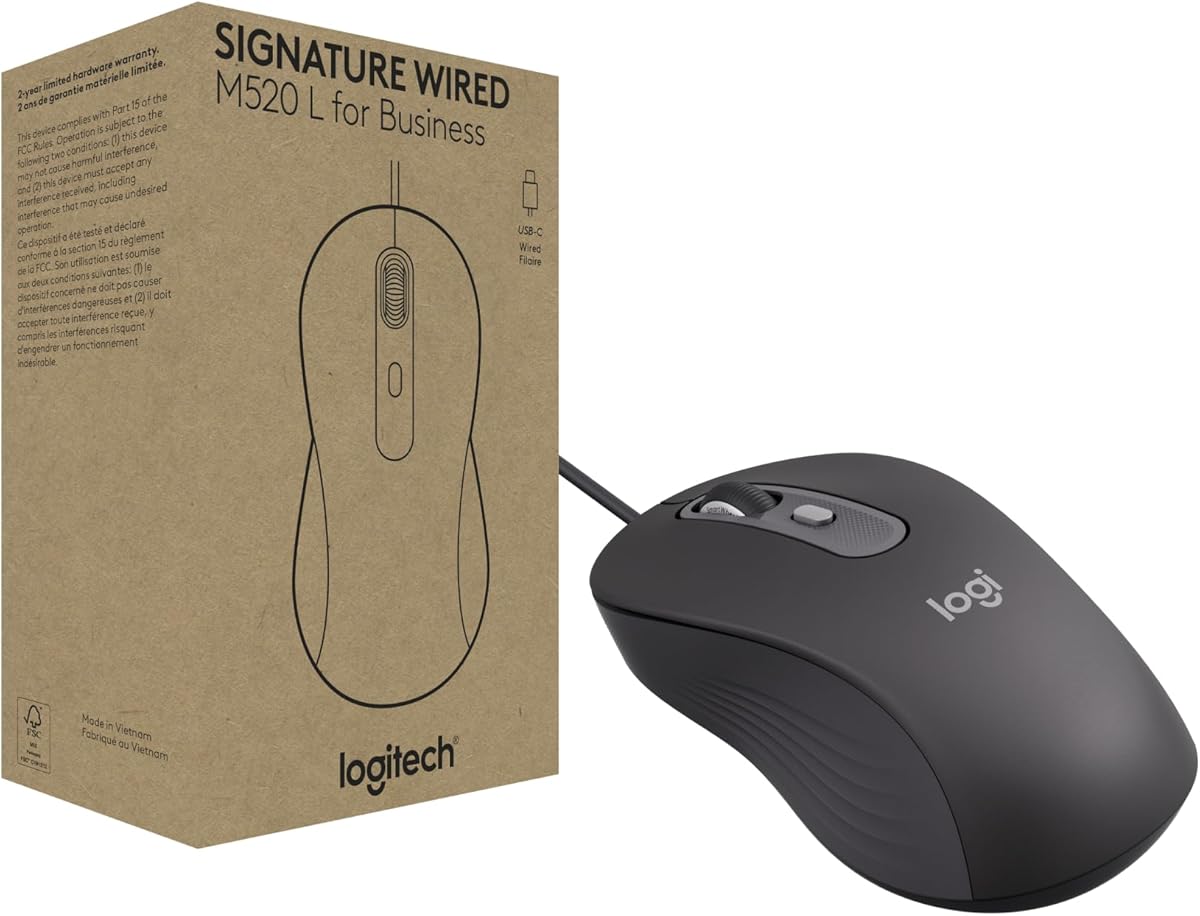
The Logitech Signature Wired M520 L is designed for organizations requiring a reliable wired solution with enterprise grade features. It combines silent clicks and multi-OS compatibility to support seamless deployment across diverse systems including Windows and Linux.
We may earn a commission when you buy through this link, at no additional cost to you.
SmartWheel scrolling allows instant switching between super-fast and line-by-line modes enhancing productivity for long documents. The SilentTouch technology reduces clicking noise by ninety percent which is beneficial for open workspaces where minimal distraction is key.
Its ambidextrous design ensures it fits both left and right handed users comfortably while the power-saving model consumes significantly less energy. Customizable DPI and buttons can be adjusted via software to suit individual workflow preferences without hardware changes.
This mouse is best suited for business environments prioritizing durability quiet operation and easy management. Its wired connection ensures stable performance and makes it a reliable tool for banking medical and general office work.
Multi-OS layout and USB-C connectivity simplify deployment and maintenance across standardized corporate hardware fleets.
Reduced click noise promotes focus in collaborative spaces without sacrificing the tactile feedback needed for productivity.
We may earn a commission when you buy through this link, at no additional cost to you.
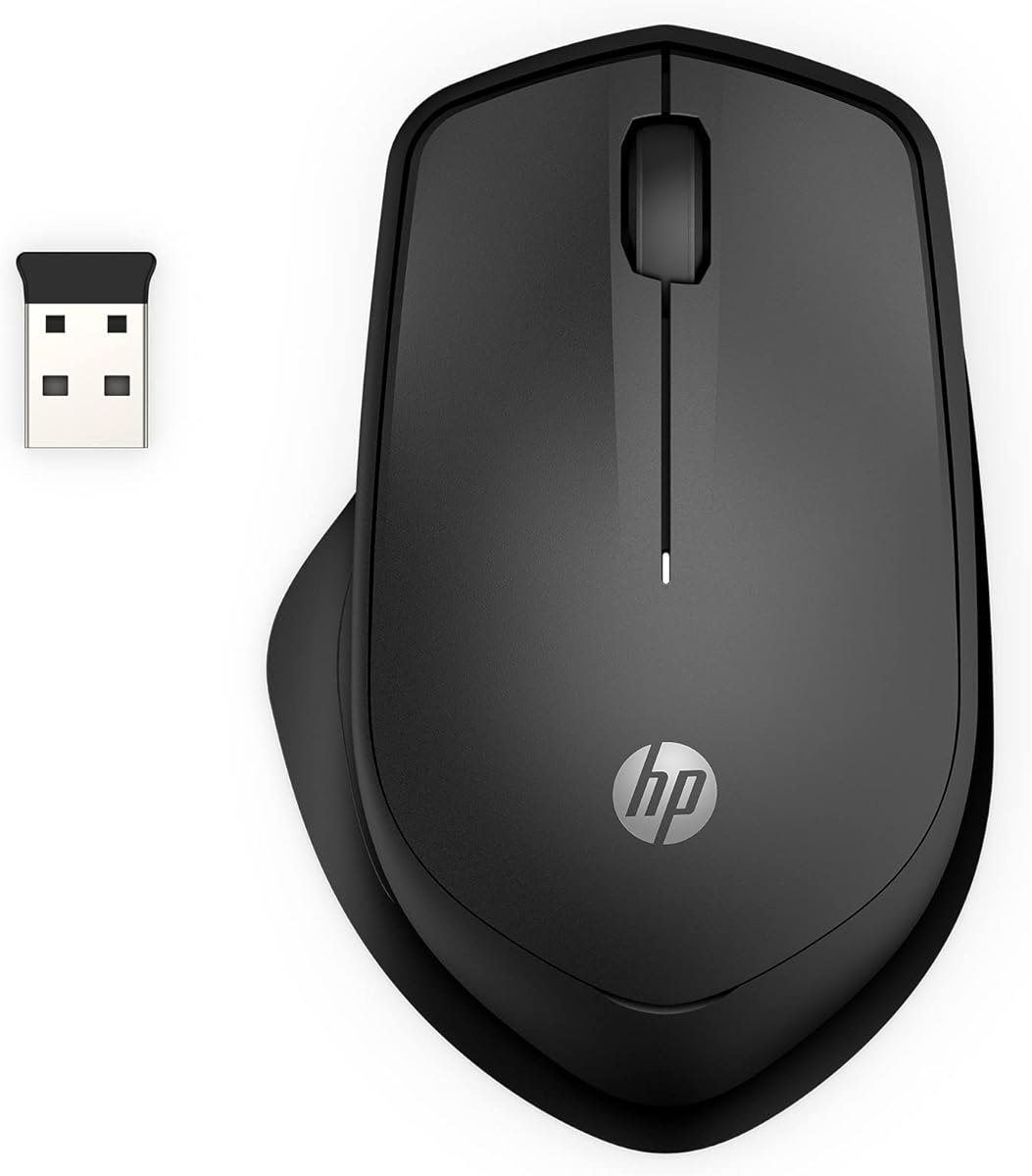
The HP 280 Silent Wireless Mouse prioritizes quiet operation and comfort making it an excellent choice for shared workspaces. Its ergonomic right-handed design supports all-day use while up to ninety percent noise reduction on buttons ensures minimal distraction for others.
We may earn a commission when you buy through this link, at no additional cost to you.
Multi-surface technology delivers smooth lag-free movement on virtually any surface removing the need for a mouse pad. The optical sensor provides reliable tracking and the nano receiver stores inside the mouse for easy portability and reduced risk of loss.
With up to eighteen months of battery life on a single AA cell it offers dependable power without frequent changes. The three-button navigation and integrated scroll wheel simplify daily tasks for efficient browsing and document management across systems.
This mouse is ideal for users needing a silent reliable wireless option for laptops or desktops. Its thoughtful design and durable performance make it a strong candidate for home offices or collaborative environments requiring discretion.
The internal nano receiver ensures the mouse is ready to use anywhere without the worry of misplaced USB components.
Advanced tracking allows smooth movement on glass wood or cloth surfaces without needing a dedicated mouse pad.
We may earn a commission when you buy through this link, at no additional cost to you.
The Logitech Signature M650 L offers a premium full size wireless experience tailored for larger hands with advanced customization. Its rating reflects high satisfaction for its comfort and versatile connectivity options that support seamless work across multiple platforms.
We may earn a commission when you buy through this link, at no additional cost to you.
Customizable side buttons can be programmed with Logitech Options+ to execute shortcuts like copy paste or navigation commands. The SilentTouch technology ensures ninety percent less click noise allowing for focused work in quiet environments without disturbing others nearby.
Connectivity is handled via Bluetooth Low Energy or the Logi Bolt receiver ensuring stable and fast data transfer. The twenty four month battery life provides long-term reliability while the rubber side grips keep the hand snug and in place.
This mouse is perfect for professionals seeking a high-end durable device with personalized control options. Its ergonomic design and advanced features make it an ideal choice for power users who value precision and comfort.
Programmable side buttons streamline repetitive tasks enhancing workflow efficiency for complex software environments.
Dual wireless protocols ensure seamless pairing with various devices maintaining stability during critical work sessions.
We may earn a commission when you buy through this link, at no additional cost to you.
The Acer Wireless Mouse is designed for travel and daily office use offering stable connectivity and customizable sensitivity. Its durable build is rated for up to ten million clicks ensuring long-term reliability for frequent travelers and remote workers.
We may earn a commission when you buy through this link, at no additional cost to you.
Five adjustable DPI levels allow users to switch quickly between different precision needs for various tasks. The visible indicator light provides immediate feedback on current DPI settings and low battery warnings which simplifies usage and maintenance.
The mouse enters standby after ten minutes of inactivity and wakes with just two to three clicks to conserve power. Forward and backward buttons help streamline navigation through web pages and files boosting overall workflow efficiency.
This model is ideal for users needing a portable durable mouse for laptops or desktops. Its efficient design and long battery life make it a reliable companion for work on the go or in varied settings.
Click to wake and automatic standby features maximize battery life for extended travel or remote work usage.
Five adjustable DPI settings provide flexibility for both quick navigation and detailed design work.
We may earn a commission when you buy through this link, at no additional cost to you.
Selecting the right durable computer mouse requires balancing build quality with specific usage needs to ensure long-term satisfaction.
Durable mice are often constructed with high-quality plastics or recycled composites that resist wear and tear over time. Look for products that mention tested lifespans or certifications like high click counts to ensure longevity in daily use.
Prioritize models with robust construction and reliable switches to avoid frequent replacements and maintain productivity.
Wired mice offer consistent power and connectivity without battery concerns which is ideal for fixed workstations. Wireless options provide portability and reduced cable clutter though they require battery management and stable signal conditions.
Choose wired for stability and wireless for flexibility based on your workspace requirements.
A comfortable shape prevents strain during long sessions and should fit the natural curve of your hand. Consider ambidextrous designs for shared use or right-handed shapes for targeted comfort depending on your dominant hand.
Ensure the mouse supports your grip style to reduce fatigue over time.
Long battery life is critical for wireless durability models to minimize maintenance and downtime. Look for smart sleep modes and high-efficiency designs that can last months or even years on a single charge.
Check for indicators that alert low battery levels to avoid unexpected interruptions.
High DPI sensors provide accurate tracking across different surfaces including glass and wood. This precision ensures smooth cursor control which is essential for detailed work and general navigation.
Adjustable DPI settings allow you to customize sensitivity based on specific tasks.
Verify that the mouse works with your operating system and device ports such as USB or Bluetooth. Cross-platform support ensures seamless switching between devices without requiring additional drivers.
Always confirm software support if you plan to use advanced customization features.
Extra buttons like side navigation or scroll wheels can significantly boost productivity for power users. However ensure these features align with your workflow to avoid unnecessary complexity.
Focus on features that directly enhance your daily tasks rather than unused capabilities.
Many modern durable mice include recycled materials which reduce environmental footprint. Check product specifications for certified post-consumer recycled plastic content to support sustainability goals.
Selecting eco-friendly options helps reduce waste while maintaining high performance standards.
Always ensure the sensor lens is clean and free from dust to maintain tracking accuracy. Use a soft cloth to gently wipe the surface and optical components regularly.
For wireless models replace batteries immediately when indicators signal low power to avoid performance drops. Store the USB receiver inside the mouse when not in use to prevent loss.
Avoid dropping the mouse or exposing it to extreme temperatures and moisture to preserve internal components. Proper handling extends the lifespan and keeps performance consistent over years.
Durability is defined by high click ratings robust materials and quality switches that resist wear. Look for models tested for millions of clicks and those using reinforced plastics or metal components for longevity.
Wireless mice utilize smart sleep modes that activate after periods of inactivity to conserve power. Efficient sensors and optimized firmware also reduce energy consumption allowing months of use on a single battery.
Yes many durable mice now feature advanced optical or laser sensors that track on reflective surfaces. Always check the product specifications to confirm compatibility with glass or polished desks.
Wired mice eliminate battery concerns and signal interference offering consistent performance ideal for fixed setups. However modern wireless options have improved significantly with stable connections and long battery life.
A high-quality durable mouse can last several years depending on usage intensity. Replace it only when buttons fail tracking becomes inconsistent or comfort no longer meets your needs.
Yes many manufacturers offer ambidextrous designs that work comfortably for both left and right-handed users. Check the product description to confirm if the shape supports your dominant hand.
Customizable buttons allow users to assign frequently used functions to keys for quicker access. This enhances workflow efficiency by reducing the need for keyboard shortcuts and repetitive navigation.
The Logitech M705 and M185 stand out for their longevity and value respectively offering reliable performance across different needs. Choosing the right model depends on whether you prioritize portability or advanced features.
Prioritize build quality and ergonomics to ensure comfort and reliability over time. A mouse that fits well and lasts long will support your productivity without constant maintenance.
Always verify current availability and pricing before purchasing as these details change frequently. Check retailer sites for the most up-to-date information to get the best deal on your selected model.