
Womier DK75
4.5Editor score
Affordable Price Point
Silent Membrane Switches
Compact 75% Layout
This guide compares the top ten green backlit gaming keyboards including wireless and wired options with RGB features and compact layouts for gamers.
Finding the right green backlit gaming keyboard can transform your setup with vibrant visuals and comfortable typing. Whether you prefer wireless freedom or wired stability, these keyboards offer unique features like multimedia knobs and custom displays to enhance your daily use and gaming sessions.
We evaluated ten real products based on connectivity options, build quality, and aesthetic appeal. Each model was reviewed for its switch type, battery life, and programmable capabilities. Our comparison highlights the strengths of mechanical and membrane designs to help you find the perfect match for your desk.
Every pick includes detailed insights into design, performance, and user experience. Prices and availability can change over time so please check the current listings for the most accurate information before making your final decision.
These keyboards cater to various needs from compact layouts to full-size options with number pads. We focused on models that offer consistent performance across different devices and operating systems. The following guide will walk you through each product and help you make an informed choice.
Our analysis covers the latest innovations in gaming peripherals including hot-swappable switches and advanced lighting effects. We also consider ergonomic factors and software support to ensure long-term satisfaction. Read on to discover which keyboard fits your workflow and gaming style best.
4.5Editor score
4.6Editor score
4.8Editor score
Here is a side-by-side comparison of all ten models to help you quickly identify the features that matter most to your specific gaming and typing needs.


The AULA F75 stands out as a top contender in the green backlit gaming keyboard category. It combines a compact 75% layout with the versatility of wireless connectivity. Its high rating reflects consistent performance across both typing and gaming scenarios.
We may earn a commission when you buy through this link, at no additional cost to you.
This keyboard features hot-swappable switches which allow you to change switch types without soldering. The pre-lubed Reaper switches deliver a smooth tactile feel and a pleasing sound profile. You can connect via Bluetooth 5.0, 2.4GHz wireless, or USB-C for wired stability.
While it offers many advanced features the full macro programming requires downloading a driver on Windows. Some users might prefer a more plug-and-play experience for complex tasks. However the keyboard supports five layers of filling to reduce noise effectively.
Ideal for gamers and enthusiasts who want customization without a steep learning curve. The RGB lighting adds visual flair and the battery life supports extended use. This model balances performance and aesthetics better than most in its price range.
Consider this if you value versatility and sound quality. The gasket mount design improves typing comfort. It is a reliable choice for those who want a modern setup with classic mechanical feel.
You can swap switches easily to match your preference without soldering tools.
Switch between up to five devices using Bluetooth or wireless dongle modes.
We may earn a commission when you buy through this link, at no additional cost to you.
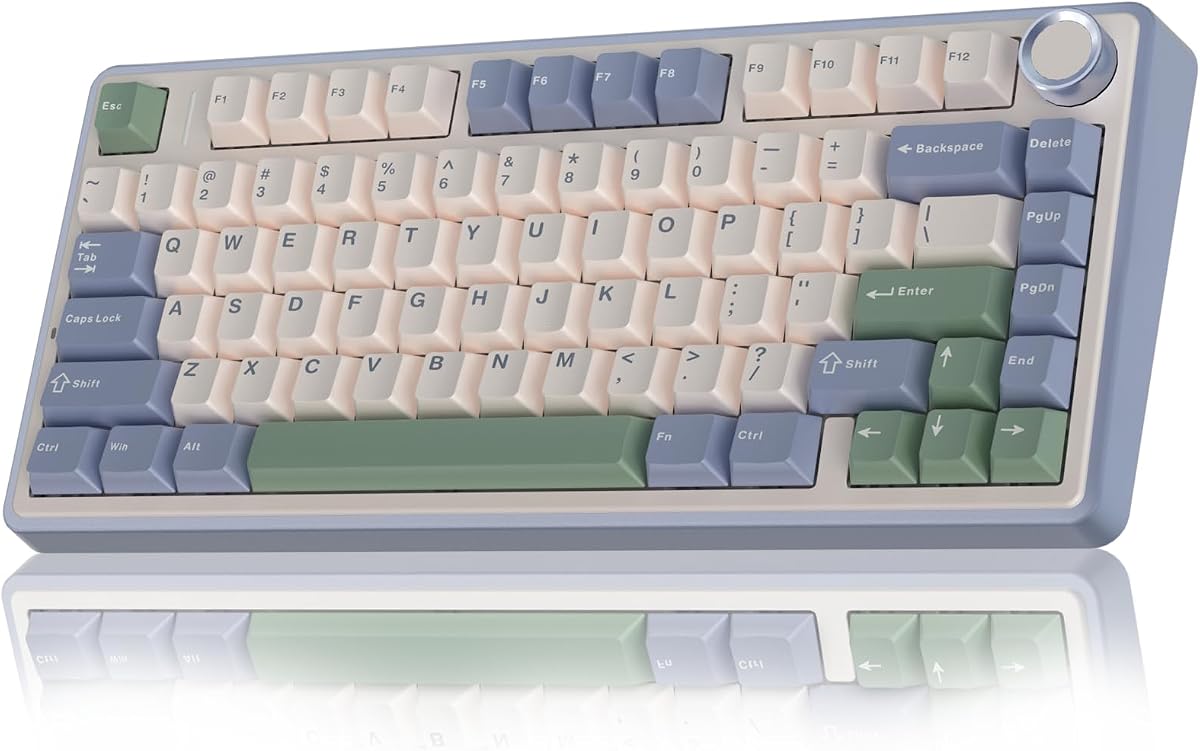
The Womier DK75 offers an accessible entry point into green backlit gaming keyboards. It provides a 75% layout that balances compactness with functionality. The price point makes it attractive for budget-conscious buyers seeking wireless convenience.
We may earn a commission when you buy through this link, at no additional cost to you.
It uses silent membrane switches which are quiet during typing. This makes it ideal for office environments or late night gaming. The PBT keycaps ensure durability and maintain a consistent texture over time without fading.
While it lacks mechanical switch feel the typing experience remains comfortable. The RGB lighting offers multiple effects to personalize your setup. Connectivity options include Bluetooth and 2.4GHz wireless for flexibility across devices.
Buyers looking for a quiet and budget-friendly option will find this model appealing. The battery life supports long-term use without frequent charging. It is a practical choice for casual users who prioritize silence and savings.
This keyboard proves you do not need to spend a lot for a good setup. The design is modern and the features are well integrated. Consider it if you want a clean look without complex mechanical adjustments.
The membrane switches are designed to minimize noise during use.
PBT material ensures the keys stay looking new for longer.
We may earn a commission when you buy through this link, at no additional cost to you.
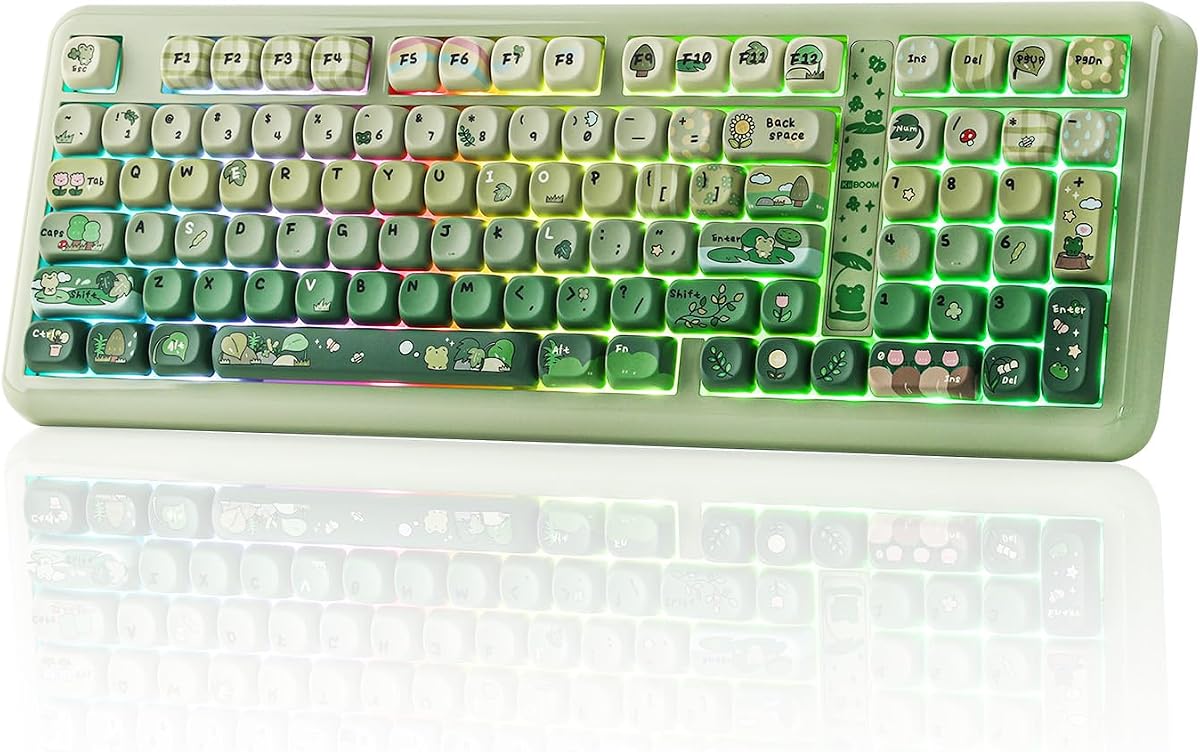
The KiiBoom Phantom98 Lite represents a premium offering in the market. It features a 96% layout that keeps essential keys while saving space. The high rating indicates strong satisfaction among users who value build quality.
We may earn a commission when you buy through this link, at no additional cost to you.
It includes VIA compatibility which allows advanced key remapping and macro creation. The gasket mount structure dampens impact for a creamy sound. The large 8000mAh battery ensures you can use it for days without plugging in.
While the price is higher the features justify the investment. The hot-swappable design lets you upgrade switches easily. South-facing RGB prevents interference with custom keycaps and enhances the visual appeal.
This keyboard is perfect for enthusiasts who want a polished mechanical experience. The sound profile is refined and the typing experience is smooth. It stands out for its ability to adapt to your specific workflow.
Consider this if you are willing to pay for superior build and customization. The battery life and VIA support set it apart. It is a strong contender for those seeking a top-tier device.
VIA software allows you to remap keys and create complex macros.
The gasket mount creates a soft and satisfying typing sound.
We may earn a commission when you buy through this link, at no additional cost to you.
The Womier SK80 brings a unique visual element with its color multimedia display. This screen shows battery status and custom GIFs. It appeals to users who want to show off their setup style.
We may earn a commission when you buy through this link, at no additional cost to you.
It supports hot-swapping which is great for tweaking your typing experience. The Frog Green design gives it a playful yet professional look. The lighting effects are vibrant and offer many color combinations.
A limitation is the software support which is Windows only. Mac users may miss out on advanced customization options. However the hardware remains robust and the typing feel is solid.
Buyers looking for a standout design will enjoy this model. The display adds utility and fun to the daily workflow. It is a unique choice for those who value aesthetics and function.
If you use Windows this keyboard offers excellent value and features. The hot-swap capability ensures future compatibility. It is a fun option for gamers who want personalization.
The display lets you show custom images or key status.
Swap switches without soldering to suit your typing preference.
We may earn a commission when you buy through this link, at no additional cost to you.
The Keymatic Gaming Keyboard is designed for versatility with a full number pad. It offers a 98-key layout that balances compactness with data entry needs. The green theme and screen add a modern touch.
We may earn a commission when you buy through this link, at no additional cost to you.
It features a media knob and status screen which improve usability. The membrane technology provides a tactile feel similar to mechanical switches. Connectivity is flexible with Bluetooth and wireless options.
The build includes an iron plate for stability which adds weight. This ensures it stays put during intense sessions. While not a full mechanical keyboard it mimics the feel well.
Ideal for users who need a number pad but want a compact design. The battery supports long use and the keyboard is durable. It is a good option for mixed work and gaming tasks.
Consider this if you need efficiency without losing portability. The number pad makes spreadsheets easy. It is a practical choice for hybrid workstations.
The 98-key design keeps the number pad in a small footprint.
The iron plate prevents sliding during typing.
We may earn a commission when you buy through this link, at no additional cost to you.
The Owpkeenthy Full Size is a traditional option for those who need every key. It has a 104-key layout and linear red switches. The green theme is subtle yet effective for a gaming vibe.
We may earn a commission when you buy through this link, at no additional cost to you.
Linear switches provide a fast and smooth typing experience. They are quiet and good for shared spaces. The RGB lighting creates a cool atmosphere for gaming sessions.
Since it is wired you get consistent input without battery worries. The kickstands allow angle adjustments for comfort. The XDA keycaps offer a uniform look and feel.
This keyboard suits users who prefer a standard layout and no wireless setup. The performance is reliable and the build is sturdy. It is a practical choice for office and gaming.
Buy if you want a simple and robust device. The full size design supports heavy data entry. It is a solid pick for those who dislike wireless latency.
Full size ensures you have all keys for work and games.
No battery needed ensures constant power and connection.
We may earn a commission when you buy through this link, at no additional cost to you.
The Aula Nova75 features a TFT smart display that adds utility. It combines a gasket mount design for a premium feel. The battery capacity is large for long wireless use.
We may earn a commission when you buy through this link, at no additional cost to you.
The hot-swap PCB supports different switches easily. You can customize RGB and macros via software. The knob allows quick volume adjustments during tasks.
The build includes white and green keycaps for style. It is a robust option for gaming and daily typing. The gasket structure ensures minimal noise.
Ideal for those who want a modern interface on their desk. The display provides instant status updates. It balances tech features with a comfortable typing experience.
Consider this if you value battery life and customization. The switch support allows future upgrades. It is a reliable choice for serious gamers.
The display shows battery and connection status clearly.
The gasket mount reduces impact during keystrokes.
We may earn a commission when you buy through this link, at no additional cost to you.
The Aula F75 Green emphasizes a compact 75% form factor. It includes full macro programmability to enhance productivity. The Cherry profile PBT keycaps offer a durable and textured feel.
We may earn a commission when you buy through this link, at no additional cost to you.
Its gasket structure uses five layers for sound dampening. This results in a clean and consistent sound. The battery capacity ensures it lasts through long workdays.
While the auto-sleep saves power it may interrupt brief pauses. Mac users might need to check driver compatibility. But the build quality is high overall.
Buyers wanting a small yet powerful keyboard should choose this. The keycaps are top-tier and the layout is efficient. It is a great fit for tight desks.
This model balances size and features well. The green aesthetic is appealing and the switch sound is pleasant. It is a strong pick for daily use.
The 75% layout leaves room for your mouse and workspace.
PBT keycaps resist wear and maintain their shine.
We may earn a commission when you buy through this link, at no additional cost to you.
The Redragon K742 stands out for its QMK/VIA support. This allows deep customization for advanced users. The 98% layout keeps it compact without losing functionality.
We may earn a commission when you buy through this link, at no additional cost to you.
It features a gasket structure for a premium typing feel. The RPC Linear switches are smooth and quiet. The battery life supports hours of use even with backlight.
The hot-swap sockets make switch changes simple. You can adjust layers and macros easily. It is a robust choice for hybrid workstations.
Ideal for users who want total control over their layout. The build quality and sound are satisfying. It is a versatile tool for productivity and gaming.
Consider this if you value software flexibility. The battery and build ensure long-term satisfaction. It is a reliable option for enthusiasts.
QMK/VIA support lets you edit macros and layers freely.
The 98% design balances size and key functionality.
We may earn a commission when you buy through this link, at no additional cost to you.
The Redragon K742 is a top choice for wireless users. It offers 53 hours of battery life for extended sessions. The multi-device connectivity switches easily between PC and mobile.
We may earn a commission when you buy through this link, at no additional cost to you.
Its hot-swap sockets and PBT keycaps offer durability. The quiet typing sound is great for offices. It is a reliable device for those who need mobility.
You can customize keys with VIA software for better workflow. The battery holds up well with or without RGB. It is a flexible tool for work and play.
Buyers who prioritize battery and convenience will like it. The wireless modes are stable and the feel is premium. It is a strong candidate for hybrid work.
This keyboard delivers performance without wires. The keycaps are resistant to wear. It is a solid choice for those who value reliability.
Up to 53 hours ensures days of use without charging.
Connect to three devices and switch with one click.
We may earn a commission when you buy through this link, at no additional cost to you.
Choosing the right keyboard involves considering factors like switch type, layout, and connectivity. This guide breaks down the key elements to help you select a model that fits your needs.
Mechanical switches offer tactile feedback while membrane switches are quieter. Consider if you prefer a clicky sound or a smooth press for long typing sessions.
Select a switch type that matches your noise preference and typing feel.
Layouts range from full-size to compact 60%. A 75% layout saves space while keeping arrow keys for gaming.
Choose a size that fits your desk and includes the keys you use daily.
Wireless options like Bluetooth offer flexibility while wired models ensure stability. Tri-mode keyboards allow you to connect to multiple devices.
Pick connectivity based on your setup and whether you move often.
Backlit keyboards come with various RGB effects and customization. Look for models that offer enough colors to match your green theme.
Ensure the lighting is bright and adjustable for your room conditions.
Wireless keyboards depend on battery capacity. Higher mAh ratings ensure longer use between charges.
Check battery specs to avoid frequent recharging during work or gaming.
PBT keycaps are more durable than ABS and resist wear. They also maintain their texture over time.
Look for PBT keycaps if you want a long-lasting premium feel.
Ensure the keyboard works with your operating system. Some software features may be limited to Windows.
Check system support to avoid issues with software features.
Gasket mounts and iron plates improve stability and sound. A solid build ensures durability and consistent typing.
Prioritize structural features that reduce noise and improve comfort.
Always start by connecting the keyboard to your device using USB-C or pairing via Bluetooth. Check the manual to switch between wired and wireless modes.
Use the provided software to customize RGB and macros. Download any necessary drivers for full functionality.
Clean the keys regularly with a soft cloth. Avoid liquids to protect the internal components.
Most of these keyboards work with Mac but some software features like macros may be limited. Check the product page for system compatibility.
Battery life varies by model but many last up to 53 hours without backlight. Charging via USB-C is fast and convenient.
Yes many of these keyboards have hot-swappable sockets. You can change switches without soldering if you want a different feel.
Silent membrane or linear switches are great for offices. They minimize noise while providing a comfortable typing experience.
A 75% or 60% layout is ideal for small desks. It saves space while keeping essential keys for gaming.
Use a soft cloth and avoid liquids. Remove keycaps gently if needed to clean underneath.
Basic functions work without drivers. For advanced macros and lighting you will need the official software.
The Womier DK75 is a great budget choice. It offers wireless and silent typing at an affordable price.
This guide explored ten top green backlit gaming keyboards for October 2026. We compared features like hot-swap options battery life and connectivity.
Focus on what matters most to you whether it is a specific layout or silent typing. The AULA F75 and Womier DK75 offer excellent value for most users.
Check current prices and availability before buying. These models evolve quickly so ensure you get the latest version.