
3DMakerpro Fox Entry-Level
3.2Editor score
0.07mm accuracy
Markerless AI tracking
Accessible entry price
Choosing the right 3D scanner can transform how you create digital models for printing or analysis. Modern devices offer incredible precision and speed making it easier than ever to capture real world objects with high fidelity.
We evaluated leading models based on accuracy scanning speed ease of use and software compatibility. Our list covers a range of budgets and use cases from hobbyist projects to professional industrial applications ensuring you find the perfect fit.
Each pick highlights key features strengths and limitations to help you make an informed decision. Prices and availability can change so always verify the latest details before purchasing your next 3D scanning solution.
3.2Editor score

5.0Editor score

As an Amazon Associate we earn from qualifying purchases.
The following table provides a side-by-side comparison of all ten products featured in this guide. Review the key specifications and capabilities to quickly identify which scanner aligns with your project requirements and budget constraints.


The Creality Pika Portable 3D Scanner stands out as a top contender for users seeking high precision and portability. With an accuracy of up to 0.03mm it captures intricate details that are essential for professional reverse engineering and 3D printing applications. Its unique dual-mode system allows seamless switching between blue laser for fine details and NIR structured light for full-body scans. This versatility makes it a powerful tool for diverse scanning tasks without needing multiple devices.
We may earn a commission when you buy through this link, at no additional cost to you.
One of its most impressive features is the AI-powered body completion and retexturing capabilities. Users can generate full-body 3D models from just a face scan and photos in as little as ten seconds. The AI hole filling feature automatically repairs incomplete scans ensuring cleaner print-ready outputs. The device also supports direct scanning of dark and metallic surfaces without spray which significantly reduces preparation time. Its Wi-Fi 6 connectivity and 3-inch touchscreen offer a modern user experience that simplifies complex workflows.
While the Pika offers exceptional performance there are some trade-offs to consider. The price point is higher than many entry-level options which may be a barrier for hobbyists on a tight budget. Additionally each battery unit provides limited runtime though the device supports swappable batteries for extended sessions. These factors are acceptable given the professional-grade precision and features provided. The scanner is robust enough to handle demanding industrial tasks while remaining compact enough for field work or travel.
This scanner is ideal for professionals in engineering design and manufacturing who require high accuracy and flexibility. It is also suitable for advanced hobbyists who want to create detailed prints of collectibles or mechanical parts. If you need a reliable device that combines speed with precision and AI assistance the Pika is a strong recommendation. Its ability to handle complex surfaces and large objects makes it a versatile choice for various 3D printing and modeling needs.
The ability to switch between blue laser and structured light allows users to capture both minute details and large-scale objects efficiently.
AI features like body completion and hole filling reduce post-processing time and help users achieve professional results faster.
We may earn a commission when you buy through this link, at no additional cost to you.
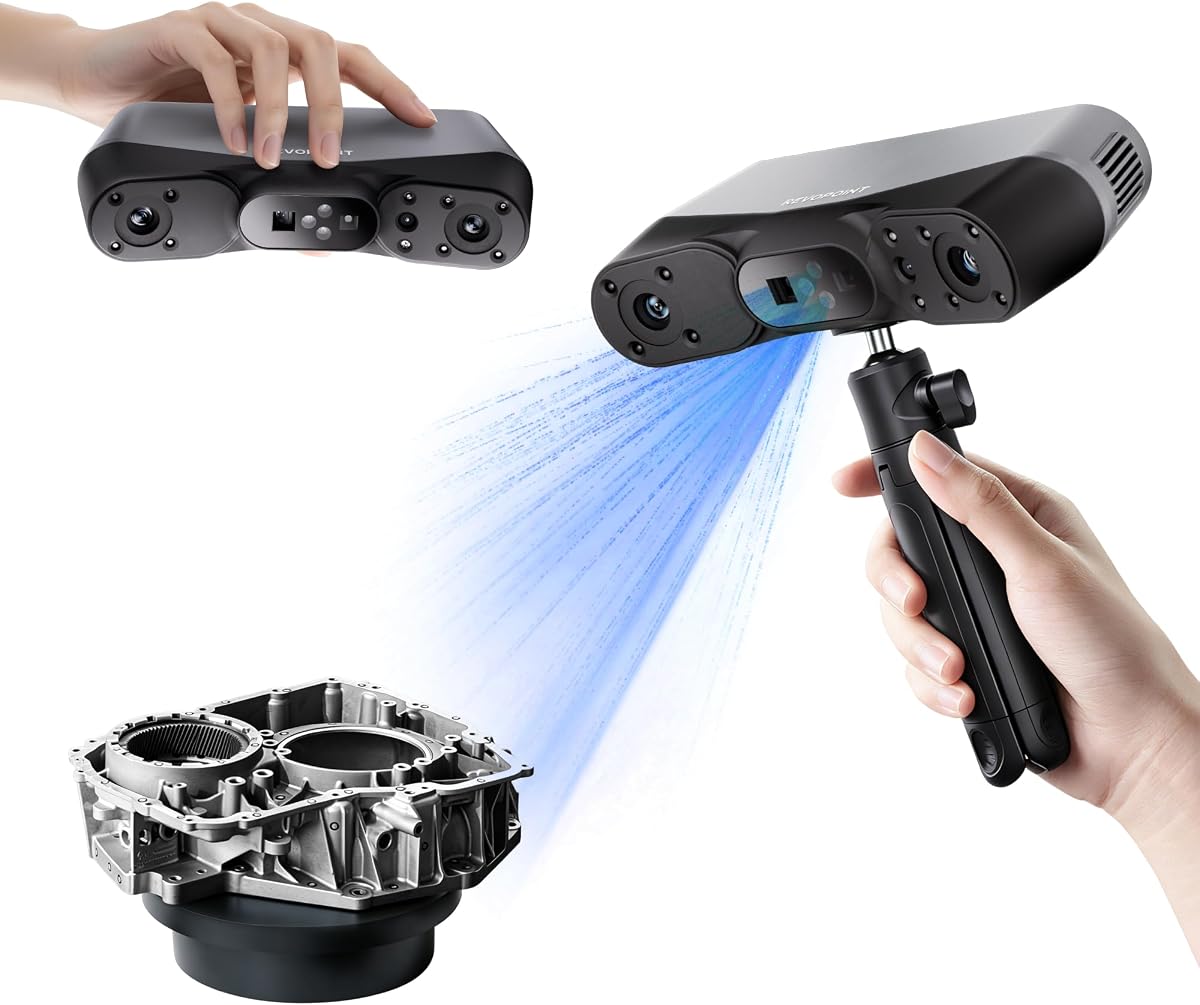
The Revopoint POP 4 is designed for users who demand industrial-grade accuracy and high performance in their 3D scanning workflows. It achieves single-frame accuracy up to 0.03mm which is suitable for precision modeling and reverse engineering. The device offers multiple scanning modes including multi-line laser and structured light to handle various object sizes and surface types. With speeds up to 105 fps in laser mode it ensures smooth and efficient scanning sessions even for complex geometries.
We may earn a commission when you buy through this link, at no additional cost to you.
A standout feature of the POP 4 is its AI-powered segmentation which identifies target objects and filters background noise automatically. This streamlines the post-processing workflow significantly reducing the time needed to clean up scans. The device also supports all-weather outdoor scanning with modes reliable up to 100000 lux ambient light. This makes it an excellent choice for field work archaeological digs or construction sites where lighting conditions vary. The wireless connectivity and battery grip provide flexibility for extended use away from power sources.
Despite its advanced capabilities the POP 4 comes with a premium price tag that may not suit all budgets. Some of the professional software features like Revo Design and Revo Measure are sold separately which adds to the total cost of ownership. However the hardware quality and scanning performance justify the investment for professionals. The device is built to withstand demanding environments while delivering consistent high-quality data that meets rigorous engineering standards.
This scanner is best suited for professionals in engineering architecture and industrial design who need reliable precision. It is also valuable for researchers and field workers who require outdoor scanning capabilities. If you are looking for a high-end device that offers speed accuracy and AI assistance the POP 4 is a top choice. Its ability to handle large objects and challenging surfaces makes it a powerful tool for complex 3D projects.
AI segmentation automatically isolates the target object reducing background noise and simplifying the post-processing workflow.
Specialized modes allow stable scanning in bright sunlight making it ideal for construction sites and archaeological fieldwork.
We may earn a commission when you buy through this link, at no additional cost to you.
The Revopoint INSPIRE 2 is a versatile 3D scanner designed for users who need a balance between portability and performance. It offers an accuracy of up to 0.05mm which is suitable for many 3D printing and reverse engineering tasks. The device features dual scanning modules including infrared structured light and multi-line laser to handle different materials and sizes. Its lightweight design makes it easy to carry and use in various environments including outdoor settings with up to 20000 lux lighting.
We may earn a commission when you buy through this link, at no additional cost to you.
One of the key benefits of the INSPIRE 2 is its wireless scanning and interactive streaming capabilities. Built-in Wi-Fi 6 allows users to stream PC visuals to a mobile device for real-time control and blind-spot detection. The optical zoom feature helps capture detailed views of mixed-geometry surfaces by focusing the projected light. Full-color texture capture ensures that the 3D models retain realistic colors which is useful for heritage preservation and product design. The high-precision calibration board further boosts point cloud accuracy for consistent results.
While the INSPIRE 2 is a capable device it has some limitations compared to higher-end models. The accuracy is not as high as industrial-grade scanners which may limit its use in precision measurement applications. The software Revo Design is paid and supports only Windows which could be a drawback for Mac users. These trade-offs are acceptable for users seeking a portable and user-friendly scanner for general purpose scanning. The device offers a good balance of features and ease of use.
This scanner is ideal for engineers designers and hobbyists who need a portable solution for medium-sized objects. It is also suitable for educational purposes and prototyping where high accuracy is not critical. If you want a lightweight device with wireless streaming and color capture the INSPIRE 2 is a strong option. Its dual scanning modules and optical zoom provide flexibility for a wide range of scanning projects.
Wireless streaming allows real-time preview on mobile devices improving workflow efficiency and reducing scanning errors.
Adjustable optical zoom helps capture fine details on complex surfaces without needing to move the scanner closer.
We may earn a commission when you buy through this link, at no additional cost to you.
The Revopoint MetroY Ultra is a high-performance 3D scanner designed for industrial applications requiring extreme precision. It offers single-frame precision up to 0.01mm and volumetric accuracy suitable for tight tolerance measurement and inspection. The device uses advanced blue laser technology to capture intricate geometric details flawlessly. With scanning speeds up to 90 fps it significantly reduces data acquisition time while maintaining high data quality. This makes it ideal for environments where efficiency and accuracy are critical.
We may earn a commission when you buy through this link, at no additional cost to you.
One of the notable features of the MetroY Ultra is its ability to scan dark and shiny surfaces without spray. This protects delicate parts from contamination and saves preparation time which is essential in professional settings. The wireless Wi-Fi 6 support allows users to monitor scanning progress on multiple devices providing flexibility in complex setups. The included battery grip ensures stable power for extended field work or environments without easy access to outlets. The Revo Metro software offers powerful tools for point cloud editing and model processing.
The MetroY Ultra is a significant investment which may not be accessible for casual users or small businesses. It also requires the included battery grip for optimal performance which adds to the physical bulk during use. These factors are acceptable given the level of precision and industrial robustness provided. The device is engineered to meet the demanding requirements of quality inspection reverse engineering and precision modeling. It delivers consistent results that can be trusted in professional workflows.
This scanner is best suited for industrial inspectors engineers and manufacturers who need high-precision data. It is also valuable for quality assurance teams that require reliable measurement tools. If you need a device that combines extreme accuracy with high-speed performance the MetroY Ultra is a top choice. Its ability to handle challenging surfaces and industrial environments makes it a powerful asset for technical applications.
Sub-millimeter accuracy ensures that even the smallest geometric details are captured for critical quality control processes.
Direct scanning of reflective and dark surfaces eliminates the need for spray reducing prep time and protecting parts.
We may earn a commission when you buy through this link, at no additional cost to you.
The Revopoint MetroX Pro is an advanced 3D scanner tailored for industrial measurement and precision modeling tasks. It offers single-frame precision up to 0.01mm and accuracy up to 0.02mm which meets the needs of high-quality applications. The device features four scanning modes including cross-line lasers and full-field structured light to handle various scenarios. Its ability to scan shiny or dark surfaces without spray makes it efficient for industrial inspection without contaminating parts.
We may earn a commission when you buy through this link, at no additional cost to you.
A key feature of the MetroX Pro is its PC-to-mobile real-time streaming which allows users to monitor scans on a phone or tablet. This provides flexibility during scanning sessions and helps detect data gaps quickly. The one-click automatic turntable scanning simplifies the process of capturing complex objects with rich details. The device also supports three tracking modes feature marker and global marker to ensure accuracy across different object types. The Revo Metro software offers intuitive tools for editing and merging data ready for your workflow.
Despite its capabilities the MetroX Pro has some limitations regarding software compatibility. Advanced features like Revo Design and Revo Measure are paid and support only Windows which may restrict cross-platform workflows. These constraints are acceptable for users who prioritize hardware performance and scanning versatility. The device is designed to handle all your scanning needs across industrial manufacturing and design applications with reliable results.
This scanner is ideal for professionals in industrial design engineering and manufacturing who require detailed scans. It is also useful for quality inspection teams and reverse engineering projects. If you need a reliable device with high precision and automation features the MetroX Pro is a strong choice. Its versatility in handling different surface types and object sizes makes it a valuable tool for complex 3D projects.
Streaming scans to mobile devices enhances workflow efficiency by allowing immediate visual feedback and gap detection.
Automatic turntable scanning simplifies the capture of complex objects reducing manual effort and improving consistency.
We may earn a commission when you buy through this link, at no additional cost to you.
The 3DMakerpro Fox is an accessible medium-format 3D scanner designed for beginners and hobbyists. It offers an accuracy of 0.07mm and resolution of 0.10mm which outperforms many typical entry-level scanners. This level of detail makes it useful for 3D printing modeling and quality inspection tasks. The device works seamlessly with JMStudio software which handles scanning editing and optimizing in one seamless process. Its markerless AI visual tracking allows users to relock onto objects quickly without starting over.
We may earn a commission when you buy through this link, at no additional cost to you.
One of the main advantages of the Fox is its entry-level pricing which makes 3D scanning more accessible to a broader audience. The software ecosystem is proven and trusted by thousands of users ensuring a stable experience. The device captures detailed models of real-world objects making it suitable for meaningful project outcomes. Its ability to handle medium-format objects provides flexibility for a range of hobbies and small business needs.
While the Fox is a capable scanner it does not match the precision of higher-end industrial models. The lack of advanced features like outdoor scanning or dual-mode systems may limit its use in professional settings. These trade-offs are acceptable given the price point and target audience. The device is designed to deliver reliable and detailed models without requiring complex workflows or high costs.
This scanner is ideal for hobbyists students and small business owners who need a reliable entry-level tool. It is also suitable for beginners who want to explore 3D scanning without a large investment. If you need an affordable device with good accuracy and user-friendly software the Fox is a strong choice. Its ease of use and proven ecosystem make it a great starting point for your 3D scanning journey.
Affordable pricing and user-friendly software make 3D scanning accessible to beginners and hobbyists.
Markerless AI tracking helps users recover from movement errors without restarting the entire scanning process.
We may earn a commission when you buy through this link, at no additional cost to you.
The Creality Otter Lite is a basic 3D scanner designed for users who need reliable performance without advanced complexity. It offers an accuracy of up to 0.05mm and a scanning speed of 30fps which is suitable for many reverse engineering and 3D printing applications. The quad-camera system includes dual long-focal and dual short-focal lenses to handle objects from 0.8 inches to 78 inches. This wide range allows users to capture both coins and cars efficiently.
We may earn a commission when you buy through this link, at no additional cost to you.
One of the key benefits of the Otter Lite is its ability to scan dark and metallic surfaces without spray. The advanced DOE technology delivers concentrated light energy for one-shot 3D imaging reducing prep time. The built-in megapixel RGB camera captures 24-bit full color textures making models lifelike for e-commerce and art. The eye-safe infrared light makes it safe for face and full-body scanning in about one minute. Wi-Fi 6 support and CrealityScan software offer a modern and versatile user experience.
While the Otter Lite is versatile it lacks some features found in higher-end models like advanced tracking modes. The optional Scan Bridge handle is sold separately which may add to the total cost for stability. These limitations are acceptable for users seeking a compact and effective handheld scanner. The device provides a balance of accuracy and ease of use for various personal and professional tasks.
This scanner is ideal for hobbyists educators and professionals who need a reliable full-color tool. It is also suitable for artists and product designers who want realistic color mapping. If you need a portable device with no-spray scanning and eye safety the Otter Lite is a strong choice. Its wide scanning range and color capture make it a versatile tool for different 3D projects.
Dual focal lengths allow efficient scanning of both small and large objects without changing devices.
Advanced DOE technology enables direct scanning of reflective and dark surfaces saving preparation time.
We may earn a commission when you buy through this link, at no additional cost to you.
The Creality CR-Ferret SE is an upgraded 3D scanner designed for beginners and rapid prototyping needs. It offers an accuracy of up to 0.1mm and resolution of 0.16mm with a scanning speed of 30FPS. The device uses one-shot 3D imaging technology to enhance tracking efficiency and increase scan success rates. This ensures smooth error-free results even with shaky hands or rapid movements which is ideal for those new to scanning.
We may earn a commission when you buy through this link, at no additional cost to you.
One of the standout features of the Ferret SE is its ability to scan black and metal objects without spray. The optimization for reflective surfaces allows users to finish work faster without prep steps. The built-in 2MP color camera captures intricate details and vivid textures bringing models to life. The flexible scanning range from 150mm to 2000mm handles medium to large objects efficiently. This versatility makes it a practical tool for desktop use and small workshop environments.
While the Ferret SE is user-friendly it has limitations in precision compared to industrial scanners. The tracking is limited to specific modes which may not cover all complex surface types. These trade-offs are acceptable for users prioritizing ease of use and speed over extreme detail. The device delivers realistic models quickly making it suitable for design iterations and general scanning tasks.
This scanner is ideal for beginners students and designers who need a simple and effective tool. It is also useful for hobbyists who want to prototype parts or scan household items. If you need a device with anti-shake tracking and color capture the Ferret SE is a strong choice. Its optimization for challenging surfaces makes it a versatile option for various 3D projects.
One-shot 3D imaging ensures smooth results even with rapid movements reducing errors for new users.
Optimization for metal and black objects reduces prep time and simplifies the scanning workflow.
We may earn a commission when you buy through this link, at no additional cost to you.
The Creality CR-Scan Ferret Pro is a handheld 3D scanner designed for wireless mobility and outdoor use. It offers an accuracy of 0.1mm and resolution of 0.16mm with a scanning speed of 30FPS. The device features WiFi 6 transmission which is three times faster than WiFi 5 ensuring stable and efficient data transfer. This allows users to scan without cables and move freely around the object for better angles and access.
We may earn a commission when you buy through this link, at no additional cost to you.
One of the key features of the Ferret Pro is its reliable outdoor performance in ambient light up to 30000 lux. This makes it suitable for field work and larger objects that are not confined indoors. The anti-shake tracking ensures smooth results even with hand movements which is helpful for beginners. The device captures full color scans that bring models to life. It supports iOS and Android devices via the bridge adding flexibility for users without a dedicated PC.
While the Ferret Pro is versatile it has limitations regarding reflective and dark surfaces which may still require some prep. The dedicated bridge is required for wireless functionality which adds to the physical setup. These trade-offs are acceptable given the mobility and ease of use. The device is designed to handle a wide range of objects with reliable performance and color capture.
This scanner is ideal for mobile professionals and enthusiasts who need scanning on the go. It is also suitable for educators and hobbyists who want wireless freedom. If you need a device with outdoor scanning and color capture the Ferret Pro is a strong choice. Its wireless capabilities make it a versatile tool for different 3D projects and locations.
Wireless data transfer via bridge allows scanning freedom without cables for better workflow flexibility.
Enhanced optical technology ensures stable scanning in bright outdoor environments up to 30000 lux.
We may earn a commission when you buy through this link, at no additional cost to you.
The Revopoint MIRACO Plus is an all-in-one standalone 3D scanner designed for users who want a complete solution without a PC. It offers an accuracy of up to 0.04mm with a quad depth camera system to handle diverse needs. The device includes a photogrammetric metrology kit which enables high-resolution capture of small details on large objects. Its powerful hardware configuration with 8-core processor and 32GB RAM ensures efficient scanning and processing.
We may earn a commission when you buy through this link, at no additional cost to you.
One of the standout features of the MIRACO Plus is its 6-inch 2K AMOLED flip screen which allows easy viewing from any angle. The optical infrared zoom captures more surface details with less noise at 1.5x and 2x magnification. The 48MP RGB camera with Flash LEDs provides lifelike color capture. The battery provides up to 2 hours of continuous scanning and supports 65W fast charging. This makes it ideal for field work where portability and power are key.
While the MIRACO Plus is highly capable it comes with a premium price tag that may be a barrier for some users. The software is only compatible with x86 architecture which limits cross-platform use. These trade-offs are acceptable given the standalone design and powerful features. The device is engineered to streamline the scan-to-CAD process with efficient and powerful features.
This scanner is ideal for professionals in field work and industrial inspection who need a standalone tool. It is also suitable for engineers who want quick data conversion to CAD models. If you need a portable device with high accuracy and powerful hardware the MIRACO Plus is a strong choice. Its all-in-one design makes it a versatile asset for complex 3D projects.
The all-in-one design eliminates the need for a PC reducing setup time and increasing mobility for field work.
Integrated metrology kit ensures high-resolution capture of small details on large objects for precise measurements.
We may earn a commission when you buy through this link, at no additional cost to you.
Choosing the right 3D scanner involves considering factors like accuracy speed connectivity and software support. This guide breaks down the essential elements to help you find a device that matches your specific needs.
Accuracy determines how closely the digital model matches the real object. For industrial or reverse engineering tasks look for sub-millimeter precision. Hobbyists may find lower accuracy sufficient for general printing.
Prioritize accuracy based on the level of detail required for your projects.
Higher frames per second (FPS) allow for smoother and faster scanning sessions. This is crucial for large objects or environments where time is limited. Fast speeds also reduce motion blur.
Look for high FPS rates if you plan to scan frequently or work with complex shapes.
Some materials like shiny metals or dark surfaces require spray powder. Advanced scanners use laser or infrared modes to capture these directly. This reduces prep time and preserves delicate items.
Choose a scanner that supports no-spray modes if you work with diverse materials.
Wireless scanners with Wi-Fi 6 offer more freedom to move around objects. Battery life is critical for field work. Compact designs are easier to carry for travel or on-site scanning.
Opt for wireless capabilities and long battery life if you scan outside a studio.
The software used for processing scans is just as important as the hardware. Look for intuitive interfaces and compatibility with your operating system. Advanced features like AI assistance can save time.
Ensure the software supports your OS and offers tools for editing and exporting models.
Full-color scanning is essential for applications like heritage preservation or e-commerce. Models with RGB cameras capture textures that enhance realism. This adds value for artistic and product designs.
Select a scanner with high-quality RGB cameras if realistic textures are important.
Prices vary significantly from entry-level to professional-grade devices. Consider the total cost including accessories and software licenses. Sometimes a mid-range device offers the best value for specific needs.
Balance your budget with the features you actually need for your workflow.
Small scanners work best for detailed parts while larger ones handle furniture or cars. Check the scanning volume limits. Some devices have multiple modes for different sizes.
Choose a scanner with a range that covers your typical object sizes.
To get the best results start by cleaning the object and ensuring the environment has consistent lighting. Avoid scanning highly reflective or transparent surfaces unless your device has specific modes for them.
Calibrate your device regularly using the provided calibration board to maintain accuracy. Keep the lenses clean and store the scanner in a protective case when not in use to prevent damage.
For scanning large objects move slowly and overlap sections to ensure smooth stitching. Use software tools to check for gaps during the process and repeat scanning if necessary.
Laser scanners use laser lines to capture depth and are often better for larger or reflective surfaces. Structured light scanners project light patterns and are generally faster for detailed smaller objects. Both have strengths depending on your needs.
Most modern scanners require a PC with a decent CPU and GPU for smooth processing. However some standalone models handle data internally. Check software requirements before purchasing.
Transparent objects are difficult to scan directly. Most scanners require a matte spray powder to create a surface that reflects light. Some advanced models offer modes to reduce this need.
Processing time depends on the resolution and complexity of the object. Simple scans may take minutes while high-detail ones can take hours. AI-assisted software helps speed this up.
Most scanners export to common formats like STL OBJ PLY and ASC. These work well with 3D printing and CAD software. Check specific device compatibility before buying.
Yes many newer models have modes to handle bright sunlight. Look for scanners with laser modes and outdoor filters for reliable performance outside.
Some scanners support full-body scans with eye-safe infrared light. These are useful for avatar creation or fashion design. Ensure the device has a fast capture rate for moving subjects.
Modern scanners often use feature tracking or AI to align scans without markers. Some still use markers for larger objects to ensure accuracy. Markerless tracking is preferred for speed and ease.
The 3D scanners listed above offer a range of options from budget-friendly entry-level devices to high-precision industrial tools. The Creality Pika and Revopoint POP 4 stand out for their balance of accuracy and advanced features.
When choosing prioritize the accuracy you need and the types of objects you plan to scan. Consider factors like portability software support and whether you need wireless capabilities for your workflow.
Prices and availability can change so always check current listings before purchasing. These devices open new possibilities for 3D printing prototyping and digital modeling.