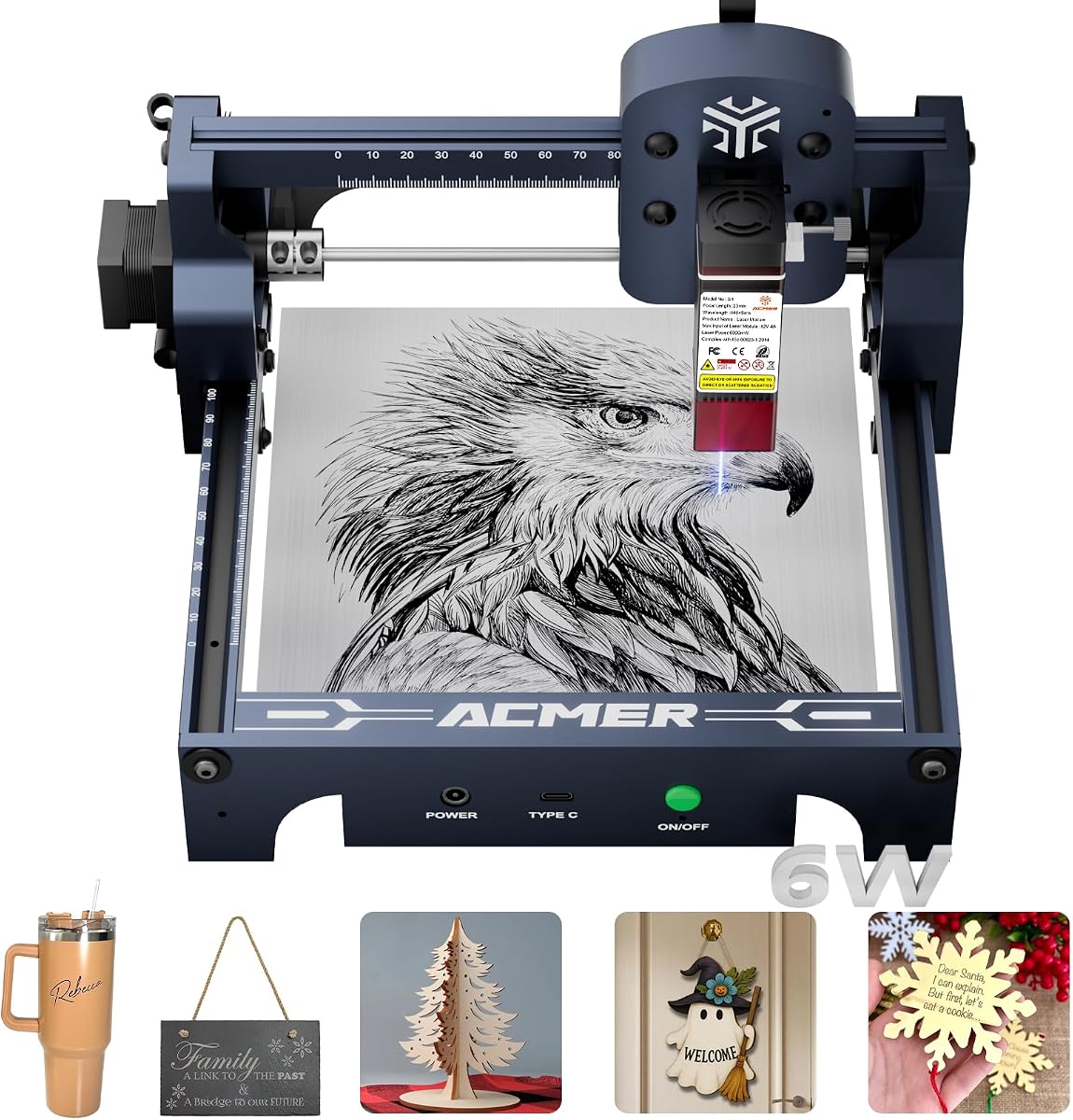
ACMER S1 Laser Engraver Machine
4.3Editor score
6000mW diode laser
99% preassembled design
Lightweight portable frame
This guide compares the top Acmer laser engraver models for precision cutting and engraving across wood, acrylic, and metal projects in October 2026.
Finding the right laser engraver can transform your creative projects into professional results. Whether you are a hobbyist or a small business owner, choosing a reliable machine ensures precision and safety in every cut.
We have analyzed ten top models from Acmer, focusing on power, speed, software compatibility, and safety features. Each entry is evaluated based on user feedback and technical specifications to help you make an informed decision.
Each pick highlights key strengths and ideal use cases for different project types. Please note that availability and specific configurations may vary, so always verify the latest details before purchasing your next machine.
4.3Editor score

4.4Editor score

5.0Editor score
The following table provides a side-by-side comparison of all ten Acmer laser engraver models, highlighting their key specifications, working areas, and primary features for quick reference.



The ACMER S2 Laser Engraver stands out as a top choice for enthusiasts and professionals alike. With a rating of 4.4 stars, it balances power and precision effectively for a wide range of materials.
We may earn a commission when you buy through this link, at no additional cost to you.
Its true 12W laser module allows for cutting through up to 15mm paulownia wood and 12mm black acrylic with multiple passes. The 0.08mm laser spot ensures intricate details are reproduced cleanly, making it ideal for personalized gifts or small-business projects.
While the setup requires some assembly, the included safety features like the anti-UV shield and motion detection pause provide peace of mind. The software ecosystem is robust, supporting ACMER Studio, LightBurn, and LaserGRBL for flexible workflow integration.
This model is recommended for users seeking a reliable balance between performance and versatility. It offers enough power for serious projects without the bulk of industrial machines, fitting well in home workshops.
The 0.01mm positioning accuracy ensures that text and logos remain sharp and consistent across repeated cuts.
Built-in motion protection and protective shields make it safer for home environments where safety is a priority.
We may earn a commission when you buy through this link, at no additional cost to you.
For beginners looking to enter the world of laser engraving, the ACMER S1 offers an accessible entry point. Its 4.3-star rating reflects satisfaction with its ease of use and preassembled design.
We may earn a commission when you buy through this link, at no additional cost to you.
The machine comes 99% preassembled, requiring only a one-minute laser head installation. This significantly reduces setup time, allowing users to start projects immediately. Its lightweight 2kg aluminum alloy body makes it easy to move or store.
While the working area is smaller at 130x130mm, it is sufficient for small crafts, jewelry, or personalized items. The 6000mW power is adequate for engraving on wood, leather, and acrylic, though it may struggle with thicker cuts.
This model is best suited for hobbyists or educators needing a portable, safe, and simple device. It provides essential features without unnecessary complexity, making it a strong value proposition for starter kits.
At just 2kg, the S1 is easy to transport to workshops or classroom settings without requiring heavy lifting.
The preassembled design and intuitive software make it ideal for users with limited technical experience.
We may earn a commission when you buy through this link, at no additional cost to you.
The ACMER P3 Laser Engraver represents the pinnacle of consumer-grade laser technology. With a perfect 5.0-star rating, it combines raw power with sophisticated safety features for professional-grade output.
We may earn a commission when you buy through this link, at no additional cost to you.
Its dual laser system switches between 24W and 48W, allowing for both fine engraving and deep cutting on over 200 materials. The closed-box design reduces smoke and noise by 90%, making it suitable for indoor environments without extensive ventilation.
Advanced features like automatic fire detection, tilt protection, and a built-in camera module enhance safety and precision. The visual camera allows for precise positioning, which is critical for detailed work on varied materials.
This machine is ideal for serious professionals or businesses prioritizing safety and performance. The high cost is justified by its industrial stability and comprehensive safety suite, reducing risks in active workshops.
The closed-box design and fire detection system provide a secure environment for uninterrupted creative work.
Switchable power settings offer flexibility to handle delicate projects or heavy-duty cutting tasks efficiently.
We may earn a commission when you buy through this link, at no additional cost to you.
The ACMER S2 variant focuses on user experience with advanced AI design tools. This model retains the robust 12W power but enhances usability through simplified software workflows.
We may earn a commission when you buy through this link, at no additional cost to you.
Users can turn text prompts or photos directly into engraving designs using built-in AI tools. This feature reduces the time spent on external graphic design software, making it accessible for those without design backgrounds.
Despite its focus on ease, it maintains high precision with a 0.08mm laser spot and 0.01mm accuracy. The 32-bit chip ensures fast speeds up to 10,000 mm/min, keeping productivity high for commercial applications.
This version is recommended for creators who want a balance of power and intuitive operation. It is particularly useful for custom gift shops or personalized branding where quick design turnover is valuable.
The AI design tools streamline the workflow by converting simple inputs into complex engraving patterns automatically.
The 32-bit chip ensures that projects are completed quickly without sacrificing detail quality.
We may earn a commission when you buy through this link, at no additional cost to you.
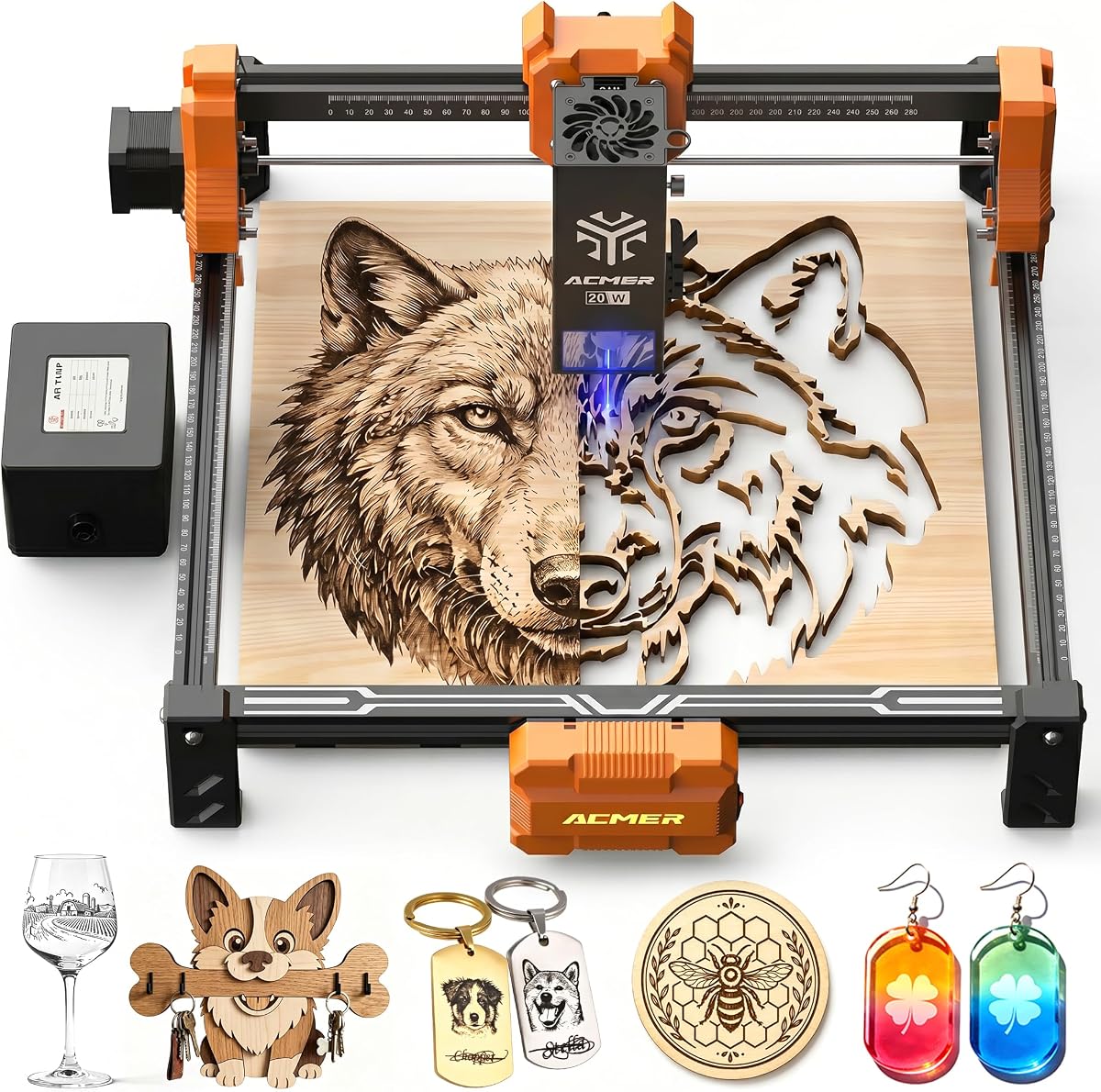
The ACMER P1 S Pro 20W is engineered for high-volume production and consistent quality. With a 5.0-star rating, it delivers strong performance for demanding tasks on metal and wood.
We may earn a commission when you buy through this link, at no additional cost to you.
Its 20W laser module uses lens blue light synthesis technology to ensure a long lifespan of 8000 hours. The built-in 25L/min air assist pump helps clear smoke, reducing burn marks and protecting the lens during operation.
Acceleration up to 500mm/s allows for rapid movement between points, which is critical for batch production. The precision remains high at 0.01mm, ensuring that every item in a run is identical.
This model is suitable for small businesses needing durability and speed. It offers professional features like air assist without requiring external equipment, simplifying the setup for efficient workflows.
The air assist system actively removes debris, extending the life of the lens and maintaining consistent output quality.
Fast acceleration ensures that detailed patterns are completed quickly without compromising on sharpness.
We may earn a commission when you buy through this link, at no additional cost to you.
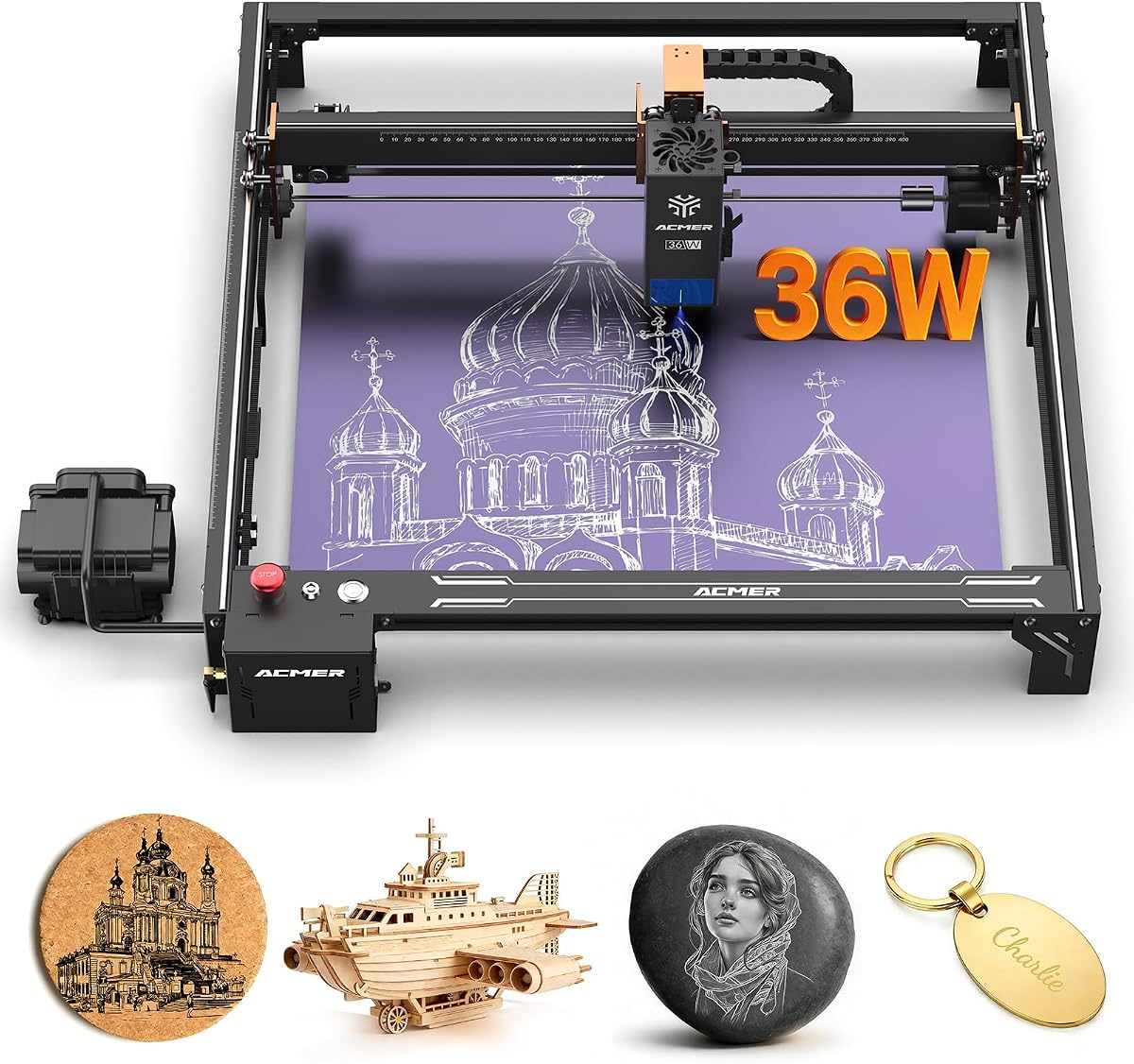
The Acmer S2 Pro 36W brings industrial-level stability to the consumer market. With a 4.1-star rating, it is designed for users who need a large workspace and heavy-duty cutting capabilities.
We may earn a commission when you buy through this link, at no additional cost to you.
The dual linear rail system minimizes vibration, ensuring smooth operation even at high speeds. This stability is crucial for large formats, allowing precise cuts on materials up to 400x400mm.
Its 36W power combined with a 30L/min air pump provides robust cutting performance for thick wood and metals. The inclusion of WiFi connectivity allows for flexible operation without being tethered to a PC.
This machine is ideal for small businesses needing to scale up production. It offers a professional build quality that supports demanding schedules, making it a reliable investment for growth.
The 400x400mm area accommodates large projects like signs or multiple items without needing to reposition material.
WiFi and TF card support enable offline operation, increasing flexibility for workshop environments.
We may earn a commission when you buy through this link, at no additional cost to you.
The Acmer S2 20W is a balanced option for those needing robust performance without the complexity of industrial models. With a 5.0-star rating, it is a favorite for DIY enthusiasts and small businesses.
We may earn a commission when you buy through this link, at no additional cost to you.
Equipped with a true 20W diode laser, it handles deep cuts and fine engraving with ease. The 25L/min air assist pump ensures clean edges on wood and acrylic, reducing the need for post-processing.
Precision is a standout feature, with 0.01mm accuracy ensuring detailed designs look professional. The inclusion of built-in limit switches prevents accidental frame hits, protecting the machine and materials.
This model is perfect for users who prioritize clean cuts and detailed work. It offers a high degree of control and safety, making it a strong choice for professional-grade results at home.
The air assist pump significantly improves edge quality, resulting in cleaner cuts that require less sanding.
Limit switches and stable frame design reduce the risk of user error during long engraving sessions.
We may earn a commission when you buy through this link, at no additional cost to you.
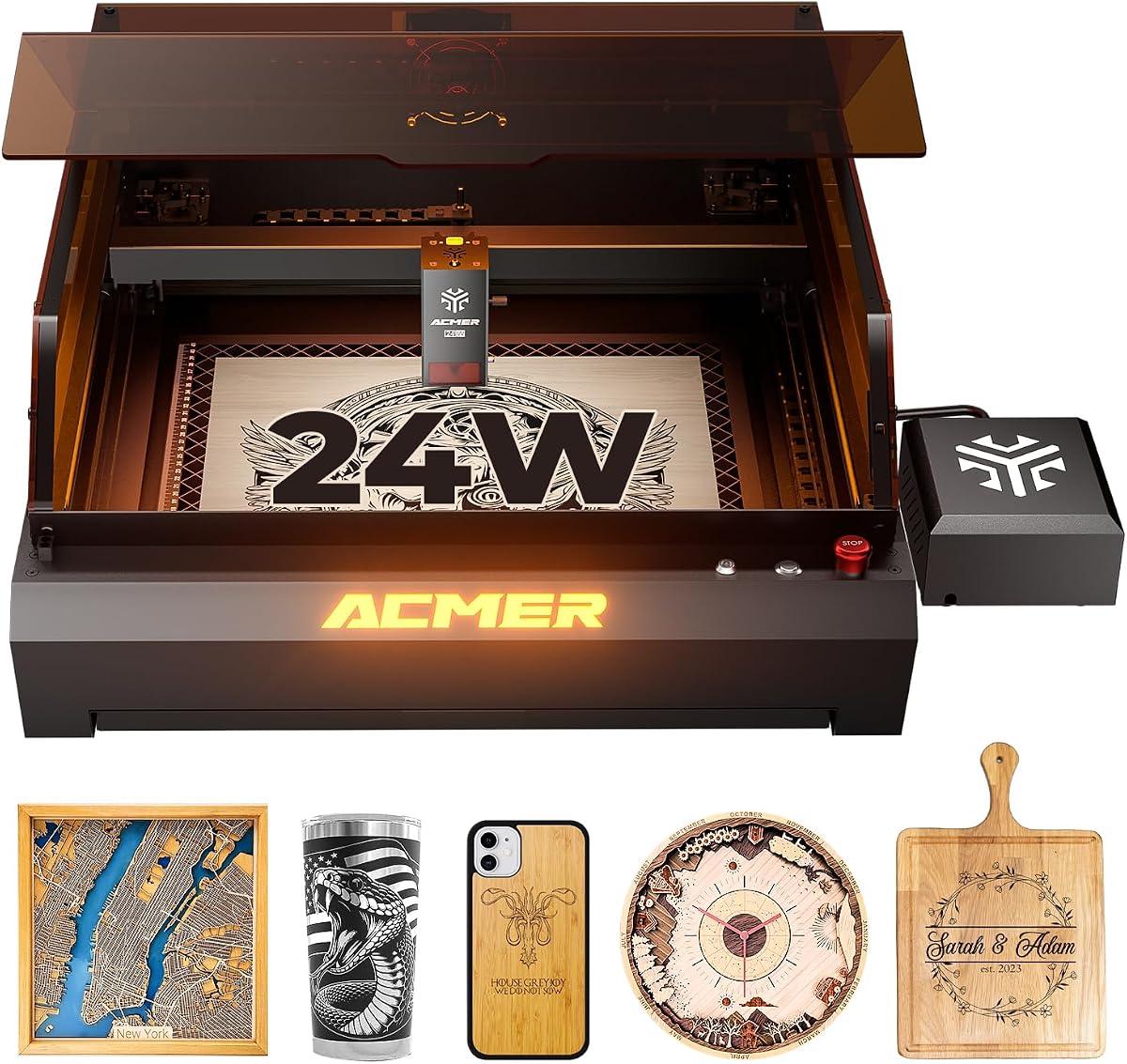
The ACMER P3 24W focuses on safety and precision with its integrated housing. With a 5.0-star rating, it is designed to minimize environmental impact while delivering high-quality engraving.
We may earn a commission when you buy through this link, at no additional cost to you.
The closed-box design blocks smoke and noise, making it suitable for indoor spaces without heavy ventilation. The built-in camera module allows for precise positioning, ensuring that every cut aligns correctly.
Its aviation grade frame provides stability during high-speed operations. The 24W output is sufficient for cutting and engraving a wide variety of materials, including wood and acrylic, with professional results.
This model is recommended for users who need a clean and quiet workspace. It combines the power of a diode laser with the safety features of a closed machine, offering peace of mind.
The built-in camera allows users to position the laser with high accuracy, reducing material waste.
The aviation grade frame ensures that the machine remains stable even during aggressive cutting speeds.
We may earn a commission when you buy through this link, at no additional cost to you.
The ACMER P1 S Pro 6W offers an expansive workspace for those who need to work on larger projects. With a 5.0-star rating, it balances size with user-friendly connectivity.
We may earn a commission when you buy through this link, at no additional cost to you.
Its 380x370mm workspace allows for cutting and engraving large signs or multiple items in a single run. The dual-beam laser module provides enhanced stability and faster coverage across the workspace.
WiFi control allows for seamless transfer of designs from mobile devices, making it easy to work without a PC. The machine is certified under IEC 60825-1 for safety, ensuring safe operation for all users.
This model is best for users needing a large footprint without high power requirements. It is perfect for hobbyists who want to work on bigger projects with easy connectivity options.
The expanded area supports big projects that would otherwise require multiple setups or repositioning.
WiFi control simplifies the workflow, allowing users to manage designs directly from their phones.
We may earn a commission when you buy through this link, at no additional cost to you.
The ACMER S2 7W variant offers a reliable entry point into the brand's ecosystem. With a 5.0-star rating, it is appreciated for its ease of use and comprehensive safety features.
We may earn a commission when you buy through this link, at no additional cost to you.
Its 7W laser output is sufficient for detailed engraving on wood and leather. The precision of 0.01mm ensures that fine details are captured accurately, making it ideal for personalized gifts.
Safety is a priority with an anti-UV shield and motion detection that pauses operation during abnormalities. The modular design allows users to add rotary modules or risers as their skills grow.
This model is recommended for beginners or those focusing on detailed engraving. It offers a safe and expandable platform that grows with the user's needs and budget.
The modular design allows for easy upgrades, such as adding rotary modules for cylindrical objects.
Motion detection and protective shields provide a secure environment for home-based projects.
We may earn a commission when you buy through this link, at no additional cost to you.
Choosing the right laser engraver involves balancing power, workspace, and safety features with your specific project needs.
Laser power determines the speed and depth of cuts. Higher wattage allows for thicker materials like wood and acrylic to be cut quickly without multiple passes.
For detailed engraving, lower wattage is acceptable, but cutting thicker materials requires at least 20W or more.
The working area defines the maximum size of material you can engrave. Larger areas are necessary for signs or batch projects.
If you work on small items, a compact area saves space. For larger projects, ensure the frame supports the material size without needing to cut it down.
Software compatibility ensures you can use tools you already know. Many machines support LightBurn or LaserGRBL for advanced editing.
Proprietary software can simplify setup but may limit advanced features. Always check if the software supports your design file formats like DXF or SVG.
Safety is critical in laser engraving. Look for machines with protective shields, emergency stops, and motion detection.
A closed-box design is beneficial for indoor use to reduce smoke and noise. Ensure the machine has certifications like IEC 60825-1 for laser safety.
An air assist pump blows air on the cutting path to reduce burn marks and clear debris. It improves edge quality significantly on wood and acrylic.
While some models include built-in pumps, others may require external accessories. Consider this if you want clean cuts without post-processing.
Connectivity options like WiFi or USB allow you to transfer designs without being tied to a computer. This is useful for mobile or flexible setups.
WiFi control is particularly handy for small workshops where moving around the machine is frequent. Ensure the connection is stable to avoid interruptions.
The build quality affects the precision and longevity of the machine. Linear rails are more stable than rods, reducing vibration and increasing accuracy.
Industrial-grade materials like aluminum ensure the machine remains stable over time. A solid frame minimizes errors during high-speed cutting.
Reliable support is essential for troubleshooting issues. Look for brands that offer 24/7 support and clear warranty terms.
A 12-month warranty is common, but check for additional coverage. Good support saves time and money if the machine requires repair.
Before starting, ensure all safety gear is in place. Always wear the provided laser safety goggles to protect your eyes from the beam.
Secure your material properly using the honeycomb plate or clamps to prevent movement during engraving. Move the head to the desired start position using the joystick or software controls.
Run a test cut on a scrap piece to confirm the focus and speed settings. Monitor the operation closely to ensure there are no smoke hazards or overheating issues.
Acmer laser engravers can cut wood, acrylic, leather, paper, and cardboard. Some models also handle coated metals and certain plastics. Always check the specific wattage of your machine to confirm thickness limits.
Most Acmer engravers come with free software like ACMER Studio. However, they are also compatible with popular tools like LightBurn and LaserGRBL, offering flexibility for users who prefer advanced features.
An air assist helps reduce burn marks and keeps the lens clean by blowing away smoke. While optional for basic engraving, it is highly recommended for cutting to ensure clean edges.
Use the focusing tool provided with the machine. Place it under the lens and adjust the vertical distance until it clicks. This ensures the beam is concentrated correctly for precise results.
Yes, but you will need a rotary attachment. Many models allow adding a rotary module that rotates the object, enabling engraving on mugs or bottles seamlessly.
Always use the protective shield and safety goggles. Ensure the room is well-ventilated to handle smoke. Never leave the machine unattended while it is running to prevent fire hazards.
The top picks range from the affordable S1 to the industrial P3, offering options for every skill level. Each machine provides unique strengths in precision, speed, or safety depending on your needs.
Prioritize features that match your project scale. If you need detailed work, precision and software are key. For production, look at power and connectivity options.
Always verify the latest specifications and availability before purchasing. Technology evolves quickly, so ensuring you have the right model for current standards is essential for satisfaction.