
VEVOR 45W CO2 Laser Engraver
5.0Editor score
45W CO2 laser tube
12 x 8 inch workspace
Rotary axis included
This guide compares the top ten CO2 Laser Engraver models to help you choose the right machine for cutting and engraving non-metal materials efficiently.
CO2 laser engravers offer precision cutting and marking for wood, acrylic, and leather. Selecting the right model depends on power, workspace size, and software compatibility for your specific projects.
We evaluated ten top-rated machines based on laser power, build quality, safety features, and user feedback. Each option balances performance with affordability for makers and small businesses seeking reliability.
Every pick includes detailed specs and pros to guide your decision. Prices fluctuate frequently, so verify current offers before purchasing to ensure you get the best value for your investment today.
5.0Editor score

4.4Editor score

4.5Editor score
The following table provides a side-by-side comparison of all ten CO2 laser engraver models, highlighting key specifications to help you quickly identify the best fit for your needs.



The VEVOR 45W CO2 Laser Engraver stands out as a top budget option with a perfect user rating. It offers reliable cutting for small projects like phone cases and coasters without breaking the bank.
We may earn a commission when you buy through this link, at no additional cost to you.
Its 45W laser tube handles wood and acrylic up to 5mm thick efficiently. The included rotary axis expands possibilities for cylindrical items, while air assist keeps cuts clean and edges burr-free.
While the manual focus knob requires precision, it provides hands-on control for accuracy. The compact 12×8 inch area limits large projects, making it best suited for hobbyists or small custom orders.
Buy this if you need an affordable entry into CO2 engraving with essential safety features. It delivers stable performance for non-metal materials and integrates easily with popular design software.
This machine achieves burr-free edges on wood and acrylic at speeds up to 300 mm/s. The laser tube life exceeds 3,500 hours for consistent long-term use.
It works seamlessly with Windows, macOS, and Linux via USB. Support for LightBurn and CorelDRAW ensures smooth workflows for beginners and experts alike.
We may earn a commission when you buy through this link, at no additional cost to you.
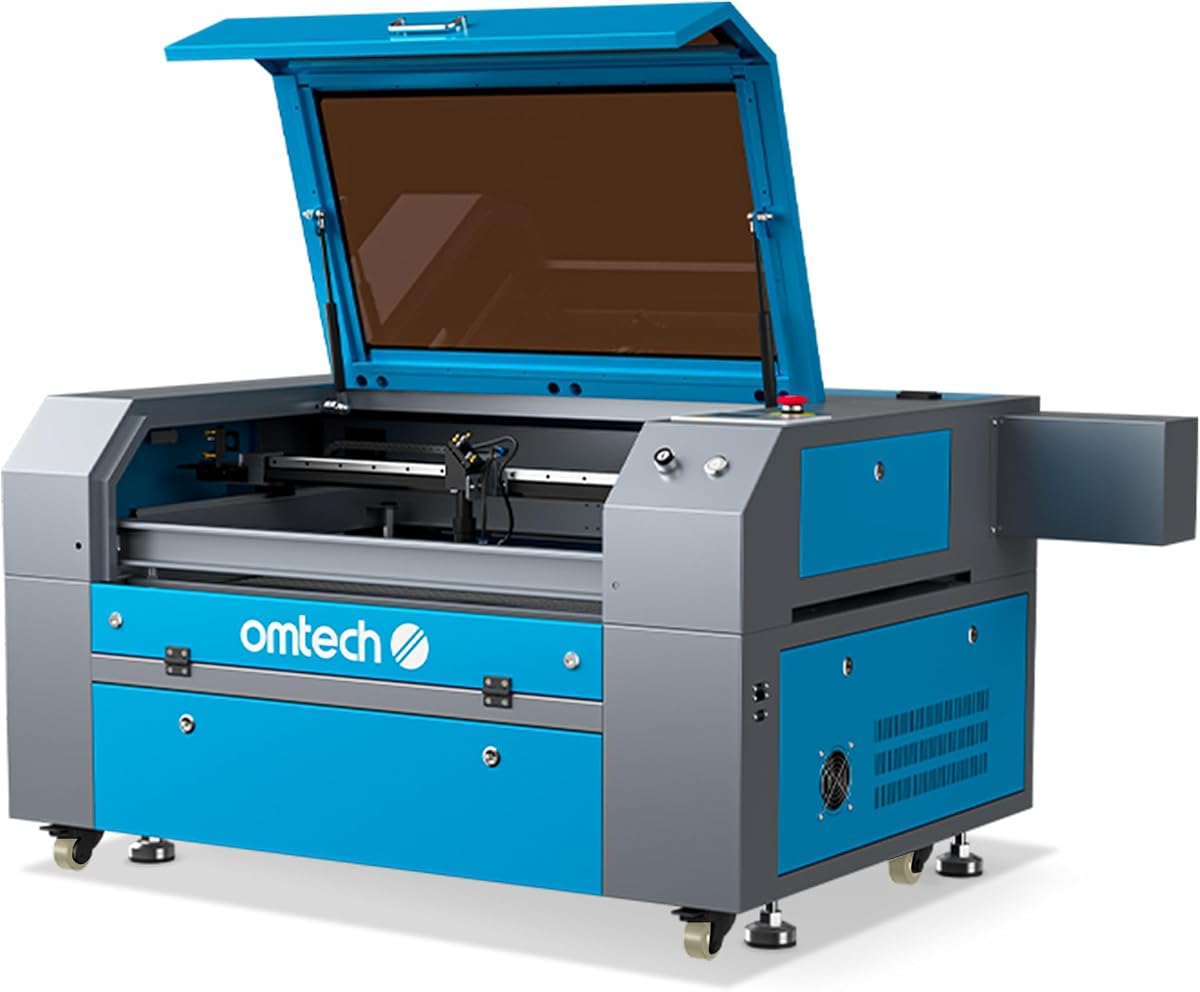
The OMTech K40+ combines reliable 45W power with exceptional support, earning it a top pick. It cuts 10mm acrylic easily, making it ideal for both personal and commercial use.
We may earn a commission when you buy through this link, at no additional cost to you.
Its integrated air assist auto-adjusts to protect the lens and reduce carbonization. The honeycomb bed handles flat items well, while optional rotary axes allow engraving on taller objects.
Safety features like the emergency stop and flame-retardant panel protect users during operation. However, the small 12×8 inch area may limit bulk production of large items quickly.
Choose this model if you value reliable customer service and safe operation. It balances power and precision for DIY makers seeking professional results without complex setup.
Upgraded 45W performance slices through 10mm acrylic with 1.5x speed boost. Depth increases by 20 percent for professional-grade cutting on various non-metal materials.
The machine includes door protection, water protection, and an emergency stop. A high-powered exhaust fan ensures a clean workspace by efficiently removing smoke.
We may earn a commission when you buy through this link, at no additional cost to you.
The OMTech Maker 60W offers commercial-grade features with autofocus for effortless setup. Its 20×28 inch work area fits larger projects, and included software simplifies navigation for users.
We may earn a commission when you buy through this link, at no additional cost to you.
The water chiller ensures consistent laser performance by preventing overheating. Four-way pass-through doors make accommodating long items easier, while safety features prioritize user protection.
While the price is higher, the bundle saves cost on accessories. Setup may take time due to size, but the reliability justifies the investment for serious makers.
This model suits small businesses needing larger cuts without upgrading to 90W. It balances ease of use with commercial durability for efficient production workflows.
Workbeds adjust automatically to find the right focal distance instantly. This eliminates manual adjustments and speeds up project preparation significantly.
The widened viewing window is flame retardant for lasting safe use. Built-in air assist removes smoke to protect lenses and mirrors effectively.
We may earn a commission when you buy through this link, at no additional cost to you.
The OMTech Maker 90W delivers powerful cutting with a tube life up to 12,000 hours. It achieves deep cuts in wood, making it suitable for demanding commercial and creative projects.
We may earn a commission when you buy through this link, at no additional cost to you.
Its spacious workspace and pass-through doors handle large designs effortlessly. The automatic cover interlock shuts off the laser when opened, enhancing safety during use.
While the investment is higher, the longevity and performance offer strong value. Ensure you have proper ventilation for exhaust fans to remove smoke efficiently.
Buy this if you need durable heavy-duty engraving power. It provides professional results with minimal maintenance for businesses scaling up production.
This 90W laser cuts 0.4 inch deep in wood at 600 mm/s. It handles glass, acrylic, and leather with flawless precision for detailed work.
The high-performance DC laser tube supports creative workflows for years. When used at lower settings, it lasts even longer than rated for reliability.
We may earn a commission when you buy through this link, at no additional cost to you.
The xTool P3 80W brings intelligent automation to desktop laser cutting. With dual cameras and LiDAR ranging, it achieves precise positioning and distortion-free previews for professional outcomes.
We may earn a commission when you buy through this link, at no additional cost to you.
Its Class 1 safety design fully encloses the laser, ensuring safe operation. Smart nesting maximizes material utilization, while conveyor feeders unlock unlimited project length automation.
While the price is high, the workflow efficiency is unmatched. Accessories are often sold separately, but the core machine delivers industrial-grade results safely.
This is the choice for businesses needing automation and top safety. It simplifies complex setups and minimizes waste for high-volume production.
ACS integrates LiDAR ranging for perfect autofocus and dual cameras for alignment. AutoLift Base simplifies setup, significantly improving operation for advanced users.
AI-powered Smart Nesting achieves 98.7% material utilization. Variable Batch Fill with spreadsheet import streamlines mass customization processes effectively.
We may earn a commission when you buy through this link, at no additional cost to you.
This OMTech K40+ model mirrors strong support and safety features. It handles irregular materials well with a detachable base and optional rotary axis for flexibility.
We may earn a commission when you buy through this link, at no additional cost to you.
The integrated air assist auto-adjusts airflow to lower fire risk during high-power jobs. Software compatibility ensures seamless control for beginners and experts alike.
While the work area is compact, it suits most small projects. Assembly is required, but clear guidance helps ensure secure and stable operation.
Choose this for reliable commercial or personal use with great support. It balances performance with safety for DIY makers seeking consistent results.
A compact 12×8 inch workspace supports standard and irregular materials. Honeycomb bed handles flats while optional rotary allows cylindrical engraving.
Full support for LightBurn and LaserGRBL offers seamless control. Enjoy smooth workflows and precise execution from design to finished product.
We may earn a commission when you buy through this link, at no additional cost to you.
The OMTech Pronto 100W offers unmatched efficiency with speeds 37% faster than traditional models. It transforms creative visions into reality quickly with advanced autofocus.
We may earn a commission when you buy through this link, at no additional cost to you.
Its large workspace fits most projects with two-way pass-through doors. Superior airflow keeps cuts clean and reduces material burn significantly for high quality.
While expensive and large, the speed and power justify the cost for pros. Safety alarms ensure safe operation without interruption during long jobs.
Buy this if speed is critical for bulk orders. It delivers consistent high-quality results with confidence for serious makers.
Experience revolutionary engraving speeds up to 39.4 inches per second. This powerful laser tube transforms creative visions in record time.
Advanced autofocus technology takes guesswork out of setup. Enjoy consistent high-quality results with minimal effort on intricate designs.
We may earn a commission when you buy through this link, at no additional cost to you.
The OMTech Maker 90W provides a commercial bundle with LightBurn and water chiller. Its 20×28 inch work area fits most projects, including long items via pass-through doors.
We may earn a commission when you buy through this link, at no additional cost to you.
The Yongli H2 tube delivers up to 8,000 hours of usage. Enhanced safety features ensure lasting safe use with flame retardant materials.
Though the price is high, the included accessories simplify initial setup. Ensure secure placement due to its heavy build weight.
Buy this for reliable commercial operation with essential software. It balances efficiency and safety for growing small businesses.
Comes with a water chiller and LightBurn software for consistent laser performance. Intuitive navigation simplifies work for various project needs.
Widened viewing window is flame retardant. Cover interlock automatically cuts the beam if opened to ensure safe use.
We may earn a commission when you buy through this link, at no additional cost to you.
The OMTech 100W engraver brings ideas to life with instant autofocus. Its spacious 28×20 inch work area allows bulkier projects quickly and efficiently.
We may earn a commission when you buy through this link, at no additional cost to you.
X and Y-axis stepping motors ensure steady controlled movement. Advanced sensors monitor temperature and pause operation if needed for safety.
While the size is large, it offers consistent performance for heavy duty. Software integration ensures seamless workflow for preferred design tools.
Buy this for large-scale projects with precision. It delivers professional results with minimal alignment issues.
Smart autofocus instantly fine-tunes focal point with one button. Eliminates manual adjustments ensuring every engraving is crisp and precise.
Featuring 28×20 work area and ultra-fast 1,000 mm/s speed. Allows quick completion of bulky projects from patterns to large cuts.
We may earn a commission when you buy through this link, at no additional cost to you.
This OMTech Maker 90W model focuses on reliability with a water chiller. It achieves deep wood cuts and handles glass and acrylic flawlessly.
We may earn a commission when you buy through this link, at no additional cost to you.
Its spacious workspace and four-way doors handle large designs effortlessly. Built to last with up to 12,000 hours of operation time.
While complex, it supports creative workflows with consistent performance. Ensure proper setup to maximize the machine's longevity.
Buy this if longevity and power are priorities. It offers dependable operation for long-term creative and business projects.
Offers powerful cutting achieving up to 0.4 inch deep in wood. Engraving materials like glass and leather at 600 mm/s.
High-performance DC laser tube provides up to 12,000 hours. Used at lower settings, it supports creative workflows for years.
We may earn a commission when you buy through this link, at no additional cost to you.
Selecting a CO2 laser engraver involves weighing multiple technical and practical factors to match your specific needs and workflow.
Laser power determines the thickness of material you can cut. Higher wattage like 90W or 100W cuts deeper and faster, but costs more. For hobbyists, 45W is often sufficient for wood and acrylic.
Consider your primary materials when choosing wattage. If you cut only thin acrylic, lower power suffices. For thick wood or high volume, invest in higher power.
The work area defines the maximum size of material you can engrave in one pass. Compact units like 12×8 inches fit desktops but limit large projects. Larger beds allow for full sheet cutting.
Measure your largest typical material to decide. If you need to cut full sheets, a 20×28 inch or larger bed is necessary for efficiency.
Check if the machine supports your preferred design software. Models compatible with LightBurn or RDWorks streamline workflow significantly. Proprietary software might restrict design choices.
Open software compatibility ensures flexibility. Verify drivers and OS support to avoid future headaches with updates.
Safety is paramount with laser equipment. Look for emergency stops, interlocks, and Class 1 or 2 ratings. Flame-retardant windows and air assist systems reduce fire and fume risks.
Always prioritize units with automatic shutoffs. This protects users even if the lid is opened accidentally during operation.
Laser tubes generate heat that must be managed. Many machines require a separate water chiller to maintain consistent performance. Integrated chillers simplify setup and ensure longevity.
If you run long jobs, a water chiller is essential. Overheating can shorten tube life and ruin cuts.
Reliable customer support ensures smooth setup and troubleshooting. Look for brands offering 24/7 global help and local demos. A solid warranty covers parts for at least two years.
Strong support minimizes downtime. Verify response times and availability of technical guides before purchasing.
CO2 lasers are best for non-metals like wood and acrylic. Avoid metals unless coated. Check if the machine handles glass or leather safely for your specific projects.
Know your target materials. Not all CO2 units cut leather cleanly without proper settings.
Total cost includes the machine, accessories, and software. Higher-end bundles may include chillers and software. Entry-level units may require buying extras separately.
Calculate all upfront expenses. Sometimes a bundle is cheaper than buying parts individually.
Always ensure proper ventilation to remove smoke and fumes from the workspace. Use the air assist system to keep cuts clean and prevent lens damage.
Clean mirrors and lenses regularly with recommended solvents to maintain beam quality. Dust buildup can reduce cutting performance and speed.
Store materials in a dry place to prevent moisture absorption which affects engraving depth. Check water levels in the chiller daily for optimal cooling.
CO2 lasers generally cannot engrave bare metal due to low absorption. However, coated metals or black anodized aluminum can be marked effectively.
LightBurn is highly recommended for its user-friendly interface and broad compatibility. Many machines also support LaserGRBL for simpler tasks.
Most tubes last 3,500 to 12,000 hours depending on usage and settings. Lowering power during idle periods extends lifespan significantly.
A water chiller is essential for continuous operation to prevent overheating. It stabilizes temperature and ensures consistent cutting quality.
Yes, a dedicated exhaust fan is mandatory to remove toxic fumes. Ensure your workspace meets local fire safety codes.
Wear approved laser safety goggles rated for 10.6 microns. Avoid loose clothing and hair near the machine during operation.
We reviewed ten top models ranging from the budget VEVOR 45W to the premium xTool P3. Each offers unique strengths like power, speed, or automation for different needs.
Prioritize safety features and software compatibility when choosing. Ensure the work area and power match your specific project requirements for best results.
Prices change regularly so check current offers before purchasing. Verify the warranty and support options to protect your investment long term.