
A-Tech 8GB DDR4
4.7Editor score
2400MHz speed
8GB capacity
Lifetime warranty
Non-ECC unbuffered
Compatible with select laptops
This guide compares the top DDR4 Sodimm Laptop RAM modules for speed, capacity, and reliability to help you choose the right upgrade for your notebook system.
Upgrading your laptop memory can significantly enhance performance for multitasking and demanding applications. Choosing the right DDR4 SODIMM module ensures compatibility and speed improvements without compatibility system stability or hardware limits.
We evaluated ten leading DDR4 Sodimm Laptop RAM options based on capacity, speed, brand reputation, and user feedback. This list includes single sticks and kits ranging from 8GB to 32GB to meet various professional and casual computing needs.
Each pick highlights key specifications and real-world performance traits to guide your decision. Prices and availability change frequently, so verify current listings and compatibility tools before purchasing to ensure the best fit for your specific device.
4.7Editor score
4.8Editor score
4.7Editor score
This side-by-side comparison highlights the key specifications and strengths of each DDR4 Sodimm Laptop RAM module to help you quickly identify the best upgrade for your specific laptop model and performance goals.


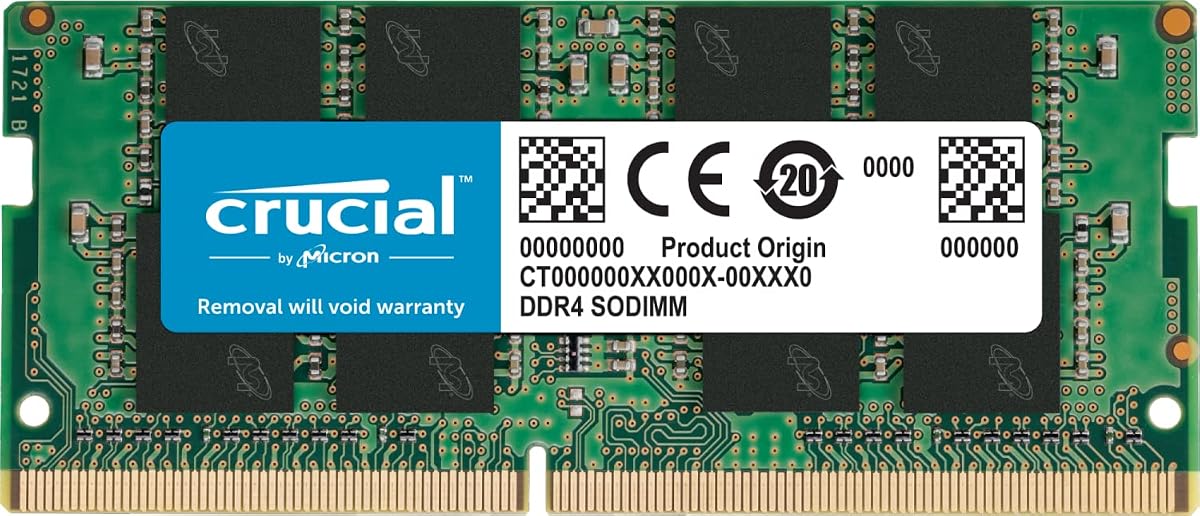
The Crucial 16GB DDR4 RAM stands out as the top choice for users seeking a balance of performance and reliability. With a rating of 4.8, this module delivers 3200MHz speeds that significantly boost system responsiveness for demanding tasks.
We may earn a commission when you buy through this link, at no additional cost to you.
Its standout qualities include Micron backing and rigorous testing at both component and module levels. The system scanner tool ensures seamless compatibility with your laptop, reducing the risk of purchase errors or installation issues.
While it carries a higher price point than budget alternatives, the reliability and performance justify the investment for professionals. The ease of installation and strong brand support make it a stress-free upgrade path for most users.
Anyone needing a solid upgrade for daily computing or light professional workloads should consider this module. It is the recommended pick for those who value stability and proven performance over marginal cost savings.
Backed by 42 years of memory expertise, this module ensures top performance and reliability for your system.
Use the Crucial System Scanner for accurate recommendations tailored to your specific device model.
We may earn a commission when you buy through this link, at no additional cost to you.
Samsung's 16GB DDR4 module offers robust performance with 3200MHz speeds and dual rank architecture. Rated at 4.6, it is ideal for systems needing faster data throughput and improved multitasking capabilities.
We may earn a commission when you buy through this link, at no additional cost to you.
Key strengths include quality assurance testing for dependable performance and the ability to handle greater workloads. The module is designed to speed up loading times and enhance overall system responsiveness significantly.
While the dual rank design is powerful, users should verify BIOS compatibility for optimal results. The cost is moderate but justified by the brand reputation and performance metrics offered by this module.
This module is best for users prioritizing speed and workload capacity over budget constraints. It is a strong candidate for laptops used for video editing, coding, or intensive applications.
The 2Rx8 configuration allows for efficient data handling and improved system throughput.
All modules undergo rigorous testing to ensure dependable and reliable performance in your system.
We may earn a commission when you buy through this link, at no additional cost to you.
This Crucial 8GB module offers reliable performance with 3200MHz speeds and flexible downclocking support. With a 4.8 rating, it is a solid choice for users needing a straightforward RAM upgrade.
We may earn a commission when you buy through this link, at no additional cost to you.
Its strengths include Micron quality and compatibility tools that ensure seamless integration. The module is designed to improve multitasking and system responsiveness for a smoother user experience.
The 8GB capacity may limit performance for very heavy workloads like large datasets or high-end gaming. However, it remains an excellent entry point for older systems or casual users.
Buyers looking for a reliable single stick upgrade should consider this option. It is best for those wanting brand assurance and ease of installation without complex configurations.
Operates at 3200MHz, 2933MHz, or 2666MHz to match system capabilities seamlessly.
Backed by 42 years of memory expertise ensuring top performance and reliability.
We may earn a commission when you buy through this link, at no additional cost to you.
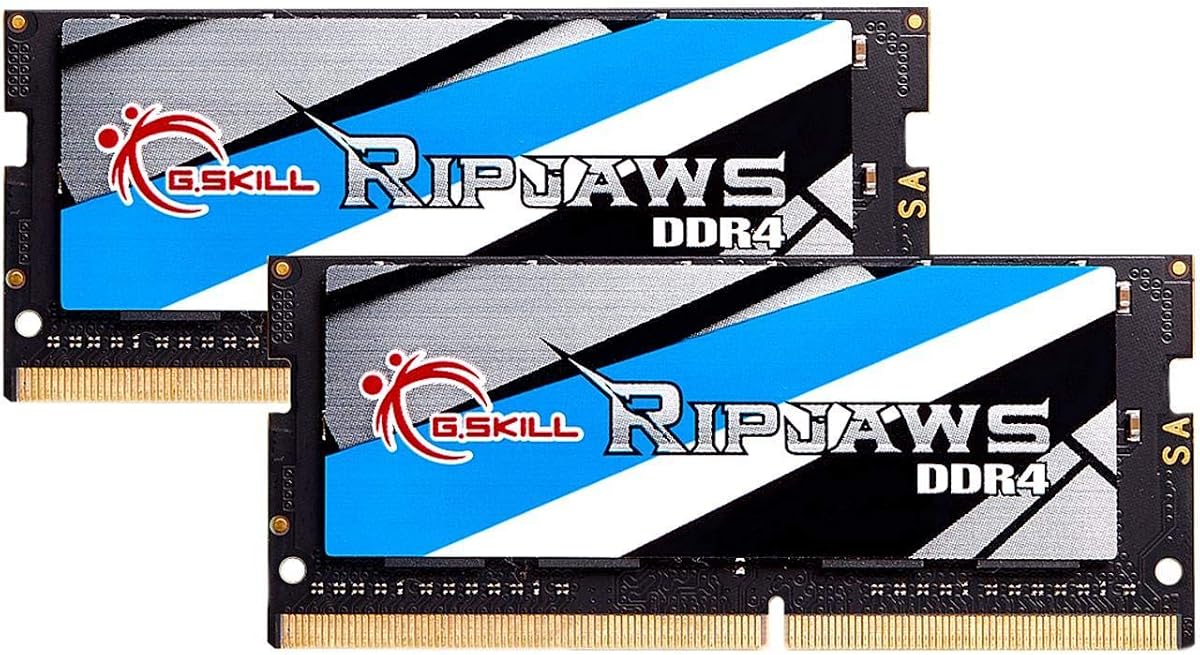
The G.SKILL Ripjaws 32GB kit delivers premium performance with dual modules and high total capacity. Rated at 4.7, it is perfect for users needing extensive memory for complex workflows or virtualization.
We may earn a commission when you buy through this link, at no additional cost to you.
Key strengths include matched kit stability and the 3200MT/s speed for fast data access. The JEDEC default profile ensures compatibility while allowing for optimized performance with compatible hardware.
The premium price is justified by the 32GB capacity and brand reliability. However, users should avoid mixing memory kits to prevent stability issues or system failures.
This kit is best for professionals or power users requiring maximum RAM capacity in a laptop. It is the recommended choice for those who need to run multiple heavy applications simultaneously.
Memory kits are designed to run together as a set for optimal stability.
32GB of total RAM allows for handling complex workloads and large datasets.
We may earn a commission when you buy through this link, at no additional cost to you.
The TEAMGROUP Elite kit offers a compelling mix of capacity and warranty support with a 4.8 rating. It provides 32GB of total memory for users needing substantial RAM without premium brand pricing.
We may earn a commission when you buy through this link, at no additional cost to you.
Strengths include the lifetime warranty and installation video provided. The module adheres to JEDEC standards and offers flexible speed support for various system configurations.
While performance varies based on system CPU and BIOS settings, the value is strong. Users should verify device specifications before purchase to ensure full speed compatibility.
This kit is best for users wanting 32GB of RAM at a competitive price. It is suitable for creative work, development, and heavy multitasking on compatible laptops.
The product comes with a lifetime warranty and free technical support for peace of mind.
An installation video is attached to help ensure a smooth upgrade process.
We may earn a commission when you buy through this link, at no additional cost to you.
The A-Tech 8GB DDR4 module is an excellent budget choice with a 4.7 rating and lifetime warranty. It is designed for users seeking to boost system performance on older laptops without breaking the bank.
We may earn a commission when you buy through this link, at no additional cost to you.
Key strengths include its compatibility with select DDR4 laptops and easy home installation. The module maximizes performance and boosts loading speeds for better multitasking on a budget.
While the speed is lower at 2400MHz, it is sufficient for basic productivity and web browsing. The lifetime warranty provides excellent support for a budget product.
Buyers with older laptops or basic needs should consider this option. It is the best budget pick for those prioritizing cost and reliability over top tier speeds.
Backed by A-Tech's lifetime warranty and friendly tech support team availability.
No expertise required to install this module at home for immediate upgrades.
We may earn a commission when you buy through this link, at no additional cost to you.
The GIGASTONE 32GB kit is designed specifically for laptops with high capacity and speed capabilities. It features dual 16GB modules for a total of 32GB to handle demanding memory tasks.
We may earn a commission when you buy through this link, at no additional cost to you.
Strengths include its 3200MHz speed and wide compatibility across laptops and all-in-one computers. The kit is optimized for high performance without the complexity of ECC memory.
Users should verify device specifications for speed support as the module may operate at lower speeds. The price is competitive for the capacity it offers.
This kit is best for users needing 32GB of RAM at a reasonable price. It is a strong choice for video editors, programmers, and heavy multitaskers.
Designed specifically for laptops, notebooks, and all-in-one computer compatibility.
Ensures versatile use across multiple systems with standard DDR4 interfaces.
We may earn a commission when you buy through this link, at no additional cost to you.
Samsung's 8GB DDR4 module is a compact and reliable option with a 4.8 rating. It features single rank design and high speed for efficient performance in compatible laptops.
We may earn a commission when you buy through this link, at no additional cost to you.
Key strengths include the genuine Samsung quality and ability to reduce bottlenecks. It expands available memory resources to improve overall system responsiveness.
The 8GB capacity limits it for heavy multitasking but is sufficient for standard office work. The single rank design ensures compatibility with tight slots.
This module is best for users wanting a quick speed boost without changing capacity drastically. It is a solid choice for laptops that need more speed than capacity.
1Rx16 single rank configuration ensures compatibility with diverse laptop systems.
Expands memory resources to reduce bottlenecks and increase workload capacity.
We may earn a commission when you buy through this link, at no additional cost to you.
This Samsung 32GB module delivers high capacity and speed in a single stick configuration. With a 4.7 rating, it is ideal for users needing maximum RAM without dual sticks.
We may earn a commission when you buy through this link, at no additional cost to you.
Strengths include the dual rank design and reliable Samsung technology. It is designed for high-speed memory tasks and ensures efficient memory footprint on the laptop.
The price reflects the 32GB capacity in one module. Users should ensure their motherboard supports single stick high capacity upgrades.
This module is best for laptops with limited slots needing large capacity. It is a strong choice for professionals needing a single high capacity upgrade.
Delivers 32GB in a single module for efficient use of slots.
2Rx8 dual rank configuration allows for faster and more efficient data processing.
We may earn a commission when you buy through this link, at no additional cost to you.
The CORSAIR Vengeance 16GB module offers stylish design and reliable performance with a 4.7 rating. It features auto-overclocking compatibility for easy speed enhancements on compatible notebooks.
We may earn a commission when you buy through this link, at no additional cost to you.
Strengths include the slim design ensuring physical compatibility with modern processors. Each module is built using carefully selected DRAM for excellent stability and performance.
Users should check BIOS settings for maximum speed optimization. The price is higher but justified by the brand reputation and design aesthetics.
This module is best for users wanting performance with a premium aesthetic. It is recommended for those who value brand reliability and design in their laptop hardware.
Slim and attractive design ensures physical compatibility with modern processors.
Auto-overclocking with compatible laptops removes the need for complex BIOS changes.
We may earn a commission when you buy through this link, at no additional cost to you.
Selecting the right RAM module requires careful consideration of speed, capacity, and compatibility to ensure your laptop performs at its best.
The amount of RAM you need depends on your typical tasks. For basic web browsing and office work 8GB is often sufficient. For video editing, gaming, or heavy multitasking 32GB or more is recommended to handle large workloads.
Always aim for capacity that matches your workflow demands to avoid performance bottlenecks.
Speed measured in MHz affects how fast data moves through your system. 3200MHz is a common standard offering fast performance. Always check your laptop's maximum supported speed to avoid mismatches that limit performance.
Selecting a module that matches your system's supported speed ensures optimal operation.
Not all laptops accept every DDR4 SODIMM module. Check if your system accepts dual or single rank modules. Some laptops have limited slots so verify the number of slots available for upgrades.
Using compatibility tools or checking your laptop manual prevents buying the wrong module.
Reputable brands like Crucial, Samsung, and G.SKILL offer rigorous testing for reliability. Quality assurance ensures the module works consistently over time. Trusted brands also provide better warranty support.
Choosing a well known brand reduces the risk of system failure and instability.
Most DDR4 modules operate at 1.2V which is standard for laptops. Ensure the module matches your system's power requirements to avoid hardware issues. Lower voltage modules are often more efficient.
Verify voltage specifications to maintain system stability and battery life.
Lower CAS latency values indicate faster data access speeds. CL22 is common for DDR4 and offers a good balance of performance. Timing specs should align with your CPU and motherboard capabilities.
Selecting modules with appropriate timing ensures the best possible performance.
Kits provide matched modules for better stability and dual channel performance. Single modules are easier to install but may not optimize all laptop architectures. Matched kits reduce compatibility risks.
Consider buying a kit if your laptop has two slots for best results.
Lifetime warranties provide long-term peace of mind. Reliable support teams can help with installation or technical issues. Check the warranty terms before purchasing.
Prioritize products with strong warranty coverage for long-term reliability.
Before installation power off your laptop completely and disconnect any power sources. This prevents electrical damage to your system. Ground yourself to avoid static electricity discharge that can harm components.
Remove the back panel to access the RAM slots gently. Insert the module at a 45-degree angle and press down until it clicks into place. Ensure the module is secured properly to avoid connection issues.
Once installed power on your system and check the BIOS to confirm the new RAM is recognized. Use system tools to verify speed and capacity. Keep your laptop clean and ensure proper ventilation to maintain hardware health.
Check your laptop user manual or use the manufacturer website to find supported memory specs. Tools like Crucial System Scanner can also scan your system and recommend compatible modules to ensure a match.
Yes but mixing sizes may impact performance depending on your laptop architecture. Dual channel mode works best with matched sizes. Consult your laptop manual before mixing modules to ensure stability.
SODIMM modules are smaller and designed for laptops while standard RAM fits desktop towers. They have different physical dimensions and pin counts. Always choose SODIMM for notebook upgrades.
Higher speeds help but only if your laptop supports them. If your system maxes at 2400MHz buying 3200MHz RAM will not improve performance. Always match your laptop maximum supported speed.
Installation typically takes ten to twenty minutes with basic tools. Ensure you power off the device completely before starting. Follow step-by-step guides from the manufacturer for a smooth process.
Yes most reputable brands offer lifetime warranties on DDR4 SODIMM modules. These warranties cover defects and performance issues. Always check warranty details before purchasing to ensure long-term protection.
Choosing the best DDR4 Sodimm Laptop RAM involves balancing speed capacity and compatibility with your specific laptop. The top picks like Crucial and Samsung offer reliability for most users while premium kits from G.SKILL provide high capacity for professionals.
Prioritize models that match your system maximum supported speed and slot configuration. Ensure compatibility with your laptop generation to avoid performance bottlenecks. Selecting the right module can transform your laptop capabilities for demanding tasks.
Prices and availability change frequently so verify current listings before purchasing. Check your laptop warranty policy to ensure RAM upgrades do not void coverage. Always use official tools to confirm compatibility for a successful upgrade experience.