
HOZO NeoRuler Digital Scale Ruler
4.4Editor score
93 built-in scales
Bluetooth app integration
Aluminum alloy frame
Custom infinite scales
This guide compares the top 10 digital architectural scale rulers for accuracy and features to help professionals find the best tool for plans and drafting
Digital architectural scale rulers transform how professionals measure blueprints. These tools combine traditional scaling with digital precision for faster estimates and fewer errors on job sites or in offices.
We evaluated ten leading models based on scale versatility, build quality, battery life, and ease of use. Our analysis covers standalone digital measure wheels and smart rulers with app integration for modern workflows.
Each pick shows real user ratings and key specifications from verified product data. Prices fluctuate frequently so check current listings before purchasing to ensure you get the best value for your specific needs.
4.4Editor score

4.8Editor score

4.8Editor score
This table provides a side-by-side look at the key specifications and features of each model to help you decide which tool fits your drafting and estimation workflow.




This digital plan measure earns our top pick for its comprehensive scale library and reliable rolling mechanism. With 91 built-in scales and 10 custom slots it handles nearly any blueprint type encountered in professional settings.
We may earn a commission when you buy through this link, at no additional cost to you.
The hi-visibility red wheel rolls smoothly across paper or maps to capture linear distances quickly. Dedicated keys for area and volume calculations streamline the estimation process allowing you to focus on the project rather than math.
While it does not connect to apps like smart rulers the offline capability ensures it works in any environment without connectivity issues. Users report typical rolling errors within 2 to 3 percent which is acceptable for most estimating tasks.
Best suited for architects and contractors who need fast accurate takeoffs on-site without relying on smartphones or laptops. Its ergonomic design and long-life batteries make it a dependable daily tool for measurement workflows.
Includes 50 US and 41 Metric scales covering feet inches yards and metric units in decimal and fractional formats.
You can define custom scales for reduced or enlarged plans ensuring accuracy even when original drawings are not to scale.
We may earn a commission when you buy through this link, at no additional cost to you.
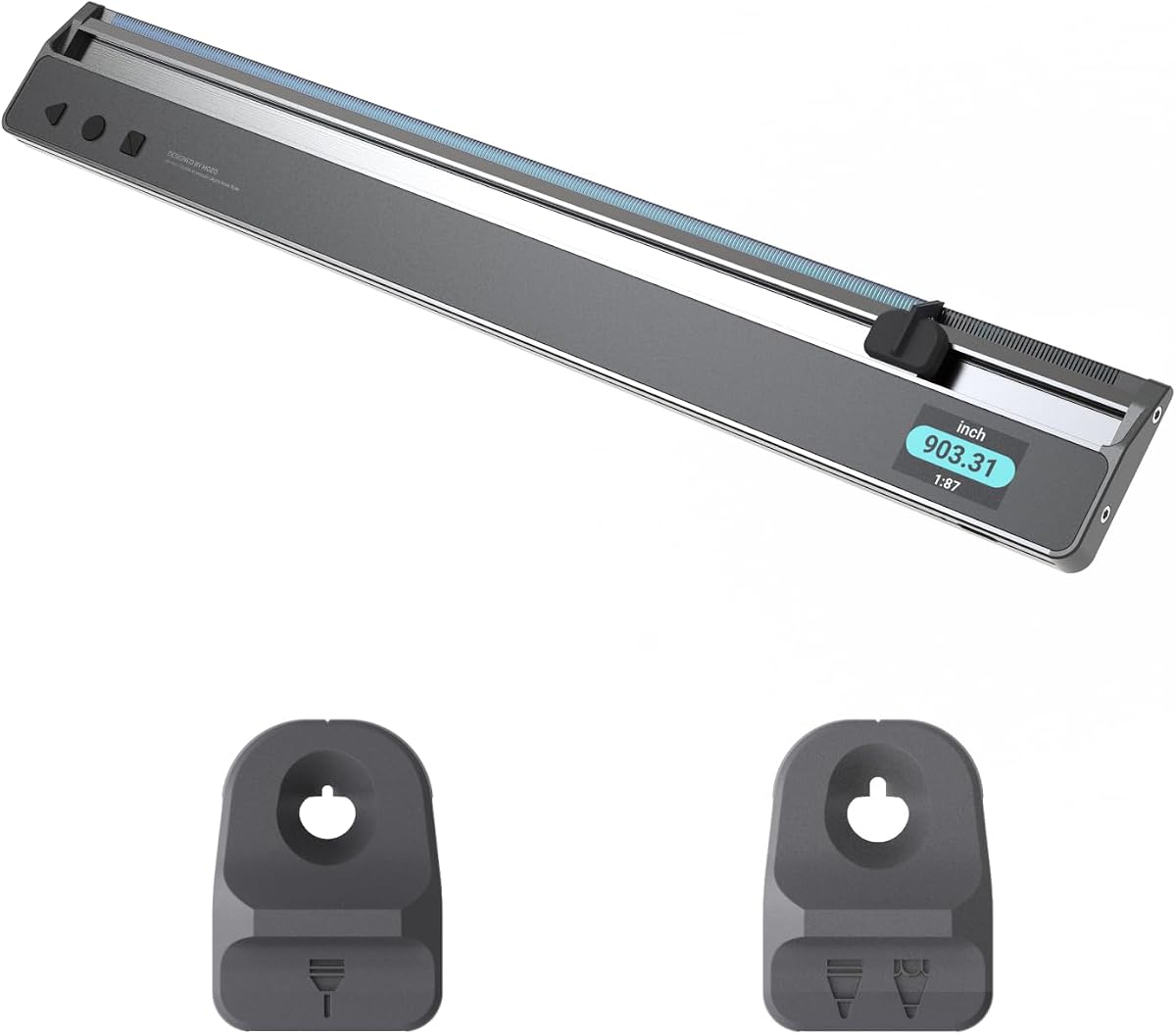
HOZO NeoRuler stands out as a premium digital tool combining physical measurement with digital connectivity. Its 12-inch form factor fits standard drawings while the built-in scales support both imperial and metric workflows seamlessly.
We may earn a commission when you buy through this link, at no additional cost to you.
The Bluetooth connection transfers data directly to the MEAZOR app for editing and exporting to CAD files. This feature saves significant time for designers who need to integrate manual measurements into digital plans quickly.
Accuracy is a strong point with ±0.004 inch precision noted in product specifications. However users should ensure the app is updated and paired correctly to avoid connectivity interruptions during critical measurement sessions.
Ideal for modern architects and interior designers who value digital workflows alongside traditional drafting. The space divider and infinite custom scales offer flexibility for complex projects requiring precise adjustments or non-standard ratios.
Export measurements to DXF PDF or JPG formats allowing seamless handoff to engineering teams or client presentations.
Equally divide spaces into sections using LED indicators without manual calculations saving time on layout planning tasks.
We may earn a commission when you buy through this link, at no additional cost to you.
This traditional architect ruler offers exceptional value for students and professionals needing a reliable manual tool. Made from anodized aluminum alloy it resists bending and wear while the laser etched markings ensure long-term readability.
We may earn a commission when you buy through this link, at no additional cost to you.
The triple-sided design covers common imperial scales like 1/4 1/8 and 3/8 inch per foot. It is simple to use with no learning curve and works perfectly alongside digital tools for double-checking critical dimensions.
While it lacks digital conversion features the durability and clarity make it a staple in many drafting kits. Users appreciate the solid feel and the fact that it never requires charging or battery replacements.
Perfect for budget-conscious buyers or those who prefer analog drafting methods. It pairs well with digital planners for verification and remains an essential backup when electronic devices fail during field work.
Markings are laser etched to prevent fading ensuring measurements remain clear even after years of heavy use.
Includes essential scales for building layouts reducing need for conversion calculations in standard residential projects.
We may earn a commission when you buy through this link, at no additional cost to you.
The 7.3-inch version of the Scale Master Pro delivers the same core functionality in a more portable package. This is ideal for professionals who travel frequently and need a lightweight tool for quick on-site measurements.
We may earn a commission when you buy through this link, at no additional cost to you.
It includes 72 built-in scales and 6 custom options which cover most common construction and architectural needs. The dedicated keys for area and volume make complex estimations straightforward without needing a calculator.
Battery safety compliance meets federal requirements adding reliability for job site use. The rolling error typically stays within 2 to 3 percent which is standard for mechanical plan measures in the field.
Best for contractors who prioritize portability without sacrificing calculation capabilities. It is simple to operate and robust enough to handle daily use in diverse working conditions from offices to construction floors.
Smaller footprint allows easy storage in tool bags or pockets for immediate access during site inspections.
Touch counter button to track items like studs or outlets while rolling plans simplifying material estimation tasks.
We may earn a commission when you buy through this link, at no additional cost to you.
This bundle combines the NeoRuler digital tool with a NeoMagnifier designed for reading tiny text on complex blueprints. It is an excellent solution for professionals who work with dense technical drawings requiring close inspection.
We may earn a commission when you buy through this link, at no additional cost to you.
The NeoMagnifier enhances visibility making it easier to read small text or view intricate details without eye strain. Combined with the digital scale ruler it offers a complete manual to digital measurement workflow in one package.
Users report a perfect 5.0 rating likely due to the practical addition of the magnifier which solves a common pain point in architectural work. The Bluetooth app integration further elevates its utility for digital documentation.
Recommended for architects and drafters who need both digital precision and enhanced visual clarity. While the price is higher the included accessories provide immediate value and reduce the need for separate tool purchases.
NeoMagnifier helps view intricate details and small numbers ensuring accurate readings on complex technical drawings.
Bundle saves time sourcing individual accessories by providing ruler magnifier and digital scale in one ready-to-use set.
We may earn a commission when you buy through this link, at no additional cost to you.
This comprehensive bundle merges the NeoRuler with reading and drafting accessories to create an all-in-one solution for design studios. It targets users who want a single purchase to cover measuring reading and drafting needs.
We may earn a commission when you buy through this link, at no additional cost to you.
The inclusion of 0.8mm and 1.2mm penholders supports precise drawing tasks alongside digital measurements. The NeoMagnifier ensures accuracy when reading detailed plans making it a strong option for complex design projects.
However the lower user rating suggests some buyers may find the accessories unnecessary or difficult to use compared to standalone tools. The higher price also means you are paying for convenience rather than core performance upgrades.
Best for studios looking to standardize equipment with a full toolkit in one box. If you need multiple accessories the bundle offers value but single tools might be more practical for specialized workflows.
Penholders for different pen sizes allow immediate drafting work after measurements without needing separate stationery.
Saves time by consolidating measurement reading and drafting tools into a single purchasable kit.
We may earn a commission when you buy through this link, at no additional cost to you.
This 3-piece set includes an architect ruler an engineer ruler and a stainless steel ruler covering a wide range of traditional drafting needs. It is a practical choice for those who prefer physical tools over digital alternatives.
We may earn a commission when you buy through this link, at no additional cost to you.
The laser-etched aluminum rulers resist fading and feature high contrast markings for clear readability under various lighting conditions. The stainless steel ruler adds straight-edge precision useful for cutting tape or drawing straight lines.
While it lacks digital features the durability and clarity make it a reliable backup or primary tool for students. The set price offers great value compared to buying each ruler individually for academic or personal use.
Ideal for engineering students and drafters building their toolkit. It ensures you have both architectural and engineering scales on hand for different types of blueprints without relying on electronic devices.
Includes both architect and engineer scales to handle building layouts and civil engineering blueprints effectively.
Solid aluminum and steel construction ensures the rulers withstand daily use in busy studio environments.
We may earn a commission when you buy through this link, at no additional cost to you.
This bundle targets drafters specifically by pairing the NeoRuler with precision penholders for seamless workflow transitions. It simplifies the process of measuring digitally and then drawing manually without searching for separate accessories.
We may earn a commission when you buy through this link, at no additional cost to you.
The NeoRuler provides 93 built-in scales and custom options for flexible measurement. The penholders accommodate 0.8mm and 1.2mm pens allowing you to switch from reading to sketching instantly.
While it does not include a magnifier the focus on drafting tools suits professionals who prioritize precision drawing. The Bluetooth connectivity allows data transfer to apps for further editing and documentation.
Best for designers who need a streamlined setup for both digital measurement and manual drafting. If you value a tidy workflow and pen compatibility this bundle offers the right tools without extra bulk.
Designed for tasks in engineering and architecture where accurate drawing and measuring happen in tandem.
Integrated penholders reduce downtime by keeping drafting tools close to the measuring device.
We may earn a commission when you buy through this link, at no additional cost to you.
This kit focuses on organization and protection by including a NeoCollection Case with magnetic storage for modules. It is designed for professionals who need to carry their ruler and accessories safely to different job sites.
We may earn a commission when you buy through this link, at no additional cost to you.
The magnetic storage allows you to attach modules like the NeoMagnifier and penholders securely. This prevents loss and damage ensuring all components remain together in one place during transport.
While the price reflects the added value of the case and modules users should consider if they need the full kit. The compact design facilitates portability which is key for mobile field work.
Ideal for contractors who travel with tools and need organized reliable storage. The case ensures your digital ruler remains protected and ready for use wherever the project takes you.
Modules attach magnetically to keep everything organized and accessible without separate pouches or pockets.
The case offers secure storage for the NeoRuler and modules reducing risk of damage during transit.
We may earn a commission when you buy through this link, at no additional cost to you.
This package offers two distinct digital plan measures for teams needing multiple units or a primary and backup tool. It combines the 6135 XE and 6025 Pro to cover advanced and standard measurement workflows.
We may earn a commission when you buy through this link, at no additional cost to you.
The 6135 XE provides 91 scales while the 6025 Pro offers 72 scales allowing for versatile deployment across different project types. Both units include area and volume calculators to streamline material ordering.
With a perfect 5.0 rating the bundle suggests high user satisfaction with the reliability and performance of these devices. Having two tools ensures continuity if one is charging or damaged on-site.
Best for construction managers or firms that need multiple measuring devices for simultaneous projects. The comprehensive scale set and calculation features make it a robust choice for professional estimating and takeoffs.
Having two devices ensures you have a backup available when one needs charging or is out of reach.
Combined units cover 91 and 72 scales providing maximum flexibility for diverse construction and architectural needs.
We may earn a commission when you buy through this link, at no additional cost to you.
Choosing the right digital ruler depends on your workflow needs and budget. This section covers key factors to help you select the most appropriate tool.
Ensure the tool supports both Imperial and Metric scales if you work internationally or with mixed plans. Look for 90+ built-in scales and custom slots for out-of-scale drawings.
More built-in scales reduce the need for manual conversion and save time during complex estimation tasks.
Consider whether you need a compact tool like the 7.3-inch Model or a standard 12-inch ruler. Portability matters if you carry tools to multiple job sites daily.
Compact models fit in tool bags while full size rulers offer more space for detailed work.
Smart rulers with Bluetooth can export data to CAD or PDF files. This is useful for professionals who need digital copies of measurements.
If you work offline often a standalone digital measure without app dependency is more reliable.
Check the stated accuracy specifications like ±0.004 inch for precise drafting. Rolling error on mechanical wheels typically stays within 2 to 3 percent.
Higher precision is critical for engineering drawings while general construction can tolerate slight variances.
Digital tools rely on batteries which can be CR2032 or rechargeable options. Long-life batteries reduce downtime during critical measurements.
Models with battery compartments secured with tools prevent accidental disassembly and improve safety.
Look for aluminum alloy or steel construction to withstand drops and heavy use. Laser-etched markings ensure readability over time.
Protective cases included with some bundles add extra protection for investment tools.
Bundles may include magnifiers penholders or storage cases. Evaluate if these add value for your specific needs.
A magnifier helps with detailed plans while penholders streamline the transition from measuring to drafting.
Prices range from traditional analog rulers to advanced smart bundles. Determine your budget to find the best balance of features.
Traditional rulers are most affordable while digital bundles offer more productivity at a higher price.
To start use the device roll the wheel or align the ruler with your plans and select the correct scale from the menu. For digital models calibrate the scale if your plan is reduced or enlarged.
Record measurements by pressing the length or area keys to lock values. Use the memory or Bluetooth transfer to save data before starting the next measurement to avoid losing results.
Clean the device with a dry soft cloth to avoid damaging the display or screen. Store it in a protective case when not in use and replace batteries promptly to prevent leakage damage.
A digital architectural scale ruler is an electronic tool that measures distances on blueprints or maps and automatically converts them to real-world units. It often includes calculators for area and volume to speed up estimation tasks.
Digital rulers eliminate human error in reading scale markings and converting units. They are generally more accurate for complex calculations but require battery power to function.
If your plans are printed at a non-standard scale you can use the custom scale feature to calibrate the device. This ensures measurements are precise even if the drawing is resized.
Some advanced smart rulers connect to mobile apps that allow exporting measurements as DXF or PDF files. This integrates manual data directly into digital engineering workflows.
Battery life varies by model but CR2032 batteries often last several weeks with moderate use. Smart rulers with rechargeable batteries may require charging after a few hours of continuous operation.
Students often prefer traditional analog rulers for cost and simplicity. However budget-friendly digital options are available for those needing basic digital conversion without app dependencies.
Most users experience a rolling error of plus or minus 2 to 3 percent depending on scale magnitude and start stop accuracy. This is standard for mechanical plan measures.
Yes homeowners can use these tools to measure rooms and estimate materials like flooring or paint. Digital calculators make it easier to get total material needs.
The top picks offer a range of choices from smart Bluetooth-enabled tools to robust analog options. The Calculated Industries 6135 leads for accuracy while the HOZO NeoRuler excels in digital integration.
Prioritize features that match your workflow such as custom scales or Bluetooth export. If you need portability the compact models provide the best mobility for on-site use.
Prices vary significantly based on features so check current listings before buying. Ensure you select a model that balances your budget with the specific precision you need for your projects.