
VEVOR 32×24 LED Message Board
4.2Editor score
16 neon LED colors
Tempered glass surface
Remote control included
USB or battery power
This guide compares the best digital menu boards for restaurants and retail, analyzing brightness, software, durability, and connectivity to help you choose
Digital menu boards transform how businesses communicate with customers through dynamic visual displays. These systems allow for real-time updates, promotional highlights, and vibrant content that static signs cannot match.
We evaluated ten leading digital signage solutions based on brightness, software flexibility, durability, and connectivity options. Our analysis covers desktop units, wall-mounted displays, and portable boards for various commercial settings.
Each product review highlights key strengths, potential trade-offs, and ideal use cases for different business types. Please note that prices and availability can change frequently on Amazon.
4.2Editor score

5.0Editor score

3.4Editor score
The following comparison table provides a side-by-side overview of all ten digital menu board options. Review the specifications to find the model that fits your space and budget requirements.
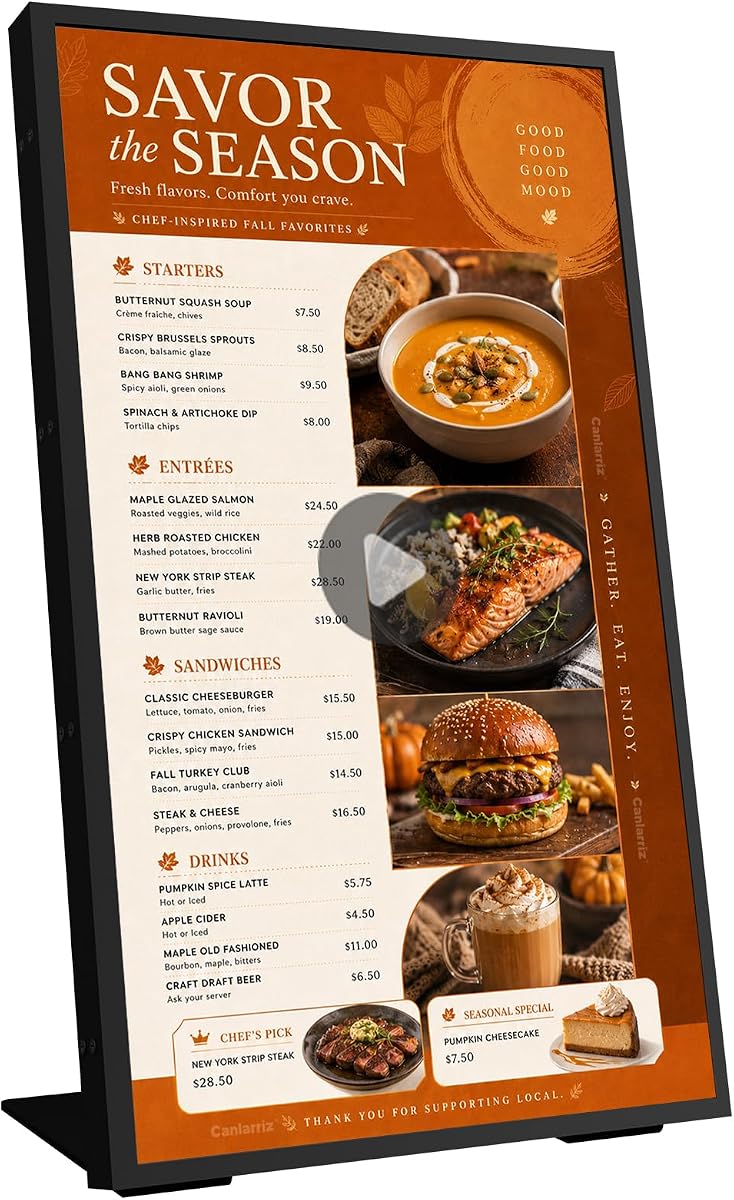


This 27-inch desktop digital signage model stands out with a perfect 5.0 rating and comprehensive features for commercial use. It is designed to fit seamlessly into retail counters and ordering desks.
We may earn a commission when you buy through this link, at no additional cost to you.
The FHD resolution ensures crisp visuals while the Android system supports easy app installation. Content management is streamlined through centralized remote updates, eliminating the need for on-site computer operations.
While the price is higher than basic monitors, the commercial-grade durability and 24/7 operation capabilities justify the investment. Merchants benefit from reduced maintenance costs and extended service life.
Ideal for milk tea shops and restaurants needing clear menu visibility, this unit delivers operational efficiency. It is a robust choice for businesses prioritizing brand image and customer engagement.
The FHD 1920×1080 resolution restores product colors vividly, ensuring menus look appealing from any viewing angle.
Centralized content management allows remote menu updates via USB, app, or PC, making operations faster and more efficient.
We may earn a commission when you buy through this link, at no additional cost to you.
This VEVOR LED message board offers an affordable and interactive solution for businesses seeking dynamic menu displays. It features adjustable neon colors and remote control for easy usage.
We may earn a commission when you buy through this link, at no additional cost to you.
The tempered glass surface is durable and easy to clean, preventing chalk dust issues. With 16 color options and multiple brightness levels, it captures customer attention effectively in various environments.
However, content updates require manual writing with provided markers. It lacks cloud-based CMS, making it better for static or frequently changed handwritten menus rather than digital automation.
Best for cafes or shops wanting a creative touch without high costs, this board balances functionality and price. It is perfect for outdoor use due to battery power options.
Adjustable LED colors and flash modes allow boundless imagination for expressing menu items in an eye-catching way.
The tempered glass board avoids traditional chalk dust and is easy to wipe clean for a hygienic surface.
We may earn a commission when you buy through this link, at no additional cost to you.
This 50-inch commercial screen delivers exceptional visuals with 4K UHD resolution and 1000 nits brightness. Its ultra-thin bezel design creates seamless wall installations for premium spaces.
We may earn a commission when you buy through this link, at no additional cost to you.
The built-in Google Play Store enables immediate operation without extra drivers. Multi-zone content splitting allows videos and countdowns to play simultaneously, maximizing screen real estate.
While the price is high, the durability and 4K clarity justify it for high-traffic venues. The three-year warranty adds reliability for businesses needing consistent performance over years.
Ideal for retail stores needing impactful advertising, this display offers professional-grade reliability. It is a top choice for those prioritizing high-quality output and sleek design.
Ultra-narrow bezels and ultra-slim profile enable gap-free wall mounting for a minimalist aesthetic when tiled.
Automatic menu switching via CMS and remote brightness control offer convenient smart management for large displays.
We may earn a commission when you buy through this link, at no additional cost to you.
This compact 18.5-inch display is designed for countertop use with a sturdy stand for portrait or landscape orientation. It supports remote management via a free lifetime CMS cloud system.
We may earn a commission when you buy through this link, at no additional cost to you.
With 700 nits brightness, it remains visible in busy coffee shops or salons. Android 12 ensures stable playback with 2GB RAM and 32GB storage for local content.
While the screen is smaller than larger models, it saves space on reception desks. Connectivity includes HDMI and USB for local updates, making it versatile for small businesses.
Best for cafes and trade shows needing a compact digital signage solution, this unit offers reliable performance. The reinforced packaging ensures safe delivery and long-term durability.
Control displays via PC, tablet, or smartphone using the free lifetime Cloud CMS without recurring fees.
Designed for countertops and checkout areas, this unit fits perfectly in retail counters and customer service desks.
We may earn a commission when you buy through this link, at no additional cost to you.
This MWE digital signage kiosk features a foldable design with built-in wheels, making it easy to move across events. It offers FHD IPS quality for clear visibility from various angles.
We may earn a commission when you buy through this link, at no additional cost to you.
The auto media player ensures continuous content display without manual intervention. Remote CMS allows users to control displayed images from any location, which is useful for frequent updates.
Timed power settings help save energy by scheduling on/off times automatically. The unit is portable and ideal for exhibitions or temporary promotional setups in retail environments.
Ideal for hotels needing flexible advertising, this model provides robust support and a three-year warranty. It combines portability with reliable performance for busy business settings.
Foldable design with wheels allows convenient transportation and setup in different locations for temporary events.
Timed power on/off settings save energy and manage displays according to business hours efficiently.
We may earn a commission when you buy through this link, at no additional cost to you.
This 29-inch commercial display supports multi-zone content splitting to show videos and QR codes simultaneously. It is built with all-metal chassis for stable heat dissipation.
We may earn a commission when you buy through this link, at no additional cost to you.
Pre-installed Google Play Store enables immediate operation upon startup. The CMS allows bulk editing and remote scheduling for efficient menu management without extra software.
The 2GB RAM ensures smooth multitasking for complex content. While user ratings are lower, the robust hardware and warranty offer long-term value for large commercial installations.
Suitable for smart malls and office bulletin boards, this unit handles diverse applications. It provides a reliable foundation for businesses needing multiple interactive zones.
Divide screen into 2 to 6 zones to present social feeds and countdowns simultaneously.
All-metal chassis with heat dissipation technology ensures stable operation and extends lifespan significantly.
We may earn a commission when you buy through this link, at no additional cost to you.
This player simplifies digital signage with HDMI setup in minutes. Free tools allow content upload and scheduling without extra costs, making it accessible for non-tech users.
We may earn a commission when you buy through this link, at no additional cost to you.
Integrated Canvas Designer helps design menus directly. AI tools enhance images and support PowerPoint uploads for optimized display quality without professional design skills.
Remote content management ensures updates can be pushed from anywhere. It is ideal for small businesses needing quick deployment and straightforward cloud control features.
Best for startups needing a simple solution, this unit offers flexible upgrades for AI features. It balances ease of use with powerful content capabilities.
Built-in Canvas Designer lets you design menu boards exactly how you want without extra software.
Upload content and schedule changes remotely via just a few clicks for efficient management.
We may earn a commission when you buy through this link, at no additional cost to you.
This desktop model offers three update methods including mobile, PC, and USB for maximum flexibility. It supports multiple file formats like MP4 and JPEG for compatibility.
We may earn a commission when you buy through this link, at no additional cost to you.
Centralized management allows controlling multiple boards from one computer. This is ideal for chains needing synchronized menu updates across different locations simultaneously.
With a 5.0 rating and tempered glass protection, it ensures durability. The adjustable brightness and standard stand make it suitable for milk tea shops and beverage stores.
Best for businesses needing synchronized content, this unit simplifies operations. It is a reliable choice for consistent performance and high-quality display.
Control multiple menu boards simultaneously from one computer for ideal restaurant chain updates.
Designed for continuous operation with tempered glass protection for robust performance.
We may earn a commission when you buy through this link, at no additional cost to you.
This portable sign features a massive 23,200mAh battery for cordless operation at events. Radar motion detection activates screens only when people approach, saving energy and increasing engagement.
We may earn a commission when you buy through this link, at no additional cost to you.
Cloud-based management allows wireless updates via WiFi. The 8-inch HD display shows vibrant images and 4K videos for immersive promotion or digital menus.
While smaller, its portability makes it ideal for table signs or trade shows. The removable Samsung battery ensures long continuous operation without power outlets.
Best for retail pop-ups or outdoor events, this unit offers smart human presence sensing. It balances compact design with powerful battery and management features.
Smart radar motion detection automatically activates screens when people approach, enhancing engagement while saving energy.
Removable battery supports corded or cordless operation for events and outdoor use.
We may earn a commission when you buy through this link, at no additional cost to you.
This listing currently shows unavailable data for specifications and ratings. It remains in the comparison for potential future review if product information becomes available on Amazon.
We may earn a commission when you buy through this link, at no additional cost to you.
As of current assessment, no detailed features or performance metrics could be verified. Buyers should check the product page directly for any updates or replacements.
We prioritize transparent data in this guide. If you encounter issues with this link, please consider alternative options from our verified list.
For now, this placeholder ensures the count remains consistent. Future updates may include a real product in this slot.
Visit the provided link to see if product details have been updated recently.
We may earn a commission when you buy through this link, at no additional cost to you.
Selecting the right digital menu board requires analyzing brightness, software, durability, and connectivity needs. Here are key factors to consider for your business.
Brightness measured in nits determines visibility under different lighting. Commercial units should have at least 700 nits for clear viewing in busy environments.
Higher brightness ensures menus are readable in sunlight or brightly lit interiors without glare issues.
Screen sizes range from compact tabletops to large wall mounts. Choose dimensions that fit your counter space and viewing distance.
Larger screens attract attention but require more mounting space and power.
A Content Management System (CMS) enables remote updates via cloud or USB. Look for intuitive interfaces that support scheduling and playlist creation.
Centralized CMS simplifies operations for businesses with multiple locations needing synchronized content.
Connectivity like HDMI, USB, and WiFi allows flexible content sourcing. Ensure your chosen model supports your network infrastructure.
Wireless updates reduce maintenance tasks and keep content fresh without physical access.
Commercial displays are built for 24/7 operation with heat dissipation and sturdy chassis. Check warranty terms and expected lifespan.
Durability ensures consistent performance and lower long-term maintenance costs.
Units may plug into standard outlets or use battery for portability. Assess power access at your installation point.
Battery options provide flexibility for trade shows or temporary setups.
Consider whether you need desktop stands or wall mounts. Some models include mounting kits while others do not.
Professional installation might be required for larger wall-mounted commercial displays.
HD or 4K resolution ensures text and images appear crisp. Higher resolutions provide better detail for complex graphics.
Ensure your content is optimized to match the native resolution of the screen.
Connect your digital menu board to a stable power source and secure network if using cloud CMS. Ensure all cables like HDMI are properly seated to avoid signal loss.
Use the provided software or web portal to upload your menu content. Schedule updates ahead of time for breakfast, lunch, and dinner to ensure seamless transitions.
Clean the screen with a soft microfiber cloth and avoid harsh chemicals to protect the glass. Regularly check connections and software updates to maintain optimal performance.
A digital menu board is a screen that displays promotional content or menus digitally. It replaces printed signs with dynamic, editable content that can be updated remotely.
Not always. While cloud CMS requires internet, many models support local USB updates or preloaded content that work offline.
Commercial displays should have at least 700 nits brightness to ensure visibility in brightly lit indoor or outdoor environments.
Many displays support HDMI inputs allowing you to connect external media players running your own software or content management tools.
Commercial-grade screens typically last around 50,000 hours of operation. This is designed for continuous daily use in high-traffic environments.
Most plug-and-play models are easy to install with included stands. Wall mounts may require drilling and professional assistance for safety.
They can save energy compared to printed signs by eliminating waste and using scheduled power-on/off times to reduce electricity usage.
Most sellers provide customer support via phone or email. Warranty terms often cover technical issues for one to three years.
We reviewed ten digital menu board solutions ranging from portable tabletop units to large commercial screens. The top picks offer exceptional value and reliability for diverse business needs.
When selecting your model, prioritize brightness and software features to ensure clear visibility and easy updates. Consider portability if your needs change frequently.
Please check current prices and availability on Amazon before purchasing. We hope this guide helps you choose the right digital signage solution for your business.