
Canon Color imageCLASS LBP646Cdw
4.1Editor score
Fast 26 PPM Print Speed
Compact Wireless Design
High Capacity Toner Support
Compare the top duplex color laser printers for 2026 including Canon, Brother, and HP models to find the best color printing solution for your needs.
Finding the right duplex color laser printer can transform your office workflow by saving time and reducing paper costs while delivering vibrant professional documents. Modern devices offer wireless connectivity and automatic double-sided printing to streamline tasks for home offices and small businesses alike.
We evaluated ten leading models based on print speed, color quality, connectivity options, and overall reliability to help you make an informed decision. Our analysis focuses on real-world performance metrics and user feedback to ensure each recommendation meets high standards for daily productivity.
Each pick below highlights key features and potential drawbacks so you can match a printer to your specific volume and budget requirements. Keep in mind that pricing fluctuates frequently so check current deals before finalizing your purchase to get the best value available.
4.1Editor score

4.2Editor score
4.4Editor score
This table compares all ten featured models side by side to highlight their core specifications and capabilities for quick reference during your shopping process.


The Canon Color imageCLASS MF753Cdw II stands out as a top tier multifunction device rated highly for its all-in-one capabilities. It delivers professional grade color laser prints alongside scanning copying and faxing in a single streamlined unit for busy offices.
We may earn a commission when you buy through this link, at no additional cost to you.
This model features wireless duplex printing which significantly reduces paper usage while maintaining crisp text and vibrant graphics. The integration of fax capabilities makes it ideal for businesses that still require traditional communication methods alongside modern digital workflows.
While it carries a higher price tag compared to single function units the versatility it provides justifies the investment for many users. The only real drawback is its physical size which may be a constraint for very small desk spaces.
Anyone needing a complete office solution in one box will find this printer an excellent choice for daily productivity. We recommend it for small businesses or home offices requiring robust multifunction support with reliable color performance.
Combining print scan copy and fax saves space and money compared to buying separate devices for each task.
Seamless network integration allows multiple users to access the printer without needing physical cable connections.
We may earn a commission when you buy through this link, at no additional cost to you.
The Brother HL-L3220CDW is a dedicated color laser printer designed for home offices that need quality output without extra multifunction costs. It handles standard printing tasks efficiently with automatic duplex support to save paper over time.
We may earn a commission when you buy through this link, at no additional cost to you.
Its 250 sheet paper tray minimizes refills during busy work sessions while the wireless capabilities ensure easy access from laptops and mobile devices. The 19 pages per minute speed is adequate for moderate workloads in residential settings.
Though it lacks scanning or copying functions this focused approach keeps the device affordable and simple to manage for print only needs. The absence of extra features means you cannot scan documents directly from the machine itself.
This printer is ideal for freelancers or remote workers who primarily need to print reports and graphics without additional office functions. It offers a balanced mix of performance and value for those prioritizing cost effective color printing.
Lower initial cost and efficient toner use make this an economical choice for budget conscious home office users.
Integrated mobile printing protocols allow you to send documents from phones or tablets without complex setup steps.
We may earn a commission when you buy through this link, at no additional cost to you.
The Canon Color imageCLASS LBP646Cdw offers impressive speed and quality at a very competitive price point making it a top budget pick. It focuses solely on printing but delivers 26 pages per minute in both color and monochrome for quick turnaround.
We may earn a commission when you buy through this link, at no additional cost to you.
High capacity toner options help lower long term costs while the wireless setup gets you up and running in just a few simple steps. The 5 inch LCD screen provides clear navigation even though it lacks a full color touchscreen.
While you cannot scan or copy documents this unit is perfect for users who need a dedicated high speed print engine for their desk. The limitation to printing only keeps the design streamlined and maintenance requirements minimal for most users.
We recommend this model for students or home offices that need reliable fast color printing without paying for unnecessary extra features. It strikes a great balance between performance affordability and ease of use for daily tasks.
26 pages per minute output ensures you spend less time waiting around the printer during urgent work sessions.
ENERGY STAR and EPEAT certifications mean this device operates efficiently while minimizing environmental impact.
We may earn a commission when you buy through this link, at no additional cost to you.
The Brother MFC-L3720CDW brings full office functionality to the table with printing scanning copying and faxing all in one device. It features a 3.5 inch color touchscreen that simplifies navigation through complex tasks like scanning to cloud services.
We may earn a commission when you buy through this link, at no additional cost to you.
Dual band wireless networking ensures a stable connection even in environments with many competing signals which is critical for busy work areas. The auto document feeder allows you to process multi page documents quickly without manually feeding each sheet.
Setup can be slightly complex for beginners but the resulting workflow efficiency is well worth the initial time investment. Occasional firmware updates are needed to maintain security and compatibility but these are standard for modern networked printers.
This model is perfect for small teams that need a central hub for all document handling tasks without breaking the bank. It offers a comprehensive feature set that grows with your business needs as you expand operations.
Direct access to popular cloud storage services streamlines document management and sharing for remote team members.
Scanning multi page documents is faster and more reliable with the automated feeder than manual sheet feeding.
We may earn a commission when you buy through this link, at no additional cost to you.
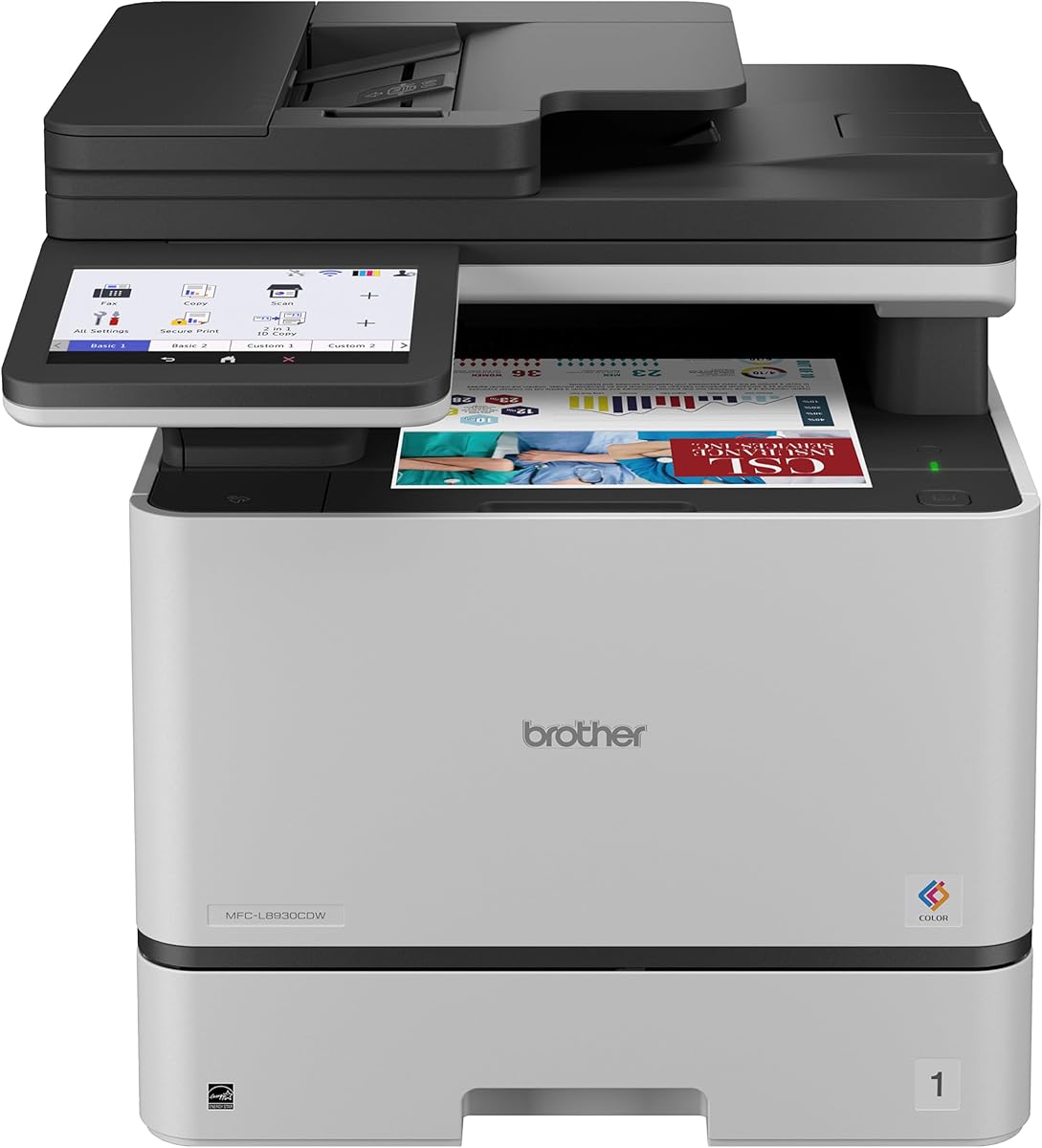
The Brother MFC-L8930CDW is a premium powerhouse designed for businesses that demand high speed and robust security features. It delivers up to 33 pages per minute with sharp color and black output suitable for client facing documents.
We may earn a commission when you buy through this link, at no additional cost to you.
Advanced security protocols including NFC card readers protect sensitive data and prevent unauthorized access which is critical for regulated industries. The large 7 inch touchscreen makes managing complex jobs and customized shortcuts incredibly intuitive for daily users.
Although the upfront cost is higher than other models the reliability and speed can lead to significant savings over time in high volume environments. The larger physical size requires adequate desk space which may be a limitation in cramped offices.
We recommend this printer for established businesses needing enterprise grade performance without investing in a full fleet of devices. Its balance of speed security and usability makes it a top choice for professional environments.
NFC authentication and secure printing prevent unauthorized access to sensitive documents in shared office environments.
33 pages per minute capability ensures that high volume printing jobs are completed quickly without interrupting workflows.
We may earn a commission when you buy through this link, at no additional cost to you.
The Brother HL-L3280CDW is engineered for small offices that need consistent laser quality output without needing multifunction features. It prints at 27 pages per minute and includes an Ethernet port for stable network connections alongside wireless options.
We may earn a commission when you buy through this link, at no additional cost to you.
Cloud integration allows direct printing from services like Google Drive and Dropbox which simplifies workflows for digital first teams. The compact digital design fits easily on most desks while still providing reliable performance for moderate daily print volumes.
Lacking scanning or copying limits its use to dedicated printing tasks but this focus keeps the machine simple to maintain and operate. The included trial offer for toner services adds value by helping you test a subscription model for supplies.
This printer is ideal for startups or creative agencies that need professional color prints quickly without the complexity of larger office devices. It offers a reliable and straightforward solution for environments prioritizing print quality above all else.
An included Ethernet port ensures a wired connection remains stable even when wireless signals are congested or weak.
Direct access to cloud apps means you can print important files without first downloading them to your local computer.
We may earn a commission when you buy through this link, at no additional cost to you.
The Canon Color imageCLASS MF665Cdw stands out for its generous 3 year limited warranty providing extra peace of mind for home buyers. It offers full multifunction capabilities with a large 5 inch color touchscreen for easy application and feature navigation.
We may earn a commission when you buy through this link, at no additional cost to you.
With print speeds reaching 26 pages per minute it keeps up well with daily office needs while the auto document feeder streamlines copying tasks. The Application Library feature allows you to customize the interface to match your most frequently used tasks.
Toner costs are average compared to competitors but the longer warranty can offset potential maintenance expenses over the first three years of use. The only real limitation is the paper tray capacity which may require refills during heavy print batches.
This printer is a solid choice for anyone who values long term support and a user friendly interface in an all-in-one device. It balances performance and reliability effectively for typical small office workloads.
A three year limited warranty provides extended protection against defects reducing potential repair costs significantly.
Application Library lets you customize the home screen to match your daily workflow patterns for faster access.
We may earn a commission when you buy through this link, at no additional cost to you.
The Canon Color imageCLASS MF662Cdw is a streamlined 3-in-1 device that handles print scan and copy tasks efficiently for home users. Like its bigger sibling it includes a 3 year limited warranty which adds value to the overall package for buyers.
We may earn a commission when you buy through this link, at no additional cost to you.
Its 26 pages per minute speed ensures quick turn around for documents while the 5 inch color touchscreen simplifies operation for all skill levels. Mobile printing support via AirPrint and Mopria means you can send jobs directly from any smartphone or tablet.
Lacking fax functionality is a trade off that keeps the device simpler and cheaper for users who rely on digital communication methods. The standard paper tray is adequate for home offices but may need attention during large print jobs.
We recommend this model for home professionals who need reliable scanning and copying but do not require fax capabilities. It delivers a balanced mix of features and warranty protection at a reasonable price point.
Support for AirPrint and Mopria allows you to print directly from iOS and Android devices without extra drivers.
A fast first print time means you can start working quickly without waiting for the printer to warm up.
We may earn a commission when you buy through this link, at no additional cost to you.
The HP Color Laserjet Pro 3201dw is built for small office teams needing vibrant color documents and reliable daily performance. It features HP's next generation TerraJet toner which delivers vivid colors suitable for marketing materials and reports.
We may earn a commission when you buy through this link, at no additional cost to you.
A unique self resetting Wi-Fi feature automatically detects and resolves connection issues reducing downtime for multiple users sharing the device. The 26 pages per minute speed keeps up with typical office demands while duplex printing helps manage paper costs.
Customer ratings are lower than competitors and HP's cartridge policies can limit third party supplies which might frustrate budget conscious buyers. Despite this the brand reliability and connectivity features make it a viable option for office environments.
This printer suits teams that prioritize vivid output and minimal connectivity headaches over flexible cartridge options. It offers a dependable solution for shared office use where ease of connection matters most.
Self resetting Wi-Fi reduces technical interruptions by automatically fixing network drops without user intervention.
New TerraJet toner technology provides more vibrant colors compared to older HP toner formulations.
We may earn a commission when you buy through this link, at no additional cost to you.
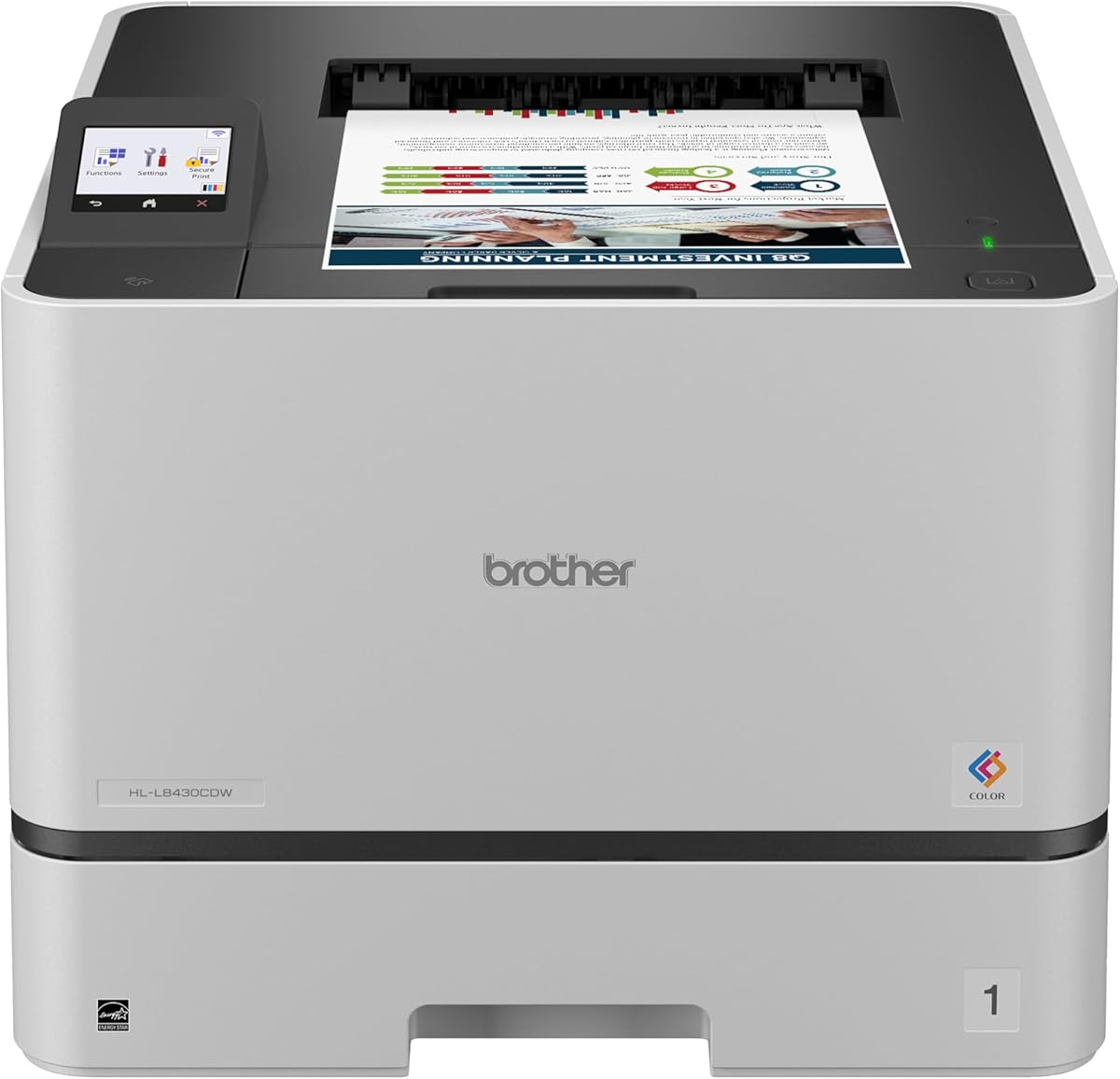
The Brother HL-L8430CDW is a high performance single function printer designed for businesses with substantial color printing needs. It achieves a remarkable 33 pages per minute speed and supports high yield toner cartridges to keep cost per page low.
We may earn a commission when you buy through this link, at no additional cost to you.
Security is enhanced with NFC card readers allowing badge authentication to protect sensitive documents in shared workspaces. Expandable paper capacity means you can add optional trays if your volume grows beyond standard limits without replacing the unit.
While the upfront cost is high and it lacks scanning or copying the speed and durability justify the investment for dedicated print roles. The high yield toner availability helps lower long term operational costs significantly for heavy users.
We recommend this model for organizations where fast reliable color printing is a daily priority. It delivers professional results at a pace that supports efficient team workflows without unnecessary multifunction bloat.
Optional trays allow you to scale paper capacity significantly as your office printing needs grow over time.
High yield toner options reduce the cost per page making this economical for high volume daily printing.
We may earn a commission when you buy through this link, at no additional cost to you.
Choosing the right printer involves weighing several key factors to ensure the device meets your specific office requirements.
Print speed measured in pages per minute affects how quickly your team can produce documents. Higher speed models around 30 PPM are better for busy offices while 19-26 PPM units suit home users.
Assess your daily volume needs to pick a model that won't bottleneck your workflow during peak hours.
Decide whether you need scanning copying and faxing or just printing. All-in-one units consolidate hardware but single function printers often cost less and use less desk space.
If you rarely scan choose a dedicated printer to save money and simplify maintenance tasks.
Wireless and Ethernet connections allow multiple users to access the printer. Ensure the device supports modern standards like AirPrint or Mopria for mobile printing from phones and tablets.
Dual band Wi-Fi reduces interference in crowded offices so check for this feature before buying.
A standard 250 sheet tray is common but some models support up to 1300 sheets with optional trays. Auto document feeders are essential if you scan multi page documents regularly.
Check if the printer accepts different media sizes like envelopes or card stock to match your project needs.
Look at page yields and cost per page rather than just upfront hardware costs. High capacity toners reduce how often you replace cartridges and keep ongoing costs stable.
Consider brands that offer high yield options to avoid frequent replacements and maintain consistent output quality.
Office printers handle sensitive data so features like user authentication and secure printing are valuable. NFC card readers and data encryption protect documents during transit and storage.
Prioritize models with advanced security protocols if your business handles confidential client information regularly.
A longer warranty period provides protection against unexpected defects and repairs. Check if the manufacturer offers responsive customer support channels for troubleshooting.
A three year warranty offers peace of mind for home buyers and small businesses planning long term use.
Measure your available desk or workspace to ensure the unit fits comfortably without blocking other items. Compact designs work best for home offices while larger units may need a dedicated corner.
Choose a design that matches your office aesthetic while providing enough clearance for paper trays and vents.
To get the best performance always use genuine toner cartridges recommended by the manufacturer. This ensures consistent color quality and prevents potential damage to internal components.
Keep the printer in a cool dry place away from direct sunlight to maintain internal hardware longevity. Dust buildup can cause jams so wipe the exterior gently with a soft dry cloth regularly.
Run a test page weekly to ensure printheads remain clean and calibrated. If you plan to store the printer unused for long periods remove the toner to prevent drying issues.
Duplex printing allows a printer to print on both sides of a sheet automatically which saves paper and reduces costs. Most modern laser printers include this feature to minimize waste and produce professional double sided documents easily.
Laser printers are generally faster more reliable for high volume text printing and produce sharper results. They are ideal for offices while inkjet may be better for photo printing or low volume home use.
Yes most modern printers support mobile printing via AirPrint or dedicated apps from iOS and Android. Ensure the printer is connected to the same Wi-Fi network as your device for seamless printing.
Frequency depends on usage volume and page yields. High capacity toners can last thousands of pages so monitor the printer's toner level indicator to know when a replacement is due.
Gently remove any paper causing the jam and avoid tearing it inside the machine. Close all access panels properly and restart the printer to reset the error code and clear alerts.
While possible using non original toner may void warranties or cause quality issues. Most manufacturers recommend genuine cartridges for reliable performance and to avoid potential hardware problems.
Many all-in-one models allow you to scan documents directly to email or cloud storage. Check the device manual for setup steps to enable this workflow in your office.
A quality laser printer can last several years with proper maintenance. Heavy use environments may reduce lifespan but most units remain functional well past the warranty period if cared for.
We highlighted top models like the Canon MF753Cdw II and Brother L8930CDW as leaders for performance and security respectively. Each option delivers vibrant color output and reliable duplex capabilities tailored to different workspace needs.
Prioritize speed and paper capacity if your work involves high volume printing tasks daily. Security features and mobile compatibility also matter for modern offices relying on networked workflows.
Prices and availability change frequently so review current deals before making your final purchase decision. Check warranty terms and toner costs to ensure the total ownership cost fits your budget.