
WD 2TB Elements Portable
4.7Editor score
Plug and Play ready
SuperSpeed USB 3.2
Lightweight portable design
This guide compares the top external hard drives for Mac Time Machine backups, covering capacity, speed, durability, and compatibility to help you choose the
Protecting your data is crucial for Mac users who rely on Time Machine for automatic backups. A reliable external hard drive ensures your files, photos, and system settings are safe from loss or corruption. Choosing the right one involves considering capacity, speed, and compatibility with macOS.
We evaluated ten leading external drives based on their performance, build quality, and ease of use with Time Machine. Each product was selected for its ability to integrate seamlessly with Apple ecosystems while offering robust storage options. Our analysis focuses on real-world usability and essential features for backup tasks.
Each pick highlights key strengths and ideal use cases to help you find the best fit for your needs. Whether you need portable storage or high capacity, these drives meet diverse requirements. Please note that availability and pricing may change over time so check current listings before purchasing.
4.7Editor score
4.4Editor score

4.6Editor score
This side-by-side comparison highlights the key specifications and features of each drive to help you make an informed decision. We focus on capacity, connectivity, and special features that matter most for Time Machine backups on macOS systems.
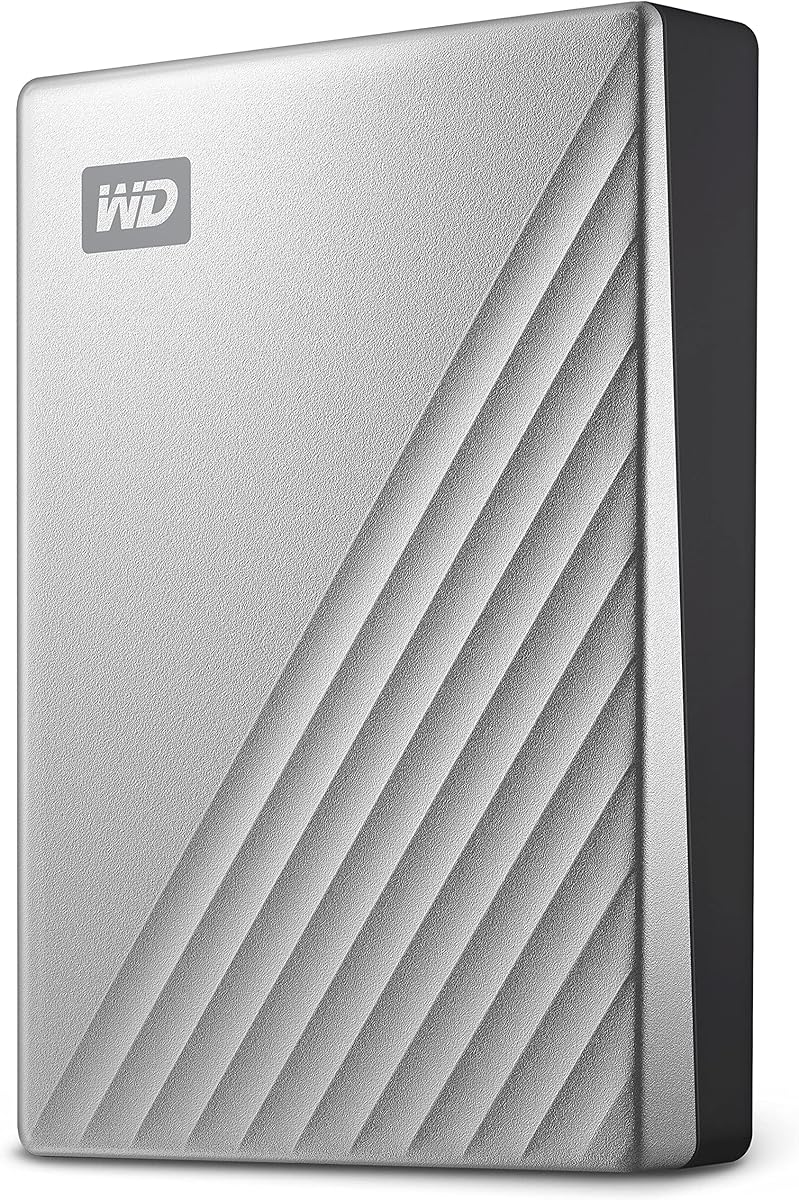


The WD 2TB My Passport for Mac is a top choice for users seeking a dedicated backup solution. With a 4.4 rating, it offers solid performance and ease of use. Its design is tailored specifically for macOS users making setup straightforward for Time Machine.
We may earn a commission when you buy through this link, at no additional cost to you.
This drive stands out due to its native compatibility with Mac systems. It comes pre-formatted so no additional setup is needed to start backing up immediately. The included software provides ransomware defense which adds a layer of security for your valuable data.
While it is not the fastest option available on the market its reliability is commendable. The slim design makes it easy to carry but it does require USB-C connectivity which might need an adapter for older Mac models.
If you want a drive that works seamlessly with Time Machine without extra hassle this is an excellent choice. It balances capacity portability and security features well for everyday backup needs.
Being pre-formatted for Mac means you can plug it in and start using Time Machine right away without formatting hassles.
Password protection and included software help keep your backups safe from unauthorized access and potential ransomware threats.
We may earn a commission when you buy through this link, at no additional cost to you.
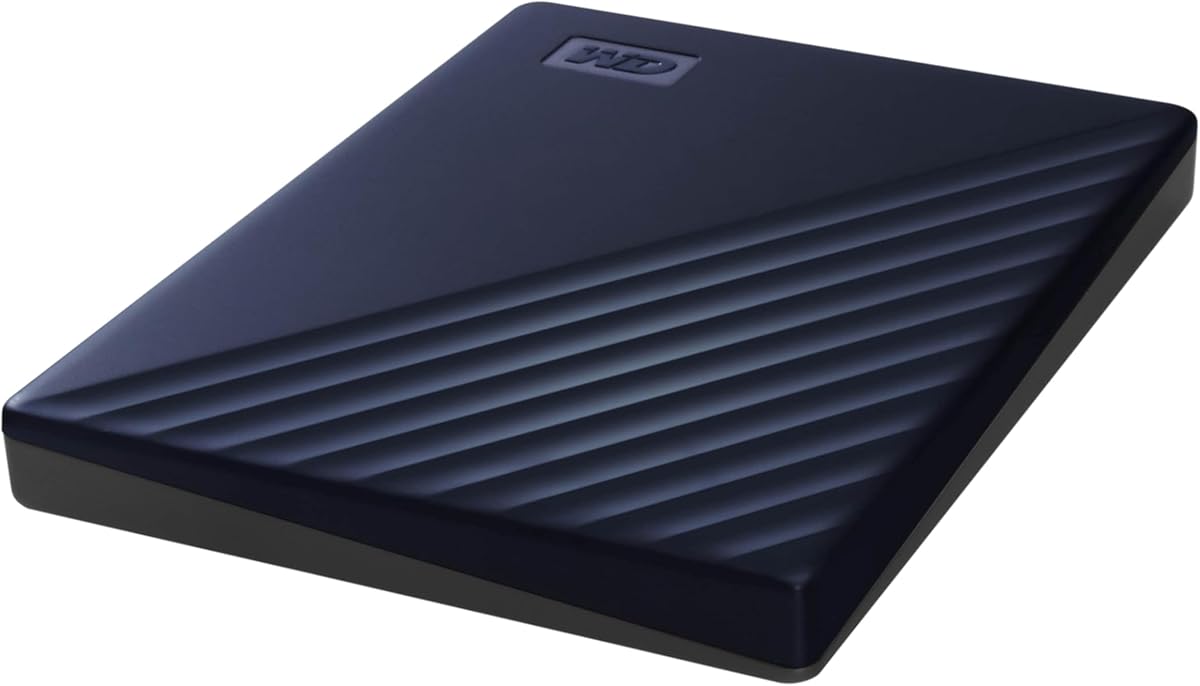
The WD 2TB Elements Portable is a fantastic budget option for those who need reliable storage without breaking the bank. It holds a 4.7 rating which reflects high user satisfaction. While marketed for Windows it works well with Mac after a quick format.
We may earn a commission when you buy through this link, at no additional cost to you.
Its main strength lies in its simplicity and performance. The SuperSpeed USB 3.2 interface ensures fast data transfers which is helpful for large backups. The plug and play design means you do not need to install extra software to get started.
One trade-off is the lack of built-in security features like hardware encryption. You will need to reformat the drive to APFS for Time Machine which is a simple process for macOS users but worth noting.
For users on a tight budget who prioritize speed and capacity over extra features this drive is a strong contender. It delivers on core functionality and keeps costs low while maintaining quality.
You get a large amount of storage for a lower price compared to branded Mac-specific drives without sacrificing reliability.
USB 3.2 Gen 1 technology ensures that backing up your files does not take unnecessary time even with large datasets.
We may earn a commission when you buy through this link, at no additional cost to you.
The SanDisk 2TB Extreme Portable SSD is a premium choice for users who need speed and durability. With a 4.6 rating it stands out for its solid state performance. This drive is ideal for creative professionals or anyone who values quick backup times.
We may earn a commission when you buy through this link, at no additional cost to you.
Its speed is unmatched by traditional hard drives with read speeds up to 1050MB/s. This means Time Machine backups complete much faster reducing wait times significantly. The rugged design also ensures your data stays safe even if the drive is dropped or exposed to elements.
The main downside is the cost per terabyte compared to standard HDDs. However the reliability and speed justify the investment for those who need robust performance. The included password protection keeps sensitive data secure without needing extra tools.
If you need a drive that can handle rough conditions and deliver top-tier speed this SSD is worth the extra cost. It offers peace of mind for travelers and professionals alike.
SSD technology provides read and write speeds that make backups and file access incredibly quick and responsive.
With IP65 rating and drop protection this drive is designed to survive tough environments better than standard enclosures.
We may earn a commission when you buy through this link, at no additional cost to you.
This drive offers a massive 5TB of storage making it perfect for users with large media libraries or extensive project files. With a 4.3 rating it is trusted by many for its capacity and reliability. The USB-C connectivity ensures it works with modern Macs easily.
We may earn a commission when you buy through this link, at no additional cost to you.
The standout feature is the generous storage space which allows for years of Time Machine backups without needing to manage space frequently. It comes pre-formatted for Mac so setup is seamless. The metal cover adds a premium look and extra durability.
While it is slightly heavier due to the capacity the portability is still manageable for most users. The price reflects the storage size but for those needing room for large files it is a solid investment. Encryption features ensure your data remains private.
Choose this if you need maximum space in a portable package. It is designed for Mac users who want to store years of history without constant drive management.
Five terabytes provide ample room for full system backups and personal files for years without running out of space.
USB-C and USB 3.1 compatibility ensure fast data transfer and connection to both new and older Mac models.
We may earn a commission when you buy through this link, at no additional cost to you.
Another strong contender for large storage this 5TB drive provides ample room for comprehensive Time Machine backups. It shares many features with the Ultra model but uses USB 3.1 instead of USB-C directly. The rating of 4.3 indicates consistent performance and reliability.
We may earn a commission when you buy through this link, at no additional cost to you.
It is designed specifically for Mac which simplifies setup and ensures compatibility with Time Machine. The slim design makes it easy to pack away when not in use. Included software helps manage backups and protects against threats like ransomware.
The USB 3.0 compatibility means it works with older Macs without adapters. However for modern Macs with only USB-C ports an adapter may be needed. This is a minor trade-off given the value of the storage size.
Ideal for users who want high capacity at a reasonable price. It balances storage size with portability and security features for everyday backup needs.
Five terabytes allow you to keep multiple years of backup history without needing to delete old snapshots frequently.
Designed for Mac ensures that the drive integrates smoothly with your system without requiring extra configuration steps.
We may earn a commission when you buy through this link, at no additional cost to you.
This 4TB drive offers a sweet spot between capacity and affordability. With a 4.6 rating users appreciate its performance and reliability. It works well with Mac after reformatting making it a versatile choice for those who share drives between systems.
We may earn a commission when you buy through this link, at no additional cost to you.
The plug and play design means you can use it immediately for general storage. For Time Machine you will need to format it to APFS which is a quick process. The SuperSpeed USB 3.2 ensures that data moves quickly during backups.
One drawback is the lack of included backup software or password protection. However for basic storage needs this is often not required. The lightweight build makes it easy to carry in a laptop bag or backpack.
Great for users who want a balance of space and cost. It is a reliable option for those who do not need branded Mac features but want quality hardware.
The drive works with both Mac and PC allowing you to use it across different systems without hassle.
USB 3.2 Gen 1 speeds ensure that large file transfers and backups do not take longer than necessary.
We may earn a commission when you buy through this link, at no additional cost to you.
The LaCie Rugged drive is built to withstand tough conditions making it ideal for field work or travel. With a 4.7 rating it is trusted for its durability. The rubber bumper and metal core protect internal components from drops and impacts.
We may earn a commission when you buy through this link, at no additional cost to you.
This drive is fully compatible with Mac and PC systems. It features USB-C connectivity for modern Macs while maintaining backward compatibility with USB 3.0 ports. The included Adobe Creative Cloud membership is a nice bonus for creative professionals.
The bulkier design adds weight which might be a downside for pure portability. However the protection it offers is worth the extra weight for many users. It ensures your data stays safe even in harsh environments.
Choose this if you work outdoors or travel frequently. The rugged design provides peace of mind that your backup drive will survive accidents and rough handling.
Engineered to resist drops shocks dust and rain this drive protects your data where others might fail.
Includes a one month subscription to Adobe Creative Cloud offering access to popular creative tools immediately.
We may earn a commission when you buy through this link, at no additional cost to you.
This universal model provides 5TB of storage for all your needs. With a 4.5 rating it is known for reliability and performance. While it is not Mac specific it works well after formatting. The included software adds value with ransomware defense.
We may earn a commission when you buy through this link, at no additional cost to you.
The slim design makes it easy to carry while still offering large capacity. Password protection ensures that your data remains private even if the drive is lost. The 3-year warranty provides additional confidence in the product quality.
You will need to reformat the drive for Time Machine use. This is a minor step but worth noting. The speed is standard USB 3.1 which is sufficient for most backup tasks but not the fastest available.
A great all-around choice for those who need high capacity and security. It is versatile enough to be used across different systems while maintaining robust protection features.
Password protection and included backup software help secure your data from unauthorized access and malicious threats.
The three-year limited warranty gives you peace of mind that the manufacturer stands behind the product longevity.
We may earn a commission when you buy through this link, at no additional cost to you.
This drive combines large capacity with rugged durability. With a 4.4 rating it offers a good balance of features. The USB-C interface ensures compatibility with modern Macs without needing extra adapters. It is built to withstand drops and rain.
We may earn a commission when you buy through this link, at no additional cost to you.
The 4TB capacity is enough for extensive backups and file storage. The portable design is compact enough to carry in a bag while remaining tough. This makes it ideal for creatives or travelers who need robust storage on the go.
While it is not as fast as an SSD it provides good speed for a hard drive. The price is higher than non-rugged options but the added protection is valuable. It ensures your data is safe from physical damage.
Choose this if you need space and durability. It is a strong choice for users who work in variable environments and need reliable storage.
Get the storage you need with the durability required for travel or outdoor work environments.
USB-C connectivity allows for fast transfers and direct connection to modern laptops and desktops.
We may earn a commission when you buy through this link, at no additional cost to you.
This 2TB model is a reliable standard choice for everyday backups. With a 4.6 rating users find it dependable and easy to use. It comes with backup software and password protection which adds value. It works well with Mac after reformatting.
We may earn a commission when you buy through this link, at no additional cost to you.
The slim design makes it easy to fit into a laptop bag or pocket. The included software helps manage backups and secure data against threats. The 3-year warranty ensures long term support and reliability for your purchase.
While it requires formatting for Time Machine the process is straightforward. The USB 3.0 speed is sufficient for most backup tasks. It is a solid option for those who want a balance of features and size.
Great for general users who need portable storage with security features. It offers reliable performance and peace of mind for protecting your important files.
Password protection and backup software help keep your data secure and managed efficiently over time.
The three-year limited warranty provides assurance that the product is built to last and supported by the manufacturer.
We may earn a commission when you buy through this link, at no additional cost to you.
Selecting the right external hard drive for Time Machine involves understanding your storage needs, connectivity options, and budget. This guide breaks down the key factors to consider before purchasing.
Capacity is one of the most critical factors when choosing an external drive. Time Machine stores multiple versions of your files over time so you will need enough space for years of backups. For most users a drive that is at least two to three times the size of your internal storage is recommended. If you work with large media files or video projects consider drives with 4TB or 5TB capacity to avoid running out of space quickly.
In summary choose a capacity that allows for long-term backups without frequent management.
Modern Macs typically use USB-C ports so ensuring your drive supports USB-C is important. While USB 3.0 and USB 3.1 drives work with older Macs you might need adapters for newer models. USB-C drives offer faster data transfer rates and are more future-proof for upcoming Mac releases. Check the ports on your Mac and choose a drive that matches to avoid extra accessories.
In summary prioritize USB-C compatibility for the best performance and convenience with modern Macs.
Some drives come pre-formatted for Mac which simplifies the setup process for Time Machine. Others may be formatted for Windows and require reformatting to APFS or HFS+ for use with macOS. While reformatting is a simple step it is worth checking before purchase to save time. Ensure the drive is compatible with your version of macOS to avoid issues.
In summary look for Mac-specific drives if you want a plug and play experience without formatting.
The speed of the drive affects how quickly backups occur and how fast you can access your data. Solid State Drives are faster than traditional Hard Disk Drives but they are more expensive. For regular backups standard HDD speeds are usually sufficient. However if you have large datasets or want quick restoration times consider higher-speed models or SSDs.
In summary balance speed needs with budget to choose the right performance level for your workflow.
If you travel frequently or work in rugged environments a durable drive is essential. Look for drives with rubber bumpers shock resistance and water resistance. Models like the LaCie Rugged series are designed to withstand drops and harsh conditions. Durability ensures your backup data remains safe even if the drive is accidentally dropped or exposed to the elements.
In summary invest in rugged builds if you need to carry your drive in tough conditions regularly.
Protecting your data with password protection or hardware encryption is important especially if you store sensitive files. Many drives include software that allows you to set passwords or encrypt data automatically. This adds a layer of security in case the drive is lost or stolen. Check if the drive supports encryption protocols that match your security needs.
In summary choose a drive with strong security features to protect your data from unauthorized access.
The size and weight of the drive matter if you plan to carry it around. Portable drives are slim and light making them easy to fit in a laptop bag. Larger capacity drives might be slightly heavier but are still manageable. Consider how often you will move the drive to decide on the right form factor.
In summary select a compact and lightweight model if you need to carry the drive often.
External drives vary in price based on capacity speed and build quality. Set a budget that fits your needs without overspending on features you do not require. High capacity and speed often come with higher costs so balance your requirements. Sometimes a standard drive with reformatting can offer better value than a Mac-specific one.
In summary find the sweet spot between features and cost that aligns with your priorities.
To start using your new drive with Time Machine plug it into your Mac and wait for it to appear. Open System Settings and navigate to the Time Machine section to select the drive as your backup disk. Follow the on-screen prompts to configure automatic backups and ensure everything is set up correctly.
Maintain your drive by ejecting it safely before unplugging to avoid data corruption. Store it in a cool dry place away from magnetic fields or extreme temperatures. Avoid dropping the drive and keep it in a protective case if you travel with it regularly to ensure longevity.
Regularly check your backups to ensure they are completing successfully. If you see errors disconnect the drive and reconnect it or restart your Mac. Keep the firmware updated if the manufacturer provides tools for updates. Proper care will help your drive last for years of reliable backups.
Yes you can use most external hard drives with Time Machine as long as they are compatible with your Mac. You may need to reformat the drive to APFS or Mac OS Extended if it is not already formatted for macOS. Check that the drive has enough capacity and the right connectivity ports like USB-C or USB-A.
If the drive is pre-formatted for Mac you do not need to format it. If it is formatted for Windows you will need to erase and reformat it in Disk Utility. Be aware that formatting erases all data on the drive so back up any important files before doing this step.
It is recommended to have a drive that is at least two to three times the size of your internal storage. This allows Time Machine to store multiple versions of your files over time. If you work with large media files consider even more space to avoid running out of room quickly.
SSDs are faster and more durable than HDDs but they are also more expensive. HDDs offer more storage for the price and are sufficient for most backup needs. Choose an SSD if you prioritize speed and durability or an HDD if you need large capacity on a budget.
Yes you can use the same drive for both Time Machine and manual file storage. However it is often better to partition the drive to keep backups separate from manual files. This helps organize your data and reduces the risk of accidental overwrites or data loss.
First try reconnecting the drive or restarting your Mac to refresh the connection. Check that the drive is properly formatted and visible in Finder. If errors persist you may need to reset Time Machine by removing the drive from settings and adding it again. For severe issues check the drive for errors using Disk Utility.
It is generally safe to leave the drive connected as long as it is powered properly and not overheating. However unplugging it when not in use can save energy and reduce wear. If you travel often ensure the drive is securely mounted or stored to avoid accidental disconnection or drops.
If your internal drive fails you can restore your system from the Time Machine backup to a new drive. Connect the backup drive and start your Mac in Recovery Mode. Select Restore from Time Machine backup and follow the steps to recover your data and system settings fully.
We have explored ten top external hard drives that cater to different needs for Mac Time Machine backups. From budget-friendly options like the WD Elements to premium SSDs like the SanDisk Extreme each choice has unique strengths. Your best pick depends on capacity speed and durability requirements.
When selecting a drive prioritize features that matter most to your workflow. If you need maximum speed an SSD is worth the extra cost. For those needing high capacity a standard HDD provides great value. Always ensure compatibility with your Mac model to avoid connectivity issues.
Remember that prices and availability change so check current listings before purchasing. We hope this guide helps you find a reliable drive to keep your data safe. Choosing the right external storage is a smart investment for your digital life.