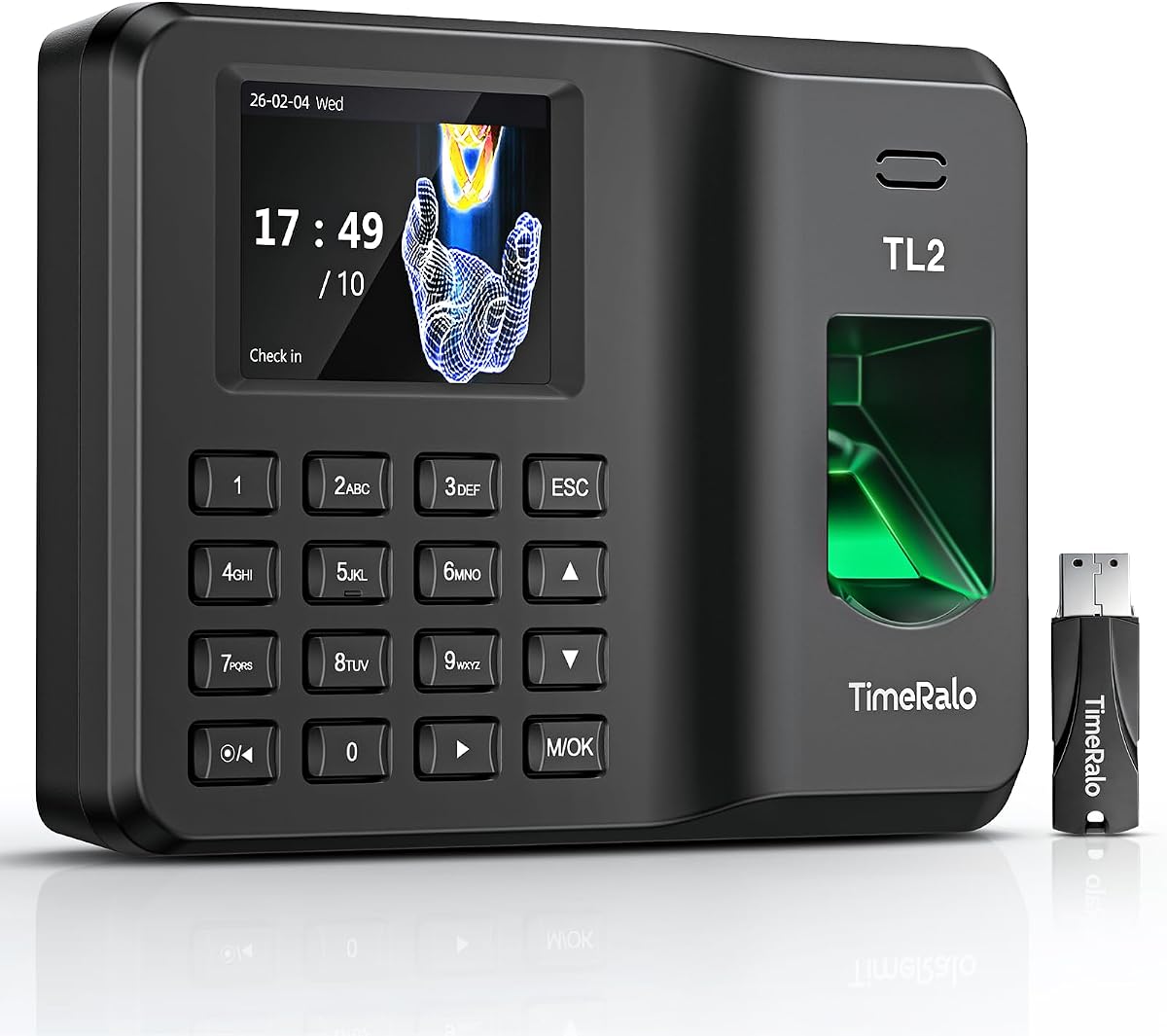
Standalone Fingerprint Punch Machine
4.4Editor score
Affordable entry price
Simple USB export
500 user capacity
This guide compares the top fingerprint time clocks for employees, evaluating security, ease of use, and payroll integration features for modern businesses.
Selecting the right attendance system is critical for maintaining accurate payroll and fostering trust within your workforce. Fingerprint time clocks offer a reliable solution to prevent buddy punching and streamline daily operations effectively.
We evaluated ten leading models based on recognition speed, storage capacity, and connectivity options. Our analysis focuses on devices that balance affordability with robust features suitable for diverse workplace environments.
Each pick highlights unique strengths like cloud access or standalone operation to help you find the best fit. Note that specific pricing and availability may fluctuate frequently on the retailer platform.
4.4Editor score

4.8Editor score

4.4Editor score
The following table provides a side-by-side overview of the top ten models, highlighting key specifications to help you compare capacity, connectivity, and verification methods quickly.


The HapAttend H4 time clock stands out as a highly reliable device for small businesses seeking straightforward attendance tracking. It holds an excellent user rating and is designed to eliminate manual errors effectively.
We may earn a commission when you buy through this link, at no additional cost to you.
Its standout feature is the three-in-one verification system combining fingerprint, RFID, and PIN. This flexibility ensures that employees can clock in quickly while preventing unauthorized access effectively.
However, this device operates strictly offline without cloud connectivity options. For teams needing remote management from different locations, this limitation might require manual data retrieval via USB drive.
This clock is perfect for offices or warehouses where simplicity and privacy are top priorities. It remains a top recommendation for businesses wanting a robust solution without recurring subscription costs.
You can have this device running in minutes without needing IT support. The plug-and-play design allows you to focus on business operations immediately.
Attendance records are stored locally and safeguarded during power outages. This ensures your data remains safe and retrievable even if electricity is interrupted.
We may earn a commission when you buy through this link, at no additional cost to you.
This standalone fingerprint punch machine offers an incredibly affordable entry point for businesses upgrading from paper cards. It provides essential features without complex setup requirements or extra costs.
We may earn a commission when you buy through this link, at no additional cost to you.
It stores up to five hundred fingerprints and fifty thousand punch records making it scalable for growing teams. The USB drive export ensures you can transfer data easily to your payroll software.
The lack of internet connectivity means you cannot access data remotely. This limits usage to on-site managers but keeps operational costs low and privacy high for small offices.
For budget-conscious owners needing reliable local tracking, this model delivers excellent value. It is a practical choice for retail stores or small offices needing simple accuracy.
The low price point helps small businesses save money upfront. It eliminates the need for monthly fees while providing accurate tracking capabilities.
You can onboard hundreds of employees without worrying about memory limits. This allows your team to grow while using the same reliable device.
We may earn a commission when you buy through this link, at no additional cost to you.
The NGTeco Cloud Time Clock features a high-definition touchscreen that simplifies the clock-in process for employees. It combines advanced biometrics with cloud storage for ultimate flexibility.
We may earn a commission when you buy through this link, at no additional cost to you.
With four punch methods including face and fingerprint this device adapts to different user preferences. The dual-band WiFi ensures stable connectivity for real-time remote monitoring by managers.
The premium features come at a higher price point compared to standalone models. Also, reliance on internet connectivity means you must ensure your location has a reliable network.
Businesses seeking modern, flexible management tools will find this device ideal. It is best suited for companies needing secure cloud data and remote oversight capabilities.
The HD touchscreen makes navigation smooth and easy for all users. It reduces friction during busy morning shifts by offering an intuitive user experience.
AWS servers protect your attendance data with strong encryption standards. This ensures your sensitive employee information remains secure and compliant globally.
We may earn a commission when you buy through this link, at no additional cost to you.
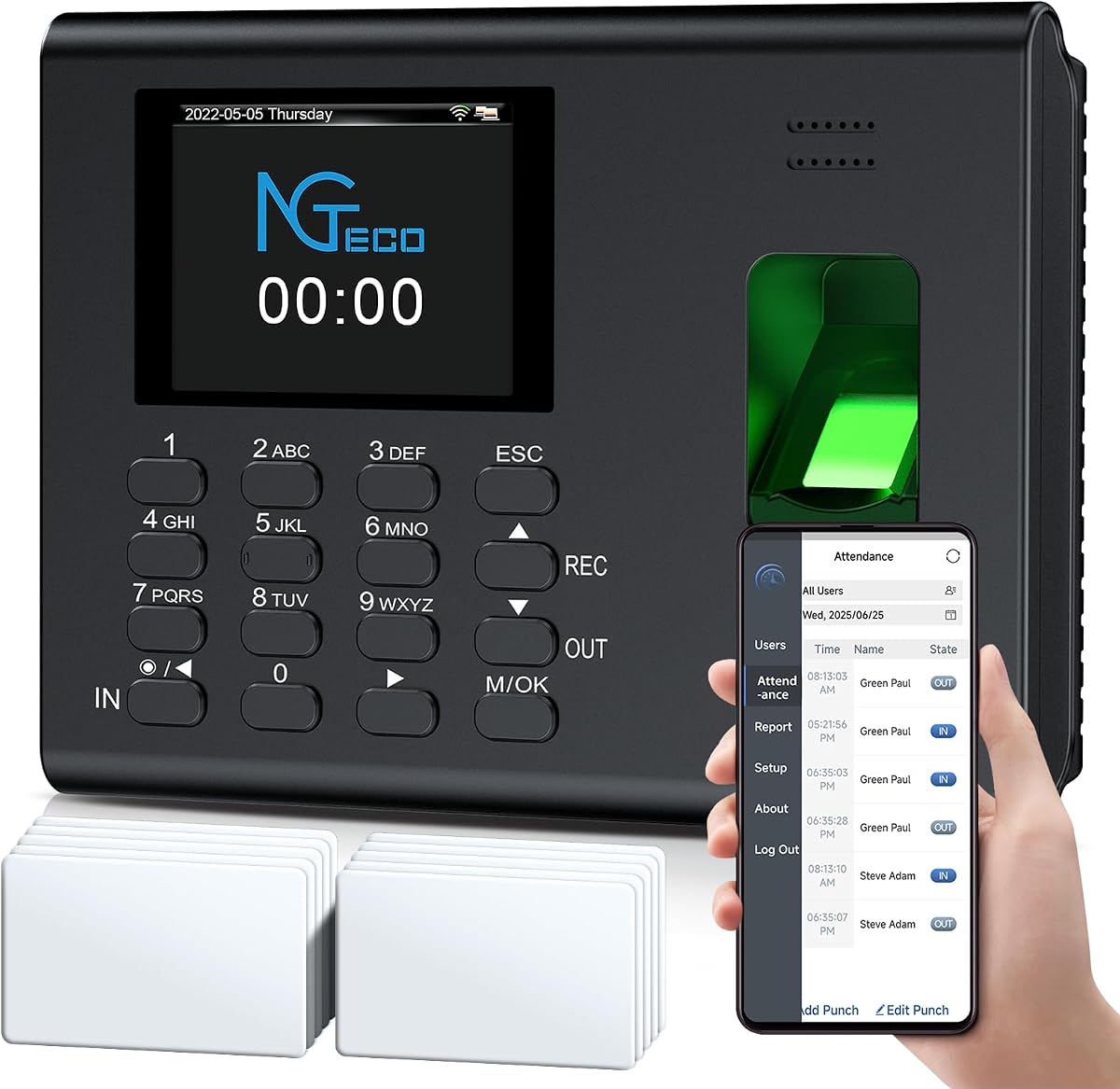
This NGTeco model offers streamlined scheduling features that help managers handle shifts efficiently. It uses a mobile app for easy editing and synchronization of attendance records.
We may earn a commission when you buy through this link, at no additional cost to you.
The fingerprint sensor recognizes wet or dry prints quickly to minimize wait times. Built-in data protection ensures your records remain safe even if power is lost unexpectedly.
The app requires a local network connection which can be a limitation if your office internet is unstable. Also some advanced features may require additional setup beyond the basics.
For businesses needing strong administrative support, this device provides excellent tools. It is highly recommended for teams that value quick adjustments and accurate tracking.
Auto-calculated work hours reduce the burden on your HR team. This feature helps ensure every shift is tracked accurately without manual math errors.
You can align tracked hours with your specific payroll cycle easily. Exporting via USB or email makes the handover to your accountant simple.
We may earn a commission when you buy through this link, at no additional cost to you.
This standalone time clock is built to scale with your business as you hire more people. It supports up to five hundred users and offers reliable performance without software dependencies.
We may earn a commission when you buy through this link, at no additional cost to you.
The internal backup system is a key feature that preserves data during power outages. You can export records to Excel for instant payroll integration without needing complex IT steps.
Since it is truly standalone there is no way to view data remotely. This is acceptable for on-site management but less convenient for remote business owners.
For expanding small businesses, this device offers a cost-effective path to automation. It is a solid choice for warehouses or workshops needing durable local tracking.
You can get started in minutes with no complex software setup. This allows you to focus on business operations rather than technical configuration tasks.
The memory supports thousands of records and hundreds of users. This ensures your system remains stable even as your team grows significantly.
We may earn a commission when you buy through this link, at no additional cost to you.
This cloud time clock enables managers to monitor attendance from anywhere using a web portal. It includes dual-band WiFi for stable connection and AWS storage for secure data.
We may earn a commission when you buy through this link, at no additional cost to you.
You can configure weekly overtime and shift rules to match your payroll needs. The system calculates hours automatically reducing manual workload for your HR department effectively.
Some advanced features require a separate subscription which increases the total cost. Also the device needs a reliable internet connection to function properly for remote access.
For business owners who need flexible oversight, this device is a strong tool. It is best for offices wanting cloud security and remote management capabilities.
Managers can view clock-ins and generate reports from any device. This flexibility is essential for modern businesses with remote or distributed staff.
You can set specific rules for different types of overtime automatically. This ensures accurate payroll calculation and compliance with your local policies.
We may earn a commission when you buy through this link, at no additional cost to you.
The uAttend JR2000 is designed for businesses wanting seamless payroll integration. It combines fingerprint RFID and PIN methods to create a versatile attendance system.
We may earn a commission when you buy through this link, at no additional cost to you.
Its cloud service automates payroll tasks to help you file taxes and handle reports. You can access real-time data from any device which keeps you informed of operations.
Some users have reported a lower satisfaction rating compared to competitors. Additionally relying on a subscription service means you have ongoing costs for access.
Despite this, it offers strong automation for teams needing payroll links. It is a good choice for those who prioritize integration over standalone hardware.
This system automates many tasks related to tax filing and reporting. This reduces the administrative burden and helps you stay compliant easily.
You can view employee attendance from any device instantly. This gives you immediate visibility into your workforce without being on site.
We may earn a commission when you buy through this link, at no additional cost to you.
This device offers free cloud service for core features like auto calculation and reports. It supports a wide range of shift types including split shifts and rotating schedules.
We may earn a commission when you buy through this link, at no additional cost to you.
The system uses AWS servers to store your data securely and compliantly. It also syncs offline punches automatically once the network is restored so you never lose records.
The user rating is lower than other models which may indicate some usability issues. Also it has a lower user limit of two hundred compared to others.
For businesses needing flexible shifts without high costs, this model works well. It is a viable option for teams needing secure cloud storage and support.
You can configure shifts that match complex team workflows. This flexibility ensures accurate tracking for part-time or rotating work schedules.
The device captures punches even when the internet is unavailable. Once connectivity is back data uploads automatically to prevent any loss.
We may earn a commission when you buy through this link, at no additional cost to you.
This time clock empowers employees to view their timesheets on their phones. The mobile app allows remote management without a web portal for quick administration.
We may earn a commission when you buy through this link, at no additional cost to you.
It automatically calculates hours and overtime to save you manual work. The system generates visual reports that can be emailed directly to your accounting team.
The lack of a web portal means you must use the mobile app for settings. This might be less convenient for desktop users who prefer a browser interface.
For businesses wanting app-based management without fees, this is a solid option. It is ideal for teams that want transparency and automated reporting.
Staff can access their own records and verify hours on phones. This transparency reduces admin questions and helps employees manage their own time.
The system creates visual reports for your specific pay periods. These ready-to-send files streamline your accounting process significantly.
We may earn a commission when you buy through this link, at no additional cost to you.
This APP time clock focuses on local network control without needing cloud sync. It supports multiple verification modes and includes RFID cards in the box.
We may earn a commission when you buy through this link, at no additional cost to you.
The device has a large battery to keep running during power outages. You can edit and export reports locally to streamline your office efficiency quickly.
Remote access is limited to the same local network which restricts flexibility. The overall rating is average indicating it is functional but less advanced.
For businesses needing simple local management, this device is useful. It is a good choice for teams staying on-site and avoiding cloud costs.
You can manage attendance via the app on your local network. This setup keeps data within your office for better privacy control.
The built-in battery ensures operation even if the power fails. This maintains accurate records during unexpected electrical disruptions.
We may earn a commission when you buy through this link, at no additional cost to you.
Choosing the right time clock requires evaluating several key factors to ensure it meets your specific operational needs.
Most devices offer fingerprint scanning but some also include PIN codes or RFID cards. A multi-method system provides flexibility for employees with damaged fingers.
Look for a device that supports at least three verification options to reduce conflicts.
Decide between standalone models that save data locally and cloud models that offer remote access. Standalone units are cheaper but require manual data transfers.
Cloud models are better if you manage teams from different locations regularly.
Ensure the device can store enough user profiles and punch records for your team. Most support five hundred users which fits small to medium businesses.
Check the log limit to ensure it won't fill up before your regular export cycle.
Security is critical when handling employee information. Cloud models should use encrypted servers and local models need internal backup batteries.
Prioritize devices with backup systems to prevent data loss during power outages.
You will need to export data to your payroll software regularly. Check if the device exports to Excel or compatible formats without extra fees.
Easy export formats save you significant time during payroll processing.
A built-in battery backup ensures the device keeps working if electricity fails. This prevents loss of the current punch record when power is restored.
Always check the battery capacity to ensure it lasts long enough.
A clear display and responsive touchscreen make clocking in faster for everyone. Avoid devices with confusing menus that cause bottlenecks at the start of shifts.
Test the interface speed if possible to ensure it meets your pace.
Compare the upfront hardware cost against potential subscription fees. Some models require monthly plans for cloud features while others are one-time purchases.
Choose a model with total cost that fits your long-term budget.
Begin by setting up the device in a location accessible to all employees during shift changes. Ensure it is placed at a comfortable height to reduce wear on the sensor.
Enroll employees carefully by scanning fingerprints multiple times to improve accuracy. Clear instructions help users understand how to position their fingers correctly.
Clean the sensor regularly with a soft dry cloth to maintain high recognition speeds. Avoid using chemicals that could damage the internal components of the device.
Yes, most models prevent buddy punching because they require unique biometric data or codes. Employees must use their own fingerprints to clock in which stops others from doing it for them.
Only cloud-connected models allow remote access via mobile apps or web portals. Standalone models require you to physically connect a USB drive to get your data.
Modern devices have internal backup batteries that preserve data during power outages. Once power is restored, the system resumes operation automatically without loss.
No, standalone clocks operate independently without needing an internet connection. They store all data locally and use a USB drive for exporting reports to your computer.
Most clocks allow you to export data in Excel format which fits most payroll tools. Some cloud models offer direct API integration for seamless automation of hours.
It varies by brand. Some basic cloud features are free but advanced apps often require a separate subscription. Always check the specific terms before purchasing.
The majority of reviewed models support up to five hundred user profiles. This capacity is sufficient for most small and medium-sized businesses.
We have reviewed ten leading models ranging from budget standalone units to premium cloud devices. Each offers unique strengths depending on your need for remote access.
When making your final decision, prioritize the verification speed and data security features. These two factors have the biggest impact on your daily operations.
Prices and availability fluctuate so check the current status before ordering. Selecting the right device today ensures long-term stability for your business.