
Acer Nitro V 16S
4.4Editor score
AMD Ryzen 7 260
32GB DDR5 RAM
180Hz WUXGA Display
Choosing the right gaming laptop for Baldurs Gate 3 requires balancing powerful graphics with reliable cooling systems. This game demands significant processing power to render its intricate worlds and complex character interactions smoothly without lag.
We have evaluated ten top-tier laptops based on their graphics processing units, central processor capabilities, and display refresh rates. Each model was selected for its ability to handle the demanding graphical requirements of modern role-playing games efficiently.
Each pick highlights specific strengths such as portability, screen quality, or raw performance. Note that availability and pricing can fluctuate frequently, so verify current stock before making your final purchasing decision.
4.4Editor score

4.4Editor score

4.3Editor score
As an Amazon Associate we earn from qualifying purchases.
This side-by-side comparison highlights the key specifications of each laptop to help you quickly identify the model that fits your specific gaming needs and budget constraints.


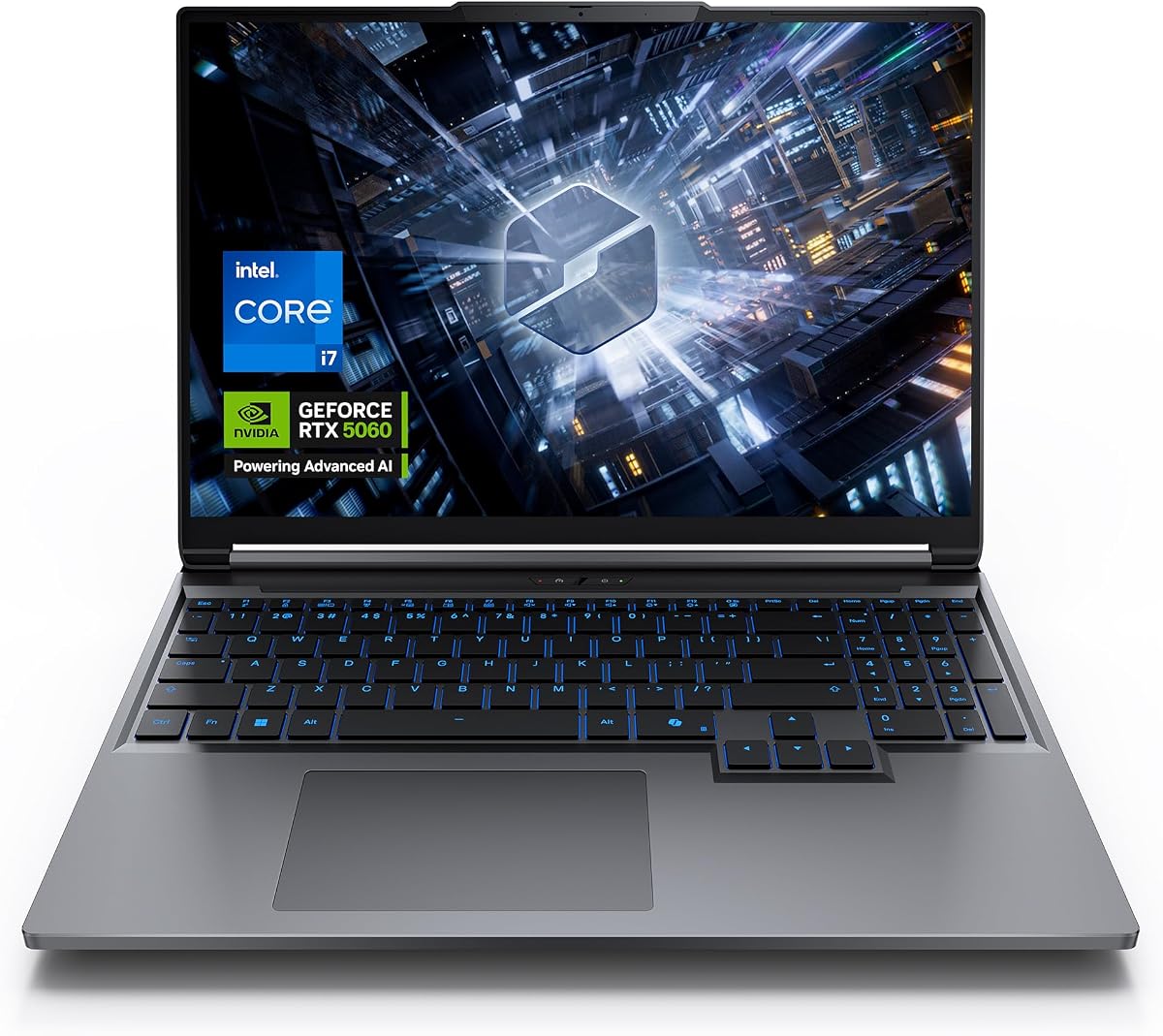



This ASUS ROG Strix G16 stands out as a top choice for handling the graphical demands of Baldurs Gate 3. It combines a strong processor with a dedicated graphics card to ensure smooth gameplay experiences.
We may earn a commission when you buy through this link, at no additional cost to you.
The laptop utilizes advanced cooling technology with liquid metal to keep the internal components running efficiently during long sessions. This thermal management is crucial for maintaining consistent frame rates in complex scenes.
While the device offers excellent performance, users should expect some noise from the fans when pushing the system to its limits. The battery life is also moderate, requiring frequent charging for mobile gaming.
This machine is ideal for gamers who prioritize performance and visual fidelity over extreme portability. It delivers a balanced experience that meets the high standards required by modern RPGs.
The vapor chamber and liquid metal application ensure that heat is dissipated effectively during intense gameplay sessions.
The 165Hz refresh rate provides smooth motion rendering that is essential for navigating dynamic environments in games.
We may earn a commission when you buy through this link, at no additional cost to you.
The Acer Nitro V 16S offers impressive capabilities for its price point by leveraging AI-enhanced processing power. It features a robust CPU that supports seamless multitasking during gaming and streaming.
We may earn a commission when you buy through this link, at no additional cost to you.
With 32GB of DDR5 memory, this laptop handles large game files and background applications with ease. The display refresh rate ensures that fast movements appear fluid without distracting screen tearing.
Although it uses standard Wi-Fi 6 and plastic materials, the performance per dollar makes it a compelling option for budget-conscious buyers. The AI capabilities add a layer of future-proofing to the hardware.
Buyers looking for a reliable entry-level machine will find this model meets their needs for modern RPGs effectively. It strikes a practical balance between cost and functional performance.
The integration of AI cores allows for optimized task scheduling that improves overall system responsiveness.
The high memory capacity ensures that you can run multiple applications without experiencing performance bottlenecks.
We may earn a commission when you buy through this link, at no additional cost to you.
This premium ROG model delivers exceptional graphical fidelity with its high-end GPU and fast processor. It is designed to handle the most demanding settings in modern games without compromise.
We may earn a commission when you buy through this link, at no additional cost to you.
The ROG Nebula display offers superior color accuracy and speed, which enhances the visual immersion of the game. This screen quality is a significant upgrade for users who value sharp and vibrant images.
The high price and weight reflect the premium nature of the components used inside. While it is not the most portable option, the performance gains justify the added bulk for stationary users.
If you seek the absolute best visuals and speed, this laptop is the ultimate choice. It provides a high-end experience that matches the complexity of detailed RPG worlds.
The Nebula display technology ensures that colors are vivid and motion is exceptionally smooth.
The powerful processor and GPU combination delivers consistent high performance across all gaming scenarios.
We may earn a commission when you buy through this link, at no additional cost to you.
The msi Cyborg 17 stands out by combining a large 17 inch display with an surprisingly light weight. It allows for an immersive gaming experience without the bulk typically associated with large laptops.
We may earn a commission when you buy through this link, at no additional cost to you.
It utilizes a modern processor that ensures responsive play and quick application loading. The cooling system is optimized to maintain low noise levels during extended gaming sessions.
The screen resolution is standard, which may not satisfy those seeking ultra-high definition visuals. The translucent aesthetic also stands out as a unique design choice that might not appeal to everyone.
This laptop is best suited for users who want a big screen for gaming on the go. It balances screen real estate with portability in a practical way.
The thin chassis makes it easy to carry in a backpack without adding excessive weight.
The shared-pipe thermal design ensures that the system remains cool during extended use.
We may earn a commission when you buy through this link, at no additional cost to you.
This GIGABYTE model introduces an AI Mate interface that transforms how users interact with system settings. It aims to simplify control and enhance personalization for the gaming experience.
We may earn a commission when you buy through this link, at no additional cost to you.
The laptop features a slim chassis and strong graphics options that support smooth gameplay. The internal components are designed to handle multimedia tasks efficiently alongside gaming duties.
Users may need time to learn the new AI interface compared to standard systems. The build quality is functional but may not feel as robust as premium competitors.
This machine is ideal for those who value innovation and a unique user interface. It offers a forward-looking approach to managing laptop settings and performance.
The AI Mate interface provides an intuitive way to manage system resources and preferences.
The 19mm chassis allows for a portable design without compromising internal performance.
We may earn a commission when you buy through this link, at no additional cost to you.
The HP Victus 15.6 is known for its high user rating and reliable everyday performance. It offers a practical design that supports both gaming and work applications effectively.
We may earn a commission when you buy through this link, at no additional cost to you.
With 32GB of RAM, this laptop handles multitasking without issues. The connectivity options are robust, allowing for easy connection of external monitors and peripherals.
The graphics card is an older generation, which may limit performance in future titles. However, for current games like Baldurs Gate 3, it remains a capable option.
This model is a safe choice for users who prioritize reliability and value. It delivers a consistent experience without the complexity of niche features.
Multiple ports allow for flexible setup with external displays and accessories.
The full-size backlit keyboard includes a numeric keypad for productivity tasks.
We may earn a commission when you buy through this link, at no additional cost to you.
This high-end ASUS model delivers exceptional performance for those who demand the best. It combines a powerful processor and graphics card to ensure smooth high-resolution gaming.
We may earn a commission when you buy through this link, at no additional cost to you.
The display refresh rate and resolution provide a crisp and fluid visual experience. This level of quality is essential for enjoying the detailed graphics of modern RPGs.
The weight and cost are significant considerations for potential buyers. It is designed more for stationary use than for frequent travel or portability.
If you seek maximum power and visual fidelity, this laptop is the top choice. It provides a premium experience that justifies the investment for serious gamers.
The 240Hz refresh rate ensures that fast-paced action appears incredibly smooth.
Advanced cooling maintains optimal performance even during extended high-load gaming sessions.
We may earn a commission when you buy through this link, at no additional cost to you.
The Aurora 16X features a premium metal finish that offers durability and a sleek look. It supports high performance with a powerful processor suitable for gaming and work.
We may earn a commission when you buy through this link, at no additional cost to you.
The display resolution and refresh rate provide a sharp visual experience. Upgradeability is a strong point, allowing for future enhancements to memory and storage.
The power adapter is relatively large and may be less convenient for travel. The power draw is also high, requiring a robust power source for maximum performance.
This laptop is ideal for users who value build quality and versatility. It balances gaming power with a professional aesthetic effectively.
The metal chassis provides structural integrity and a premium feel compared to plastic alternatives.
Dual slots allow for easy upgrades to accommodate larger game libraries.
We may earn a commission when you buy through this link, at no additional cost to you.
This TUF model is recognized for its rugged design that ensures longevity. It is built to withstand the rigors of daily use and travel.
We may earn a commission when you buy through this link, at no additional cost to you.
The processor provides reliable performance for gaming and general tasks. The chassis is designed to resist wear and tear better than standard consumer models.
The RAM and GPU are adequate for current games but may not support future titles at high settings. This makes it a practical choice for mid-term use.
If durability is your main concern, this laptop offers a solid option. It provides a balanced experience for users who need a reliable machine.
The chassis is built to resist physical stress and environmental challenges.
The AMD processor delivers consistent performance without overheating issues.
We may earn a commission when you buy through this link, at no additional cost to you.
This GIGABYTE model offers a slim form factor that is easy to carry. It includes advanced AI features that enhance system management.
We may earn a commission when you buy through this link, at no additional cost to you.
The processor supports smooth performance for modern applications. The interface provides new ways to control settings which can be intuitive once learned.
The build quality is functional but may not match premium competitors. The interface learning curve might be a hurdle for some users initially.
This laptop is suitable for those who value a thin design and AI integration. It provides a modern approach to system control and performance.
The thin profile makes it highly portable for users on the move.
The AI interface simplifies system management and resource allocation.
We may earn a commission when you buy through this link, at no additional cost to you.
This Dell Alienware 16 is known for its premium aesthetic and high user rating. The build quality is exceptional with an anodized aluminum lid.
We may earn a commission when you buy through this link, at no additional cost to you.
The display offers high resolution for clear images. The chassis is sturdy but adds to the overall weight of the device.
While the refresh rate is standard, the resolution is high. This is ideal for those who prioritize visual detail over ultra-high speed.
This machine is perfect for users who value style and build quality. It provides a premium experience that aligns with high-end expectations.
The aluminum lid offers a sophisticated look that distinguishes it from other gaming laptops.
The high resolution ensures that game text and environments are sharp and detailed.
We may earn a commission when you buy through this link, at no additional cost to you.
Selecting the right laptop involves understanding specific hardware needs that align with your gaming preferences and lifestyle constraints.
The GPU is the most critical component for rendering game graphics. Look for models that support Ray Tracing to get the most out of the game engine.
Prioritize models with newer GPU architectures for future-proofing and better performance.
A strong CPU ensures smooth multitasking and quick loading times. Modern hybrid architecture processors are best for handling diverse workloads efficiently.
Ensure the processor supports the latest instruction sets for optimal performance in RPGs.
Memory determines how many applications you can run simultaneously without slowdowns. Aim for at least 16GB of DDR5 memory for modern gaming needs.
Higher capacity allows for smoother background processing of voice chat and streaming tools.
The refresh rate affects how smooth the visuals appear during fast movement. Higher rates like 144Hz or more reduce screen tearing and blur.
Select a screen with a high refresh rate to enhance immersion during combat sequences.
Effective cooling prevents the system from slowing down during long sessions. Look for advanced solutions like vapor chambers or liquid metal for better heat dissipation.
Good thermal design ensures consistent performance without throttling under load.
If you plan to travel with your laptop, weight and size are important factors. A lighter chassis makes it easier to carry without fatigue.
Consider the overall weight if you plan to move the device frequently between locations.
Ensure the laptop has enough ports for your peripherals like headsets and drives. Wi-Fi 7 support ensures stable connections for online gaming.
Verify that the ports match your current accessories to avoid the need for dongles.
Gaming laptops typically have shorter battery life due to high power consumption. Check reviews to see how long the device lasts during casual use.
Keep a power source nearby for extended gaming sessions to avoid interruptions.
Always use a hard, flat surface to ensure proper airflow through the vents. This prevents overheating during long gameplay sessions and protects internal components.
Regularly update your graphics drivers to ensure the game runs smoothly with the latest optimizations. This helps in maintaining performance and security.
Store the laptop in a protective case when traveling to avoid scratches or impacts. This simple step can extend the lifespan of the device significantly.
A high refresh rate helps reduce motion blur and screen tearing during combat. While the game is turn-based, smooth visuals enhance the overall experience.
Yes, 16GB is the minimum standard and sufficient for running the game well. Higher RAM helps when running background apps like Discord simultaneously.
Ray Tracing improves lighting realism making environments look more natural. It adds to the immersion but requires a powerful GPU to run smoothly.
Many laptops allow RAM upgrades but check the specific model details. Some ultra-thin models have soldered memory which limits future expansion options.
Wi-Fi 7 provides lower latency and faster speeds for online play. It ensures a stable connection for multiplayer sessions and cloud saves.
Battery life during gaming is usually short due to high power draw. It is best to keep the device plugged in for uninterrupted gameplay.
The ASUS ROG Strix G16 models stand out for their balance of performance and cooling efficiency. They offer a reliable base for immersive gaming experiences.
Prioritize the GPU and thermal management when making your decision to ensure longevity. A well-cooled machine will sustain performance over time better than others.
Verify current specifications and availability before purchasing to ensure you get the latest features. Prices and stock can vary by retailer and time.