
ASUS Dual GeForce RTX 3050 6GB GDDR6 OC Edition Gaming Graphics Card
4.7Editor score
NVIDIA Ampere Streaming Multiprocessors
2nd Generation RT Cores
3rd Generation Tensor Cores
This guide compares the top GPUs for ASUS Prime A320M K motherboards, analyzing performance compatibility and value to help you choose the right graphics card
Finding the right GPU for ASUS Prime A320M K involves balancing performance budget and physical fit within your case. This guide explores compatible options that maximize your system potential without overwhelming power limits.
We compared ten distinct graphics cards ranging from budget-friendly choices to high-performance models. Each option was evaluated based on specifications compatibility with the A320 chipset and overall user satisfaction ratings.
Every pick highlights key strengths and potential limitations to guide your decision. Note that product availability and pricing change frequently so verify details before purchasing to ensure the best value today.
4.7Editor score

4.6Editor score

4.6Editor score
This section provides a side-by-side look at all ten graphics cards evaluated in this guide. You can quickly compare key specifications and features to identify which model aligns best with your specific gaming or workstation needs.

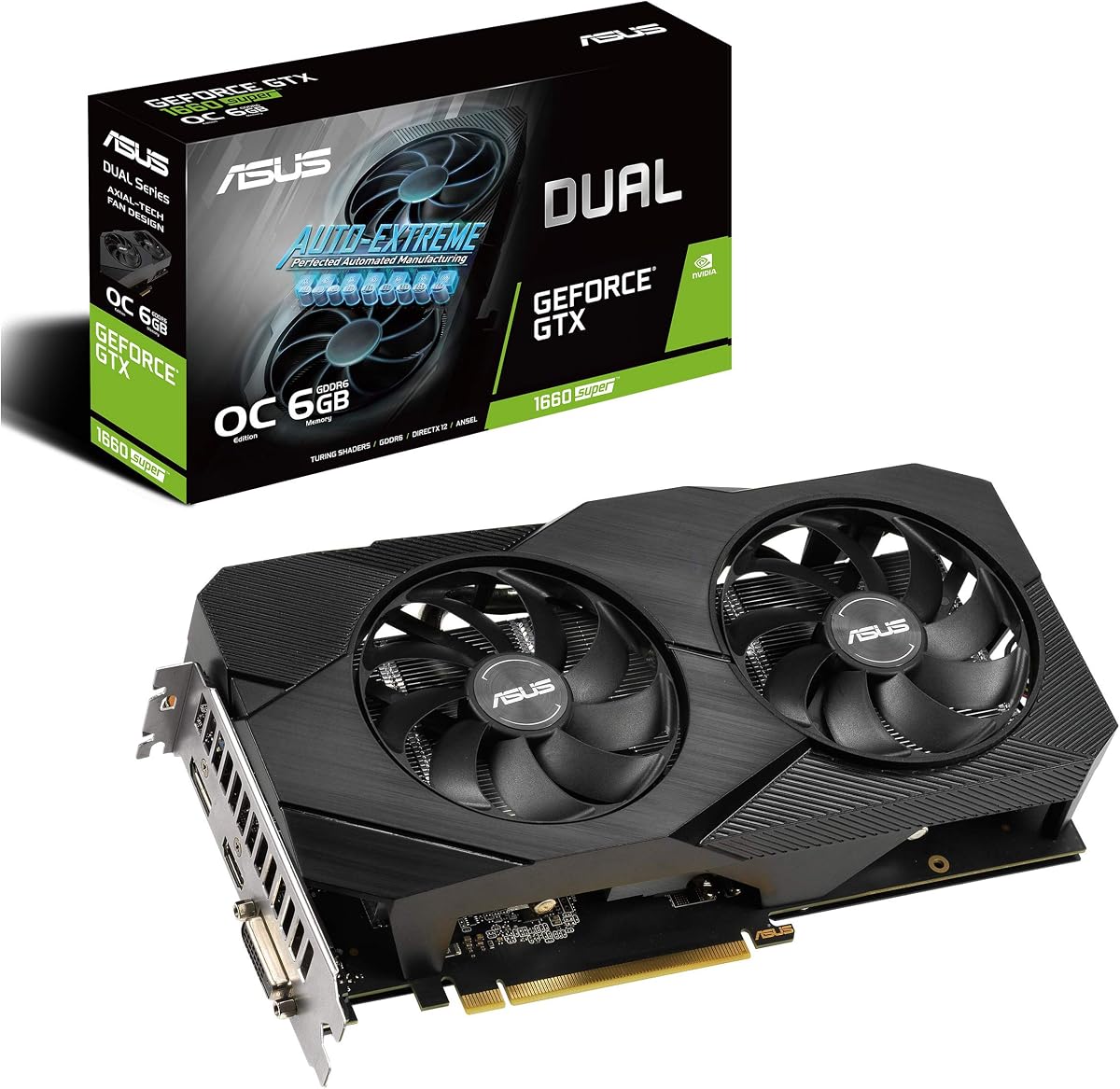


This graphics card stands out as the top choice for users seeking modern features without overwhelming power demands. With a strong 4.7 rating it delivers reliable performance for everyday gaming and creative tasks on compatible systems.
We may earn a commission when you buy through this link, at no additional cost to you.
The NVIDIA Ampere architecture brings significant improvements in throughput and efficiency. Features like 2nd Generation RT Cores and 3rd Generation Tensor Cores enable advanced visual effects and AI acceleration like DLSS for smoother gameplay.
While it lacks the raw power of higher tier cards its compact design and efficient cooling make it ideal for smaller builds. The dust resistance adds longevity ensuring the card remains clean and functional over time.
Anyone looking to upgrade a budget or mid-range system will find this card offers excellent value. It balances modern capabilities with physical constraints making it a perfect match for motherboards like the Prime A320M K.
The inclusion of Ray Tracing support allows for realistic lighting effects in supported games enhancing immersion significantly.
Axial-tech fan design with a barrier ring increases air pressure for effective thermal management even in tight cases.
We may earn a commission when you buy through this link, at no additional cost to you.
This card is a favorite for budget-conscious gamers who demand solid 1080p performance. Its robust construction and strong ratings highlight its reliability as a long term investment for entry level gaming rigs.
We may earn a commission when you buy through this link, at no additional cost to you.
Powered by the NVIDIA Turing architecture it features 1408 CUDA cores and overclocked memory for smooth frame rates. The TUF compatibility testing ensures it works seamlessly with other gaming components for a stable system.
The use of space-grade lubricant in the fan design reduces noise significantly while maintaining durability. This attention to detail makes it suitable for quiet home environments where acoustic performance matters.
For those prioritizing value and longevity this card is an excellent choice. It delivers consistent performance for popular titles and includes a three-year warranty which adds peace of mind to the purchase.
The sleeve bearing design with space-grade lubricant ensures the card runs quietly even under heavy load conditions.
GPU Tweak II allows users to monitor performance and stream games easily with included tools like XSplit Gamecaster.
We may earn a commission when you buy through this link, at no additional cost to you.
This premium option offers significant power for users needing high performance for 1440p gaming or content creation. The 12GB memory buffer ensures smooth operation even in demanding modern titles that require substantial VRAM.
We may earn a commission when you buy through this link, at no additional cost to you.
Equipped with NVIDIA Ampere streaming multiprocessors it delivers impressive throughput and efficiency. The PCIe 4.0 support ensures it can take full advantage of compatible motherboards for faster data transfer speeds.
The cooling system features Axial-tech fans with dual ball bearings that last twice as long as standard designs. This reliability is crucial for users who push their systems hard and need consistent thermal performance.
Ideal for enthusiasts who want future-proofing and top-tier features this card justifies its higher cost. It balances raw power with advanced technologies like Ray Tracing and DLSS for an immersive gaming experience.
With 12GB of VRAM this card handles texture-heavy games and creative applications without bottlenecks for years.
The digital max resolution of 7680×4320 allows for connection to 8K displays for ultimate visual fidelity.
We may earn a commission when you buy through this link, at no additional cost to you.
This renewed option provides an affordable entry into Ray Tracing technology for budget setups. The compact form factor makes it suitable for smaller cases where space is at a premium without sacrificing key features.
We may earn a commission when you buy through this link, at no additional cost to you.
Powered by NVIDIA Turing it offers solid performance for gaming and content creation tasks. The Phoenix fan design ensures adequate cooling while maintaining a low profile build that fits various chassis types.
As a renewed product it undergoes professional inspection to work like new. This certification offers a cost-effective way to access higher tier features while still enjoying warranty protection through Amazon.
Users seeking VR capabilities and Ray Tracing at a lower price point will appreciate this model. It balances essential modern features with a design that accommodates physical constraints of many home builds.
The short form factor design allows installation in mini towers and compact cases easily.
This card meets the performance requirements for virtual reality headsets ensuring smooth and immersive experiences.
We may earn a commission when you buy through this link, at no additional cost to you.
This renewed TUF card is highly rated for its durability and consistent performance. It brings the robust build quality of the TUF series to users looking for reliable 1080p gaming capabilities without paying premium prices.
We may earn a commission when you buy through this link, at no additional cost to you.
The TUF compatibility testing ensures it works flawlessly with other gaming components. This attention to system synergy makes it a safe choice for building a stable and responsive computer system.
Space-grade lubricant and dual ball bearings provide a quiet and long-lasting cooling solution. This ensures the system remains pleasant to use even during extended gaming sessions or demanding workloads.
For those wanting a balance of performance and reliability this renewed option is hard to beat. It offers the same core features as the new version at a significantly reduced cost for budget builds.
Auto-extreme technology ensures premium quality and reliability through automated manufacturing processes.
Compatibility testing with motherboards and chassis ensures all components work together without conflicts.
We may earn a commission when you buy through this link, at no additional cost to you.
This card features a Dual-Fan Evo cooling system that ensures optimal thermal management. It is a top pick for users who want consistent performance without overheating issues in small or warm cases.
We may earn a commission when you buy through this link, at no additional cost to you.
With 1408 CUDA cores and 6GB GDDR6 memory it handles modern titles well. The renewed status allows access to these features at a lower price point while maintaining high quality standards.
The VR readiness ensures it can support virtual reality applications smoothly. This expands its utility beyond traditional gaming making it suitable for immersive experiences and simulations as well.
Users looking for a silent and cool running card will find this model appealing. The dual fan setup distributes heat efficiently ensuring the system remains quiet and stable under load.
Dual-fan cooling provides doubled airflow for quieter gameplay and lower temperatures.
This card meets performance thresholds for virtual reality setups ensuring smooth immersive sessions.
We may earn a commission when you buy through this link, at no additional cost to you.
This Phoenix edition features a short form factor ideal for smaller cases. It maintains high quality through aerospace-grade components that ensure reliability and longevity over years of use.
We may earn a commission when you buy through this link, at no additional cost to you.
The Phoenix double-ball bearing fan provides superior airflow and cooling efficiency. This design choice extends the lifespan of the card while keeping noise levels low during operation.
Auto-extreme manufacturing technology delivers premium quality through automated processes. This ensures consistent performance and durability across all units sold which reduces the risk of defects.
Users needing a reliable card for standard gaming tasks will find this model excellent. The three-year warranty adds extra security making it a safe choice for those worried about long-term reliability.
Aerospace-grade Super Alloy Power II components run faster and last longer than standard reference parts.
The short form factor allows fitting into mini ITX cases without compromising on cooling performance.
We may earn a commission when you buy through this link, at no additional cost to you.
This card offers exceptional value with a three-year warranty included. It ensures peace of mind for users who want a reliable graphics solution without worrying about immediate component failure or repair costs.
We may earn a commission when you buy through this link, at no additional cost to you.
The Dual-Fan Evo cooling system provides significant thermal performance improvements. This design ensures the GPU stays cool even during extended gaming sessions which helps maintain consistent clock speeds.
It supports VR applications making it versatile for more than just standard gaming. Users interested in virtual reality will find it meets the minimum requirements for many popular headsets available today.
Those looking for a balance of features and protection will love this model. The high ratings and warranty coverage make it a safe investment for budget-conscious builders needing reliability.
A three-year warranty ensures long-term support and peace of mind for your investment.
This card meets performance requirements for virtual reality experiences enabling immersive gameplay.
We may earn a commission when you buy through this link, at no additional cost to you.
This card is perfect for basic display output and light gaming tasks. Its passive cooling design ensures zero noise which is ideal for home theater PCs or quiet workstations.
We may earn a commission when you buy through this link, at no additional cost to you.
With 2GB of GDDR5 memory it handles modern titles at lower settings. While not for high-end gaming it is sufficient for eSports titles and casual gameplay on 1080p screens.
The low profile design fits into small cases easily without requiring extra power connectors. This makes installation straightforward for users who want to upgrade a budget system without modifying power supplies.
Users needing a silent and simple graphics solution will find this card ideal. It provides essential functionality without the complexity or noise of larger fan-based cooling systems.
The passive heatsink design ensures quiet HTPC and multimedia operation without any fan noise.
This card draws power directly from the motherboard PCIe slot requiring no additional connectors.
We may earn a commission when you buy through this link, at no additional cost to you.
This renewed STRIX card brings a classic design to users who need solid legacy performance. Its high user rating reflects the enduring quality and reliability that ASUS has built into this model over time.
We may earn a commission when you buy through this link, at no additional cost to you.
With a 4GB memory buffer it handles texture-heavy tasks better than entry-level options. The DirectCU II cooling technology ensures it runs cooler and quieter than standard reference designs.
HDMI 2.0 support allows for connection to modern displays with high refresh rates. This makes it a versatile choice for those upgrading older systems to support current monitor standards.
Users looking for a reliable secondary card or budget gaming solution will find this appealing. The renewed status offers excellent value while maintaining the durability of the original high-end build.
DirectCU II plus 0dB fan technology ensures silent gaming at 30 percent cooler temperatures.
HDMI 2.0 allows connection to modern displays ensuring compatibility with current monitor standards.
We may earn a commission when you buy through this link, at no additional cost to you.
Selecting the right graphics card involves balancing performance physical fit and power requirements. This guide breaks down the essential factors to consider when upgrading your system.
The ASUS Prime A320M K uses PCIe 3.0 slots which are compatible with most modern GPUs. While newer cards support PCIe 4.0 they will still function correctly though at slightly lower bandwidth speeds.
Ensure your motherboard BIOS is updated to support newer GPUs for stable performance. This step avoids potential handshake issues during boot up that might prevent the card from initializing properly.
Different graphics cards require varying wattage. Entry-level models may not need extra connectors while higher-end ones require 6 or 8-pin power cables from your PSU.
Check your power supply unit specifications before buying. If your PSU is underpowered adding a high-end GPU can cause instability crashes or system failure under load.
Measure the internal length of your case to ensure the GPU fits. Some premium cards are longer and may interfere with drive bays or front intake fans.
Shorter cards or low-profile models are ideal for small form factor cases. Always compare the card dimensions with your case clearance to avoid fitting issues.
Identify your gaming or work goals. Budget users may prefer 1080p cards while enthusiasts need 1440p or 4K capable models to handle demanding titles.
Set a realistic budget before shopping. Higher performance comes with higher cost so prioritize the features you actually need over extra capacity.
Modern games increasingly require more VRAM for textures. 6GB is a common standard but 12GB ensures longevity as games become more demanding over time.
If you use creative software like video editors more VRAM helps with rendering and multitasking. Insufficient memory can lead to stuttering or lower quality assets.
Different cooling designs affect both temperature and sound. Dual or triple fan setups generally cool better but may be louder than single or passive designs.
For home environments consider fans that stop completely at low load. This silent mode ensures the card runs quietly when you are doing light tasks.
A robust warranty protects your investment against defects. Many manufacturers offer three years of coverage which covers major hardware failures during typical usage.
Check if the seller offers reliable customer service. Proper support helps if you encounter shipping issues or need technical assistance with installation.
Look for support of features like DLSS or Ray Tracing. These technologies enhance visual quality and performance in supported titles without needing higher hardware power.
Manufacturer software allows monitoring and tweaking performance. This can help optimize clock speeds and fan curves for better balance between noise and heat.
Install the card securely in the PCIe slot ensuring the clips lock into place. Connect necessary power cables and install drivers from the manufacturer website for optimal performance.
Regularly clean dust from the fans and heatsink to maintain cooling efficiency. Use compressed air to blow out debris preventing thermal buildup that can reduce lifespan.
Monitor temperatures using software to ensure the card stays within safe limits. Overclocking can improve speed but increases heat so test stability before daily use.
Yes all GPUs are backward compatible with PCIe slots and work with this motherboard. Ensure your BIOS is updated and your power supply meets the wattage requirements for the specific model.
Depends on your current PSU. Low-end cards use PCIe power only while higher-end cards need extra 6 or 8 pin connectors. Check your PSU specs against the GPU requirements before buying.
RTX cards support Ray Tracing and Tensor Cores for AI features like DLSS. GTX cards are older architectures without these specific advanced visual processing capabilities.
For 1080p gaming 6GB is generally sufficient. However for 1440p or high texture settings more VRAM like 12GB is recommended to avoid stuttering over time.
Check the card dimensions listed in the product specs and compare them with your case interior length. Ensure there is clearance for drive bays and cables.
Renewed products are inspected and tested to work like new at a lower cost. They offer reliable performance with warranty protection making them ideal for budget builds.
We have explored ten options ranging from entry-level to premium picks suitable for your system. The RTX 3050 offers modern features while GTX models provide reliable performance for standard gaming.
Prioritize physical dimensions power supply compatibility and your performance goals when selecting. A card that fits well and meets your power needs will deliver a smooth upgrade experience.
Always verify current pricing and stock before purchasing as availability changes regularly. This guide ensures you have the info needed to make a smart choice for your build.