
HDMI KVM Switch 3 Monitors 2 Computers
Supports 4K 60Hz output
4 USB 3.0 ports included
Dual switching methods available
Discover the top KVM Switch for Triple Monitors options evaluated for performance, compatibility, and value to streamline your multi PC workspace efficiently.
Choosing the right KVM Switch for Triple Monitors can transform your workspace into a seamless multi computer environment. These devices allow you to control multiple systems using a single set of peripherals and displays.
We compared ten leading models based on resolution support, USB connectivity, and ease of switching. Our analysis focuses on reliability and feature sets that meet professional and home office needs effectively.
Each selection highlights unique strengths and potential limitations to help you make an informed decision. Keep in mind that product availability and pricing may fluctuate over time as you browse.

4.9Editor score

4.2Editor score
This table provides a side by side overview of the ten selected KVM switches to help you quickly identify the model that best fits your specific technical requirements.


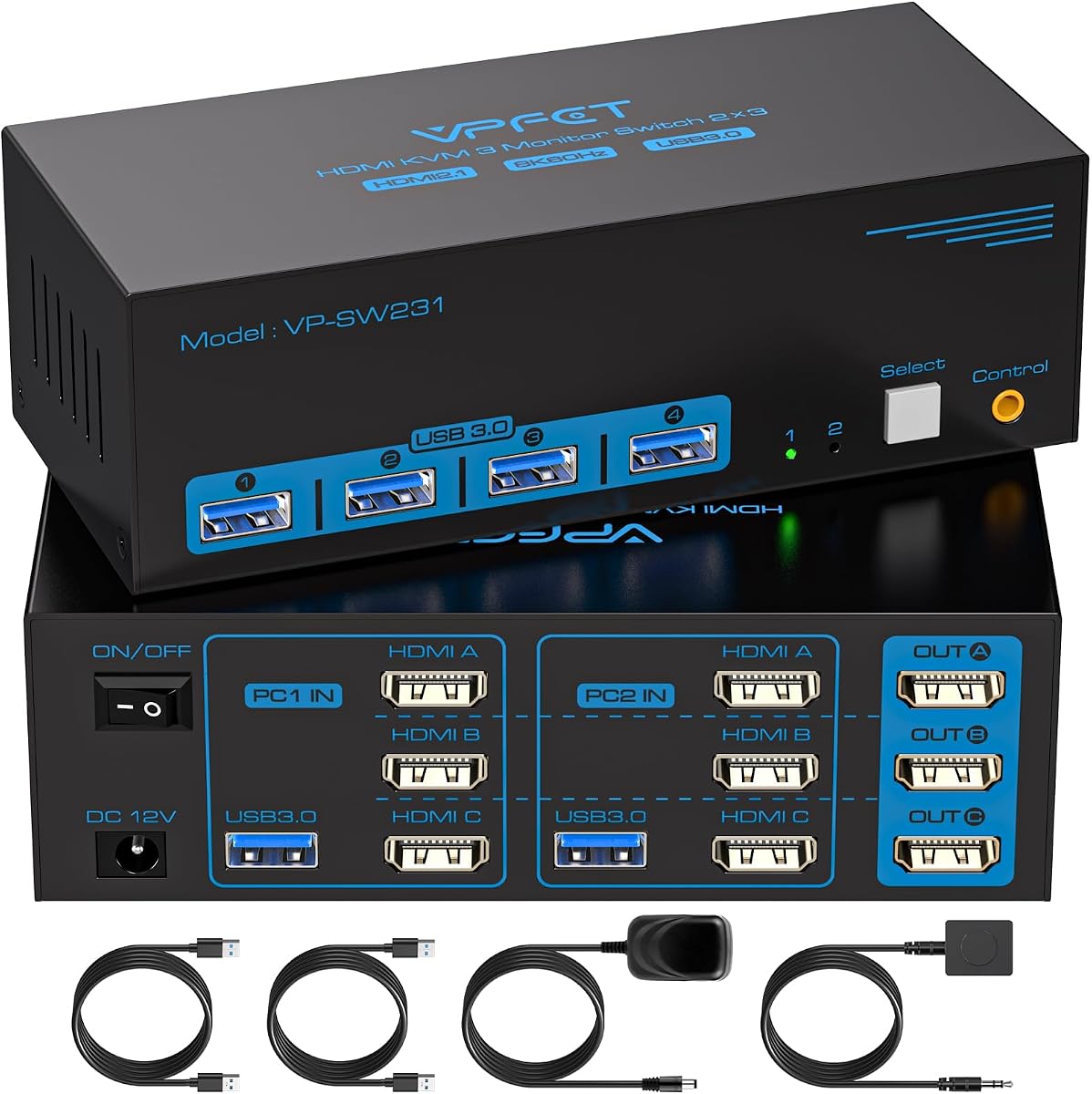

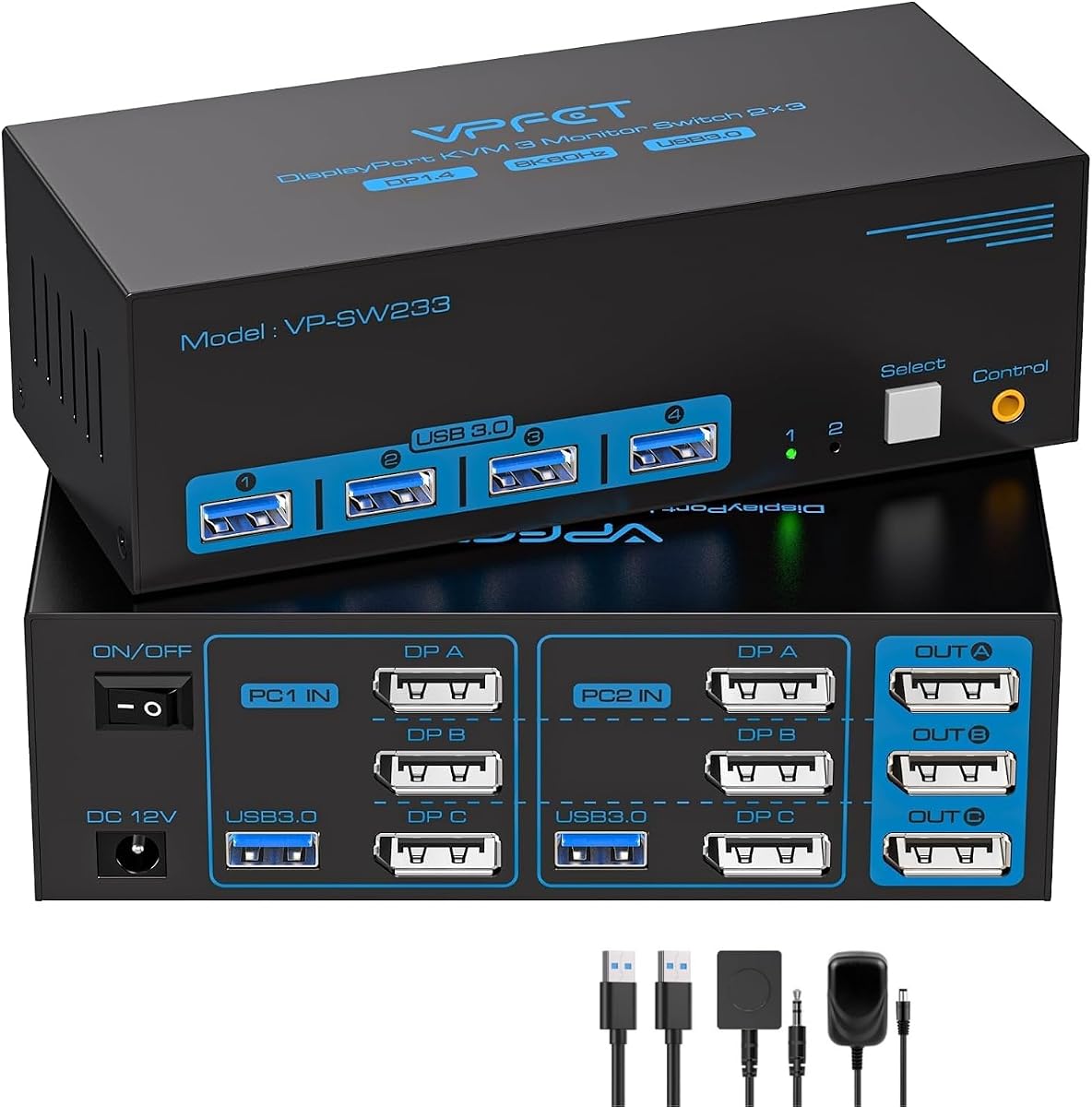

This HDMI KVM switch offers an affordable entry point for users needing to share three monitors between two computers. It supports 4K resolution at 60Hz and includes four USB 3.0 ports for peripherals like keyboards and mice.
We may earn a commission when you buy through this link, at no additional cost to you.
The device supports both extended and duplicate display modes allowing you to customize your workflow. It comes with a dedicated power adapter to ensure stable power for connected USB devices which is crucial for reliable performance.
Users should note that keyboard hotkeys are not supported so switching requires physical buttons or the included remote. You must ensure your computers support triple screen output before purchasing this switch.
This switch is ideal for budget conscious buyers who need basic multi monitor sharing without advanced docking features. Its straightforward design makes it a practical choice for home offices and small businesses.
The unit supports up to 4K resolution at 60Hz ensuring sharp visuals across all three connected monitors.
Four USB 3.0 ports allow you to share printers scanners and storage devices between two computer systems.
We may earn a commission when you buy through this link, at no additional cost to you.
The UGREEN KVM switch allows two computers to share three monitors using a combination of HDMI and DisplayPort inputs. It supports ultra high resolutions including 8K at 60Hz and is built with an aluminum casing for durability.
We may earn a commission when you buy through this link, at no additional cost to you.
This device includes a comprehensive package list with multiple DP and HDMI cables making it easier to get started. It supports HDR10+ and variable refresh rates which benefits gamers and creative professionals needing smooth visuals.
Users must ensure their computers have the correct mix of HDMI and DisplayPort outputs to use all three screens. The lack of hotkey support means you will rely on the physical buttons or remote controller to switch systems.
This model is suitable for users seeking high resolution capabilities without the cost of a full docking station. The included cables and sturdy build make it a convenient option for multi monitor setups.
The switch supports resolutions up to 8K at 60Hz providing incredibly detailed images for professional work.
Features like VRR and FreeSync help eliminate screen tearing during high frame rate gaming sessions.
We may earn a commission when you buy through this link, at no additional cost to you.
This AV Access KVM docking station is a robust solution that combines computer switching with full docking capabilities. It connects one USB C laptop and one desktop PC to three monitors while sharing USB peripherals and network access.
We may earn a commission when you buy through this link, at no additional cost to you.
The device supports up to 100W power delivery which means your laptop can charge through the same USB C cable used for video and data. This significantly reduces cable clutter on your desk compared to standard setups.
A unique feature is the shared Ethernet connection which keeps both computers online even when you switch control. However MacBook users should note that it supports mirrored displays only rather than extended modes across external screens.
This docking station is the top choice for professionals who want a seamless all in one solution. It eliminates the need for separate hubs and card readers making it highly efficient for dual computer workspaces.
One USB C cable handles video data and up to 100W charging for compatible laptops.
The shared Ethernet port allows downloads and updates to continue on the background computer while you work.
We may earn a commission when you buy through this link, at no additional cost to you.
This KVM switch is designed to share three monitors across four different computers which is rare in this category. It supports high resolutions including 8K at 60Hz and comes with necessary USB cables to get started quickly.
We may earn a commission when you buy through this link, at no additional cost to you.
The device requires that each computer has the specific combination of DisplayPort and HDMI outputs to drive three screens. It supports both extended and copy modes making it versatile for different workflow requirements across multiple systems.
USB data transfer rates reach 5Gbps ensuring efficient file sharing between connected machines. The included wired remote allows you to place the switch out of reach for a cleaner desktop setup.
This model is ideal for users with multiple workstations who need to centralize control. The inclusion of USB cables reduces the need for extra purchases and simplifies the initial installation process.
Unlike most switches this unit allows four computers to share three monitors simultaneously.
The package includes four USB 3.0 cables and a wired remote for immediate use.
We may earn a commission when you buy through this link, at no additional cost to you.
This KVM switch allows two computers to share three monitors using DisplayPort and HDMI inputs. It supports high resolutions up to 8K at 30Hz and includes four USB 3.0 ports for sharing peripherals like keyboards and printers.
We may earn a commission when you buy through this link, at no additional cost to you.
A unique feature is the dedicated power switch which allows you to restart the KVM without unplugging cables. This simplifies troubleshooting when signal recognition issues occur during use.
The device is compatible with a wide range of operating systems including Windows Mac OS and Linux. However active displayport to HDMI adapters are supported while passive ones are not recommended for stable operation.
This unit is suitable for users who need reliable switching with high resolution support. The power switch adds a layer of convenience for maintaining system stability over long periods of use.
The external power switch lets you reset the device easily when signal issues arise.
Supports 8K at 30Hz and 4K at 144Hz for detailed work and smooth motion.
We may earn a commission when you buy through this link, at no additional cost to you.
This premium docking station combines KVM switching with extensive peripheral connectivity. It supports high refresh rates up to 480Hz for desktop PCs making it excellent for gaming or fast motion workflows alongside productivity tasks.
We may earn a commission when you buy through this link, at no additional cost to you.
The unit supports 100W USB C power delivery which charges laptops while sharing displays and data. This integration reduces desk clutter significantly by replacing multiple separate hubs with a single device.
Shared Ethernet ensures network tasks continue on the unselected computer providing seamless multitasking across systems. The built in SD card reader and headphone jack further consolidate connections for users with multiple media needs.
This device is perfect for professionals who need a complete dual computer solution with high performance video. The high refresh rate support distinguishes it as a top choice for users who value smooth visuals.
Supports up to 480Hz refresh rates for desktop PCs ensuring ultra smooth motion.
Multiple high speed USB ports and SD card reader eliminate the need for separate hubs.
We may earn a commission when you buy through this link, at no additional cost to you.
This HDMI KVM switch allows two computers to share three monitors with support for high resolutions including 8K at 60Hz. It is designed for efficiency and includes a wired controller for convenient switching between systems.
We may earn a commission when you buy through this link, at no additional cost to you.
USB 3.0 ports provide fast data transfer speeds allowing you to share storage devices and printers easily. The device supports both extended and duplicate display modes which offers flexibility for different usage scenarios.
Users should ensure their computers have compatible ports as the switch requires specific configurations for three monitors. The wired controller helps keep your workspace tidy by allowing you to place the switch away from your desk.
This is a solid choice for users needing high resolution support with straightforward switching features. The included controller and driver free operation make it easy to set up for immediate use.
Supports 8K at 60Hz and 4K at 120Hz for sharp detailed visuals.
The wired controller lets you hide the switch for a cleaner desktop layout.
We may earn a commission when you buy through this link, at no additional cost to you.
This KVM switch stands out by allowing three computers to share three monitors which is rare among available models. It supports high resolutions up to 8K at 60Hz and includes USB cables to facilitate easy setup.
We may earn a commission when you buy through this link, at no additional cost to you.
USB 3.0 ports enable fast data sharing across all connected systems ensuring efficient file transfers. The device supports both extended and copy modes allowing you to choose how displays are used across computers.
To use the USB functions you must connect the USB input port from each computer otherwise peripherals may not be recognized. This requirement is important to note during the setup process to avoid issues.
This switch is ideal for environments with multiple workstations sharing limited display resources. The ability to handle three inputs makes it a versatile tool for home labs or small office setups.
Unlike most switches this model supports three computers sharing three monitors simultaneously.
USB 3.0 cables are included to simplify the initial connection process for users.
We may earn a commission when you buy through this link, at no additional cost to you.
This DisplayPort KVM switch is designed for users needing smooth high refresh rate visuals across three monitors. It supports up to 4K at 144Hz making it suitable for demanding tasks like video editing or gaming.
We may earn a commission when you buy through this link, at no additional cost to you.
The device provides reliable signal transmission which is critical for maintaining stability in professional environments. USB 3.0 connectivity ensures that file sharing and peripheral use remain fast and efficient.
Users must ensure each computer has three DisplayPort outputs to utilize this switch effectively. This requirement limits compatibility with some laptops or systems that rely primarily on HDMI connections.
This switch is best suited for workstation users who prioritize display stability and high refresh rates. The wired controller offers convenience and ensures a tidy workspace for focused work sessions.
Supports 4K at 144Hz ensuring fluid motion for video editing and gaming.
Designed for reliable signal transmission in demanding desktop environments.
We may earn a commission when you buy through this link, at no additional cost to you.
This KVM switch supports high resolutions up to 8K at 60Hz and 4K at 240Hz for smooth visuals across three monitors. It includes HDMI and DP cables which makes setup more convenient for new users.
We may earn a commission when you buy through this link, at no additional cost to you.
USB 3.0 ports allow for fast data transfer speeds facilitating efficient file sharing between two computers. The device supports both extended and mirrored modes and includes a wired remote for flexible placement.
Users should note that external power is required for optimal functionality and stability. The included cables ensure you can start using the switch immediately without needing extra purchases.
This model offers a balanced mix of performance and convenience with a warranty for peace of mind. It is suitable for users who want a comprehensive package without needing to source extra accessories.
Includes HDMI DP and USB cables to simplify the setup process for users.
A one year warranty service is provided for support and repair needs.
We may earn a commission when you buy through this link, at no additional cost to you.
Selecting the right KVM switch requires understanding your specific technical needs and the capabilities of your existing hardware. This guide outlines the key factors to consider before making a purchase.
Ensure the KVM switch supports the maximum resolution and refresh rate of your monitors. Most modern units support 4K at 60Hz or higher but some may limit high refresh rates depending on the interface used.
Check specifications for 8K or 144Hz support if you need ultra sharp visuals or smooth motion for gaming or creative work.
Verify that the switch has the necessary ports on both the input and output sides to connect your monitors and computers. Most triple monitor switches require two DisplayPort and one HDMI ports per computer.
Make sure your computers can output to three screens simultaneously as the KVM cannot create additional video signals.
Look for USB 3.0 ports which offer data transfer speeds up to 5Gbps. This is essential for transferring large files efficiently between computers and sharing peripherals like external drives.
USB 2.0 ports are slower and may bottleneck performance if you need to move data quickly between systems.
Consider how you want to switch between computers. Options include physical buttons on the unit wired remote controllers or hotkey combinations depending on the model.
Wired remotes help keep your desk clean while hotkeys offer convenience if your switch supports them.
Many triple monitor KVM switches require an external DC power adapter to ensure stable operation especially when high power USB devices are connected.
Always check if a power adapter is included or if you need to purchase one separately to avoid connection issues.
Confirm compatibility with your operating systems such as Windows Mac OS or Linux. Some units may have limitations such as not supporting extended displays on specific laptops.
Check for any specific notes regarding docking stations or adapters that may affect functionality.
Some packages include HDMI or DisplayPort cables while others require you to purchase them separately. This can impact the total cost and ease of setup.
If you already have compatible cables you might prefer a unit that does not include them to save space and cost.
Features like Ethernet sharing SD card readers or audio jacks can add value by replacing other hubs. Docking stations often include these for a more integrated experience.
Decide if these extra features are necessary for your workflow or if a basic switch suffices.
Connect your monitors and computers to the KVM switch using the appropriate video cables ensuring each computer has the required number of outputs. Plug the USB cables from each computer into the switch to enable peripheral sharing.
Power on the KVM switch using the external adapter if required. Use the panel button or included remote to switch between computers and verify that all monitors display the correct output.
Keep the device in a well ventilated area to prevent overheating and avoid bending the cables sharply to maintain signal integrity. Regularly check connections to ensure stable performance over time.
A high quality KVM switch supports the maximum resolution of your monitors without degradation. Ensure the unit matches your display capabilities such as 4K at 60Hz or higher for best results.
Yes but you must verify that your laptop supports triple monitor output via its video ports. Some laptops may require a docking station or specific adapters to drive three screens.
Most triple monitor KVM switches require an external DC power adapter for stable operation especially when connecting multiple USB devices. Check the product details to see if one is included.
Extended mode treats the three monitors as one large workspace while copy mode duplicates the same image across all screens. You can select your preferred mode through your computer's display settings.
Not all models support hotkeys. Many rely on physical buttons or remotes so check the specifications if you prefer keyboard shortcuts for switching between computers.
Yes USB KVM switches allow you to share keyboards mice printers and storage drives. Ensure USB 3.0 ports are used for faster data transfer speeds.
We have reviewed ten KVM switches ranging from budget friendly options to premium docking stations to suit various needs. Top picks include the HDMI KVM Switch for budget value and the AV Access docking station for comprehensive features.
Prioritize resolution support and port compatibility to ensure your setup runs smoothly. Consider additional features like Ethernet sharing or charging capabilities if they align with your workflow.
Prices and availability change frequently so check current details before purchasing. Select the model that best balances performance and cost for your specific multi computer workspace.