
JADENS Bluetooth
4.4Editor score
Affordable thermal printing
USB connectivity option
Wide label size range
Finding a reliable label printer for Linux can be challenging due to varying driver support and connectivity options. Many users struggle to find devices that work seamlessly without proprietary software. This guide focuses on models that offer robust Linux compatibility through USB or open source drivers.
We evaluated ten top rated label printers based on their ability to integrate with Linux environments. Our comparison looks at print quality, speed, and support for common shipping platforms. We prioritized devices that allow straightforward configuration without requiring complex workarounds or virtual machines.
Each pick below highlights key features and potential limitations for Linux users. You will find detailed reviews and a comparison table to help you choose. Please note that availability and specific driver versions may change over time so check the latest info.
4.4Editor score

4.0Editor score
4.6Editor score
As an Amazon Associate we earn from qualifying purchases.
The following table provides a side by side overview of all ten label printers reviewed in this guide. It highlights key specifications such as label width, connectivity type, and print resolution to help you compare models quickly against your specific Linux requirements.


The iDPRT SP310 stands out as a top choice for Linux users seeking reliable thermal printing. It boasts a rating of 4.0 and is designed to handle label widths from 1 to 3.35 inches. Its standout quality is the explicit mention of driver support for Linux systems which is rare in this category.
We may earn a commission when you buy through this link, at no additional cost to you.
Key strengths include its stable USB connectivity that eliminates wireless dropouts. This ensures uninterrupted heavy printing which is crucial for inventory tracking. The smart sensors detect label size automatically reducing the need for manual calibration and improving print accuracy.
One trade-off is the lack of Bluetooth support which limits mobile printing options. Additionally the free design software is only available for Windows and macOS. However these are acceptable for desktop focused users who prioritize stability and cost savings from open media.
This printer is ideal for small businesses or home offices on Linux that need a dedicated desktop solution. If you value reliable connectivity and cost effective media options the iDPRT SP310 is a strong recommendation for your setup.
Drivers are tailored specifically for Linux ensuring seamless plug and play integration without complex configuration steps.
The unlocked system allows use of any third party label brand reducing ongoing operational costs significantly.
We may earn a commission when you buy through this link, at no additional cost to you.
The JADENS Bluetooth offers an accessible entry point for Linux users needing a thermal shipping label printer. Rated at 4.4 it supports label widths up to 4.1 inches and works with both fanfold and roll labels. It is a practical choice for small businesses looking for cost effective shipping solutions.
We may earn a commission when you buy through this link, at no additional cost to you.
Its strengths include USB connectivity which is a standard for Linux compatibility. Users can avoid complex wireless setups by connecting directly via cable. The printer integrates well with popular shipping platforms ensuring your labels print correctly for packages.
A limitation is that Bluetooth printing relies on mobile apps which may not support direct desktop Linux usage. Additionally driver installation might require checking specific system requirements to ensure full functionality. These factors should be weighed based on your workflow needs.
If you are budget conscious and need a reliable desktop label printer this model is a top contender. It balances cost and functionality well making it suitable for online sellers and home office environments.
Supports both fanfold and roll labels giving you flexibility in how you source and store your media.
Works seamlessly with major platforms like Shopify and eBay streamlining your order fulfillment process.
We may earn a commission when you buy through this link, at no additional cost to you.
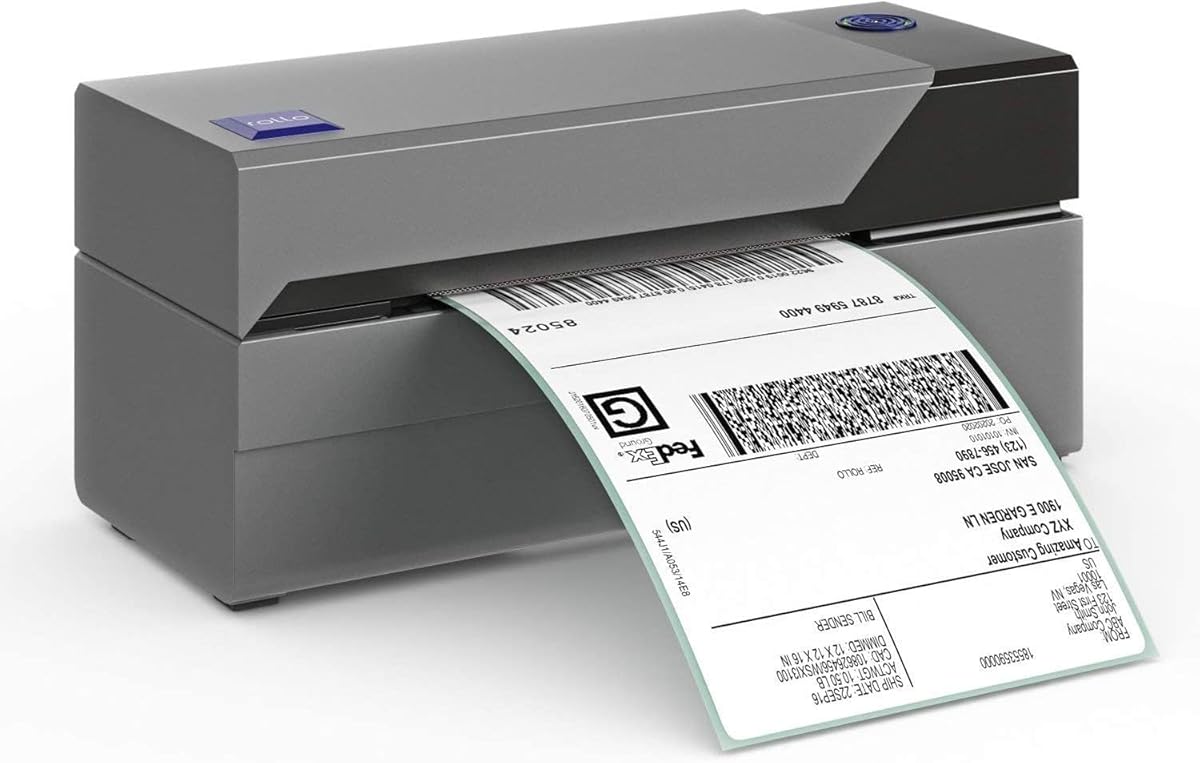
The Rollo USB is a premium option known for its commercial grade durability and speed. With a high rating of 4.6 it delivers one 4×6 label per second which significantly boosts productivity. It is ideal for users who require high volume printing without compromising on label quality.
We may earn a commission when you buy through this link, at no additional cost to you.
Key strengths include its ability to print clear and visible labels due to a high resolution 203 DPI head. The printer is compatible with all major shipping platforms and supports a wide range of label widths. This versatility makes it a robust tool for various business needs.
One trade-off is the higher price point compared to other models in this list. Additionally it relies solely on USB connectivity which means you cannot print wirelessly from mobile devices. For desktop focused operations these limitations are often outweighed by the speed and reliability.
If you prioritize performance and longevity in your label printing setup the Rollo USB is an excellent investment. It is designed to handle intensive tasks making it perfect for growing businesses with increasing shipping volumes.
Print speeds of 150mm per second allow you to process orders faster and keep your workflow efficient.
Built to withstand heavy use in commercial environments ensuring consistent performance over long periods.
We may earn a commission when you buy through this link, at no additional cost to you.
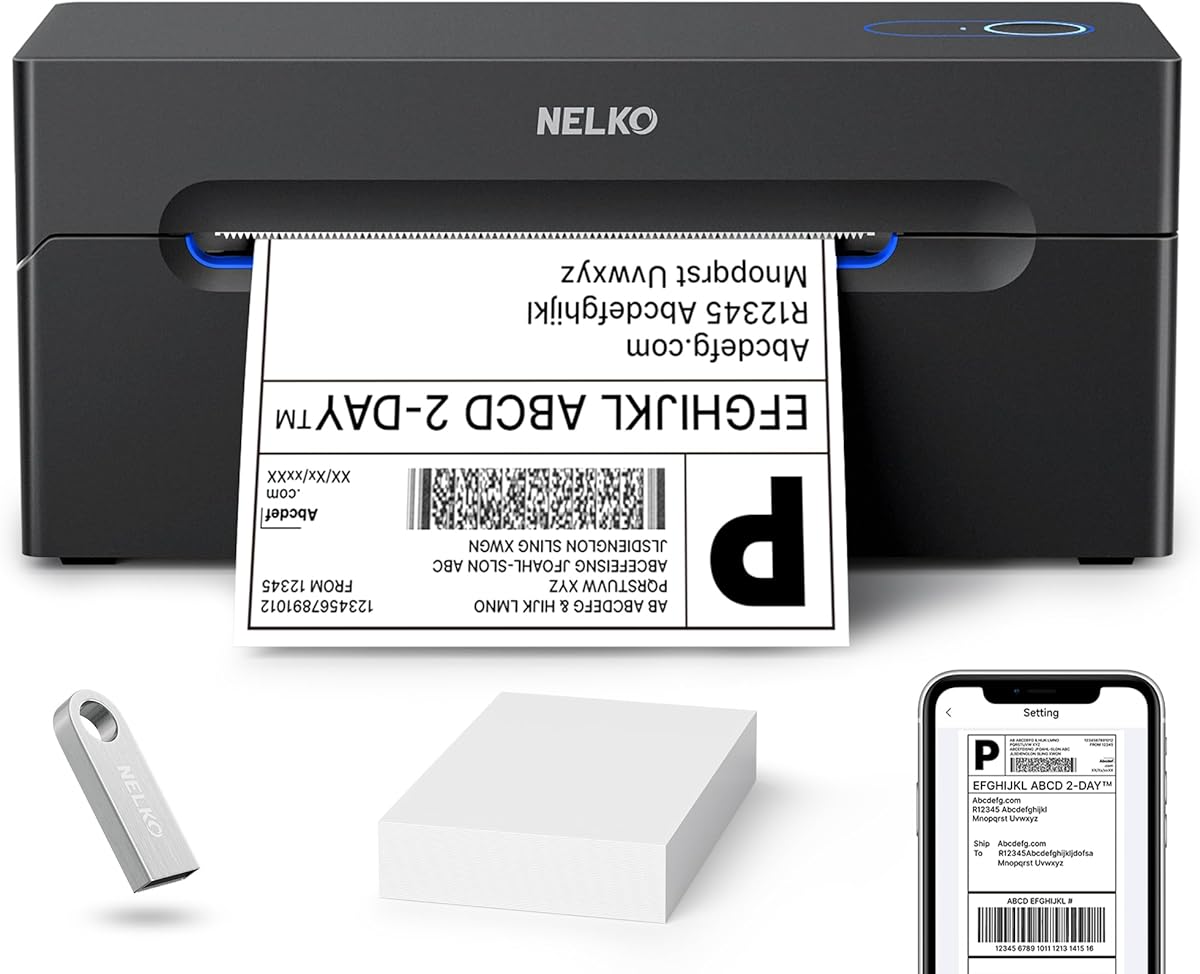
The Nelko Bluetooth is a versatile thermal printer that offers a balance of speed and portability. Rated at 4.3 it can print up to 72 sheets of 4×6 labels per minute. This makes it a strong candidate for users who need quick turnaround times without investing in high end commercial gear.
We may earn a commission when you buy through this link, at no additional cost to you.
Its strengths include USB connectivity which ensures reliable printing on Linux systems. The printer also supports both fanfold and roll labels providing flexibility for different media types. Users appreciate the compact size which fits well in smaller workspaces or home offices.
However Bluetooth printing is managed through an app which may not be ideal for direct desktop integration on all systems. Also Mac users need to follow specific connection steps via the app. These minor inconveniences do not detract from its overall value as a shipping solution.
For those seeking a fast and compact printer that works well with Linux via USB the Nelko is a solid choice. It offers good performance for the price and handles standard shipping tasks efficiently.
Its small size allows it to fit into limited spaces making it great for home or small office setups.
Uses direct thermal technology requiring no ink or toner which keeps ongoing costs low for daily use.
We may earn a commission when you buy through this link, at no additional cost to you.
The Brother P-touch CUBE Plus is designed for organizing and labeling rather than shipping. It has a 4.5 rating and focuses on creating custom labels up to 1 inch wide. Its wireless design and rechargeable battery make it easy to move around your workspace for labeling various items.
We may earn a commission when you buy through this link, at no additional cost to you.
Strengths include access to multiple software applications offering a wide array of fonts and frames. This allows for creative customization which is great for home organization or retail displays. The included starter tapes help you get started immediately without extra purchases.
One limitation is that it only handles tapes up to 1 inch wide so it is not suitable for shipping or larger address labels. Users looking for robust shipping solutions will need to look elsewhere. However for office or home organization it is highly effective.
If your goal is to label folders, bins, or products rather than boxes this label maker is a top pick. Its portability and design features make it a valuable tool for maintaining organization in any environment.
Software templates and fonts let you design professional looking labels that stand out on any shelf.
Built in battery means you can label items away from your desk without hunting for an outlet.
We may earn a commission when you buy through this link, at no additional cost to you.
The Brother QL-700 is a high speed professional label printer built for efficiency. With a 4.4 rating it can print up to 93 labels per minute. This speed makes it ideal for offices or businesses that need to process a large volume of labels quickly without delays.
We may earn a commission when you buy through this link, at no additional cost to you.
Its strengths include the drop-in roll system which makes loading easy and fast. The auto cutter ensures precise cuts for single or multiple labels saving you manual effort. It also supports continuous length tapes which is useful for creating banners or long labels.
A limitation is that it uses proprietary tapes which might limit cost savings compared to open systems. Also driver support for Linux should be verified before purchase to ensure compatibility. These factors are manageable for users focused on office productivity.
If you need a fast and reliable solution for standard office labeling tasks the QL-700 is a strong recommendation. It delivers professional results with minimal setup effort.
The combination of fast printing and automatic cutting streamlines your labeling process significantly.
Uses direct thermal technology so you avoid the hassle and cost of buying ink or toner cartridges.
We may earn a commission when you buy through this link, at no additional cost to you.
The Brother QL-570 is a professional label printer known for its high resolution output. With a 4.4 rating it offers 300 x 600 DPI resolution for sharp and detailed text. This makes it suitable for applications where label clarity and detail are critical for readability.
We may earn a commission when you buy through this link, at no additional cost to you.
Key strengths include its ability to print detailed imagery alongside text. This is beneficial for branding or instructional labels. The included P-Touch software provides a robust set of tools for creating customized labels to meet specific needs.
One limitation is that its speed is slower compared to newer models like the QL-700. The price point is also higher than budget options which might not be necessary for basic tasks. However for professional use the quality justifies the cost.
If you prioritize high quality print results and detailed labels the QL-570 is a worthy investment. It delivers consistent professional results for various business applications.
High resolution ensures that even small text and complex barcodes are printed clearly and accurately.
Comes with software that allows you to design and print a wide range of label types easily.
We may earn a commission when you buy through this link, at no additional cost to you.
The SUPVAN T50M Pro is designed for home and small business organization with ease. Rated at 4.5 it prints labels from 3/4 to 2 inches wide. The app allows for easy customization with images and icons making it a user friendly tool for organizing storage.
We may earn a commission when you buy through this link, at no additional cost to you.
Its strengths include the versatile app editing which supports over 30 fonts and icons. This creative freedom helps users make labels that are both functional and attractive. The included tapes provide immediate value and let you start using the device right away.
A limitation is that it is not designed for shipping labels due to its size constraints. Users relying on shipping platforms will need a different printer. For home and office organization however it is a highly effective and affordable solution.
If you want to organize your home or small business with custom labels the T50M Pro is an excellent choice. Its ease of use and app features make labeling simple and enjoyable.
Add images and icons from your device to create unique labels for any item or category.
Comes with three tapes so you have everything you need to get started without additional purchases.
We may earn a commission when you buy through this link, at no additional cost to you.
The ETIKEZ Bluetooth is a compact thermal printer designed for small businesses and home offices. With a 4.4 rating it offers 203 DPI resolution for clear labels. Its small footprint makes it easy to fit into tight spaces without sacrificing print performance or label quality.
We may earn a commission when you buy through this link, at no additional cost to you.
Its strengths include standard USB connectivity which ensures a stable link for Linux users. It also supports major courier platforms and a wide range of label sizes for various needs. The design focuses on efficiency and ease of use for quick label printing.
A limitation is that Bluetooth printing relies on the Labelnize app which may require extra steps for setup. The initial connection process also involves manual driver installation which might be a hurdle for some. These are minor issues for desktop focused users.
If you need a reliable and space saving label printer this model is a strong contender. It offers essential features at a competitive price point for everyday shipping tasks.
Its compact size allows it to fit into small studios or corners of storage rooms easily.
Works with popular courier platforms to streamline your shipping process with minimal effort.
We may earn a commission when you buy through this link, at no additional cost to you.
The Brother P-Touch PT-D610BT is a business professional label maker designed for efficiency. Rated at 4.5 it supports up to 1 inch wide tape with rich design options. It includes built-in memory and a visual preview screen to ensure accuracy before printing.
We may earn a commission when you buy through this link, at no additional cost to you.
Its strengths include access to a wide library of fonts and symbols for professional looking labels. The ability to store up to 90 frequently used labels saves time on repetitive tasks. This makes it valuable for asset management and inventory tracking in business environments.
One limitation is the 1 inch tape limit which restricts its use for larger shipping labels. The price point is higher than consumer models which reflects its professional features. For specific labeling tasks these limitations are outweighed by the workflow improvements.
If you need a robust solution for business labeling tasks this model is highly recommended. Its professional features and connectivity options make it a reliable tool for any office setup.
Access to hundreds of symbols and fonts ensures your labels look polished and professional.
Built-in memory allows quick reprinting of common labels without recreating them each time.
We may earn a commission when you buy through this link, at no additional cost to you.
Selecting the right label printer for Linux requires attention to driver support and connectivity options. This section details the key factors to consider before making your purchase.
Ensure the printer offers dedicated drivers or open source support for your distribution. Some models provide downloadable drivers tailored for Linux ensuring plug and play functionality. Check forums or vendor documentation to confirm compatibility before buying.
Always verify driver availability to avoid setup issues on your system.
USB is the most reliable connection for Linux systems as it does not rely on network configurations. Bluetooth can be useful for mobile devices but may require specific apps for desktop integration. Choose USB if you prioritize stability and consistent performance.
USB connections generally offer the most hassle free experience on Linux.
Determine the required width for your needs such as shipping or asset labels. Thermal printers typically handle wider tapes while desktop label makers are limited to smaller sizes. Ensure the selected model supports your intended label dimensions to avoid compatibility issues.
Check the supported label width range to match your printing requirements.
Print speed affects how quickly you can process labels in bulk. Commercial models offer faster speeds suitable for high volume needs while home models are slower. Consider your daily volume to select a speed that keeps your workflow efficient.
Higher speeds are essential for businesses with large shipping volumes.
Some printers use proprietary chips that restrict you to branded media which can be costly. Open systems allow the use of any compatible third party labels reducing long term costs. If budget is a priority look for models that do not enforce proprietary restrictions.
Open systems provide significant cost savings over time.
Check if the printer works with your shipping or inventory management software. Many models integrate directly with popular platforms simplifying label generation. Compatibility ensures you can print labels directly from your existing workflow without extra steps.
Verify platform integration to streamline your operational process.
Resolution determines the clarity of text and barcodes on your labels. 203 DPI is standard and sufficient for most shipping needs while higher DPI is better for detailed graphics. Choose a resolution that meets your legibility requirements for scanning and reading.
Standard resolution is usually sufficient for clear barcodes and text.
A reliable warranty and accessible support can save you downtime if issues arise. Look for vendors that offer technical assistance specifically for Linux users. Proper support ensures you can resolve configuration problems quickly and keep printing.
Good warranty and support provide peace of mind for your investment.
To get started connect the printer to your Linux computer via USB cable. Install any required drivers provided by the vendor and ensure the printer is detected by your system settings. You can then configure it within your label printing software.
For optimal performance regularly check the print head for dust and clean it with a soft cloth. Replace labels carefully ensuring they are loaded correctly to avoid jams or misalignment. Follow calibration steps after changing media to maintain accuracy.
Store your printer in a cool dry place away from direct sunlight. Keep it covered when not in use to prevent dust accumulation. Proper maintenance extends the life of the printer and ensures consistent label quality over time.
Most of these models work with Ubuntu and Fedora through standard drivers or USB support. Check specific vendor documentation to confirm the availability of packages or drivers for your distribution. Many devices are plug and play on modern Linux kernels.
Yes if your shipping platform supports Linux web apps or desktop integrations. Ensure the printer is configured correctly within your browser or software settings. Most models reviewed in this guide integrate well with common shipping platforms.
Many printers come with free design software or work with generic Linux tools. Some require specific apps which may have limited Linux support so check before buying. Using open source alternatives can also help you avoid software dependencies.
The iDPRT SP310 and JADENS models offer strong value with good Linux support and reasonable pricing. They balance features like speed and label width without breaking the budget. Consider your specific shipping volume to determine the best fit.
Yes most thermal printers in this guide support both fanfold and roll labels. This flexibility allows you to choose the media type that best suits your storage needs. Always verify the supported label width and type before purchasing.
Alignment issues can often be resolved by recalibrating the printer via its control buttons. Ensure your driver settings match the exact label dimensions and gap size. Checking these settings usually corrects alignment and improves output quality.
We have reviewed ten top label printers that offer varying levels of Linux support and features. Our top picks include the iDPRT SP310 for dedicated drivers and the Rollo USB for speed and reliability. Each model has unique strengths depending on your specific needs.
Prioritize connectivity and driver support when choosing to ensure a smooth experience on Linux. If you need open media options look for models that do not enforce proprietary chips. Speed and label width should also match your operational volume.
Prices and availability can change so always check the latest information before purchasing. Use this guide as a reference to find a printer that fits your budget and workflow. With the right choice you can streamline your labeling tasks efficiently.