
Lenovo Chromebook 14 Touchscreen
4.4Editor score
MediaTek Kompanio 520 processor
Full HD touchscreen display
Extended battery life support
Finding the right device for young developers is crucial. A good coding laptop needs strong performance, durability, and ease of use to support growing skills.
We compared ten top models based on processor power, screen quality, and educational compatibility. This list covers various budgets and age groups for diverse learning needs.
Each pick highlights key strengths and trade-offs for young coders. Please note that prices change frequently, so check current offers before making your final purchase decision.
4.4Editor score

4.2Editor score

5.0Editor score
As an Amazon Associate we earn from qualifying purchases.
This side-by-side comparison shows key specs for all ten laptops. It helps you quickly identify which model fits your child's specific coding learning needs.




This HP Chromebook stands out for its versatile design and strong educational support. It earns a solid rating for combining durability with modern Chrome OS features that suit young learners.
We may earn a commission when you buy through this link, at no additional cost to you.
The 360-degree hinge allows multiple modes for different tasks. Its Intel N150 processor handles basic coding platforms well while the cloud focus keeps software updated effortlessly.
While the RAM is modest, it remains responsive for web-based coding. The main trade-off is limited offline capability compared to desktop systems.
It is ideal for students needing a reliable device for school and coding classes. We recommend it for families prioritizing long-term software support.
The 360-degree hinge supports laptop, tent, stand, and tablet modes for versatile use.
Chrome OS auto updates ensure security and new features until November 2026.
We may earn a commission when you buy through this link, at no additional cost to you.
This Lenovo model offers great value for families on a budget. It provides essential features like a touchscreen and solid battery life for daily learning sessions.
We may earn a commission when you buy through this link, at no additional cost to you.
The MediaTek Kompanio 520 processor ensures smooth operation for web-based coding tools. Its included accessories add extra utility for students needing connectivity options.
Though it lacks high-end specs, it performs reliably for educational apps. The lower price makes it accessible while still delivering core functionality.
We suggest this for budget-conscious buyers seeking a dependable student laptop. It works well for beginners starting with simple coding exercises.
Includes a docking station hub, mouse, and extra storage for immediate use.
Designed for class-leading battery life to last through full school days.
We may earn a commission when you buy through this link, at no additional cost to you.
The NIMO laptop combines premium features with a strong performance rating. Its larger screen and backlit keyboard make it excellent for extended study sessions.
We may earn a commission when you buy through this link, at no additional cost to you.
Security is enhanced with a fingerprint reader for easy access. The SSD storage ensures fast boot times for all learning applications.
While it carries a higher cost, the included warranty provides peace of mind. The build quality supports daily use without compromising on essential specs.
This is perfect for families wanting a reliable device with added convenience features. It suits students who need more screen real estate for coding.
Fingerprint access allows quick login without typing complex passwords.
The 15.6-inch Full HD display offers more space for multitasking.
We may earn a commission when you buy through this link, at no additional cost to you.
This HP Chromebook is designed specifically for tough educational environments. It prioritizes durability and portability for students moving between classrooms.
We may earn a commission when you buy through this link, at no additional cost to you.
The smaller form factor makes it easy to carry anywhere. Its spill-resistant keyboard adds a layer of protection against accidental spills.
While storage is limited, cloud apps work well for coding projects. The compact size might challenge users needing more screen space.
We recommend this for younger students needing a rugged travel device. It fits schools requiring robust hardware for daily use.
The keyboard resists spills to protect internal components from damage.
Weighs less than other models for easy transport in backpacks.
We may earn a commission when you buy through this link, at no additional cost to you.
This VTech laptop introduces basic computer concepts without internet risks. It helps children feel confident on a full keyboard before using real systems.
We may earn a commission when you buy through this link, at no additional cost to you.
Activities cover math and logic that support coding readiness. The lack of internet means parents don't need to worry about online safety.
It is not a full computer for complex coding tasks. The simplified interface might limit growth once skills advance.
We suggest this for early learners aged five and up. It builds foundational skills before transitioning to advanced devices.
Every activity is pre-loaded and ready to play without internet.
The standard layout prepares kids for typing on bigger laptops.
We may earn a commission when you buy through this link, at no additional cost to you.
This model offers a balanced spec for students needing more RAM. It runs Chrome OS smoothly which is ideal for web-based coding tools.
We may earn a commission when you buy through this link, at no additional cost to you.
Its 8GB memory allows for better multitasking than basic 4GB models. The lightweight design ensures it fits easily in any backpack.
Storage remains a limiting factor for local files. Lack of reviews makes verification of real-world performance harder.
We recommend it for those needing extra RAM at this price. It suits students running multiple browser tabs at once.
8GB RAM supports smooth multitasking during busy study periods.
Designed to be easy to lift and carry around all day.
We may earn a commission when you buy through this link, at no additional cost to you.
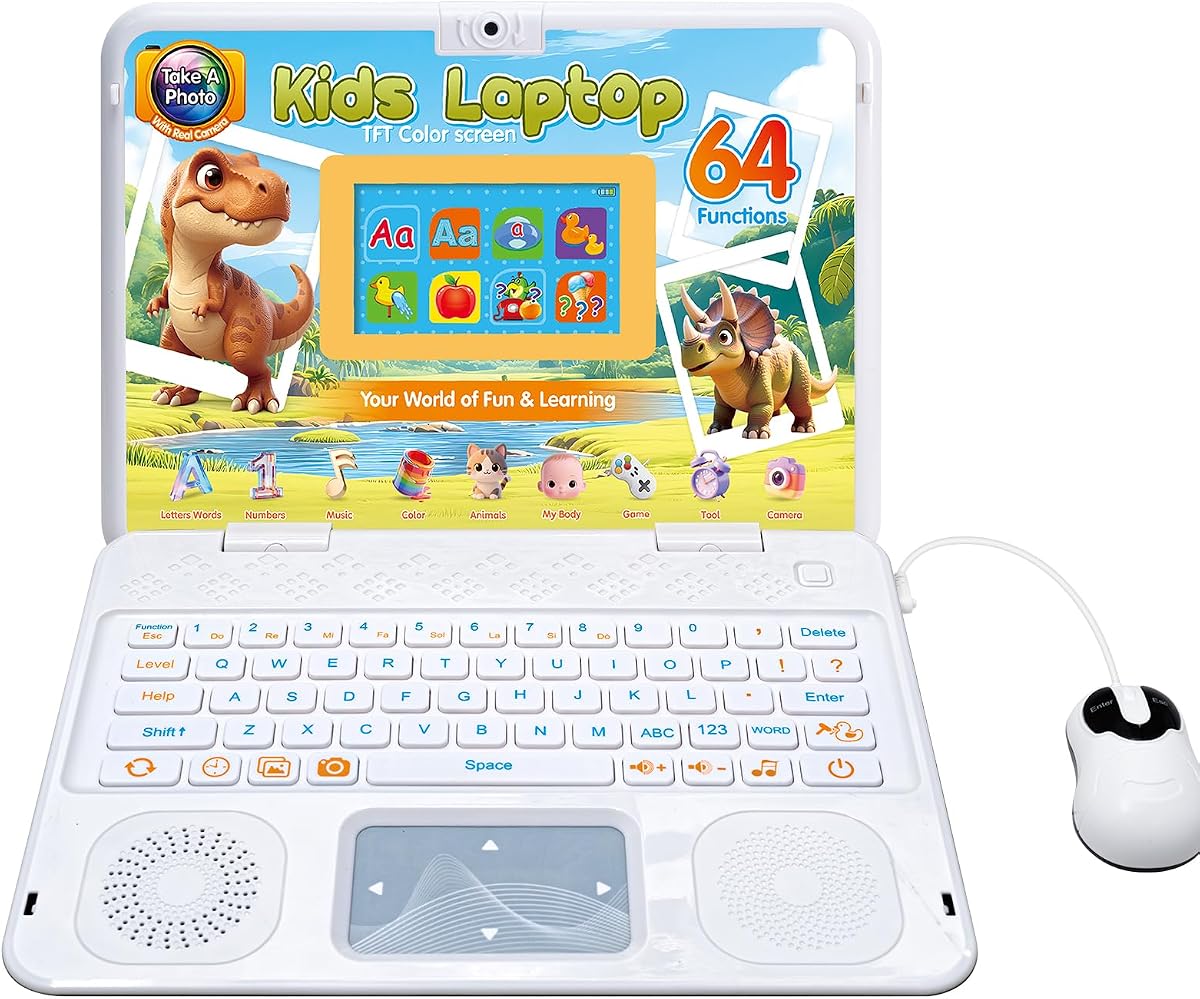
This toy laptop engages kids with interactive lessons and games. It provides a safe way to explore computer-like activities at home.
We may earn a commission when you buy through this link, at no additional cost to you.
The camera and fun modes encourage creativity. Kids enjoy exploring colors and music which builds computer confidence.
Screen size limits actual coding practice. It remains a toy rather than a functional learning tool.
We suggest this as a gift for younger children. It sparks early interest before switching to real hardware.
Kids can use cute frames to express creativity freely.
Slim form fits comfortably in small hands for grip.
We may earn a commission when you buy through this link, at no additional cost to you.
LeapFrog designed this for preschoolers to learn early logic skills. The friendly character Pixel makes learning engaging and fun for toddlers.
We may earn a commission when you buy through this link, at no additional cost to you.
Simple code programs introduce sequencing concepts. It helps children understand basic steps in a logical order.
This is too simple for older students. It serves as a pre-coding toy instead of a real computer.
We recommend this for parents with toddlers starting tech. It builds curiosity before school age learning.
Pixel animates and dances to encourage fun learning.
Programs clean or cuddle Pixel to teach simple coding logic.
We may earn a commission when you buy through this link, at no additional cost to you.
This educational laptop introduces kids to basic computer ideas. Its colorful screen and multiple modes keep children entertained for hours.
We may earn a commission when you buy through this link, at no additional cost to you.
It covers alphabet and math basics well. The keyboard mimics a real one to build typing familiarity.
The low resolution limits text clarity. It cannot run actual coding applications needed for real learning.
We suggest this as an inexpensive toy for beginners. It prepares kids before they use actual computers.
48 modes cover alphabet, math, and general knowledge.
Slim design allows for easy handgrip during play.
We may earn a commission when you buy through this link, at no additional cost to you.
This Android-based device offers flexibility for app learning. It includes parental controls for safety during digital exploration.
We may earn a commission when you buy through this link, at no additional cost to you.
The touchscreen supports various educational apps. Its processor handles basic tasks easily for young users.
Battery life may not last a full day. Managing app installs requires more parental oversight.
We recommend this for families wanting Android access. It suits students comfortable with touch interfaces.
Customizable profiles manage time and apps for family safety.
Access to thousands of games and apps via Play Store.
We may earn a commission when you buy through this link, at no additional cost to you.
Selecting the right coding device involves balancing performance with safety. Consider processor speed, screen size, and durability before buying.
Chrome OS offers simplicity and safety for beginners. Windows provides more traditional software options for advanced coding. Android tablets give app flexibility.
Choose Chrome OS for safety and Windows for flexibility.
An efficient processor ensures smooth operation during coding tasks. Dual-core or octa-core chips handle browser apps without lag.
Look for N150 or MediaTek Kompanio processors.
4GB RAM is sufficient for basic coding apps. 128GB SSD storage allows for saving projects without speed loss.
Prioritize SSD over eMMC for faster loading.
Larger screens reduce eye strain during study. HD resolution helps read code text clearly.
Opt for 11-inch or larger screens.
Kids often carry laptops daily. Spill-resistant keyboards and rugged frames ensure longevity.
Pick models with MIL-STD or reinforced corners.
All-day battery supports school use. Look for 8+ hours of continuous use.
Ensure fast charging options are available.
Safety features restrict unwanted content. Robust controls manage app access.
Check for built-in supervision tools.
Prices vary from toys to full computers. Determine your spending limit.
Balance features with affordability.
Start with a dedicated learning account to manage safety settings. Adjust parental controls to allow coding apps while blocking others.
Teach proper posture to prevent strain. Use an external mouse if the trackpad is difficult.
Keep the device cool and dry. Clean screens with a soft cloth to avoid damage.
Most children begin with logic-based games at age five. Real coding usually starts around age eight.
Web browsers are enough for most languages. Platforms like Scratch run online easily.
Yes. It supports web-based tools and simple apps.
4GB is minimal. 8GB is better for complex projects.
Yes, typing code on touchscreens is hard. Full keyboards are essential.
Tablets work but keyboards add value. Laptops offer more power.
Use parental controls and teach safe browsing habits. Avoid unknown downloads.
The top picks offer solid value and safety for beginners. HP and NIMO models stand out for performance and durability.
Prioritize screen size and battery life for long study sessions. Ensure the device can grow with your child's skills.
Always verify current prices and offers. The market changes fast, so check before purchasing.