
Acer Swift Go 16
4.1Editor score
3.2K OLED visuals
Intel Core Ultra 5
Thunderbolt 4 ports
OLED technology has revolutionized laptop displays by offering perfect blacks and vibrant colors. Finding the right model requires balancing performance, battery life, and visual fidelity for your specific needs today.
We evaluated ten leading laptops featuring OLED panels based on display quality, processor speed, build durability, and overall value. Our analysis focuses on real-world usage scenarios for professionals and enthusiasts alike.
Each pick highlights unique strengths ranging from gaming power to ultra-portability. Keep in mind that specifications and availability may vary by region and retailer as the market evolves rapidly this season.
4.1Editor score

4.0Editor score

5.0Editor score
As an Amazon Associate we earn from qualifying purchases.
The following table provides a side-by-side comparison of the top ten OLED laptops to help you quickly identify the best fit for your workflow.


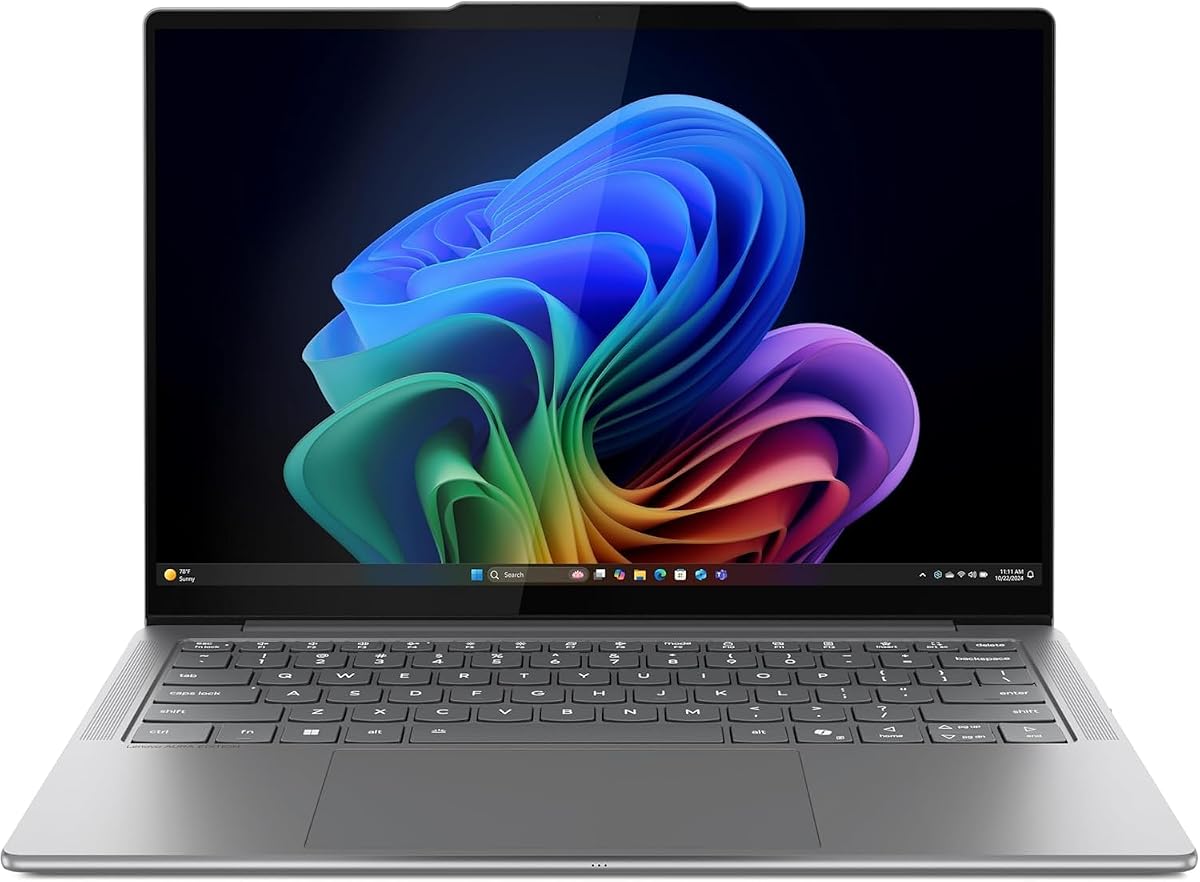
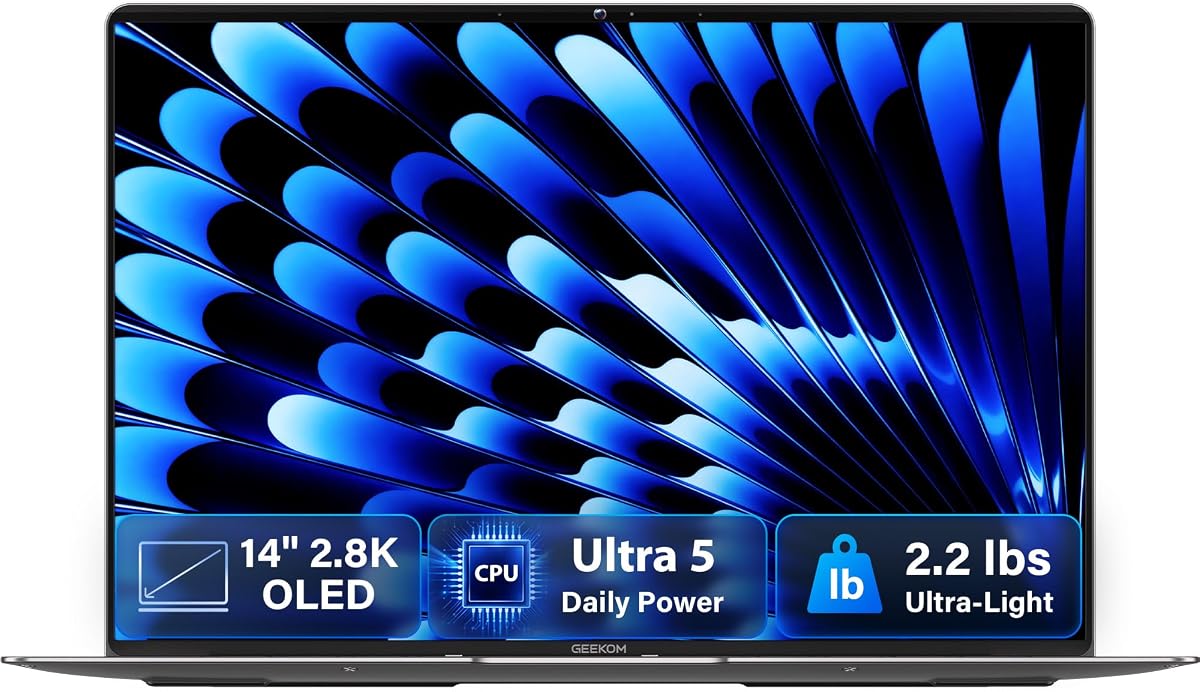
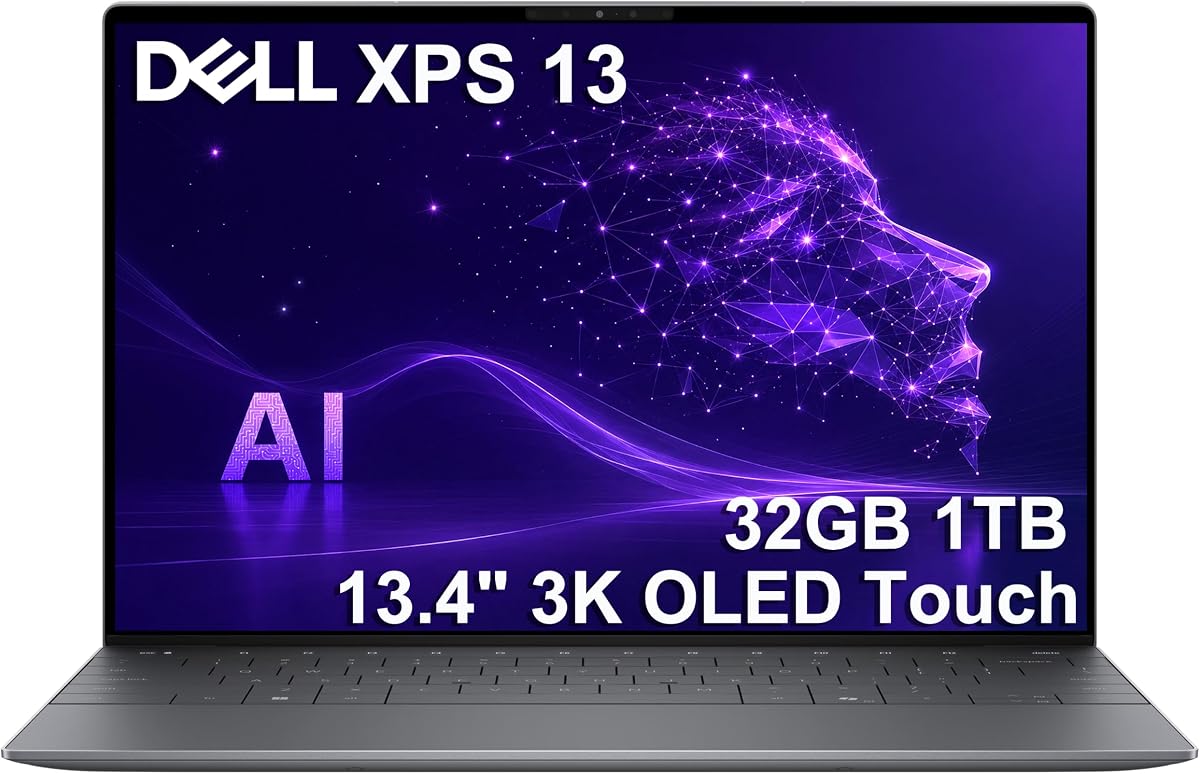
The Lenovo IdeaPad Pro 5 stands out as a top choice for creators needing a balance of power and visual quality. It features a stunning 16-inch OLED panel that delivers rich colors and deep blacks for content work.
We may earn a commission when you buy through this link, at no additional cost to you.
Powered by the AMD Ryzen AI 7 processor and RTX 5050 graphics, this laptop handles demanding tasks like video editing and rendering with ease. The 120Hz refresh rate ensures smooth scrolling and responsive interactions.
While the build is robust and includes essential ports like HDMI 2.1 and USB-C, the weight might be a consideration for frequent travelers. However, the performance and display quality make up for it in professional settings.
We recommend this model for professionals and creatives who prioritize screen fidelity and processing power over ultra-light portability. It is a versatile machine that grows with your workflow.
The 2880×1800 OLED display offers high resolution and a 120Hz refresh rate for fluid visuals ideal for media consumption and design.
AMD Ryzen AI technology accelerates creative workloads and multitasking providing a smooth user experience even under heavy use.
We may earn a commission when you buy through this link, at no additional cost to you.
The Acer Swift Go 16 brings OLED technology to a more accessible price point without sacrificing too much performance. It features a bright 3.2K display that is perfect for watching movies and editing photos.
We may earn a commission when you buy through this link, at no additional cost to you.
Equipped with an Intel Core Ultra 5 processor, this laptop handles daily tasks efficiently. The Thunderbolt 4 ports allow for fast data transfer and connectivity to high-resolution external monitors.
One limitation is the 8GB of RAM which is soldered and cannot be upgraded later. This might affect long-term usability for heavy multitaskers but is acceptable for general users on a budget.
This model is ideal for students and home users looking for a stylish laptop with a great screen. It offers a premium feel at a mid-range price.
The 16-inch WQXGA+ OLED panel provides 100% DCI-P3 color coverage for accurate and vibrant images.
Thunderbolt 4 ports support speeds up to 40Gbps ensuring quick file transfers and versatile connection options.
We may earn a commission when you buy through this link, at no additional cost to you.
The ASUS Vivobook S16 is designed for users who need all-day power without tethering to a wall outlet. Its massive battery supports up to 21 hours of video playback making it a powerhouse for travelers.
We may earn a commission when you buy through this link, at no additional cost to you.
It comes with 32GB of RAM and a 1TB SSD providing ample resources for multitasking and storage. The AMD Ryzen AI processor ensures efficient performance for general productivity tasks.
The screen resolution is 1920×1200 which is lower than some competitors but still delivers deep contrast thanks to OLED tech. It is not ideal for high-end gaming but great for work.
This laptop is perfect for professionals who travel frequently and need a reliable machine that lasts through long flights and meetings. The included high RAM is a huge plus.
The 70Wh battery combined with efficient processing allows for up to 21 hours of video playback on a single charge.
With 32GB of system memory users can run multiple applications simultaneously without experiencing slowdowns or lag.
We may earn a commission when you buy through this link, at no additional cost to you.
The HP OmniBook 3 is a compact 14-inch device that prioritizes portability and efficiency. It uses the Snapdragon X X1 processor which provides decent power for daily tasks while saving battery.
We may earn a commission when you buy through this link, at no additional cost to you.
Its 16GB of RAM ensures smooth multitasking for office work and web browsing. The OLED display offers crisp visuals in a smaller form factor perfect for tight spaces.
One drawback is the 256GB storage which might fill up quickly with media files. Users may need to rely on cloud storage for larger projects.
This is a great choice for students and casual users who want a lightweight machine for writing and streaming. It fits easily into small bags and pockets.
At just 14 inches and a slim profile this laptop is easy to carry and use on small surfaces like airplane trays.
The Snapdragon X X1 chip balances performance with power consumption to deliver extended battery life for mobile users.
We may earn a commission when you buy through this link, at no additional cost to you.
The ASUS Vivobook S16 with the Intel Core Ultra 9 offers robust performance for demanding users. The processor is capable of handling complex applications and heavy workloads efficiently.
We may earn a commission when you buy through this link, at no additional cost to you.
With 32GB of RAM and a 1TB SSD this machine provides plenty of breathing room for large files and virtual machines. The Arc graphics also support creative workflows well.
While the display is a WUXGA OLED panel it delivers deep contrast and vibrant colors suitable for media consumption. The build quality is rugged to withstand daily travel and use.
We recommend this for power users who need raw processing power in a portable form factor. It balances performance with a sleek modern design effectively.
The Core Ultra 9 386H provides high clock speeds and multi-core capabilities for intensive multitasking and computation.
MIL-STD 810H certification ensures the chassis can withstand shocks and bumps encountered during travel and daily use.
We may earn a commission when you buy through this link, at no additional cost to you.
The HP OmniBook 5 16 offers a touchscreen OLED display which adds interactivity to your workflow. It is powered by the Snapdragon X Plus ensuring good efficiency for mobile use.
We may earn a commission when you buy through this link, at no additional cost to you.
With 16GB of RAM and 512GB storage it meets the needs of most business professionals. The battery life is exceptional allowing for all-day use without charging.
The touch feature is great for presentations and note-taking. While it is not a gaming machine it handles multimedia tasks well.
This model is an excellent value for those who want a modern AI PC with a touch screen at a competitive price. It is a reliable workhorse.
The 16-inch OLED display supports touch input allowing for intuitive navigation and creative annotation on the screen.
The Snapdragon X Plus processor optimizes energy use to deliver longer battery life for on-the-go productivity.
We may earn a commission when you buy through this link, at no additional cost to you.
The Lenovo Slim 7i is an ultra-portable device that combines style with functionality. Weighing just 2.82 lbs it is easy to carry anywhere while maintaining premium build quality.
We may earn a commission when you buy through this link, at no additional cost to you.
It features a 14-inch OLED touchscreen with HDR True Black 500 certification ensuring vibrant visuals. The inclusion of 32GB RAM is rare for such a compact model.
The design includes features like a privacy shutter and quad speakers for a complete experience. However the port selection is limited and requires dongles for some connections.
This laptop is perfect for executives and travelers who need a lightweight yet powerful companion. It is one of the lightest options with such high specs.
The slim aluminum chassis starts at 2.82 lbs making it incredibly easy to carry in a bag or hold in one hand.
The 14-inch OLED touchscreen offers HDR support and vivid colors for an interactive and engaging visual experience.
We may earn a commission when you buy through this link, at no additional cost to you.
The GEEKOM GeekBook X14 Pro stands out with its stunning 2.8K OLED display that refreshes at 120Hz. This creates smooth visuals that are great for both work and entertainment.
We may earn a commission when you buy through this link, at no additional cost to you.
Weighing only 2.2 lbs it is one of the lightest laptops available. The magnesium alloy chassis feels premium and durable despite its thin profile.
It includes USB4 ports and HDMI for connectivity. The fast charging allows you to get back to work quickly when the battery runs low.
We recommend this for designers and writers who want a portable and beautiful machine. It offers high-end specs at a competitive price.
The 14-inch 2.8K OLED screen with 120Hz refresh delivers crisp and fluid visuals for all types of content.
The titanium gray magnesium alloy body keeps the weight down to 2.2 lbs without sacrificing structural integrity.
We may earn a commission when you buy through this link, at no additional cost to you.
The Lenovo Legion 5a brings OLED technology to gaming with a 165Hz refresh rate. This ensures buttery smooth motion for competitive games and high-action movies.
We may earn a commission when you buy through this link, at no additional cost to you.
Powered by the RTX 5060 and Ryzen 7 it handles modern AAA titles with ease. The 32GB RAM and large SSD ensure games load quickly.
The laptop is heavier and less portable than others on this list. It is meant to be a desktop replacement or for stationary gaming setups.
This is the top pick for gamers who prioritize visual fidelity and speed. The HDR True Black 1000 provides amazing contrast in dark scenes.
The NVIDIA GeForce RTX 5060 GPU delivers smooth frame rates for modern games and high-quality graphics rendering.
The 165Hz OLED panel ensures fluid motion and reduced motion blur for a competitive and immersive gaming experience.
We may earn a commission when you buy through this link, at no additional cost to you.
The Dell XPS 13 is a premium business laptop with a 3K OLED touchscreen. It is designed for professionals who need a sleek device with high productivity.
We may earn a commission when you buy through this link, at no additional cost to you.
It features the Snapdragon X Elite processor which supports AI tasks and long battery life. The 32GB RAM handles heavy multitasking effortlessly.
The 27-hour battery life is industry-leading allowing for days of use without a charger. However it only has USB-C ports which may require adapters for legacy devices.
We recommend this for executives and professionals who want the best build quality and battery life. It is a top-tier machine for business.
Windows 11 Pro and BitLocker encryption provide enhanced security and management tools for enterprise environments.
The industry-leading 27-hour battery life ensures uninterrupted productivity even on long days without access to a power outlet.
We may earn a commission when you buy through this link, at no additional cost to you.
Selecting the right OLED laptop involves weighing several factors beyond the screen. Here is what you should consider before purchasing.
OLED panels are known for deep blacks and vibrant colors but resolution varies. Look for 2880×1800 or higher for sharp text and detail in design work.
Higher resolution ensures better readability for long periods and is essential for photo and video editing tasks.
Modern laptops feature Intel Core Ultra or AMD Ryzen AI processors which boost efficiency and speed. Choose one based on your workload intensity.
A capable processor ensures smooth multitasking and faster application loading times for all types of users.
RAM is crucial for multitasking and should be at least 16GB for future-proofing. Storage should be a fast SSD like NVMe for quick boot times.
Adequate memory prevents slowdowns when multiple apps are open and ensures a smooth user experience.
OLED screens can consume more power so battery life varies widely. Look for models with large capacity batteries for travel needs.
Good battery life allows you to work unplugged for long periods and makes the device truly portable.
Check for necessary ports like USB-C and HDMI to avoid carrying dongles. Wi-Fi 6E support ensures fast wireless internet speeds.
Versatile connectivity options reduce the need for adapters and simplify your setup for work or home use.
Metal chassis and MIL-STD testing indicate a durable laptop that can withstand travel. A sturdy build protects your investment over time.
A high-quality build ensures the laptop remains reliable and functional through daily wear and tear.
Windows 11 Pro offers enterprise security features which may be required for business use. Copilot+ features provide AI assistance for tasks.
The right OS provides access to essential software tools and security protocols for your specific needs.
To extend the life of your OLED screen use dark mode and avoid static images for long periods. This reduces the risk of burn-in over time.
Clean the display with a microfiber cloth to avoid scratches. Use screen protectors if you use the laptop in dusty environments.
Keep the laptop in a cool environment to prevent overheating. Regular software updates ensure your drivers remain efficient and secure.
Yes OLED panels offer crisp text due to high pixel density. Ensure the resolution is high enough for sharp fonts. Many developers prefer the contrast for dark mode coding.
Modern OLED panels have improved pixel shifting technology to reduce burn-in risk. Avoid showing static taskbars for hours without moving the windows. Regularly changing your wallpaper helps.
OLED screens can use more power for bright white content. But efficient processors and battery management often balance this out. Choose models with large batteries for better longevity.
2880×1800 is a sweet spot for sharpness and performance. Higher resolutions are great for creative work but may drain battery faster. 1920×1200 is also sufficient for most users.
Most slim laptops have soldered RAM which cannot be upgraded. Check specs carefully before buying to ensure it meets your needs. Buying extra RAM initially is often necessary.
Yes OLED screens provide accurate colors and contrast for editing. Ensure the laptop has a dedicated GPU for faster rendering. 16GB RAM is a minimum for this task.
We recommend the Lenovo IdeaPad Pro 5 for its balance of power and visuals. It serves as a versatile choice for most creative professionals seeking top tier performance.
For those on a budget the Acer Swift Go 16 offers stunning OLED visuals at a lower price. It ensures you get the display experience without breaking the bank.
Remember to check current prices and specs as the market evolves. Always verify compatibility with your specific software before making your final purchase decision.