
GLOTRENDS M.2 NVMe to PCIe 4.0 X4 Adapter
4.6Editor score
Includes cooling heatsinks
Supports multiple OS platforms
Affordable price point
This guide compares the top ten M2 Pcie Adapter models to help you expand storage capacity and improve system performance with reliable PCIe connectivity
Choosing the right M2 Pcie Adapter can transform your computer storage capabilities significantly. These adapters allow you to install high speed NVMe drives into standard PCIe slots for faster data access.
We evaluated ten top rated models based on build quality, thermal performance, and compatibility. Each option supports different drive sizes and PCIe generations to meet diverse system requirements.
Each selection highlights key features and ideal use cases for various users. Prices and availability change frequently so verify current details before making your final purchase decision online.
4.6Editor score
4.6Editor score

4.4Editor score
The following table provides a side by side overview of all ten selected adapters. Compare key specifications to find the model that fits your specific motherboard and drive requirements.




The SABRENT M.2 NVMe SSD to PCIe x16 Adapter Card stands out as our top choice for modern systems. It delivers high performance with support for PCIe Gen5 speeds when paired with compatible slots.
We may earn a commission when you buy through this link, at no additional cost to you.
This adapter simplifies installation with a tool free design that locks your SSD securely without screws. The built in aluminum heatsink ensures temperatures stay low even under heavy sustained workloads.
While it supports Gen5 speeds the actual throughput depends on your motherboard slot generation. It is important to verify your system supports Gen5 before expecting maximum theoretical speeds.
This adapter is ideal for users needing a reliable single drive expansion. Its robust build and thermal features make it a top recommendation for performance focused desktops.
Verify your motherboard supports PCIe Gen5 for maximum 16GBps bidirectional transfer speeds with this adapter card.
Save time on assembly with the quick lock mechanism that requires no screwdrivers during SSD mounting.
We may earn a commission when you buy through this link, at no additional cost to you.
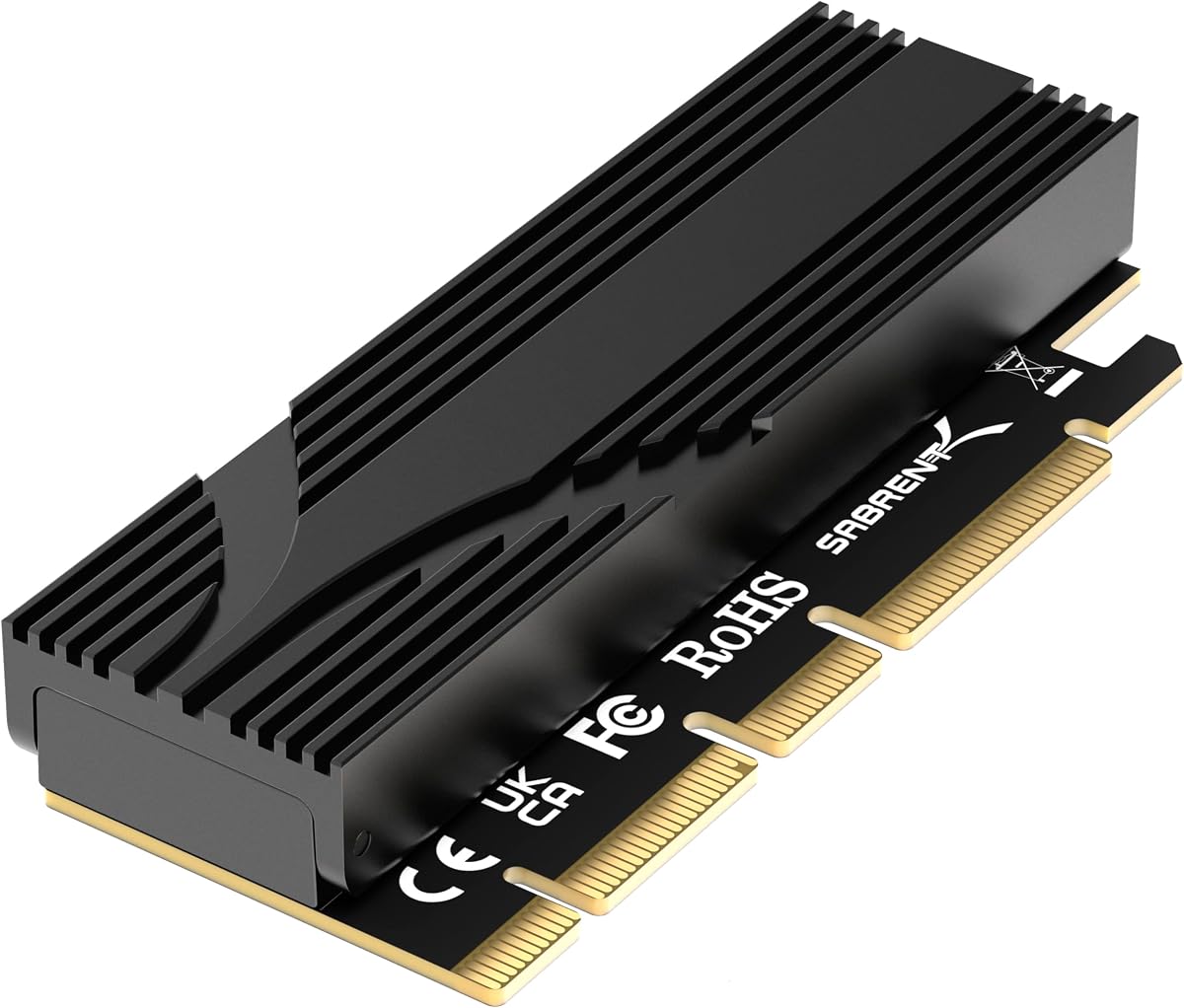
The GLOTRENDS M.2 NVMe to PCIe 4.0 X4 Adapter offers exceptional value for budget conscious builders. It supports Gen4 speeds and comes with heatsinks to manage thermal output effectively.
We may earn a commission when you buy through this link, at no additional cost to you.
Users benefit from broad compatibility across Windows Linux and Mac OS environments. The package includes both regular and low profile brackets for flexible case installation options.
Be aware that Intel CPUs below the 11th generation do not support PCIe 4.0 speeds so performance will vary by hardware configuration. Windows 7 requires additional drivers for recognition.
This adapter is perfect for affordable upgrades in mainstream systems. The included cooling and bracket options add significant value at this price point.
The included heatsinks reduce SSD temperatures by 5 to 20 degrees Celsius during operation.
Two bracket sizes included allow installation in both full tower and small form factor cases.
We may earn a commission when you buy through this link, at no additional cost to you.
The ASUS Hyper M.2 X16 PCIe 3.0 X4 Expansion Card is a powerhouse for workstation storage needs. It supports up to four NVMe drives simultaneously with speeds reaching 128 Gbps.
We may earn a commission when you buy through this link, at no additional cost to you.
Its two phase power solution and active cooling fan ensure stable performance under heavy loads. This makes it ideal for Intel VROC setups and AMD Ryzen Threadripper systems.
Note that motherboard bifurcation support is essential for using all four slots at full speed. The design may also be bulky depending on your case clearance.
Workstation users needing massive storage arrays will appreciate this premium option. The robust power delivery and cooling justify the higher cost for professional workflows.
Expand storage capacity significantly with support for four high speed NVMe SSDs on a single card.
An integrated blower style fan prevents thermal throttling during intensive data processing tasks.
We may earn a commission when you buy through this link, at no additional cost to you.
The Dual M.2 PCIE Adapter allows flexible connectivity for both SATA and NVMe drives. This unique feature lets you expand storage with mixed drive types in one slot.
We may earn a commission when you buy through this link, at no additional cost to you.
LED indicators on the PCB show power and data transfer status clearly. The included heat sinks help maintain optimal operating temperatures for both installed drives.
SATA drives require a separate cable connection which adds some complexity to the setup. However this flexibility makes it useful for mixed storage environments.
Users needing to mix SATA and NVMe drives will find this adapter valuable. Its dual capability sets it apart from single interface adapters in this category.
Accommodates one SATA and one NVMe drive simultaneously for versatile storage configurations.
LED lights provide visual confirmation of active power and data transfer status for each drive.
We may earn a commission when you buy through this link, at no additional cost to you.
StarTech is a trusted name for IT professionals and this M.2 PCIe SSD Adapter reflects that reliability. It supports PCIe 3.0 x4 and is backward compatible with 2.0 and 1.0.
We may earn a commission when you buy through this link, at no additional cost to you.
The adapter supports both NVMe and AHCI drives across multiple sizes ensuring broad compatibility. Installation is hassle free with native OS support and full setup documentation.
While it is limited to Gen3 speeds it remains a robust choice for older systems. The included brackets support both full and low profile cases effectively.
This adapter is highly recommended for enterprise environments needing stable storage expansion. The warranty and technical support add significant peace of mind for business users.
Backward compatibility with PCIe 1.0 and 2.0 ensures functionality across older motherboard models.
Access 24/5 North America based technical assistance for any configuration or troubleshooting needs.
We may earn a commission when you buy through this link, at no additional cost to you.
This adapter delivers full release of PCIe 3.0 and 4.0 speeds without unnecessary overhead. It comes fully equipped with thermal pads and mounting hardware for easy setup.
We may earn a commission when you buy through this link, at no additional cost to you.
Users appreciate the complete kit including a screwdriver and low profile bracket. The aluminum heatsink effectively dissipates heat to maintain optimal drive performance.
Linux support is extensive across many distributions without additional drivers needed. Windows 7 users must download drivers separately for NVMe SSD recognition.
For users seeking a complete package out of the box this adapter excels. The included accessories reduce the need for additional purchases during installation.
Includes screwdriver brackets and thermal pads to simplify the setup process significantly.
Compatible with major Linux distributions like Ubuntu Fedora and Red Hat without drivers.
We may earn a commission when you buy through this link, at no additional cost to you.
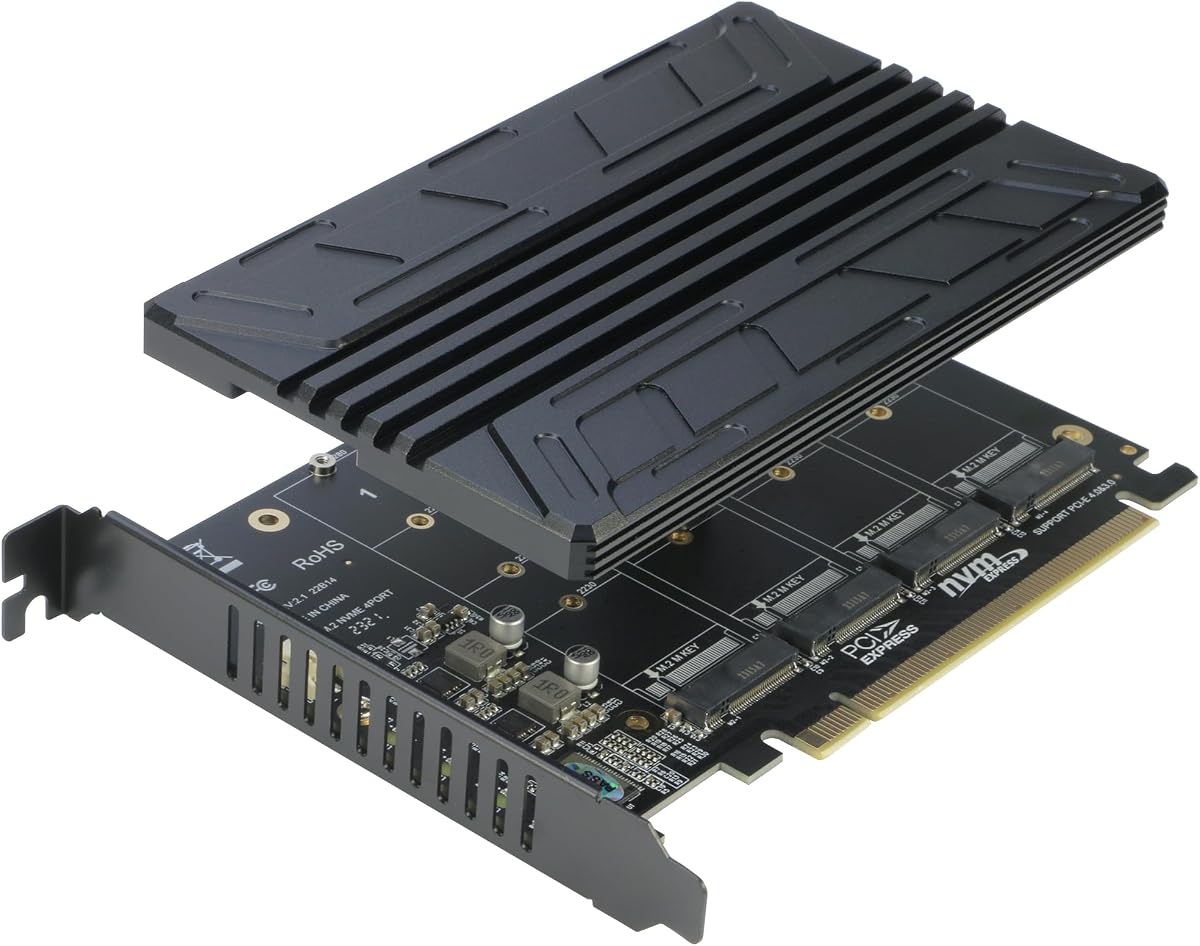
The RIITOP Quad NVMe PCIe Adapter enables massive storage expansion with four NVMe SSDs in one slot. It delivers full speed transmission for each drive when configured correctly.
We may earn a commission when you buy through this link, at no additional cost to you.
Individual LED indicators allow users to monitor the working status of each SSD easily. The heatsink design prevents throttling without consuming extra slot space.
Motherboard bifurcation support is a critical requirement for this adapter to function properly. Software raid is supported but hardware raid is not included in this device.
This adapter is best for servers or workstations needing multiple high speed drives. The design balances capacity and space efficiency effectively in crowded chassis.
Ensure your motherboard BIOS supports PCIe x16 Bifurcation to recognize all four drives.
LED indicators for each slot provide immediate visual feedback on drive activity status.
We may earn a commission when you buy through this link, at no additional cost to you.
ELUTENG provides a compact and reliable solution for NVMe expansion. The low profile bracket makes it ideal for smaller cases and tight system builds.
We may earn a commission when you buy through this link, at no additional cost to you.
Solid state capacitors ensure stable voltage regulation and protect against current waves. This design choice extends the life of your installed SSD significantly.
Setup is straightforward with plug and play recognition across most operating systems. The aluminum heatsink effectively stabilizes performance during sustained heavy operations.
Small form factor users will appreciate the compact profile and ease of use. It balances performance and stability well for everyday computing needs.
Solid state capacitors prevent current spikes to protect sensitive drive components.
Low profile bracket allows fitting in compact cases without compromising internal space.
We may earn a commission when you buy through this link, at no additional cost to you.
This adapter features a dedicated aluminum heatsink solution that reduces temperatures significantly during operation. It supports PCIe 4.0 x4 speeds ensuring full performance of compatible SSDs.
We may earn a commission when you buy through this link, at no additional cost to you.
It works with a wide range of brands including Samsung and Kingston ensuring broad compatibility. The cooling solution prevents thermal throttling effectively under heavy workloads.
Users should verify their motherboard supports Gen4 speeds for maximum throughput performance. While robust the design focuses primarily on cooling efficiency and stability.
Thermal performance conscious users will benefit from the dedicated cooling design. It ensures long term reliability by keeping drive temperatures in safe operating ranges.
Aluminum heatsink reaches cooling effects of 5 to 20 degrees Celsius during sustained operation.
Compatible with major SSD brands including Samsung Plextor and Kingston models easily.
We may earn a commission when you buy through this link, at no additional cost to you.
This adapter turns an unused PCIe X1 slot into a convenient NVMe drive installation option. It leaves the primary X16 slot open for graphics cards or other devices.
We may earn a commission when you buy through this link, at no additional cost to you.
While bandwidth is limited to X1 speeds it supports high capacity SSDs without issue. Installation includes both regular and low profile brackets for case flexibility.
This option is best for systems needing expansion but without critical performance demands. It ensures main GPU slots remain untouched for maximum graphical performance.
Systems with free X1 slots benefit from this low cost expansion option. It maximizes available motherboard slots efficiently without impacting critical GPU connectivity.
Utilize spare X1 slots to keep primary X16 lanes free for high performance graphics.
Supports large SSD capacities up to 4TB and beyond without limitations.
We may earn a commission when you buy through this link, at no additional cost to you.
Selecting the right adapter depends on your motherboard capabilities and storage needs. Consider these key factors before making your final choice.
Ensure the adapter matches your motherboard slot generation. Gen5 adapters need Gen5 slots for full speeds while older slots limit performance.
Check your CPU and motherboard specifications to verify supported PCIe versions before purchase.
Decide if you need single or multiple drive support. Single adapters are simpler while quad adapters require bifurcation support.
Choose single slot for simple upgrades or multi-slot for extensive storage expansion.
Look for adapters with aluminum heatsinks or active fans. High speed drives generate heat that can cause throttling without cooling.
Heatsink included models offer better protection against overheating during sustained use.
Verify bracket options fit your case. Low profile brackets are necessary for compact systems and small form factor builds.
Ensure the adapter length fits within your case clearance requirements.
Most adapters support NVMe only. If you need SATA support look for specific dual interface models carefully.
Check your drive type compatibility before purchase to avoid connection issues.
Verify the adapter works with your operating system. Windows 7 often needs additional drivers for NVMe recognition.
Modern systems like Windows 11 usually offer native support without extra steps.
Multi drive adapters require BIOS bifurcation support. Check your motherboard manual to confirm this capability exists.
Single drive adapters do not need bifurcation which simplifies setup.
Look for manufacturers offering solid warranty terms. Some brands include lifetime technical support which adds value.
Check support channels availability for troubleshooting assistance when needed.
Install the adapter into a free PCIe slot on your motherboard ensuring it seats firmly. Secure the bracket screws to your case chassis for stability.
Insert your M.2 NVMe SSD into the adapter slot and lock it down. Ensure thermal pads align correctly for effective cooling performance.
Boot your system and enter BIOS to verify drive recognition. Format the drive properly within your operating system to start using it.
Most adapters support NVMe drives only. Dual interface models are required for SATA compatibility. Check product details carefully before buying.
Yes speed is limited by the slot generation. A Gen5 adapter in a Gen4 slot runs at Gen4 speeds. Verify your motherboard capabilities.
Modern OS versions support these adapters natively. Windows 7 may need additional NVMe drivers. Always check system requirements.
Single drive adapters work without bifurcation. Multi-drive adapters require BIOS support for multiple drives. Check your motherboard specs.
Look for low profile bracket options. Compact designs prevent blocking other slots. ELUTENG or GLOTRENDS often provide these.
Yes boot support depends on motherboard BIOS settings. Ensure your system supports PCIe booting. Test before replacing your main drive.
The top picks offer reliable solutions for expanding NVMe storage on standard systems. Our choices cover budget premium and specialized multi-drive needs effectively.
Prioritize thermal management and PCIe generation compatibility for best long-term performance. Verify motherboard capabilities before making your final purchase decision.
Prices and availability may change frequently so confirm current details on official product pages. Check your specific motherboard requirements before finalizing your order.