
Ozeino Wireless Gaming Headset for PS5, PC, Switch| Lossless Audio-40H Batt
4.2Editor score
Dual 2.4GHz and Bluetooth modes
40-hour battery life support
Low latency connection for gaming
Discover the top Mac gaming headsets of October 2026. This guide compares wireless and wired options for comfort, audio quality, and seamless macOS compatibilit
Finding the right audio gear for your Mac can transform your gaming experience entirely. A quality headset delivers immersive sound, clear communication, and lasting comfort during extended sessions. We have curated a list of top models designed to work seamlessly with macOS environments.
Our selection process focuses on compatibility, audio fidelity, and build quality. We evaluated wireless latency, microphone clarity, and driver performance across various price points. Each product was chosen to ensure it meets the specific needs of Mac users who demand reliability and performance.
Every pick in this list highlights key features and real-world usability. You will find detailed insights into why each model stands out for Apple ecosystem users. Please note that availability and pricing may fluctuate, so check current offers before purchasing.
4.2Editor score

4.4Editor score
4.2Editor score
This section provides a side-by-side comparison of all ten selected headsets. We break down their core specifications to help you identify the best fit for your specific Mac setup and gaming preferences.




The Razer Kraken V4 X stands out as a top-tier wired option for Mac gamers. With a rating of 4.4 stars, it delivers exceptional audio performance through its Triforce 40mm drivers. These drivers are designed to push out clear highs, mids, and lows without muddying the sound profile.
We may earn a commission when you buy through this link, at no additional cost to you.
Its standout feature is the retractable HyperClear Cardioid mic, which ensures your voice comes through clearly while minimizing background noise. The 7.1 Surround Sound capability enhances immersion, making you feel right in the middle of the action. Additionally, the memory foam cushions wrapped in hybrid fabric provide superior comfort during long sessions.
One trade-off is that it relies on a wired connection, which might limit mobility compared to wireless models. However, the convertible Type C and Type A cable offer great flexibility across different Mac ports. This ensures you can plug into older Macs or newer USB-C machines without adapters.
If you prioritize audio fidelity and comfort over wireless convenience, this headset is a fantastic choice for Mac users. Its durable build and precise soundstage make it ideal for competitive gaming where hearing every detail matters.
The patented 3-part driver design ensures each frequency range is handled optimally, preventing distortion during loud explosions or quiet whispers.
Hybrid fabric and leatherette cushions offer a balance between breathability and sound isolation, reducing ear fatigue significantly.
We may earn a commission when you buy through this link, at no additional cost to you.
This Valorise Wireless Gaming Headset offers an impressive array of features at a budget-friendly price. With a rating of 4.4 stars, it promises a cinema 3D stereo surround sound experience. It is designed for gamers who want high performance without breaking the bank.
We may earn a commission when you buy through this link, at no additional cost to you.
Its extraordinary 100-Hour battery life in Bluetooth mode makes it perfect for long gaming marathons or daily commuting. The 2.4GHz wireless mode provides ultra-low latency, ensuring your audio stays synced with gameplay on your Mac. You can switch between modes easily to suit your needs.
While it lacks the premium build of higher-end models, the memory sponge cushions provide a comfortable fit. The retractable ENC Noise-Canceling microphone helps maintain clear communication with teammates. Passive noise cancellation also helps isolate environmental noise during play.
For Mac users seeking a reliable and cost-effective wireless solution, this headset is a strong contender. Its wide compatibility ensures it works seamlessly across various devices, including your MacBook or iMac.
Enjoy up to 100 hours of playtime via Bluetooth, meaning you rarely need to charge the device during normal usage cycles.
Supports both 2.4GHz dongle and Bluetooth 5.4, allowing seamless switching between gaming on PC and listening on mobile.
We may earn a commission when you buy through this link, at no additional cost to you.
The Corsair Void RGB Elite Wireless is renowned for its stunning sound capabilities. With custom-tuned 50mm high-density neodymium audio drivers, it offers an expanded frequency range of 20Hz-30,000Hz. This allows you to hear everything from lightest footstep to the most thundering explosion with incredible clarity.
We may earn a commission when you buy through this link, at no additional cost to you.
Its low-latency 2.4GHz wireless connection ensures that audio is perfectly synced to your gameplay, which is critical for competitive Mac gaming. The breathable microfiber mesh fabric and plush memory foam earpads keep you comfortable even during long gaming sessions. The aluminum yokes add a layer of durability to the build.
One limitation is the lack of Bluetooth, requiring a USB adapter for connection. However, the optimized omnidirectional microphone picks up your voice with exceptional clarity. The flip-up mute function and LED mute indicator add convenience for quick silencing during calls.
If you are looking for a headset that prioritizes audio precision and build quality, this model delivers. It is a solid choice for Mac users who want reliable wireless performance without compromise.
The custom-tuned drivers are specifically optimized for gaming, enhancing spatial awareness and dynamic sound effects.
Memory foam earpads combined with breathable mesh fabric reduce heat buildup during extended play sessions.
We may earn a commission when you buy through this link, at no additional cost to you.
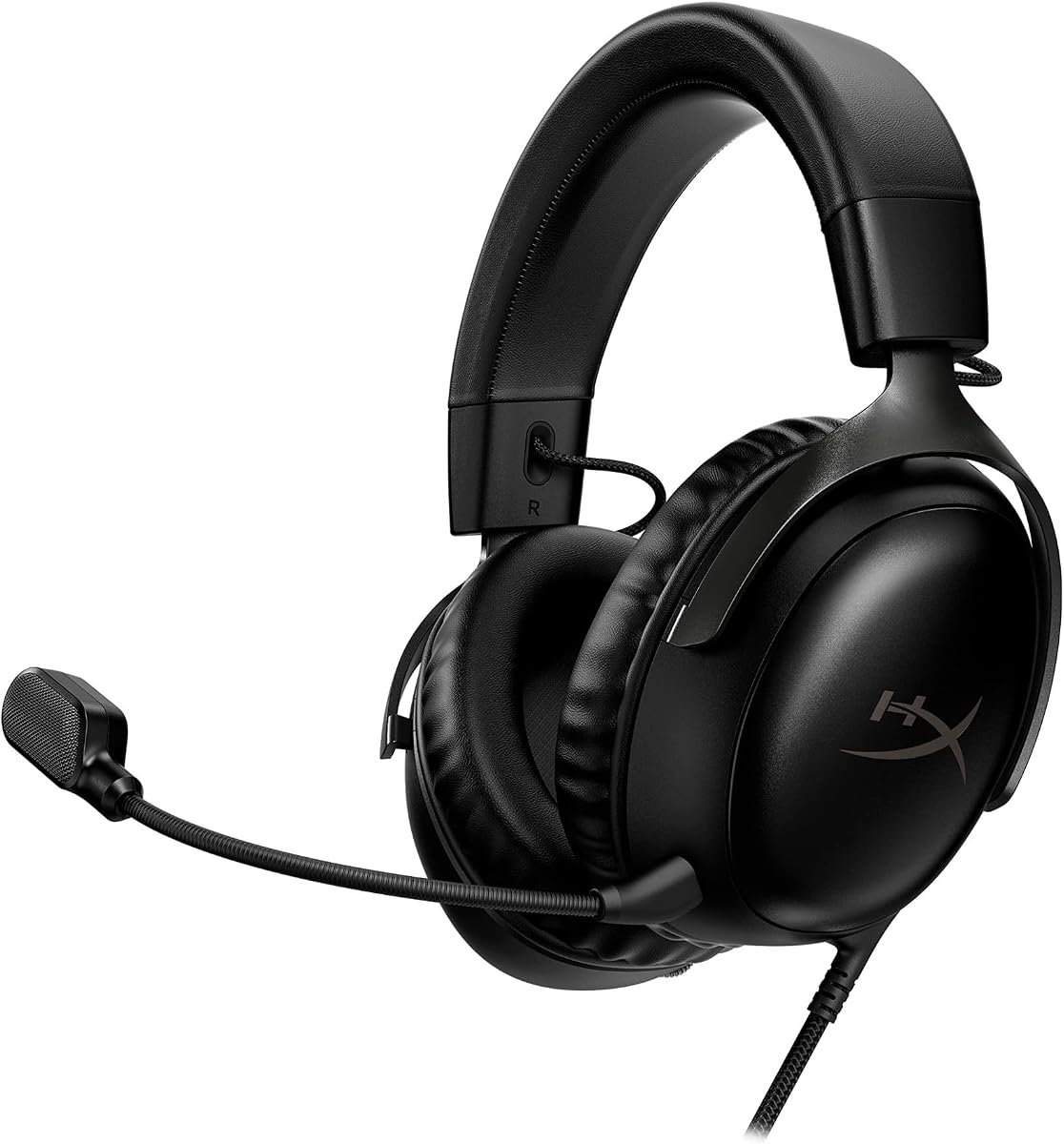
The HyperX Cloud III in black is built for gamers who cannot tolerate discomfort during critical moments. Comfort is King in its DNA. Angled 53mm drivers have been tuned by HyperX audio engineers to provide the optimal listening experience that accents the dynamic sounds of gaming.
We may earn a commission when you buy through this link, at no additional cost to you.
Its upgraded microphone captures high-quality audio for clear voice chat and calls. The mic is noise-cancelling and features a built-in mesh filter to omit disruptive sounds. The aluminum frame ensures durability against travel and accidents, making it a resilient choice for frequent travelers.
While the wired connection means less freedom of movement, it ensures zero latency and consistent power for the audio. The USB-C and USB-A connectors offer versatility for different Mac setups. It is a reliable tool for those who prioritize performance over convenience.
If you value comfort and build quality above all else, the Cloud III is a legendary choice. It provides a solid foundation for your Mac gaming setup with no compromises on audio fidelity.
HyperX engineers specifically tuned these drivers to highlight gaming dynamics, ensuring every sound cue is distinct.
The built-in mesh filter and noise cancellation ensure your teammates hear you clearly, even in noisy environments.
We may earn a commission when you buy through this link, at no additional cost to you.
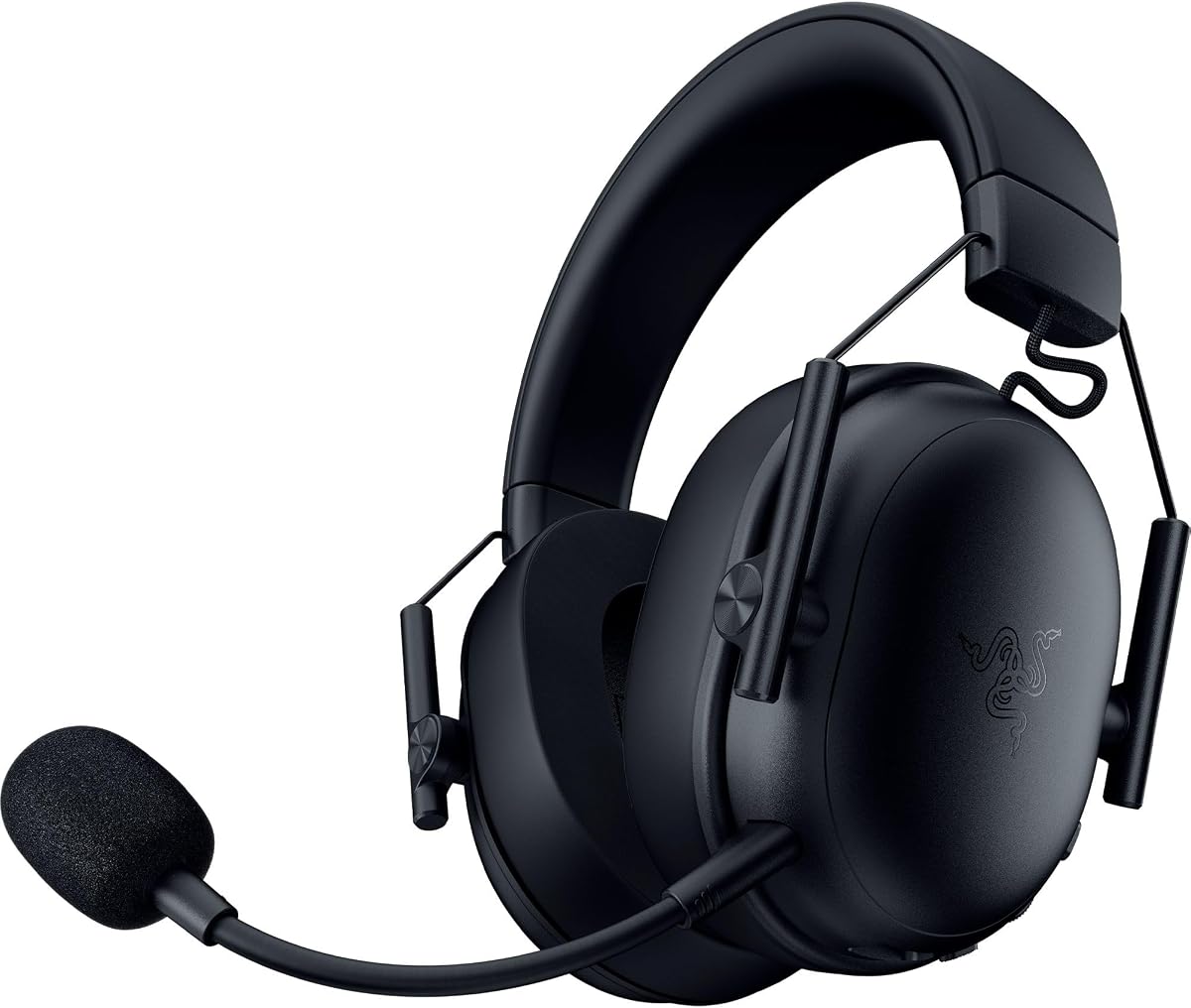
The Razer BlackShark V3 X HyperSpeed is designed with competitive gamers in mind. Its Triforce 50mm Drivers Gen-2 are tuned for improved clarity and positional performance. This means you can clearly hear every footstep and audio cue, giving you a competitive edge in your matches.
We may earn a commission when you buy through this link, at no additional cost to you.
Featuring an ultra-fast 2.4 GHz wireless connection, it ensures high-performance, low-latency competitive play. The 270G Ultra Lightweight design ensures that the headset does not weigh you down during intense scrims and tournaments. Plush earcups provide long-lasting comfort to power through extended sessions.
The detachable HyperClear Cardioid 9.9mm Mic ensures you are heard clearly without excess noise. While it is wireless, the SmartSwitch Dual Wireless allows you to switch between 2.4 GHz and Bluetooth for mobile use easily. However, battery life is decent but not industry-leading compared to others.
If you prioritize speed, weight, and precision, this headset is a top-tier choice for Mac gamers. It balances performance and comfort effectively for serious players.
The Gen-2 drivers improve soundstage width, allowing for better directional awareness in games like Valorant or CS:GO.
At just 270g, the optimized weight reduction prevents strain on your neck during long gaming sessions.
We may earn a commission when you buy through this link, at no additional cost to you.
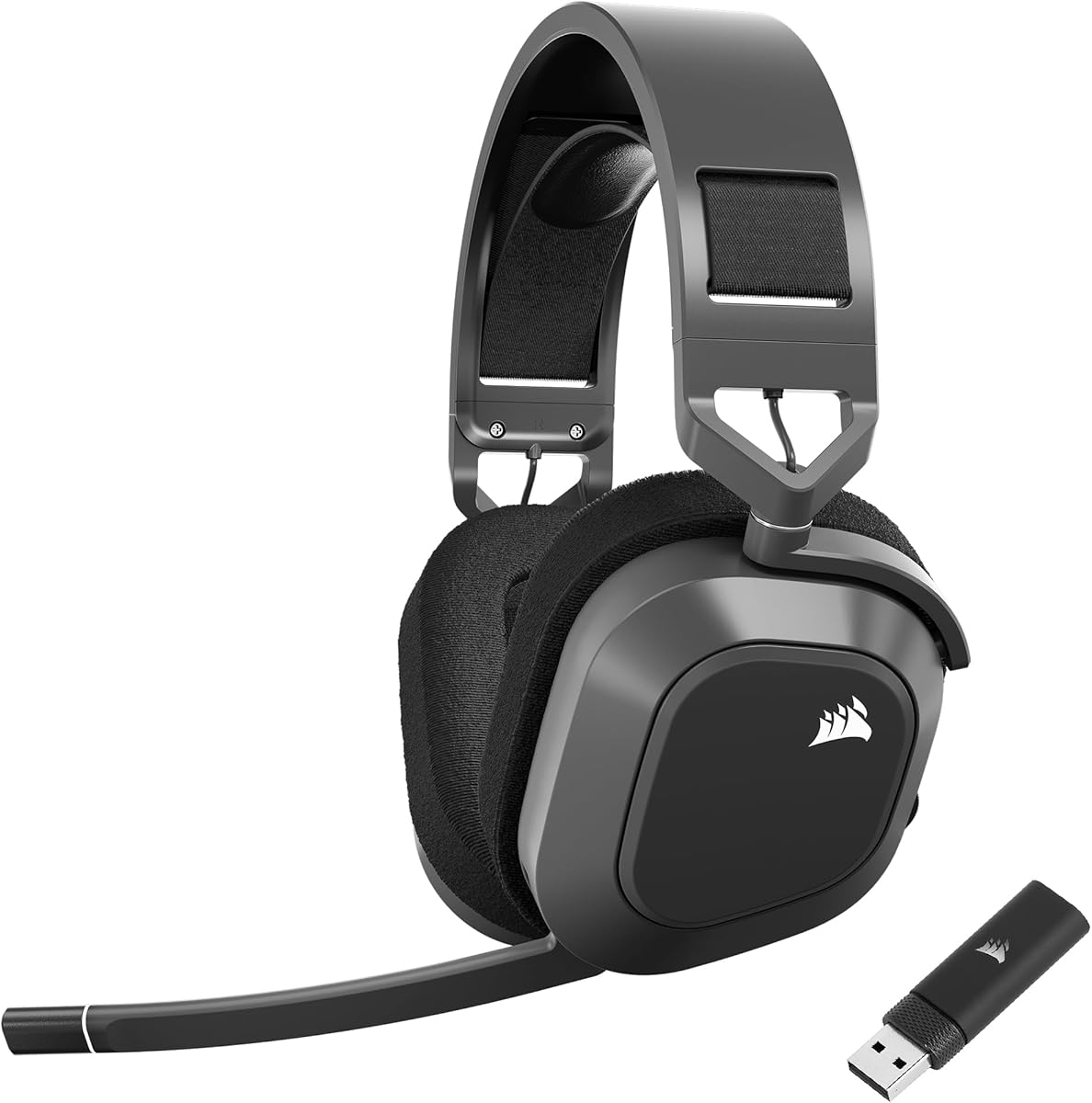
The Corsair HS80 RGB Wireless merges iconic design with superb audio quality. Live the Game experience is enhanced by Hyper-Fast SLIPSTREAM Wireless technology. This extremely low-latency, high-quality audio ensures you hear every shot, step, and shout as it happens on your Mac.
We may earn a commission when you buy through this link, at no additional cost to you.
Immersive Dolby Atmos on PC places the sounds of the game all around you with three-dimensional precision. This allows you to react faster and more accurately. A pair of custom-tuned 50mm high-density neodymium audio drivers deliver sound in exquisite detail with an expanded frequency range.
The Broadcast-Grade Omni-Directional Microphone captures your voice with terrific clarity. It includes a flip-up mute function and a built-in LED mute indicator for convenience. While the build is durable, the design is slightly bulkier than some lightweight alternatives.
If you want a premium wireless experience with advanced spatial audio, the HS80 is a great choice. It offers a complete package for Mac users seeking high-end audio capabilities.
Dolby Atmos provides a 3D soundscape, placing audio cues above and behind you for full immersion.
This proprietary wireless tech offers a more stable and faster connection than standard Bluetooth options.
We may earn a commission when you buy through this link, at no additional cost to you.
The HyperX Cloud III in white continues the legacy of comfort with a fresh design. HyperX signature memory foam in the headband and ear cushions wrapped in soft, premium leatherette make for a plush, comfortable fit all around. This design ensures you can game for hours without discomfort.
We may earn a commission when you buy through this link, at no additional cost to you.
It features angled 53mm drivers tuned to accent the dynamic sounds of gaming. The upgraded microphone captures high-quality audio for clear voice chat and calls. Its noise-cancelling capability includes a mesh filter to reduce disruptive sounds during use. The on-cup controls make adjusting volume and mute easy.
Versatile compatibility via USB-A, USB-C, and 3.5mm ensures it works with almost any device. The full metal frame adds resilience against travel and mishaps. While it is heavier than wireless options, the stability and audio quality are worth it for many users.
For those prioritizing comfort and build quality in a wired headset, the Cloud III White is a top pick. It is a reliable, high-performing choice for any Mac gamer.
Soft, premium leatherette cushions provide a luxurious feel that is gentle on the skin during extended use.
With three connector types included, you can easily switch between Mac, consoles, and mobile devices without extra adapters.
We may earn a commission when you buy through this link, at no additional cost to you.
The Razer Barracuda X Chroma is designed for versatility and convenience. Razer SmartSwitch Dual Wireless allows you to switch the connection from a PC or console to a phone with a simple toggle. This provides seamless audio for any activity, pairing to a 2.4 GHz and a Bluetooth device simultaneously.
We may earn a commission when you buy through this link, at no additional cost to you.
Its lightweight build is complemented by breathable memory foam ear cushions and swiveling earcups for a snug, comfortable fit. The 6-Zone Earcup Lighting offers access to 16.8 million colors and a suite of lighting effects. These work seamlessly with over 300 games and 500 devices.
The Triforce 40mm Drivers push out exceptional highs, mids, and lows that don't muddy the sound. This provides deeper gaming immersion and a more dynamic listening experience for music and videos. The detachable HyperClear Cardioid Mic helps reduce background noise during calls.
If you need a headset that transitions easily between gaming and daily tasks, this model is ideal. The 70-hour battery life ensures you are ready to take on anything without constant charging.
Switch between your Mac and mobile phone instantly without re-pairing or swapping dongles, saving time and effort.
Access 16.8 million colors and sync lighting effects with supported games for an immersive visual experience.
We may earn a commission when you buy through this link, at no additional cost to you.
The Ozeino Wireless Gaming Headset offers real-time gaming audio with a 2.4GHz USB & Type-C ultra-low latency wireless connection. With less than 30ms delay, you can enjoy smoother operation and stay ahead of the competition. It is a budget-friendly choice that does not compromise on core performance.
We may earn a commission when you buy through this link, at no additional cost to you.
The 50mm driver plus 2.4G lossless wireless transports you to the gaming world. You will hear every critical step, reload, or vocal in games like Fortnite and Call of Duty. The flexible design includes intuitive button layout for volume and mute controls that are easy to access during gameplay.
It features a dual input design with 2.4GHz for gaming and Bluetooth for mobile use. Note that Bluetooth function CANNOT directly work with Mac or PS5, so the 2.4G mode is recommended for stable audio. However, for the price, the versatility is impressive.
If you are looking for a cost-effective headset that supports lossless audio and low latency, this is a strong contender. It delivers great value for Mac users who want quality without the premium price tag.
The 2.4GHz connection ensures no audio compression, preserving the detail and fidelity of game soundtracks.
Dedicated buttons for volume and mute allow you to adjust audio on the fly without interrupting your gameplay.
We may earn a commission when you buy through this link, at no additional cost to you.
The Corsair HS80 MAX Wireless stands out for its incredible battery life and high-fidelity sound. With low-latency 2.4Ghz wireless audio and Bluetooth connectivity, it offers amazing range up to 50ft. The sound quality is double that of typical gaming headsets with 24bit/96kHz resolution.
We may earn a commission when you buy through this link, at no additional cost to you.
You can enjoy up to 65 hours of battery life over 2.4GHz wireless or up to 130 hours with Bluetooth. The memory foam ear pads with breathable cloth fabric deliver incredible comfort. The stress-free floating headband design reinforces lightweight aluminum to endure years of competitive gaming.
Its multiplatform compatibility ensures you can use the same headset for PC, Mac, or PlayStation. This versatility makes it a top choice for users with multiple devices. While the price is higher, the long-term durability and audio performance justify the investment.
For Mac users who demand top-tier battery life and high-resolution audio, the HS80 MAX is the ultimate choice. It combines performance, comfort, and endurance in a premium package.
The 24bit/96kHz sound capability provides studio-quality audio that reveals details lost in standard compressed formats.
The stress-free floating design distributes weight evenly, reducing pressure on the top of your head for comfort.
We may earn a commission when you buy through this link, at no additional cost to you.
Choosing the right headset involves balancing various factors to suit your specific gaming needs and Mac setup.
Wireless headsets offer freedom from cables, but ensure low latency via 2.4GHz dongles rather than standard Bluetooth. Wired options provide zero lag and consistent power but can limit movement. Check if your Mac has USB-A or USB-C ports to ensure compatibility with the included cables or dongles.
Prioritize wireless headsets with dedicated USB receivers for gaming and Bluetooth for phone calls to maximize utility across devices.
Look for drivers that provide a wide frequency range, typically from 20Hz to 20kHz or higher. Features like surround sound or Dolby Atmos can enhance immersion by positioning audio cues in a 3D space. Ensure the headset supports high-resolution audio if you prioritize music and game fidelity.
Opt for models with dedicated drivers tuned specifically for gaming to ensure clear sound separation between footsteps and explosions.
A clear microphone is essential for communication in multiplayer games. Look for noise-canceling features that filter out background noise and focus on your voice. Retractable or detachable mics offer convenience for when you are listening to music without needing to talk.
Choose headsets with omnidirectional or cardioid microphones that pick up your voice accurately without static or distortion.
Comfort is crucial for long gaming sessions. Look for memory foam ear cushions that are breathable to prevent heat buildup. The headband should be adjustable and padded to distribute weight evenly across your head. Lightweight designs reduce strain during extended use.
Select ear cups that fully encompass your ears to provide passive noise isolation and a secure, comfortable fit for your head shape.
Check the materials used for the frame and headband. Aluminum or steel frames offer better durability than plastic alternatives. Ensure the headband is flexible enough to withstand accidental drops or pressure. A sturdy build ensures the headset lasts through years of daily gaming.
Invest in models with reinforced hinges and replaceable ear cushions to maintain the headset's condition over time.
For wireless headsets, battery life determines how often you need to recharge. Look for models that offer at least 20 hours of playtime for daily use. Some models offer up to 100 hours, which is ideal for users who game for extended periods without interruption.
Prioritize headsets with fast charging capabilities to minimize downtime when the battery runs low during a session.
Determine your budget before purchasing. Budget headsets often offer great value without premium features like surround sound. Mid-range options balance price and performance, while premium models offer high-fidelity audio and advanced wireless tech. Always weigh the features against the cost.
Compare the total value by considering build quality, warranty, and additional features like RGB lighting or multi-platform support.
Ensure the headset is explicitly compatible with macOS. Some features like surround sound or RGB lighting may not work on Mac without specific drivers. Check if the required software is available for macOS to unlock all features. Cross-platform support is a plus for users with multiple devices.
Select headsets that offer plug-and-play compatibility to avoid complex driver installations or software conflicts on your Mac.
To ensure the best audio experience, start by connecting your headset properly. For wireless models, plug the USB dongle into an available USB port on your Mac. If using a wired headset, connect the cable directly to the headphone jack or USB port. Ensure your Mac recognizes the device in System Preferences.
Maintain battery health by avoiding overcharging your wireless headset. If not in use for extended periods, store the device with about 50% battery charge. Regularly update the firmware for wireless models to ensure optimal performance and compatibility with your Mac system.
Keep your headset clean by gently wiping the ear pads with a soft, dry cloth. Avoid exposing the device to extreme temperatures or moisture. Store it in a protective case or stand when not in use to prevent damage to the headband or ear cups.
Yes, most wireless headsets work with MacBooks using a USB dongle or Bluetooth. Ensure you check if your specific model requires drivers or software to be fully functional on macOS. Most modern models are plug-and-play and connect easily via USB-C or USB-A ports.
Bluetooth is generally suitable for casual gaming but may introduce slight latency. For competitive gaming, a 2.4GHz dongle is recommended for low latency and stable audio. Most gaming headsets offer both options to suit different needs.
Noise-canceling microphones are best for Mac voice chat as they filter out background noise. Look for models with detachable mics if you want to remove the mic when not in use. Ensure the mic is recognized by your Mac's input settings.
Some gaming headsets support Dolby Atmos on Mac, but it depends on the software support. Check if the headset's companion app is available for macOS. Without the software, the headset may work in stereo mode only.
Yes, many gaming headsets are designed to provide high-quality audio for music and video as well. Look for models with wide frequency ranges and balanced sound signatures. Premium models often offer the best versatility for gaming and media consumption.
If you experience audio issues, ensure the headset is selected as the default output device in System Preferences. Restart your Mac and reconnect the headset to refresh the connection. Updating your Mac's OS and the headset's firmware can also resolve compatibility issues.
We have explored a diverse range of headsets designed to elevate your Mac gaming experience. From the versatile Razer Kraken V4 X to the long-lasting Corsair HS80 MAX, each option offers unique strengths to suit different needs and budgets.
When choosing a headset, prioritize comfort and audio quality to ensure an immersive gaming session. Consider your connectivity preferences and microphone needs to find the best fit for your setup. The right headset can significantly enhance your gameplay and communication with teammates.
Remember to check the latest prices and availability before making your final purchase. Tech products can change quickly, and deals may vary. We hope this guide helps you find the perfect Mac gaming headset to enjoy your favorite games to the fullest.