
Thermalright TL-C14C-S X3
4.7Editor score
S-FDB bearing
17 light modes
Quiet operation
This guide compares the top 10 ARGB 140mm fans for cooling and lighting, featuring detailed specs and expert picks for every budget.
Choosing the right ARGB 140mm fans can transform your PC build into a visual masterpiece while maintaining optimal thermal performance. These large format fans offer superior airflow and static pressure compared to smaller alternatives, making them ideal for modern cases with ample clearance.
We evaluated ten top-rated models based on cooling efficiency, noise levels, lighting customization, and build quality. Each fan was assessed against real-world metrics like CFM airflow, decibel output, and compatibility with standard PWM and ARGB headers found on most motherboards.
Every pick in this list highlights specific strengths whether you need silent operation, high static pressure for radiators, or unique reverse airflow designs. Keep in mind that product availability and pricing can fluctuate frequently so always verify current details before making your final purchase decision.
4.7Editor score

4.8Editor score

4.6Editor score
The following table provides a side-by-side comparison of all ten selected fans including their key specifications lighting features and performance metrics to help you identify the best fit for your specific cooling and aesthetic needs.


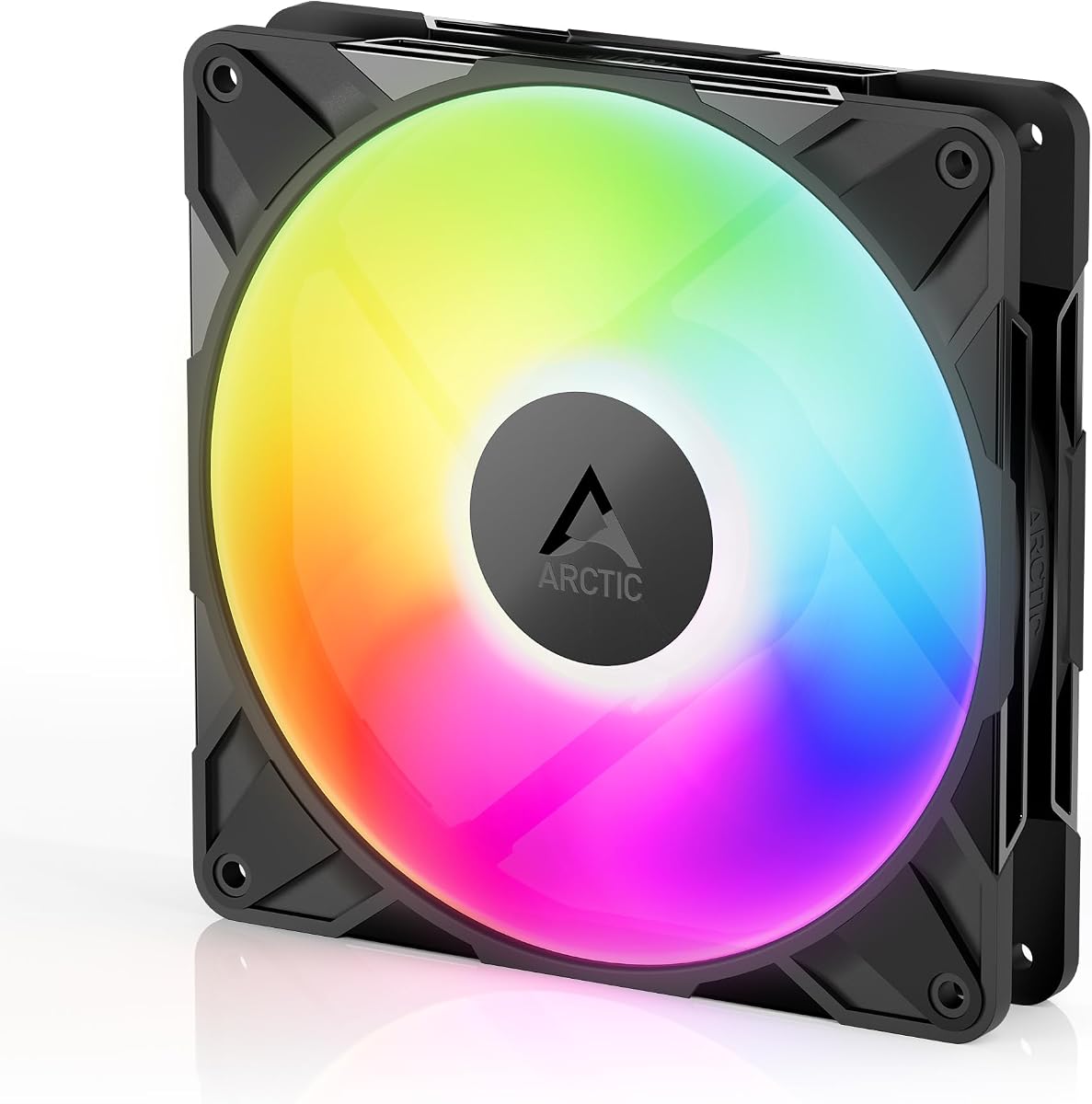


The Cooler Master MasterFan MF140 Halo stands out as the top choice for builders seeking both performance and aesthetics. With a high rating of 4.8 stars, it delivers a visually striking duo-ring ARGB lighting setup that enhances any build without compromising thermal efficiency.
We may earn a commission when you buy through this link, at no additional cost to you.
Its hybrid static pressure blade design allows it to push air effectively through radiators or restrictive cases while maintaining low noise levels. The inclusion of sound-absorbing materials and noise reduction technology ensures that the cooling performance remains quiet even under load.
While it comes at a premium price point compared to basic models, the build quality and lighting control justify the investment. The dynamic speed adjustment via PWM allows users to fine-tune performance based on their specific thermal requirements and noise tolerance.
This fan is ideal for enthusiasts who want a complete package of looks and function. If you are building a high-end system where silence and style matter, this model offers a compelling combination of features that few competitors can match.
The 24 individually controlled LEDs create a seamless halo effect that adds depth and visual interest to your PC case.
Sound absorbing materials and precision balancing minimize vibration ensuring a peaceful computing environment during gaming or work.
We may earn a commission when you buy through this link, at no additional cost to you.
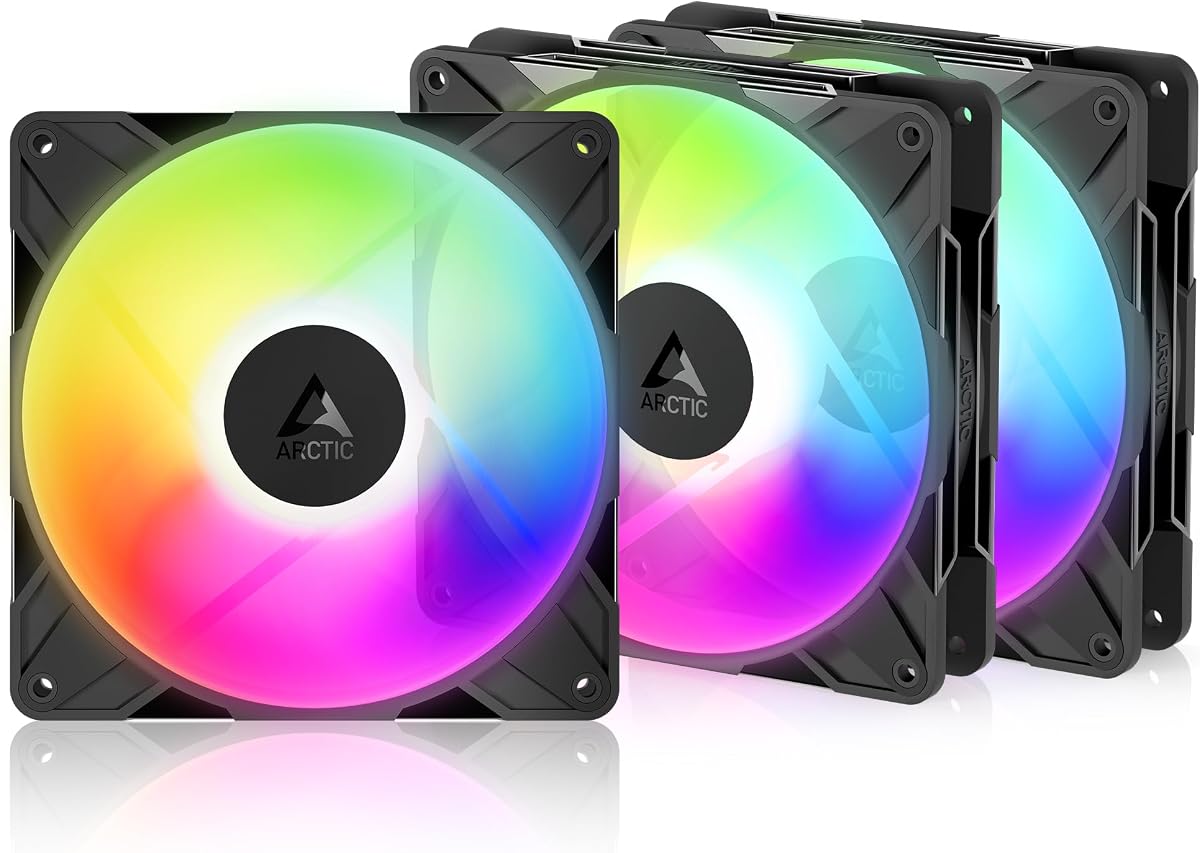
The Thermalright TL-C14C-S X3 offers incredible value by providing a three-pack of high quality ARGB fans at an affordable price point. This kit is perfect for users who need to populate multiple case positions without breaking the bank while maintaining a sleek aesthetic.
We may earn a commission when you buy through this link, at no additional cost to you.
Each fan features an S-FDB bearing that ensures smooth operation and longevity. The noise level stays impressively low at 26.4 dBA making it suitable for quiet workstations or gaming setups where noise can be distracting during intense sessions.
While the maximum speed is limited to 1500 RPM the airflow is sufficient for most standard case cooling scenarios. The lighting effects are soft and reflective enhancing the visual appeal without being overly aggressive or distracting during gameplay.
If you are looking to refresh your cooling setup on a budget this three-pack is the logical choice. It balances cost performance and style effectively making it a staple for budget conscious builders who still want RGB flair.
Buying three fans together reduces the cost per unit significantly compared to purchasing individual units from other brands.
Optimized blade design and bearings keep noise levels low ensuring your PC remains unobtrusive in quiet environments.
We may earn a commission when you buy through this link, at no additional cost to you.
The CORSAIR RS140 ARGB represents a premium option for users who prioritize ease of installation and high performance. This dual pack utilizes daisy-chain technology to reduce cable clutter while delivering robust cooling capabilities for demanding systems.
We may earn a commission when you buy through this link, at no additional cost to you.
AirGuide technology focuses airflow where it is needed most ensuring efficient cooling of radiators and hotspots. The magnetic dome bearing contributes to a longer lifespan and quieter operation by reducing friction and wear over time.
The static pressure is notably high at 3.46 mm H2O making these fans excellent for radiators where airflow resistance is high. The customizable lighting integrates well with most motherboards allowing for synchronized effects across your entire build.
If you want a high-end solution with minimal wiring hassle this model is worth the investment. It is best suited for users building powerful systems that require reliable cooling and a clean aesthetic without tangled cables.
Connect multiple fans with just one PWM and ARGB connector streamlining cable management and reducing motherboard port usage.
Anti-vortex vanes direct air specifically at hot components improving cooling efficiency without increasing noise levels.
We may earn a commission when you buy through this link, at no additional cost to you.
The ARCTIC P14 Pro Reverse is designed specifically for builders who want a clean aesthetic on glass front cases. By reversing the airflow direction it eliminates the visual clutter of fan frames when viewed from the front providing a sleek uninterrupted look.
We may earn a commission when you buy through this link, at no additional cost to you.
Despite its unique design it maintains high static pressure and efficient cooling capabilities. The hydrodynamic bearing ensures smooth operation and reduces noise making it a reliable choice for long term use in various cooling scenarios.
The speed range is particularly impressive allowing for precise control from zero RPM to 2650 RPM. This flexibility means you can optimize for silence during idle or push for maximum cooling during heavy workloads as needed.
This fan is a must-have for modern builds where aesthetics are as important as thermals. If you are struggling with fan frames blocking your view this reverse design solves that problem while delivering excellent performance.
Reverse blades draw air from the back side keeping the front view clean and professional for glass front cases.
Fans can stop completely at low loads ensuring silence during light usage and extending the lifespan of the bearings.
We may earn a commission when you buy through this link, at no additional cost to you.
The Thermaltake CT140 EX introduces a magnetic connection design that simplifies linking multiple fans together. This innovation reduces cable clutter and makes installation faster and more intuitive for builders of all skill levels.
We may earn a commission when you buy through this link, at no additional cost to you.
With nine addressable LEDs per fan you get vibrant lighting that can be synchronized with your motherboard. The optimized hydraulic bearing ensures reliable silent operation making it a solid choice for cases where noise is a concern.
The anti-vibration mounting system helps minimize noise transmitted to the case frame. This feature is often overlooked but can make a significant difference in overall system acoustic performance during operation.
If you want a visually impressive setup with easy installation this fan pack is a strong contender. The magnetic links and sync capabilities make it a user-friendly option for RGB enthusiasts looking for convenience.
Fans snap together magnetically creating a seamless chain that reduces cable clutter and simplifies airflow management.
Embedded mounting system absorbs vibration reducing resonance noise for a quieter and more refined cooling experience.
We may earn a commission when you buy through this link, at no additional cost to you.
The AsiaHorse Amici delivers impressive airflow performance with an 89.77 CFM rating at a competitive price point. This makes it a strong choice for cases that require high volume air exchange to maintain cool component temperatures.
We may earn a commission when you buy through this link, at no additional cost to you.
It features an infinity mirror effect with 24 LED beads creating a stunning visual depth. The bearings ensure longevity with a rated lifespan of 50000 hours which is excellent for long-term reliability in continuous use.
Noise levels are kept low through rubber pads and precision balancing adjustments. This attention to detail ensures that the fan remains quiet even when running at higher speeds for optimal thermal performance.
For builders seeking high performance on a budget this fan is a fantastic option. It balances airflow and aesthetics well making it a great value choice for those who need serious cooling power without overspending.
Infinity mirror design creates a deep glowing ring effect that enhances the aesthetics of any PC case.
Sealed hydraulic bearings and wear-resistant materials contribute to a 50000 hour lifespan for long-term reliability.
We may earn a commission when you buy through this link, at no additional cost to you.
The ARCTIC P14 Pro is engineered for users who need high speed performance and robust cooling power. Its ability to reach 3000 RPM makes it a strong candidate for pushing air through dense radiators or restrictive case designs.
We may earn a commission when you buy through this link, at no additional cost to you.
The redesigned rotor blades offer an optimal balance of performance and low noise especially at lower speeds. This means it can be efficient for quiet cooling without sacrificing the raw power needed for extreme thermal loads.
Fluid dynamic bearings ensure smooth running and longevity by minimizing friction and vibration. Precise manufacturing contributes to the overall balance ensuring consistent performance over a long service life.
If you prioritize raw cooling capability this fan is a solid choice. It delivers high static pressure and speed making it ideal for systems that demand maximum airflow to keep temperatures in check.
New rotor design maximizes air movement while maintaining efficiency and reducing noise during normal operation.
Speed adjustable up to 3000 RPM provides extreme cooling power for high-performance builds and liquid radiators.
We may earn a commission when you buy through this link, at no additional cost to you.
The Thermalright TL-C14C-S focuses on providing a silent and reliable cooling solution for your PC. Its noise-reducing design makes it a great choice for users who prioritize a quiet workspace over flashy lighting effects.
We may earn a commission when you buy through this link, at no additional cost to you.
Built with PBT+PC materials this fan offers high durability and insulation. The soft silicone feet help absorb vibration ensuring that the fan does not rattle or resonate against the case frame during operation.
High heat dissipation is achieved through a 7-blade design that maintains efficient airflow at moderate speeds. The cable length is generous allowing for flexible installation options in various case layouts.
If you want a simple effective and silent fan pack this model fits the bill. It is perfect for basic case cooling or CPU radiator setups where silence is more important than RGB lighting.
Noise reducing blade design keeps decibel levels low for a calm and distraction free computing experience.
PBT+PC construction ensures long-lasting performance and heat resistance even during extended use periods.
We may earn a commission when you buy through this link, at no additional cost to you.
The ARCTIC P14 Pro Single version offers a premium reverse airflow design that appeals to builders focused on aesthetics. With a high rating of 4.9 stars it is known for its high performance and ability to reduce noise effectively.
We may earn a commission when you buy through this link, at no additional cost to you.
It utilizes high static pressure to push air through radiators efficiently. The reverse airflow allows for a cleaner look when mounted on glass panels which is ideal for modern open case designs.
The fluid dynamic bearing minimizes noise and ensures smooth operation over time. Precise manufacturing leads to minimal gaps and vibrations contributing to a long reliable service life.
This fan is perfect for those who want one high-quality unit to complete their build. Whether for intake or exhaust its design ensures both performance and visual appeal in equal measure.
With nearly perfect ratings users consistently praise its quietness and reliability for both cooling and aesthetics.
High pressure capability makes it effective at penetrating dense radiators or restrictive mesh case panels.
We may earn a commission when you buy through this link, at no additional cost to you.
The Thermalright TL-C14C-S CPU fan is a straightforward solution for those needing a single high quality ARGB unit. It maintains the quality standards of the brand with silent operation and effective heat dissipation for general cooling needs.
We may earn a commission when you buy through this link, at no additional cost to you.
Its soft lighting effects reflect well and match various coolers and cases. The S-FDB bearing ensures low friction and quiet performance making it suitable for environments where noise is a concern.
The 7-blade design is optimized for heat dissipation without creating excess noise. This makes it a practical choice for users who want reliability and style without the complexity of advanced RGB systems.
If you need to replace a single fan or add extra cooling without a full kit this is a solid option. It offers great value and performance for budget builds that still require a touch of RGB.
High brightness LED blades create a soft reflective glow that enhances the look of any PC build.
Optimized design ensures silent operation even under load providing reliable cooling without disturbing users.
We may earn a commission when you buy through this link, at no additional cost to you.
Selecting the right fan involves balancing airflow noise and aesthetics. This guide covers the essential factors to consider before purchasing your next cooling solution.
Airflow measured in CFM indicates how much air the fan moves while static pressure measures its ability to push air through resistance. Choose high airflow for intake and exhaust and high static pressure for radiators.
Prioritize CFM for open cases and static pressure for restricted airflow environments.
Noise is measured in decibels and determines how quiet a fan operates. Look for models with noise reduction technology and soft bearings to ensure a peaceful environment.
Target fans under 30dB for silent builds and check reviews for noise complaints.
Bearings affect lifespan and noise. FDB and S-FDB bearings provide smooth operation and low friction which is essential for long-term reliability and performance.
Select FDB or S-FDB bearings for longevity and reduced mechanical noise.
Ensure your fan supports the ARGB standard of your motherboard. Most modern fans use 5V 3-pin connectors but some may require specific headers or hubs for full control.
Verify 5V 3-pin compatibility with your motherboard to avoid wiring issues.
Silicone feet and anti-vibration mounts help reduce noise transmission to the case. These small details significantly improve the overall acoustic experience of your PC.
Look for models with integrated vibration damping for better sound isolation.
PWM control allows the fan to adjust speed based on temperature. This helps in maintaining silence when full cooling is not needed while ensuring performance under load.
Ensure the fan supports 4-pin PWM control for dynamic speed adjustment.
Materials like PBT plastic resist wear and heat better than cheaper alternatives. Durable blades ensure consistent performance over years of continuous operation.
Choose fans with high-quality plastics for better heat resistance and durability.
Buying in packs often offers better value per fan. However consider if you need single units for specific mounting spots to avoid unused inventory.
Compare single unit prices against packs to find the best deal for your needs.
Start by connecting the 4-pin PWM cable to your motherboard header and the 3-pin ARGB cable to the appropriate RGB header. Ensure the airflow direction aligns with your case layout for optimal cooling.
Use BIOS software to set fan curves that balance noise and cooling. Adjusting speeds based on temperature allows the fans to run silently at idle and ramp up during heavy workloads.
Clean the fans regularly with compressed air to remove dust buildup. Dust accumulation can hinder performance and increase noise levels over time if left unchecked.
ARGB addresses each LED individually allowing for complex effects while standard RGB lights up all LEDs in one color. ARGB provides more customization but requires a 5V 3-pin header on your motherboard.
If your motherboard has limited headers a hub is necessary to control multiple fans. Daisy-chain models reduce the need for hubs by connecting multiple fans to a single header.
Quality 140mm fans should operate under 30dB. Lower noise levels ensure a peaceful environment especially during gaming or work. Always check noise ratings before purchase.
Reverse fans provide a cleaner look through glass panels by hiding the frame. They draw air from the back and are ideal for intake on front panels where looks matter.
Yes PWM fans allow for automatic speed control based on temperature. This dynamic adjustment saves noise and energy making them superior to 3-pin constant speed fans.
Choose high airflow for open cases and high static pressure for radiators. Radiators create resistance so you need pressure to push air through, while open cases need volume to move air.
Yes but lighting control may be fragmented without a universal hub. Stick to one brand or use software that supports multiple RGB standards to ensure a cohesive visual effect.
Most quality fans last 30,000 to 50,000 hours depending on bearing type. Fluid dynamic bearings tend to last longer and provide quieter operation over time.
Choosing the right fan involves balancing your specific needs with the features offered. Whether you prioritize silent operation high static pressure or unique designs like reverse airflow there is a perfect fit in this list.
Focus on key factors like bearing type airflow metrics and RGB compatibility to ensure your system runs efficiently. The top picks offer a mix of value and performance for any build configuration.
Prices and availability can change quickly so verify current details before buying. We hope this guide helps you build a cooler and more visually striking PC setup.