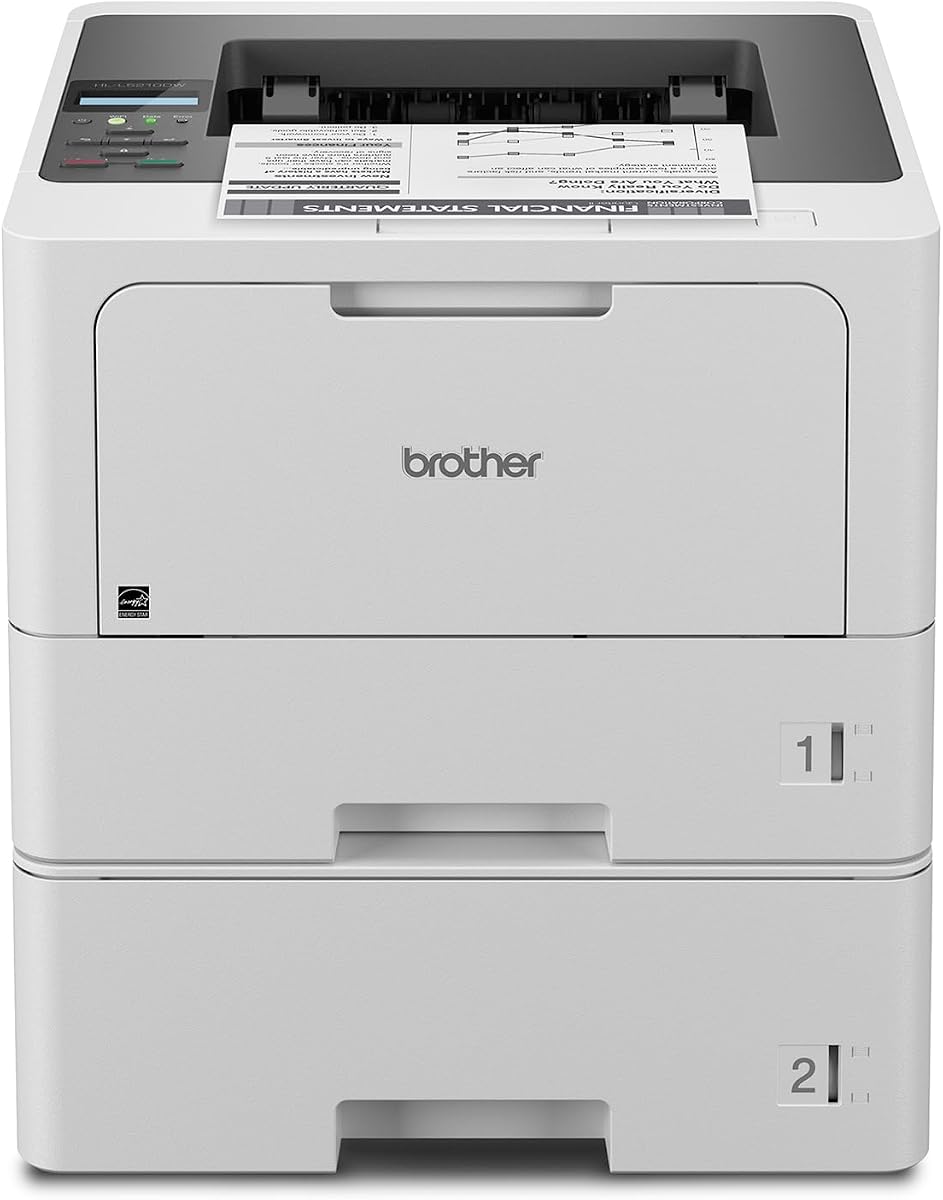
Brother HL-L5210DWT
4.3Editor score
Fast monochrome output
Dual paper trays
Gigabit Ethernet
This guide compares the top laser printers for large workgroups focusing on speed security paper handling and cost efficiency to help businesses choose the
Large workgroups need reliable printing solutions that handle high volumes without slowing down daily operations. A good laser printer for large workgroups offers fast speeds robust security and extensive paper capacity to keep teams productive throughout the day.
We evaluated ten top models based on print quality network connectivity security features and total cost of ownership. Our comparison highlights devices that balance performance with ease of use for busy office environments.
Each pick below shows key specs pros and cons to help you find the right fit. Note that availability and pricing can change so verify details before purchasing your next office printer.
4.3Editor score

4.4Editor score

The following table provides a side-by-side look at key specifications for all ten models to help you quickly identify the best fit for your office needs.


The Brother MFC-L8930CDW stands out as a top choice for large workgroups needing versatile color printing. With a strong rating and robust features it delivers sharp outputs and high-speed performance ideal for busy offices.
We may earn a commission when you buy through this link, at no additional cost to you.
Its standout qualities include fast print speeds up to 33 ppm and advanced security features like Triple Layer Security and NFC card authentication. The 80-page ADF and dual-band wireless connectivity ensure seamless integration into modern networks.
While it has a larger footprint and initial setup can be detailed the benefits outweigh these trade-offs. The ability to handle high volumes with lower costs through high-yield toners makes it a practical long-term investment.
This printer is perfect for teams requiring reliable color copies scans and prints with strong security. We recommend it for businesses prioritizing productivity and document safety in a unified device.
Print and copy speeds up to 33 ppm help keep workflows moving quickly without bottlenecks during peak hours.
Advanced security layers and NFC authentication protect sensitive documents from unauthorized access during transmission and printing.
We may earn a commission when you buy through this link, at no additional cost to you.
The Brother HL-L5210DWT offers exceptional value for workgroups focused on high-volume monochrome printing. Its strong rating and fast speeds make it a reliable choice for offices needing efficiency without extra features.
We may earn a commission when you buy through this link, at no additional cost to you.
Key strengths include print speeds up to 48 ppm and dual paper trays totaling over 700 sheets standard. The included high-yield toner cartridge helps reduce operating costs significantly while maintaining quality output.
Lacking scanning capabilities means it fits best as a dedicated print server. However the robust security features and flexible network options ensure it remains safe and accessible for all users on the network.
This model is ideal for teams needing fast reliable black and white prints with minimal intervention. We suggest it for budget-conscious businesses prioritizing speed and paper capacity over multifunctionality.
High print speeds up to 48 ppm ensure that large document jobs are completed quickly to maintain office workflow.
Super high-yield toner cartridges provide up to 11000 pages lowering the cost per page for heavy daily printing.
We may earn a commission when you buy through this link, at no additional cost to you.
The HP LaserJet Enterprise M406dn is a solid entry-level enterprise printer designed for speed and security. It earns a strong rating for its ability to handle high volumes while protecting business data effectively.
We may earn a commission when you buy through this link, at no additional cost to you.
Its key strengths include speeds up to 42 ppm and HP Wolf Enterprise Security which detects and self-heals from malware automatically. The 2.7 color display allows direct printing and easy management tasks without extra software.
Trade-offs include a simpler interface compared to larger models and limited mobile flexibility. However these are acceptable for teams needing a reliable wired network printer with enterprise grade security out of the box.
This printer suits workgroups needing secure fast monochrome printing with minimal management overhead. We recommend it for offices prioritizing data protection and consistent performance in a compact form factor.
HP Wolf Enterprise Security provides defensive layers to protect your network and documents from potential malware attacks automatically.
FutureSmart firmware updates ensure your printer stays optimized with the latest features and security patches over time.
We may earn a commission when you buy through this link, at no additional cost to you.
The Brother MFC-L6810DW delivers exceptional speed and capacity for mid to large-sized workgroups. Its strong feature set includes high-speed printing and scanning making it suitable for offices with heavy document workflows.
We may earn a commission when you buy through this link, at no additional cost to you.
Key strengths include print speeds up to 52 ppm and an 80-page ADF with 200ipm single-pass scanning. The included 8000-page toner cartridge adds immediate value while high-yield options keep long-term costs low.
The higher price and larger footprint are trade-offs for its performance capabilities. However the enterprise security and expandable paper capacity make it a robust choice for growing teams needing reliability.
This model fits workgroups needing fast multifunction capabilities with strong network integration. We recommend it for businesses prioritizing speed and document handling over compact design or budget constraints.
Print and copy speeds up to 52 ppm ensure that busy teams can complete jobs quickly without waiting periods.
Triple Layer Security and NFC badge authentication safeguard sensitive data and control access to printing services.
We may earn a commission when you buy through this link, at no additional cost to you.
The Brother HL-6210DW is designed for high-volume monochrome printing with reliable connectivity. It earns a solid rating for its consistent performance and ability to integrate seamlessly into complex business networks.
We may earn a commission when you buy through this link, at no additional cost to you.
Key strengths include a 50 ppm output speed and expandable paper capacity up to 1660 sheets. The robust security features and dual-band wireless ensure safe access from mobile devices across the office.
While it lacks scanning capabilities the high speed and cost efficiency are significant advantages for dedicated print needs. This trade-off is acceptable for teams prioritizing fast output over multifunctionality.
This printer is ideal for departments needing a dedicated high-speed workhorse. We recommend it for offices requiring reliable network printing with strong security and low operational costs.
Built-in Gigabit Ethernet and dual-band wireless allow seamless sharing and mobile printing across diverse office networks.
Ultra high-yield replacement toners deliver up to 18000 pages reducing frequent cartridge changes and operational expenses.
We may earn a commission when you buy through this link, at no additional cost to you.
The Brother MFC-L5915DW offers a balanced mix of speed and functionality for busy offices. Its strong rating reflects its ability to handle high-volume tasks efficiently while maintaining cost-effective operations.
We may earn a commission when you buy through this link, at no additional cost to you.
Key strengths include print speeds up to 50 ppm and a 70-page ADF with 56ipm scanning. The low-cost output options and flexible connectivity make it accessible for teams needing reliable multifunction performance.
The base paper capacity is smaller than larger enterprise models but expandable options exist. This trade-off is acceptable for teams needing a balance of speed cost and functionality in a compact form.
This model suits workgroups needing fast printing and scanning with low operating costs. We recommend it for offices prioritizing efficiency and flexibility without needing the largest paper trays.
Ultra high-yield toner cartridges help reduce operating costs while maintaining professional quality output for daily tasks.
Gigabit Ethernet and dual-band wireless ensure seamless connectivity for wired and wireless devices on your network.
We may earn a commission when you buy through this link, at no additional cost to you.
The HP LaserJet Enterprise M507n is designed for growing businesses requiring robust security and reliability. It earns a solid rating for its ability to protect data while maintaining consistent print quality.
We may earn a commission when you buy through this link, at no additional cost to you.
Key strengths include over 200 embedded security features and HP Web JetAdmin for centralized control. Optional mobile printing and original toner cartridges ensure flexible access and dependable performance.
The higher price and wired setup may limit some teams but security is the priority here. This trade-off is acceptable for organizations prioritizing network protection over budget or wireless ease.
This printer fits enterprises needing top-tier security with reliable performance. We recommend it for offices where data protection and centralized management are critical requirements.
Over 200 embedded security features detect and stop attacks to protect your printer information and sensitive data.
HP Web JetAdmin helps centralize printing control by managing devices and applying corporate policies easily.
We may earn a commission when you buy through this link, at no additional cost to you.
The HP LaserJet Enterprise MFP M634z stands as a premium solution for high-volume printing needs. It offers unmatched capacity and speed making it suitable for large enterprises with heavy workflows.
We may earn a commission when you buy through this link, at no additional cost to you.
Key strengths include speeds up to 55 ppm and 2300-sheet input capacity with a 3-bin stapler. The 9-inch touchscreen and advanced security ensure efficient management and protection of sensitive data.
The high price and large footprint are significant trade-offs. However these are acceptable for organizations needing maximum throughput and paper handling with minimal user intervention.
This model suits large enterprises requiring top throughput and document finishing. We recommend it for businesses prioritizing speed capacity and security above budget constraints.
A total of 2300-sheet input capacity reduces frequent refills allowing continuous operation for high-volume printing tasks.
Industry deepest security features protect sensitive data and thwart malware continuously without user intervention needed.
We may earn a commission when you buy through this link, at no additional cost to you.
The Brother HL-L8430CDWT delivers dependable color printing for busy workgroups. With a high rating it excels in reliability and performance for professional document needs.
We may earn a commission when you buy through this link, at no additional cost to you.
Key strengths include 33 ppm color speeds and dual paper trays standard. The integrated NFC reader and EPEAT Gold certification offer security and sustainability benefits for modern offices.
Lacking scanning functions means it serves only print needs but the speed is efficient. This trade-off is acceptable for teams needing dedicated color output with strong security features.
This printer is ideal for departments needing reliable color printing with security. We recommend it for businesses valuing speed and eco-friendly design in a networked device.
EPEAT Gold rating and 14 percent recycled materials help reduce environmental impact without compromising performance.
Integrated NFC card reader allows easy badge authentication to safeguard device access and network security.
We may earn a commission when you buy through this link, at no additional cost to you.
The Brother HL-L6310DW offers high-speed enterprise printing with modern connectivity options. It earns a solid rating for its performance and flexibility in busy office environments.
We may earn a commission when you buy through this link, at no additional cost to you.
Key strengths include 52 ppm speeds and expandable paper capacity up to 1660 sheets. The included toner and Alexa compatibility add value and ease of use for daily tasks.
While voice features are limited the core speed and capacity are strong. This trade-off is acceptable for teams needing a fast dedicated printer with network integration and low costs.
This model suits workgroups needing fast and secure monochrome printing. We recommend it for offices prioritizing speed and capacity with modern voice compatibility options.
Works with Alexa to enable voice commands and task automation for improved user convenience in office settings.
Total capacity up to 1660 sheets with optional trays ensures uninterrupted operation during high-volume periods.
We may earn a commission when you buy through this link, at no additional cost to you.
Selecting the right printer involves balancing speed capacity security and cost to meet your specific team needs.
Print speed measured in pages per minute (ppm) determines how quickly your team can receive documents. For large workgroups look for models with at least 40 ppm to prevent bottlenecks during busy periods. Consider peak duty cycles to ensure the printer can handle daily volume without overheating or slowing down.
Choose a speed that matches your daily page count to maintain efficiency.
Large workgroups need high paper capacity to minimize refills. Look for models with 500+ sheets standard and options to expand to 1000+ sheets. Multiple trays allow different paper sizes and types to be loaded simultaneously reducing interruptions.
Higher capacity ensures continuous operation and less downtime for staff.
Seamless integration into your office network is crucial. Ensure the printer supports Gigabit Ethernet for wired stability and dual-band Wi-Fi for mobile devices. Modern protocols like AirPrint and Mopria help ensure broad device compatibility.
Flexible connectivity allows all team members to print easily from any device.
Security is critical for businesses handling sensitive data. Look for features like secure printing, user authentication, and firmware protection against malware. Advanced models offer NFC card readers and encrypted data transmission.
Robust security protects your business data from unauthorized access and network threats.
Beyond the initial price consider the cost per page for toner and maintenance. Models with high-yield cartridges reduce long-term costs. Check for energy saving features to reduce electricity usage over time.
Low cost per page and efficient energy use help control operational expenses.
Decide if you need scanning and copying built in. Multifunction printers save space and centralize device management. Check for fast ADF speeds if you scan often.
All-in-one units streamline workflow by combining multiple tasks in one device.
Centralized management tools help IT teams configure and monitor multiple devices. Look for web-based management interfaces and mobile apps. Device monitoring helps anticipate issues before they impact productivity.
Easy management tools save time and ensure consistent settings across devices.
Ensure you have enough space for the printer and optional trays. Larger units may need floor space or cabinets. Consider dimensions and weight when planning your office layout.
Adequate space ensures safe placement and ease of access for users.
Begin by connecting your printer to your network using wired or wireless settings as needed. Install the necessary drivers on all computers to enable printing from any device in your workgroup.
Regular maintenance includes cleaning the scanner glass and checking toner levels. Keep the paper trays free of dust to prevent jams and ensure consistent print quality.
Update firmware regularly to maintain security and performance. If you notice issues like streaks or faint prints check toner settings and run cleaning cycles from the menu.
For large workgroups a minimum print speed of 40 pages per minute is recommended to handle high volumes efficiently. This ensures that documents are printed quickly enough to prevent workflow interruptions during peak times.
Multifunction printers are often better for offices because they combine printing, scanning, and copying into one device. This saves space and simplifies device management while providing versatility for different tasks.
Security is very important for business printers to protect sensitive data from unauthorized access. Features like secure printing and encryption help prevent leaks and safeguard confidential information.
A paper capacity of at least 500 sheets is recommended for large workgroups. Models with expandable trays to 1000 sheets or more reduce the frequency of refills and minimize downtime.
Reduce cost of ownership by choosing models with high-yield toner options and energy-efficient features. Lower cost per page and reduced maintenance needs help keep long-term expenses down.
Yes most modern business printers support mobile connectivity through AirPrint and Mopria standards. This allows employees to print directly from smartphones and tablets without needing dedicated drivers.
Choosing the right printer depends on balancing speed capacity and security needs. The models reviewed offer strong performance for busy environments with features tailored to diverse requirements.
Prioritize security and paper handling if data protection and volume are key. For tight budgets focus on speed and cost per page to ensure value without sacrificing efficiency.
Always check current availability and pricing before purchasing to confirm it fits your budget. The best choice is one that supports your team's productivity long-term.