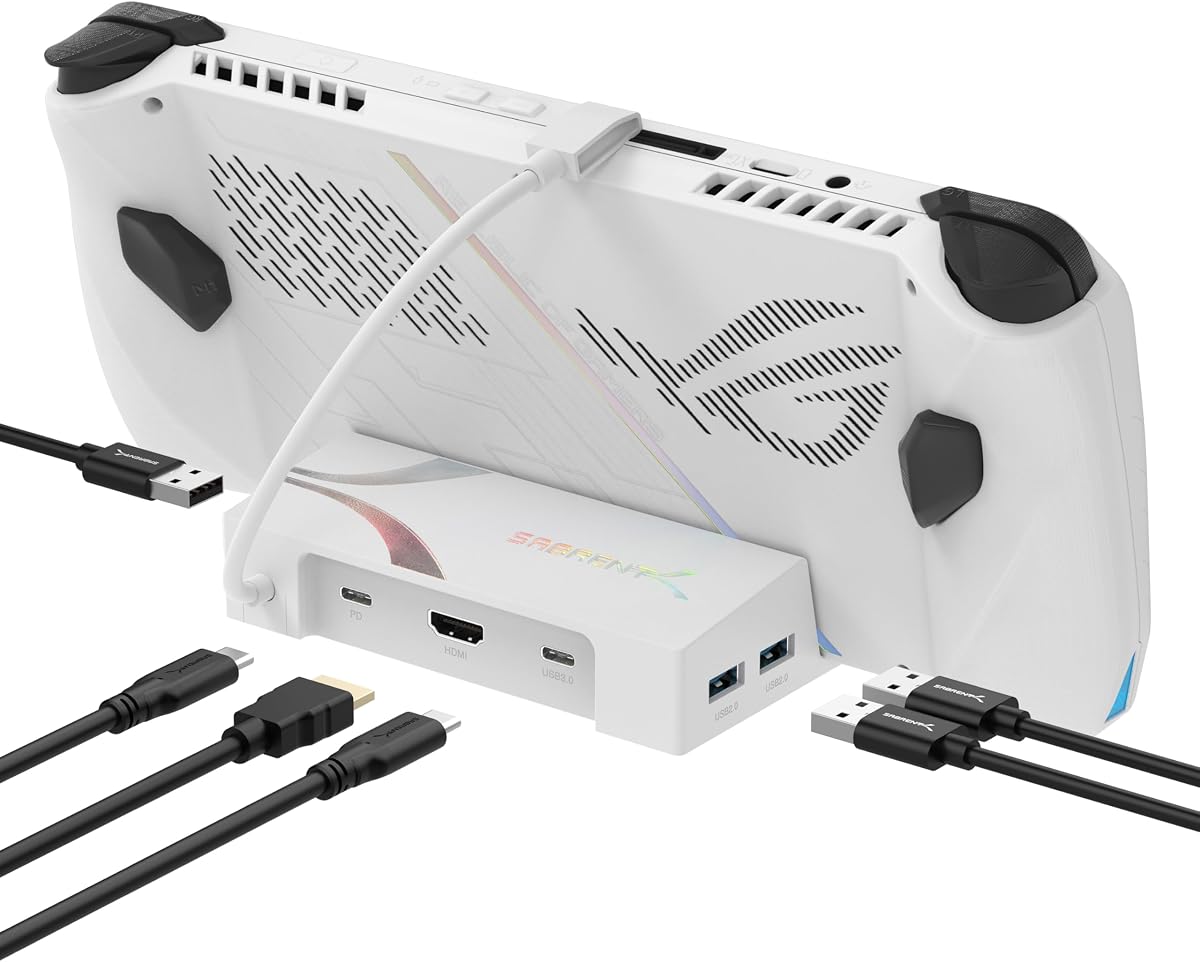
SABRENT 6-Port USB-C Dock for ROG Ally X, Steam Deck, 4K HDMI (DS-RA6P)
4.0Editor score
4K@60Hz HDMI support
95W pass-through charging
Three USB-A 3.2 ports
Discover the top ASUS ROG Ally Dock options for enhanced gaming. This guide compares ten highly rated docks for connectivity and charging performance.
Finding the right ASUS ROG Ally Dock can transform your handheld gaming experience by connecting to larger displays and peripherals. A good dock should offer stable power delivery, high refresh rate video output, and multiple USB ports for controllers and storage without overheating.
We analyzed ten top-rated docking stations based on port variety, charging speed, video capabilities, and build quality. Our comparison focuses on models that support the latest ROG Ally X and Steam Deck hardware while ensuring reliable performance during intense gaming sessions.
Each pick below highlights specific strengths like Ethernet ports, fan cooling, or compact designs. Note that pricing and availability change frequently, so check current listings before purchasing to ensure you get the best deal for your specific handheld setup.
4.0Editor score
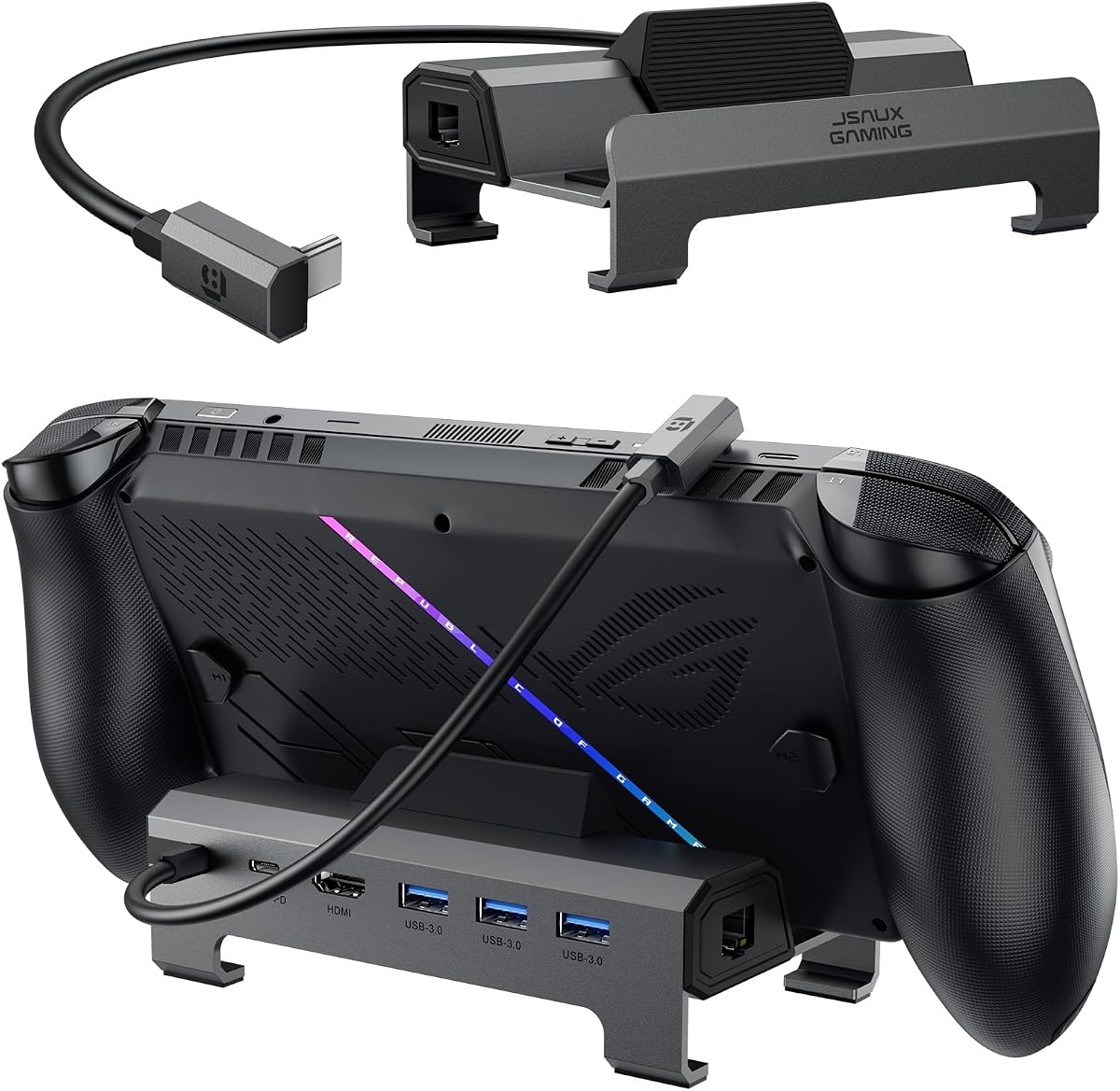
4.7Editor score

4.4Editor score
The following table provides a side-by-side comparison of all ten docks featured in this guide to help you quickly identify which model best matches your specific connectivity and performance needs.

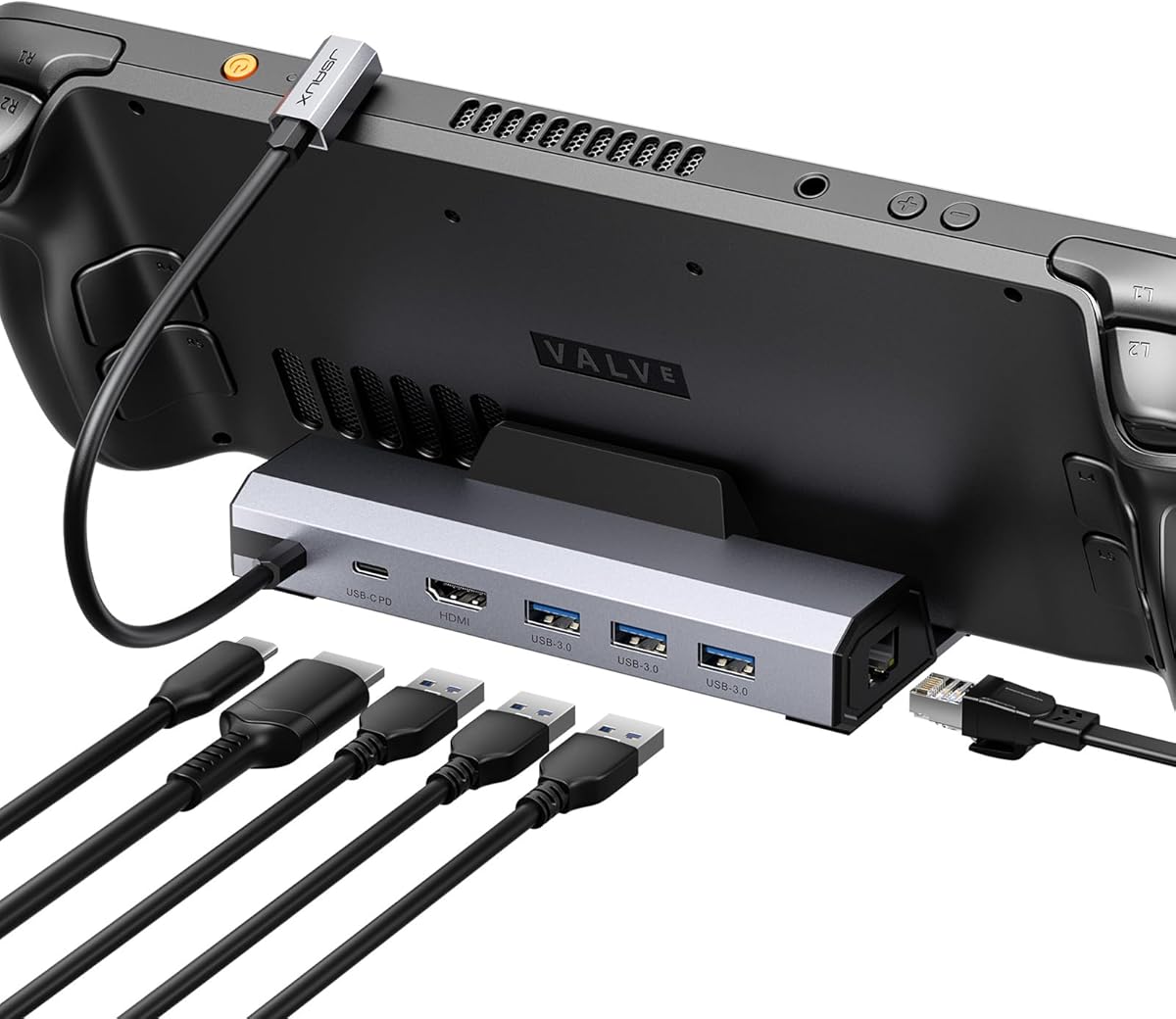

This JSAUX dock stands out as the top choice for ROG Ally users seeking reliable high performance connectivity. With a strong 4.7 rating it delivers consistent results across various handhelds including the latest ROG Xbox Ally X and Steam Deck models.
We may earn a commission when you buy through this link, at no additional cost to you.
Its standout feature is the ability to output 4K resolution at 120Hz which ensures smooth gameplay on external monitors without tearing or lag. The inclusion of a Gigabit Ethernet port guarantees low latency networking crucial for competitive gaming sessions where every millisecond counts.
While it lacks some extra features like RGB lighting or SD card readers the core performance remains unmatched in its price range. The widerened base accommodates handhelds with protruding grips ensuring stability during intense gaming sessions on a desk setup.
Gamers who prioritize video quality and network stability over aesthetic extras will find this dock delivers excellent value. It transforms your handheld into a powerful desktop gaming station with minimal setup required for immediate immersive play.
The HDMI 2.1 support enables ultra smooth visuals that match the capabilities of modern handheld gaming hardware.
A dedicated Gigabit Ethernet port ensures stable internet connections for uninterrupted online multiplayer gaming.
We may earn a commission when you buy through this link, at no additional cost to you.
The SABRENT dock offers an accessible entry point into the world of handheld docking without sacrificing essential functionality. It is ideal for budget conscious gamers who need basic connectivity and reliable charging for their ROG Ally X or Steam Deck.
We may earn a commission when you buy through this link, at no additional cost to you.
It features a 4K HDMI output that runs smoothly at 60Hz which is sufficient for most single player games and media consumption. Three USB-A ports allow you to connect peripherals like keyboards or external drives while maintaining full pass-through charging speeds up to 95W.
The main trade-off is the absence of an Ethernet port and the lack of a built-in stand meaning you may need to purchase these separately. This makes it better suited for portable setups or desks where space is at a premium.
If you need a simple reliable hub that handles core tasks without breaking the bank this dock is a solid investment. It keeps your handheld charged and connected while letting you focus on gameplay rather than setup complexity.
This dock provides essential ports at a price point that makes it accessible for a wider audience.
Its small size makes it easy to store in a bag or fit on a crowded desktop setup.
We may earn a commission when you buy through this link, at no additional cost to you.
The JSAUX HB0603 dock expands compatibility to include the Legion Go S making it a versatile option for owners of multiple handheld devices. It retains the high performance features of its siblings like 4K at 120Hz output and Gigabit Ethernet connectivity.
We may earn a commission when you buy through this link, at no additional cost to you.
This model focuses on delivering a seamless gaming experience for those using Steam Deck or ROG Ally hardware with support for Turbo Mode charging. The 100W power delivery ensures your device stays fully powered during extended sessions without needing to worry about battery drain.
Note that this unit does not support the ROG Xbox Ally series which limits its appeal for very latest hardware owners. The base is fixed and not modular meaning it doubles as a stand but lacks the flexibility of other customizable JSAUX options.
Users who need to support the Legion Go S alongside other devices will find this dock offers excellent value. It delivers the high speed connectivity and charging needed for modern handhelds without unnecessary extra cost or complexity.
Support for Legion Go S ensures this dock works well for owners of multiple different handheld platforms.
Full 100W PD support keeps your handheld in Turbo Mode without compromising performance during gaming.
We may earn a commission when you buy through this link, at no additional cost to you.
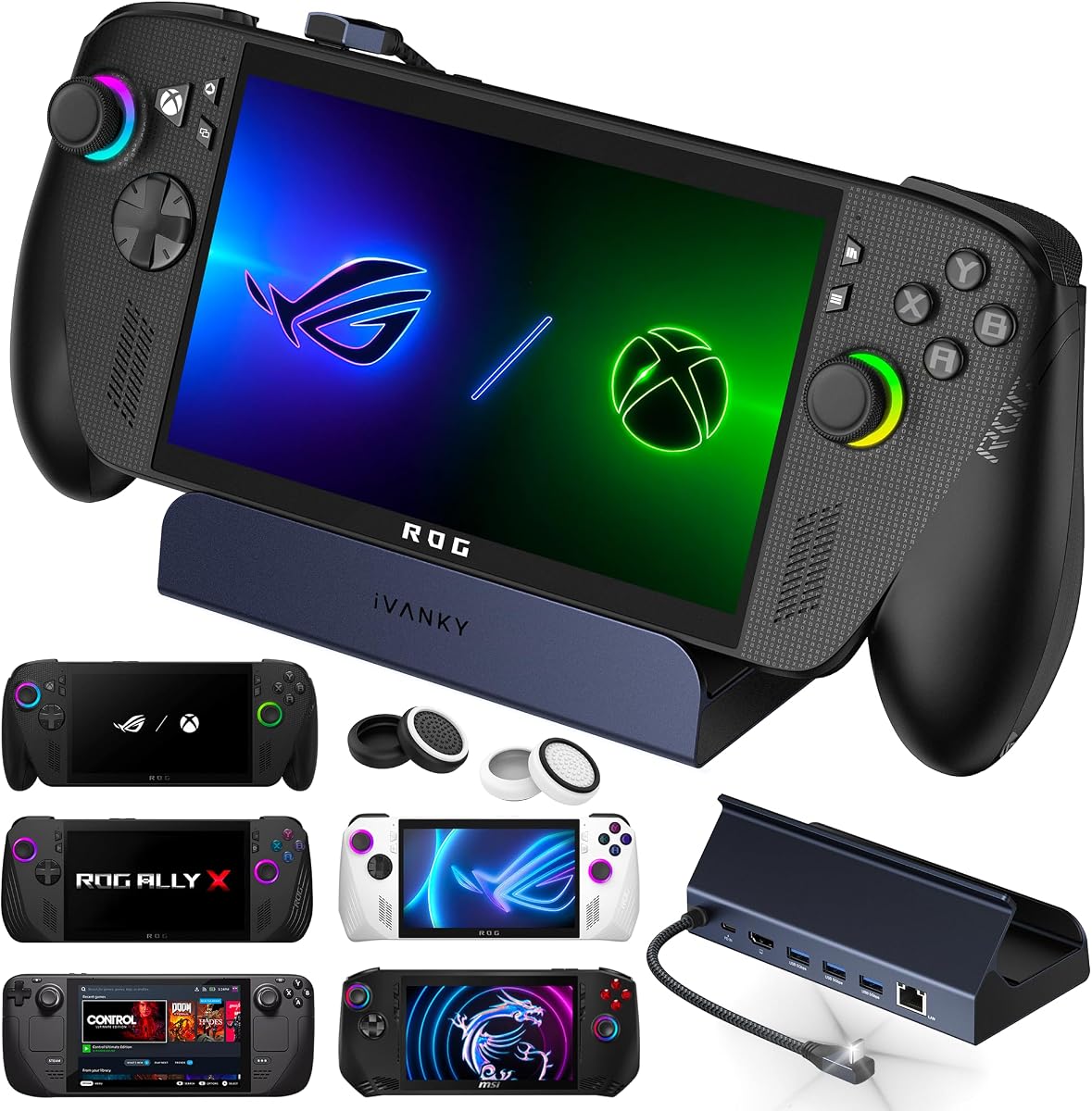
This iVANKY dock is designed to push your handheld to its limits with support for 4K resolution at 144Hz refresh rates. It is perfect for gamers who want to experience the full potential of their ROG Ally X on a high end external monitor.
We may earn a commission when you buy through this link, at no additional cost to you.
It includes helpful accessories like joystick caps that protect your controls from wear and tear during long gaming sessions. The 8-in-1 design offers a comprehensive set of ports including Ethernet and multiple USB slots for all your essential peripherals.
To unlock the full Turbo Mode potential on ROG devices you may need to update your BIOS to the latest version. This requirement ensures optimal compatibility but adds a small step to the initial setup process before you can game at full speed.
Gamers prioritizing maximum frame rates and durability will appreciate this robust dock that delivers exceptional visual performance. It transforms your handheld into a high powered console alternative that rivals dedicated desktop setups for visual fidelity.
The 144Hz HDMI output ensures every frame renders smoothly for competitive gaming on external displays.
Included joystick caps help maintain the longevity of your handhelds controls during extended use.
We may earn a commission when you buy through this link, at no additional cost to you.
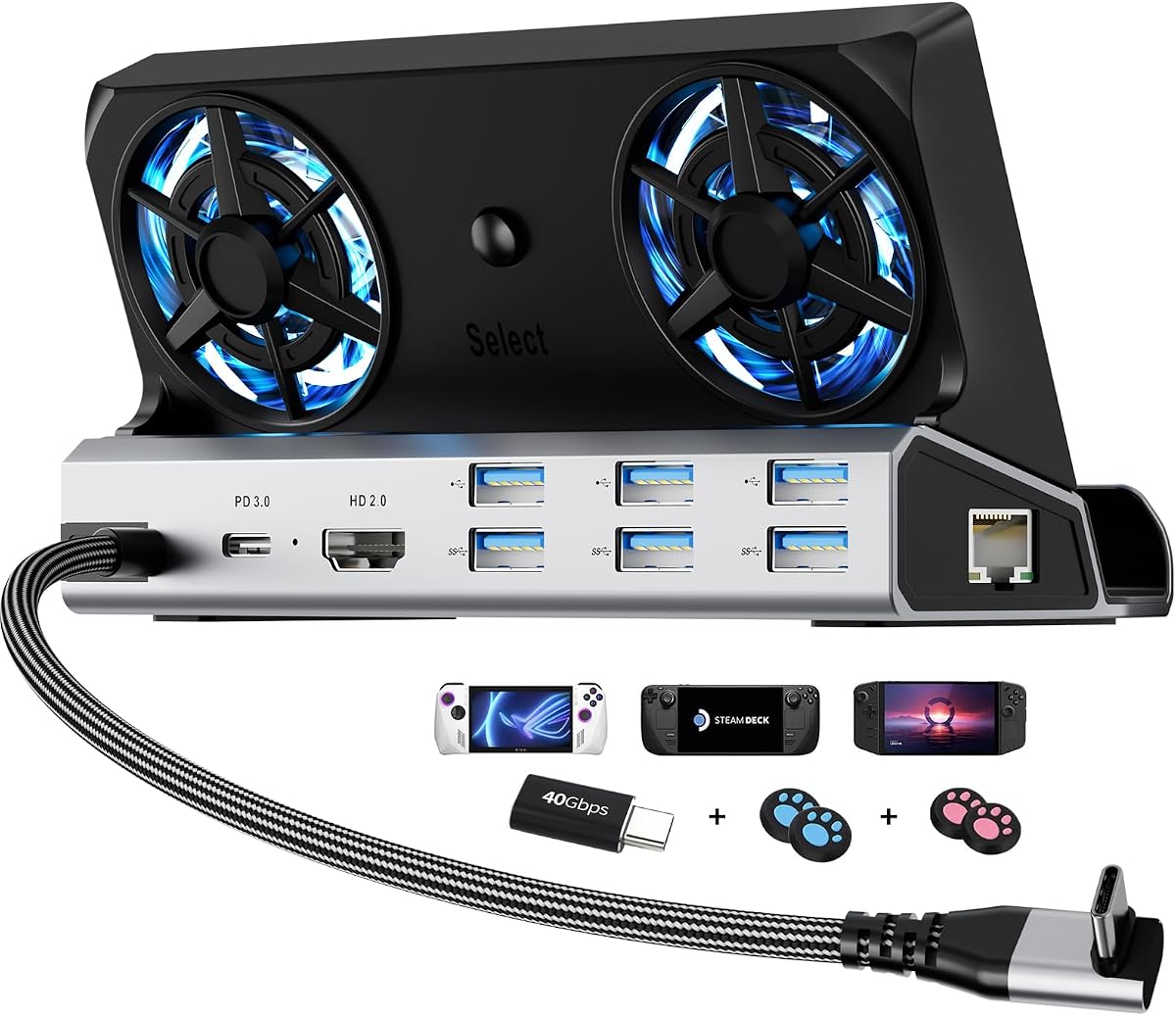
The YCE dock stands out with its built-in active cooling system which is crucial for preventing thermal throttling during intense gaming. Two large 5cm fans ensure airflow keeps your device cool even when running demanding AAA titles for hours.
We may earn a commission when you buy through this link, at no additional cost to you.
It features a premium aviation aluminum build that dissipates heat effectively while offering durability. The twelve port variety provides almost every connection type you might need from USB slots to SD card readers all in one unit.
While the fans are effective they can generate noise at higher speeds which might be distracting during quiet cinematic moments. Additionally it does not support HDMI 2.1 limiting video output to 60Hz which is fine for most games but not for ultra smooth visuals.
Users who struggle with device overheating will find this dock an essential addition to their gaming setup. It balances performance and thermal management better than passive options ensuring consistent frame rates over long play sessions.
Dual large fans actively cool your handheld to prevent performance drops caused by overheating.
Aluminum alloy construction offers superior durability and better passive heat dissipation.
We may earn a commission when you buy through this link, at no additional cost to you.
The iVANKY 14-in-1 dock is a comprehensive solution for gamers who want maximum connectivity and visual flair. It combines high performance video output with customizable RGB lighting modes to match your gaming setup aesthetic perfectly.
We may earn a commission when you buy through this link, at no additional cost to you.
It features an incredible number of ports including USB slots SD card readers and audio jacks ensuring you have everything you need. The dual foldable stand design ensures your device stays upright without blocking cooling vents on the back.
The main downside is the higher price compared to simpler options and the RGB lighting is limited to preset modes rather than full customization. If you prefer minimalism this aesthetic might be too flashy for your specific taste or office setup.
Gamers who want a premium all-in-one solution will enjoy the extensive connectivity and visual features. It offers an elegant desktop setup that looks professional while delivering top tier performance for demanding gaming titles.
RGB lighting modes allow you to sync the dock with your other gaming hardware for a unified look.
With 14 ports you can connect every peripheral you own without needing additional hubs or adapters.
We may earn a commission when you buy through this link, at no additional cost to you.
This JSAUX model is designed with a widened and raised base that accommodates handhelds with protruding grips like the ROG Ally. It ensures a stable fit for a wide variety of devices including the Steam Deck and Legion Go.
We may earn a commission when you buy through this link, at no additional cost to you.
With a high 4.7 rating it delivers consistent performance for 4K at 120Hz video output and fast charging speeds. The inclusion of Gigabit Ethernet ensures your online gaming experiences are smooth and free from latency issues.
The main limitation is the lack of additional ports like SD card readers or RGB lighting that might appeal to some users. However for core functionality it remains one of the most reliable options available on the market today.
Gamers looking for a reliable universal dock that fits their specific hardware perfectly will appreciate this design. It simplifies your setup by providing essential high performance connections in a stable and durable package.
The widened base ensures handhelds with unique shapes fit securely without sliding around.
High user ratings confirm this dock provides consistent results for video and charging tasks.
We may earn a commission when you buy through this link, at no additional cost to you.
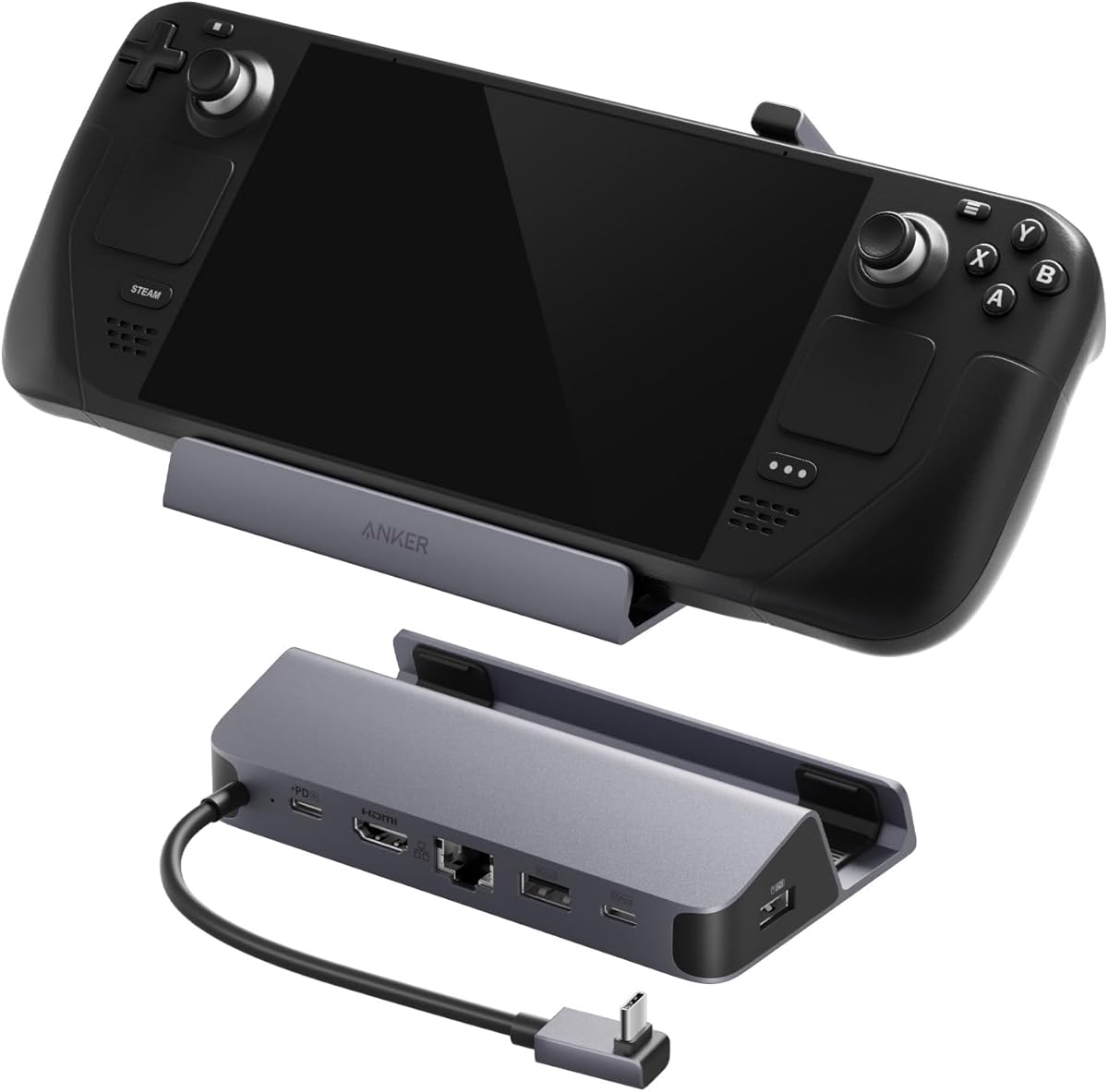
Anker is a trusted brand known for quality electronics and this dock reflects that reputation with solid performance. It is a reliable choice for users who prioritize brand trust and consistent build quality over extra features.
We may earn a commission when you buy through this link, at no additional cost to you.
It features a built-in USB-C cable which reduces cable clutter and ensures you have the right connector ready. The dock provides essential ports including Ethernet and USB slots allowing you to connect peripherals while charging at high speeds.
The downside is the lack of HDMI 2.1 support meaning video output is limited to 60Hz which is fine for most games but not for high refresh rate titles. It also has fewer ports than other more expansive docking options.
Users who value simplicity and brand reputation will find this dock meets all their basic needs without frustration. It offers a clean setup that works right out of the box with minimal effort required.
Anker products are known for quality control and long lasting durability in consumer electronics.
The built-in cable means you never lose the connector required to power your dock.
We may earn a commission when you buy through this link, at no additional cost to you.
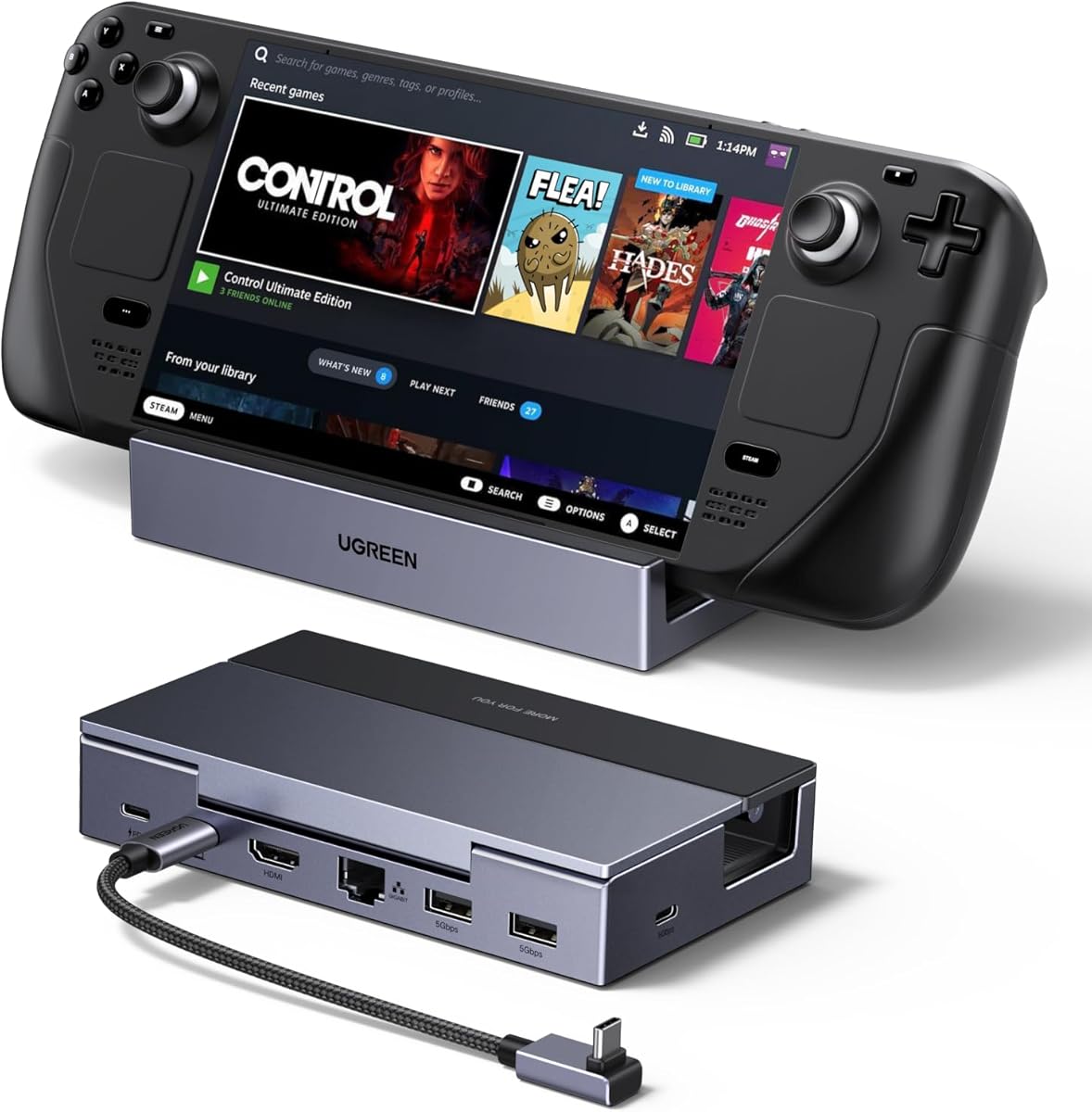
The UGREEN dock offers a sleek and portable design with a foldable stand that makes it easy to transport. It supports 4K at 120Hz video output ensuring smooth gameplay on compatible external monitors.
We may earn a commission when you buy through this link, at no additional cost to you.
It includes VRR and FreeSync technologies which eliminate screen tearing during competitive gaming sessions. The compact aluminum build feels robust while maintaining a small footprint on any desk or table.
The main limitation is the lack of an Ethernet port which means you rely on Wi-Fi for internet connectivity. Additionally the limited number of USB slots may require additional hubs for users with many peripherals.
Gamers who prioritize portability and visual fluidity will appreciate this stylish and effective dock. It balances high performance with a compact design that fits well in both home and travel setups.
The foldable stand allows you to pack the dock easily for gaming on the go.
VRR support ensures smooth visuals by eliminating screen tearing during fast paced games.
We may earn a commission when you buy through this link, at no additional cost to you.
This YCE dock stands out with its unique M.2 NVMe expansion slot which allows you to add extra storage directly to your console. It is perfect for gamers who need more space for games without relying on external drives.
We may earn a commission when you buy through this link, at no additional cost to you.
It also includes adjustable cooling fans with LED lights to help manage device temperature effectively. The fourteen port connectivity ensures you have enough connections for all your peripherals and accessories.
The setup can be slightly complex due to the number of components and adjustable features. Additionally the fans can be noisy at high speeds which might be distracting in a quiet gaming environment.
Gamers who need extensive storage options and connectivity will find this dock offers unique value. It solves common storage limitations while providing all the connectivity features you need for a full desktop setup.
The M.2 NVMe slot allows direct installation of SSDs for internal storage upgrades.
Adjustable fan speeds let you balance cooling performance with noise levels as needed.
We may earn a commission when you buy through this link, at no additional cost to you.
Selecting the right dock requires balancing video output, charging speed, and port variety to match your gaming needs.
Check whether the dock supports HDMI 2.1 for 4K at 120Hz output which is ideal for competitive gaming. If you mainly play single player games 60Hz support might be sufficient and save you money.
Prioritize docks with high refresh rate support to ensure smooth visuals on external monitors during fast paced action.
Ensure the dock supports 100W pass-through charging so your device stays powered during long gaming sessions. Lower wattage docks may struggle to charge your handheld while running demanding games in Turbo Mode.
Look for 100W PD support to avoid battery drain issues and maintain peak performance during gameplay.
A dedicated Gigabit Ethernet port provides a stable low latency connection which is essential for online multiplayer games. Wi-Fi connections can introduce lag that affects your gameplay experience on external monitors.
Always choose a dock with an Ethernet port if you play competitive online games to minimize network latency.
Assess how many USB-A and USB-C ports you need for peripherals like controllers keyboards or external storage. Docks with more ports reduce the need for additional hubs or adapters on your desk.
Choose a dock with enough USB ports to connect all your accessories without constant unplugging or switching.
Aluminum alloy docks dissipate heat better than plastic models ensuring long term reliability and stable performance. Active cooling fans help prevent thermal throttling especially if you play demanding games for extended periods.
Opt for metal construction or models with fans to ensure your device stays cool during long gaming sessions.
Verify that the dock explicitly supports your specific handheld model including the ROG Ally X or Steam Deck OLED. Some older docks may not work with newer devices or lack the necessary power delivery specifications.
Always check the product description for explicit compatibility with your exact device model before purchasing.
A stable base design ensures your handheld stays upright securely without sliding or tipping over during use. Look for models with anti-slip pads or adjustable angles to fit your ergonomic preferences.
Select a dock with a solid base and rubber feet to ensure your device remains stable on any surface.
Choose a brand that offers at least a 24-month warranty to protect against potential hardware failures. Reliable customer support is crucial if you encounter connectivity issues with your dock during setup.
Always check the warranty terms before buying to ensure you have recourse if the device fails early.
Connect the dock to your handheld using the included USB-C cable ensuring a firm and secure connection. Verify that your device displays the video output and that all USB ports are recognized by your system.
Keep your dock in a well ventilated area to prevent overheating especially if it lacks active cooling fans. Avoid covering the ventilation slots on the dock or the handheld to maintain optimal performance.
Regularly inspect the USB ports and cables for dust or debris that might interfere with connectivity. Use a soft dry cloth to clean the dock exterior and store it properly when not in use.
Yes most docks support pass-through charging so you can play while keeping your device powered. Ensure you use a charger with at least 100W power delivery to maintain performance in Turbo Mode without battery drain.
Many docks support multiple devices including ROG Ally Steam Deck and Legion Go but verify compatibility. Ensure the dock supports DisplayPort Alt Mode which is required for video output on your specific model.
An Ethernet port provides a stable low latency connection for online gaming compared to Wi-Fi. This ensures smoother gameplay and reduces lag in competitive titles where timing is critical for success.
Docks with HDMI 2.1 support can output 4K at 120Hz for smooth gaming on high end monitors. Standard HDMI 2.0 docks only support up to 4K at 60Hz which may feel less fluid.
Keep the dock in a well ventilated area and avoid blocking its vents during use. If possible choose a model with aluminum construction or active fans to manage heat better during long sessions.
Most modern docks include surge protection but unplugging during power outages is recommended. Regularly inspect cables for damage to ensure safe operation and extend the lifespan of your hardware.
Yes docks with USB-C DisplayPort Alt Mode can work with laptops or tablets that support video output. Always confirm your laptop supports DisplayPort Alt Mode before purchasing a dock for non gaming use.
You may need an HDMI to DisplayPort adapter to connect a dock to older monitors. Check your monitor inputs to ensure compatibility with the output provided by your dock model.
The JSAUX HB0612 leads as our top choice for its balance of high refresh rate video and reliable Ethernet connectivity. The SABRENT 6-Port offers an affordable option for budget conscious gamers who need basic functionality.
Prioritize docks with 100W charging and Ethernet ports to ensure you get the most out of your handheld for gaming. Consider build quality and compatibility with your specific device model before making a final purchase decision.
Always check current listings to confirm compatibility with your latest software or firmware updates. Prices and availability change frequently so verify all specs before ordering to ensure you get the right dock.